
Processor Brand
Processor Type.
Generation
NPU
Hard Disk Drive (HDD)
Installed SSD Type
Installed SSD Generation
Display Resolution Range
Display Resolution
Touch Screen
Empty/Expansion RAM Slot
HDD Expansion Slot
M.2/SSD Expansion Slot
Graphics Chipset
LAN
Finger Print Sensor
Keyboard Back-lit
Licensed Application
Color
Warranty Info
Laptop price in Bangladesh starts from Tk 54,500 and goes up to Tk 649,000 - covering everyday laptops for online classes, office work, and internet browsing, all the way to high-end gaming laptops, business ultrabooks, and MacBooks for professional and creative workloads. Getting your laptop from a single trusted source guarantees the right specs for your budget, matched with official warranty coverage and reliable after-sales support.
Brands include HP, Dell, ASUS, Acer, Lenovo, Apple, MSI, Microsoft, CHUWI, Smart, and TECNO - all sold with official warranty at Ryans, ranging from 1 to 3 years depending on the brand and model. Compare models by processor, generation, display size, RAM, storage, and graphics to narrow down the perfect laptop for your needs and workload.
Start with your routine, then match the processor, memory, storage, display size, and graphics to your needs.
The best laptop is not always the most expensive one. Matching the hardware to your actual routine helps you avoid overpaying while still getting the performance, portability, and battery life you need every day.
The processor has a major effect on speed, responsiveness, and multitasking. Entry-level chips suit browsing, online classes, meetings, and routine office work. Mid-range processors are the practical sweet spot for many users, while higher-end chips are better for editing, development, and heavier creative workloads.
Entry Level Core i3, Ryzen 3, and entry-level Snapdragon X chips are suitable for browsing, documents, online classes, meetings, and routine office work.
Mid Range Core i5, Core 5, and Ryzen 5 offer one of the best balances of performance and efficiency, especially with 8GB to 16GB RAM and SSD storage.
High Performance Core i7, Core 7, Core Ultra, Ryzen 7, Ryzen AI, and Apple silicon models such as M2, M3, or M4 are better for editing, software development, and demanding multitasking.
8GB RAM is a common starting point for basic use. Move to 16GB if you keep many tabs open, work with larger files, or want more room for multitasking. SSD storage also improves startup speed and overall responsiveness.
A 14-inch laptop is easier to carry, a 15.6-inch model balances work and comfort, and 16-inch or 17-inch laptops give you more room for multitasking, editing, and entertainment.
Integrated graphics are often enough for study, browsing, meetings, and media. Dedicated graphics matter more for gaming, video editing, 3D work, and GPU-accelerated creative tools.
Choose the size that best matches your routine, workspace, and portability needs.
POPULAR
A 14-inch laptop is easier to carry between class, office, and home while still giving enough room for everyday productivity and online work.
POPULAR
A 15.6-inch laptop offers a familiar mix of comfort and usability, making it a strong all-purpose choice for home, office, study, and entertainment.
A 16-inch laptop is a better fit when you want extra screen space for multitasking, larger documents, spreadsheets, entertainment, and creative work.
A 17-inch laptop can feel more comfortable for immersive gaming, media use, and extended multitasking, though it is usually less convenient to carry.
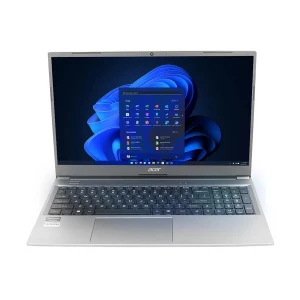
For online classes, browsing, documents, presentations, and everyday work, a practical processor, SSD storage, and at least 8GB RAM are usually enough for a smooth experience. A 14-inch or 15.6-inch laptop is often the most practical choice here. Acer Aspire 3 13th Gen Core i3 fits this type of routine well.
For office use, focus on a balanced processor, SSD storage, a comfortable keyboard, stable battery life, and practical ports like USB-C and HDMI. These details matter when your work involves meetings, spreadsheets, documents, and multitasking. Lenovo IdeaPad Slim 3 Core i3 N305 is a sensible example for this type of use.
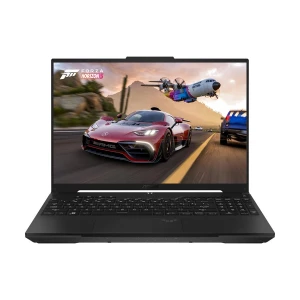
If your workload includes video editing, design tools, 3D applications, or modern games, it makes sense to prioritize a stronger processor, more RAM, dedicated graphics, and better cooling. Gaming laptops are the better fit here, and options like the ASUS AMD Ryzen 7 Black Gaming Laptop show the kind of stronger setup heavy users often compare.
If you move between locations often, a lightweight 14-inch laptop is usually the most practical option. It is easier to carry while still giving enough screen space for writing, browsing, classes, and daily office tasks. Models such as the CHUWI GemiBook XPro 14.1-inch are useful examples for mobile use.
A smaller display is easier to carry from class to office, while a larger one gives you more room for spreadsheets, multitasking, and entertainment. For example, the CHUWI GemiBook XPro 14.1-inch is better for portability, while the Lenovo IdeaPad Slim 3 15.6-inch gives you a roomier everyday workspace.
Both Intel and AMD have strong options across budget, mid-range, and performance categories. The smarter comparison is the exact processor model and the overall configuration, such as an Intel-based Acer Aspire 3 13th Gen Core i5.
Gaming laptops focus on stronger graphics, more robust cooling, and higher-performance. Business laptops usually focus more on portability, battery life, typing comfort, and practical design for meetings, office tasks, and daily productivity.
MacBooks appeal to users who want Apple silicon performance, long battery life, and the macOS ecosystem. Windows laptops give you a wider range of price points and hardware styles across brands.
Study, office work, gaming, editing, and travel all need different levels of power, portability, and battery life.
8GB RAM is a common starting point, 16GB offers more room for multitasking, and SSD storage improves startup speed and app responsiveness.
A 14-inch laptop is easier to carry, while 15.6-inch and 16-inch models usually feel more comfortable for longer work sessions and larger tasks.
Battery life, keyboard comfort, webcam quality, wireless support, ports, operating system, and upgrade options all shape the real daily experience.
Use the filters on the laptop category page to narrow down models by processor type, generation, display size, RAM, storage, and graphics before comparing the final options that match your needs most closely.
Compare by processor, RAM, storage, and graphics
Choose genuine laptops from Ryans, one of Bangladesh’s trusted destinations for computers and technology products.
N.B. Image may differ with actual product's layout, color, size & dimension. No claim will be accepted for image mismatch.
Product Id:
Sort Options
Filter
