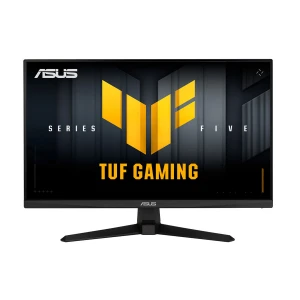
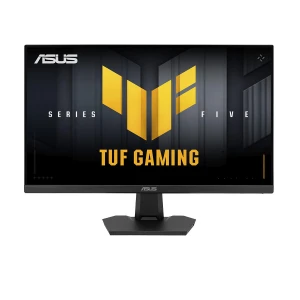
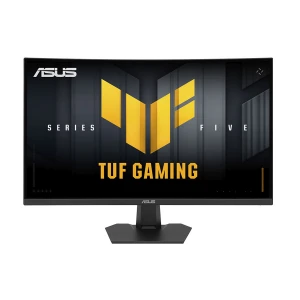
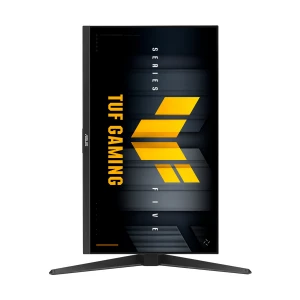

Series
Shape
Panel Surface
Display Size Range (Inch)
Panel Type
Touch Screen
Response Time Range (ms)
Borderless
DVI Port
VGA Port
HDMI Port
DisplayPort (DP)
Mini DisplayPort
USB Type-A
USB Type-B
USB Type-C
Thunderbolt
Headphone Jack
Speaker (Built-in)
Smartphone Apps
App Name
Rotatable
Warranty Info
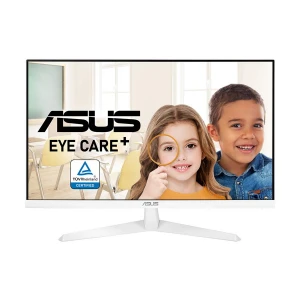
ASUS monitor price in Bangladesh starts from Tk 9,800 and goes up to Tk 197,000 at Ryans. ASUS offers Full HD, QHD, 4K and higher-resolution monitors with IPS, VA, TN and OLED panels for office work, study, gaming, content creation and portable laptop setups. Compare screen size, resolution, refresh rate and connectivity to find the right ASUS monitor for your needs and budget.
Start With Your Work
Start with your daily use. This quickly removes specifications that look impressive on paper but may not improve your actual experience.
Everyday Use
For documents, online classes, browsing, accounts, email and normal multitasking, a 22 to 27-inch Full HD monitor is a practical starting point. IPS is useful when viewing angles and consistent image quality matter.
Gaming
Check refresh rate, response time, Adaptive-Sync support and the ports needed to reach the monitor's full refresh rate. A 200Hz Full HD monitor and a 320Hz QHD monitor target very different PCs and budgets.
Creative Work
Resolution, colour coverage, calibration, screen space and connectivity usually matter more than extreme refresh rate. ASUS ProArt is the main ASUS monitor family to check for creator-focused work.
Mobile Workspace
ASUS ZenScreen models are designed for users who need an extra screen beside a laptop without carrying a full desktop monitor. Before buying, confirm the connection required by the exact model.
Screen Size and Sharpness
Two monitors can have the same resolution but look different because pixel density falls as screen size increases. This is why a 27-inch Full HD monitor does not look as sharp as a 24-inch Full HD monitor when viewed from a similar distance.
| Screen and Resolution | Approx. Pixel Density | Practical Use | Buying Note |
|---|---|---|---|
| 23.8-inch Full HD | About 93 PPI | Office, study, general use and Full HD gaming | A balanced combination for normal desk distance and one of the easiest sizes to fit on a compact desk. |
| 27-inch Full HD | About 82 PPI | Larger office display, media and budget gaming | Gives more physical screen area, but text and fine details are less dense than on a 23.8-inch Full HD display. |
| 27-inch QHD | About 109 PPI | Gaming, coding, multitasking and editing | A strong balance of desktop space and sharpness without the GPU demand of 4K gaming. |
| 27-inch 4K | About 163 PPI | Detailed creative work and premium productivity | Very sharp at normal desk distance. Operating-system scaling is commonly used to keep text comfortable. |
| 32-inch 4K | About 138 PPI | Large professional workspace and 4K entertainment | Provides more physical workspace while keeping much stronger pixel density than 32-inch Full HD. |
Panel Guide
Panel type affects contrast, viewing angles, motion behaviour and price, but the exact monitor still matters. Do not judge a monitor only by the panel name.
| Panel Type | Useful For | Main Strength | What to Check |
|---|---|---|---|
| IPS | Office, study, design, mixed use and gaming | Wide viewing angles and consistent image appearance. | Refresh rate, contrast, colour coverage and stand adjustment still vary significantly by model. |
| VA | General use, entertainment and selected gaming monitors | Usually stronger native contrast than typical IPS panels. | Check motion performance if fast gaming is a priority. |
| TN | Speed-focused competitive gaming | Can be used in monitors built around very fast motion performance. | Compare viewing angles and image quality with modern Fast IPS alternatives. |
| OLED | Premium gaming, HDR entertainment and high-contrast visuals | Per-pixel lighting gives very deep blacks and extremely fast pixel response. | Check brightness, OLED care features, warranty terms and your expected amount of static desktop use. |
ASUS Monitor Families
ASUS uses different monitor families for different types of customers. Knowing the series can make the product list much easier to understand.
TUF Gaming is a practical place to start when you want a dedicated gaming monitor without immediately moving into ASUS's highest-end ROG range.
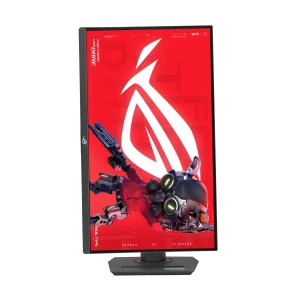
ROG is ASUS's enthusiast gaming range and includes higher-end ROG Strix and ROG Swift monitors.
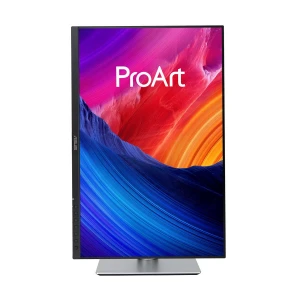
ProArt is the ASUS family to check first for professional photo, video, graphics and content-creation work.
ZenScreen focuses on portability, while ASUS VA, VY, VP and similar lines cover many regular office, home and everyday-use requirements.
Gaming Performance
Higher refresh rate shortens the time between screen refreshes, but you also need enough frame rate from your PC to benefit from it. Buying a 360Hz or 480Hz monitor does not automatically make a low-frame-rate game smoother than a good 144Hz or 180Hz monitor.
Ports and Desk Setup
The wrong port can stop you from using the resolution or refresh rate you expected. Laptop users should pay particular attention to USB-C capabilities.
HDMI
Useful with desktops, laptops and game consoles. Check the HDMI version and supported refresh rate on the exact model when buying for high-refresh or 4K gaming.
DisplayPort
Common on gaming and professional monitors. It is often an important connection for achieving high refresh rates from a desktop graphics card.
USB-C
Useful for compatible laptops, but USB-C does not automatically mean charging. Confirm DisplayPort Alt Mode and power delivery wattage when those features matter.
Thunderbolt and USB Hub
Selected professional monitors offer more advanced connectivity. These features are valuable when you regularly connect laptops, storage and other desktop accessories.
Before You Order
Similar-looking ASUS monitors can have very different panels, ports, stands and gaming features. Check these points before comparing only the price.
✓
✓
✓
✓
✓
✓
✓
Verified Product Examples
These current Ryans examples show how ASUS monitor pricing changes as you move from basic Full HD use to high-refresh QHD and premium OLED gaming.
| ASUS Monitor | Key Specification | Checked Price | Who It Makes Sense For |
|---|---|---|---|
| ASUS VP227HF | 21.45-inch, Full HD, VA, 100Hz | Tk 10,500 | Study, basic work, home use and a low-cost desktop setup. |
| ASUS TUF Gaming VG249Q5R | 23.8-inch, Full HD, IPS, 200Hz | Tk 20,700 | High-refresh Full HD gaming without moving into premium ROG pricing. |
| ASUS ROG Strix XG27ACMS | 27-inch, QHD, IPS, 320Hz, USB-C | Tk 54,500 | Competitive gamers who want QHD detail and a much higher refresh rate. |
| ASUS ProArt PA278CGV | 27-inch, QHD, 144Hz Professional Monitor | Tk 69,500 | Creative and professional work where a ProArt display is more relevant than a gaming-first monitor. |
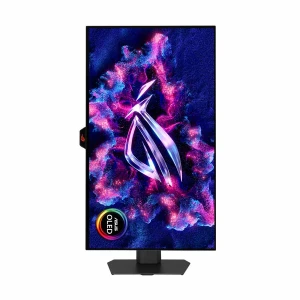
| ASUS ROG Swift OLED PG27AQDP | 27-inch, QHD, OLED, 480Hz | Tk 176,000 | High-end competitive gaming where OLED response and extreme refresh rate are priorities. |
Buying from Ryans
✓
✓
✓
✓
Quick Answers
A 24-inch Full HD monitor is compact and practical for office work, study and general use. A 27-inch QHD monitor gives more desktop space and higher pixel density, which is useful for multitasking, coding, gaming and detailed work.
It is usable, especially for gaming or users who prefer larger text, but it has lower pixel density than 24-inch Full HD. If sharper text and more workspace are priorities, 27-inch QHD is worth comparing.
TUF Gaming focuses on strong gaming performance at more accessible price levels. ROG targets enthusiast and premium gaming setups and includes higher-end technologies such as very high refresh rates and OLED on selected models.
OLED is attractive for gaming because of its deep blacks, strong contrast and very fast pixel response. Whether it is worth the extra cost depends on your games, budget, HDR expectations and amount of static desktop use.
It is especially useful with compatible laptops. However, check whether the port supports display input and power delivery. A monitor having USB-C does not automatically mean it can charge your laptop.
No. 240Hz can improve motion clarity and responsiveness when your PC produces sufficiently high frame rates, but 144Hz to 180Hz is already a strong range for many gaming setups. Resolution, panel quality and GPU performance may be more important than chasing the highest refresh rate.
ProArt is the main ASUS family to check for photography, video, graphics and other colour-sensitive professional work. Compare the individual model's resolution, colour gamut, Delta E, calibration information and connectivity before choosing.
N.B. Image may differ with actual product's layout, color, size & dimension. No claim will be accepted for image mismatch.
Product Id:
Sort Options