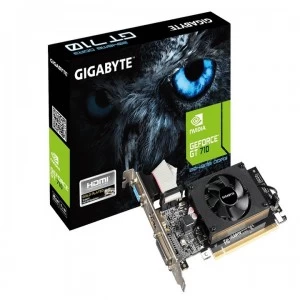
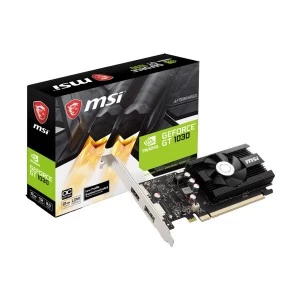
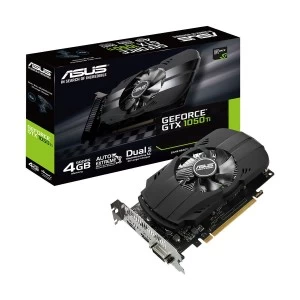
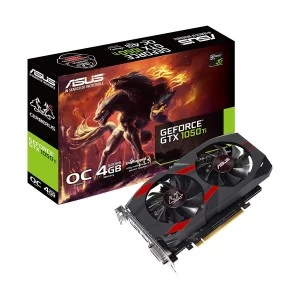

Memory Type
Chipset
VGA Port
DVI Port
HDMI Port
Display Port
Multi Display Capability
Warranty Info
Whether you're building a gaming PC, setting up a workstation for video editing, or running AI model training, a graphics card is the single component that determines what your system can actually do. At Ryans, graphics card price in Bangladesh ranges from ৳4,700 for entry-level picks to ৳7,95,000 for flagship-class cards - and every tier in between. The right GPU isn't the most expensive one. It's the one that matches your workload, your monitor, your power supply, and your budget.
For 1080p competitive gaming, ৳15,000–৳30,000 is usually enough for titles like Valorant, CS2, PUBG, and eFootball. For 1080p to 1440p AAA gaming, most serious buyers in Bangladesh usually compare ৳35,000–৳85,000 GPUs for better visuals, higher settings, and ray tracing support. For 4K or ultra-high refresh gaming, buyers usually need to start from ৳1,00,000+, and that only makes sense if the monitor and full setup can actually use that level of performance.
Rendering speed and timeline playback depend on GPU memory bandwidth and VRAM. For 4K editing in DaVinci Resolve or Adobe Premiere, 12GB VRAM minimum, with GDDR6 or GDDR6X. NVIDIA NVENC hardware encoder also offloads stream encoding from the CPU - critical for anyone who edits and streams. RTX 4070 or RX 7800 XT range (৳70,000–৳1,10,000) is the target for professional editors.
2D design tools are relatively light - even a mid-range card handles Photoshop and Illustrator. 3D work in Blender, Cinema 4D, or 3ds Max benefits from higher CUDA core counts and VRAM. The RTX 4060 (৳45,000–৳55,000) is a reliable entry point. For heavier scenes, simulations, and high-resolution textures, consider GPUs with at least 12GB–16GB VRAM to avoid performance bottlenecks and crashes.
Software like AutoCAD, SolidWorks, Revit, and architectural visualization tools (Lumion, Enscape) rely on stable, certified GPU drivers and OpenGL/DirectX performance. NVIDIA's driver ecosystem leads here - CAD-optimized performance across the RTX line makes it the preferred choice. Engineers running large assemblies or simulations should target 12GB+ VRAM to avoid viewport slowdowns. For lighter CAD and 2D drafting, an 8GB mid-range card is sufficient.
Training speed and model capacity are directly tied to CUDA core count and VRAM. NVIDIA dominates this space - AMD's ROCm ecosystem remains limited outside Linux, and Intel Arc lacks the software support. The RTX 4060 Ti 16GB (৳75,000–৳90,000) is a cost-efficient entry into ML work. Serious training workloads require RTX 4080 (24GB) or 4090 (24GB) level hardware.
Smooth dual-tasking (gaming + streaming simultaneously) depends on hardware encoding. NVIDIA NVENC and AMD AVC/HEVC encoders handle this without CPU overhead. Any mid-range card (৳35,000–৳65,000) with hardware encoding support handles most streaming setups. Output over HDMI 2.1 or DisplayPort for the best capture quality.
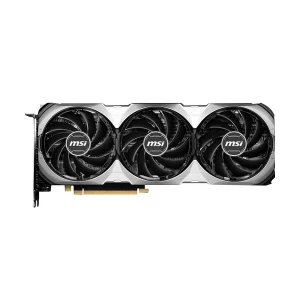
MSI GeForce RTX 5060 8G SHADOW 2X OC 8GB GDDR7 Graphics Card
Multiple monitor support, better video playback, and basic everyday use don't need more than an entry-level card in the ৳5,000–৳15,000 range. These draw 75W or less, generate minimal heat, won't strain an older PSU, and are available with both HDMI and DisplayPort outputs for flexible display setups.
| Brand | Tier | Top Series | Best For |
|---|---|---|---|
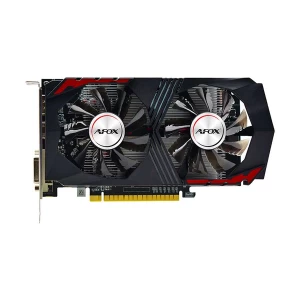
| AFOX | Entry / Budget | GeForce / Radeon OEM lines | Office PCs and low-cost display output |
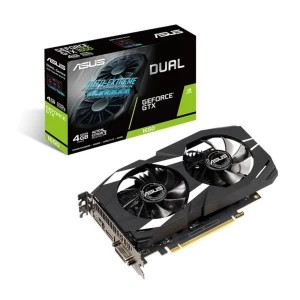
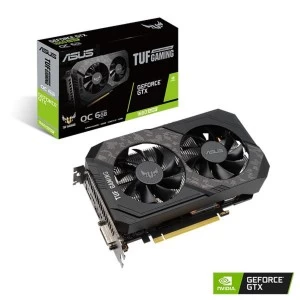
| ASUS | Mid / High / Flagship | ROG Strix, TUF Gaming, Dual | Premium gaming and professional builds |
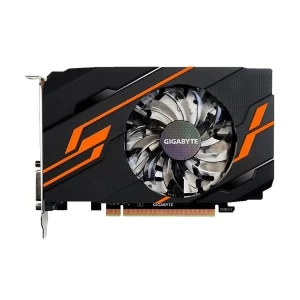
| Gigabyte | Entry / Mid / High | AORUS, Gaming OC, Eagle, Windforce | Balanced value across all tiers |
| GUNNIR | Entry / Mid | Arc A380, Arc A750, Arc B580 | Budget Intel Arc builds |
| Manli | Entry / Budget | Standard OEM lines | Cost-sensitive office and basic builds |
| MSI | Mid / High | Gaming X Trio, Gaming X, Ventus, Mech | Gaming-focused mid and high-end builds |
| PNY | Mid / High | XLR8 Gaming VERTO Epic-X RGB | Reliable NVIDIA alternative |
| PowerColor | Mid / High | Red Devil, Hellhound, Red Dragon | AMD-focused gaming builds |
| SAPPHIRE | Mid / High / Flagship | Nitro+, Pulse | Best overall choice for AMD Radeon users |
| ZOTAC | Entry / Mid / High | AMP Extreme Airo, Trinity, Twin Edge, Solo, Mini | NVIDIA builds, especially compact cases |
Video RAM matters, but the right tier matters more than the number alone - 6GB is enough for light 1080p gaming and older AAA titles, 8GB is the practical minimum for current 1080p gaming and general creative use, 12GB is a better fit for 1440p gaming, 4K editing, and mid-range 3D work, while 16GB or more is mainly for 4K ultra gaming, heavy rendering, and serious professional workloads.
A newer 8GB card frequently outperforms an older 12GB card in real-world tasks. Architecture improvements deliver better performance-per-watt, improved ray tracing, and stronger AI upscaling across generations. On this page you'll find cards from the NVIDIA RTX / GTX series, AMD RX series, and Intel Arc series - spanning multiple generations.
Every GPU has two clock speeds: Base Clock (the minimum the GPU runs at under any load) and Boost Clock (the peak speed the GPU reaches under sustained workloads). The boost clock is what matters most for real-world gaming and rendering performance. Higher boost clock = faster frame delivery and render times, all else being equal. When comparing two cards of the same generation, clock speed is a useful tiebreaker.
Memory type affects how fast the GPU can handle VRAM-heavy tasks. GDDR5 is older and fine for basic 1080p use, GDDR6 is the current mainstream standard for gaming and creative work, and GDDR6X is the faster premium option for 4K gaming and heavier workloads.
Memory bus width affects how much data moves between the GPU and VRAM at once. 128-bit is fine for entry 1080p gaming, 192-bit is a stronger mid-range choice for 1440p, and 256-bit is better suited to high-end gaming and professional rendering.
Most GPUs include both HDMI and DisplayPort, but the better choice depends on your monitor. HDMI is the common option for TVs and regular displays, while DisplayPort is usually better for high-refresh gaming monitors and smoother variable refresh support.
Cards rated at 75W or below take all power from the PCIe slot, so they do not need an external power connector. Once a card goes above 75W, it will need at least one 6-pin or 8-pin connector, while higher-end cards may need dual 8-pin or 16-pin (12VHPWR) support. Always check your PSU cables before buying.
The GPU's core count is a raw measure of parallel processing power — but only comparable within the same brand and generation. NVIDIA uses CUDA Cores; AMD uses Stream Processors. A higher count within the same generation = faster rendering, better frame rates, and quicker compute tasks. Don't compare CUDA core counts to Stream Processor counts directly - they operate differently, and the numbers don't translate 1:1 across brands.
Cooling design affects temperature, noise, and long-term stability, which matters even more in Bangladesh’s warmer conditions. Single-fan cards suit entry-level GPUs and tight cases, dual-fan cards are the practical mid-range choice for most gaming and creative builds, and triple-fan cards are better for high-end GPUs because they handle sustained load more quietly and efficiently, but need more case space.
PCIe 5.0 is the latest standard, supported by newer RTX 50 series cards. PCIe 4.0 is the current mainstream. PCIe 3.0 is found on older motherboards. All versions are backward compatible - a PCIe 4.0 or 5.0 GPU works in a PCIe 3.0 slot with minimal real-world performance difference for most users. Check your motherboard's PCIe slot version if you're upgrading an older build.
✓
Check whether your PSU has the right 6-pin, 8-pin, or 16-pin connector support. A stronger GPU may also need a higher-wattage PSU.
✓
Choose VRAM based on your use. 8GB is the practical minimum for current 1080p gaming, 12GB is better for 1440p and creative work, and 16GB+ suits 4K and heavier workloads.
✓
Better GPUs need better cooling. Single-fan suits basic builds, dual-fan is the safer all-round choice, and triple-fan is better for high-end cards and longer heavy use.
✓
Always check GPU length and thickness against your case. A card that does not fit properly is the wrong buy no matter how good the specs are.
✓
Match the GPU to your monitor. 1080p needs less GPU power, while 1440p, 4K, and high-refresh monitors need much stronger graphics performance.
✓
A strong GPU can still feel underwhelming if the processor is too weak. Always match the graphics card with a CPU that can keep up, especially for 1080p competitive gaming where CPU bottlenecks are more common.
N.B. Image may differ with actual product's layout, color, size & dimension. No claim will be accepted for image mismatch.
Product Id:
Sort Options