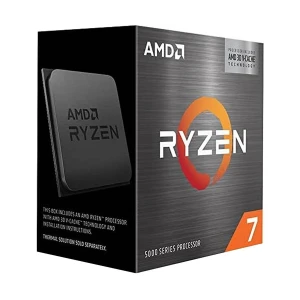
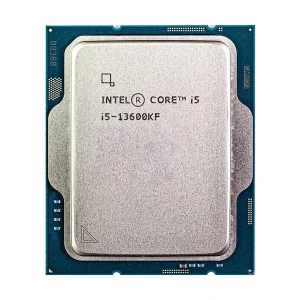
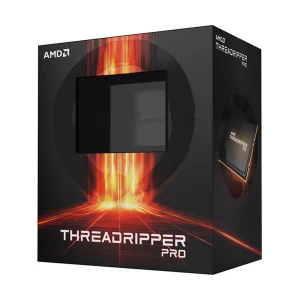
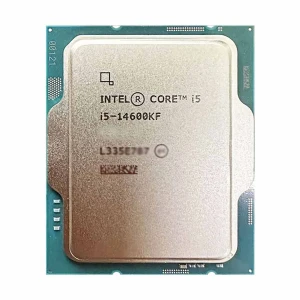

Built-in GPU
Warranty Info
If you are comparing processor price in Bangladesh, choose the CPU by platform compatibility first, then by performance. On Ryans, you can compare Intel processors and AMD processors for office PCs, student desktops, gaming builds, editing setups, and high-performance workstations.
The best processor is not always the most expensive one. Start with your motherboard socket, supported generation, RAM type, core and thread requirement, integrated graphics need, cooling plan, and warranty preference. A balanced Core i5 or Ryzen 5 is enough for many buyers, while Core i3, i7, Core i9, Ryzen 5, Ryzen 7, and Ryzen 9 processors make more sense for gaming, streaming, rendering, software development, and heavier multitasking.
Intel and AMD both offer good choices, but they do not use the same motherboard platform. Before choosing between them, match the CPU with the correct motherboard, RAM generation, cooling requirement, and total budget. Intel is a familiar option for dependable everyday and office builds, while AMD is popular for value-focused performance, gaming builds, and strong multi-core options.
Socket & Generation Match LGA or AM socket, chipset support, and CPU generation before ordering.
RAM & iGPU Confirm DDR4 or DDR5 support and whether the processor has built-in graphics.
Cooler & Warranty Check if a cooler is included and whether the product is a box, tray, or OEM.
Most people just need an entry-level or mid-range CPU for basic home use, web browsing, document creation, streaming, and online classes. Without significantly raising the total cost of the PC setup, alternatives like Core i3, Ryzen 3, and even some Core i5 or Ryzen 5 processors can provide smooth daily performance. Opt for a processor with integrated graphics if you're not planning on purchasing a graphics card.
Office users should choose a CPU that maintains system stability over long hours, not just looks. In office settings where the computer runs all day, low-power PCs can struggle with documents, spreadsheets, accounting software, internet tabs, meetings, and multitasking. So Core i5 and Ryzen 5 processors are usually safest. They are affordable and faster, more responsive, and more reliable than lower-end solutions. If your business PC will run without a GPU, make sure the processor has integrated graphics. Money and stress can be saved with this simple check.
Gamers need a processor that matches their graphics card, resolution, and games. A balanced gaming system with a Core i5 or Ryzen 5 can deliver 1080p performance at a low cost. Due to their reduced bottlenecks and stress performance, Core i7, Ryzen 7, and other gaming CPUs are worth it. They are better for gaming, broadcasting, and competitive setups. Since cooling is more important, don't just think about the CPU. Gaming processors may need a cooler, motherboard support, and extra power.
Budget processors are usually not good for multitasking, virtualization, coding, graphics, 3D work, or creative software projects. They get more out of cores, speed, and multitasking than most people do. Core i7, i9, Ryzen 7, and Ryzen 9 CPUs make it easier to render, export, create, and run many apps at once. Platforms that use processors cost more. More powerful CPUs need better motherboards, power supplies, cooling, and RAM. Instead than saying, "buy a better CPU," experts should think about how well it would work under stress.
Choose Core i3 or Ryzen 3 for tight-budget study, browsing, and basic office tasks. Choose Core i5 or Ryzen 5 if you want better multitasking, smoother gaming, and stronger long-term value. For most Bangladesh PC buyers, this mid-range level is the safest starting point.
These processors are for users who need more than simple daily performance. They are better for high-end gaming, editing, rendering, streaming, coding, workstation tasks, and heavy multitasking. They also need better matching parts, especially motherboard, RAM, cooling, and power supply.
Newer generation processors usually offer better efficiency, newer platform features, and stronger upgrade value. Older generation processors can still be smart if the price is lower and the performance fits your work. Always compare total platform cost, not just CPU price.
A processor with integrated graphics can run a display without a separate graphics card, which is useful for office and budget PCs. A processor without iGPU may still perform very well, but it requires a dedicated GPU for display output. Check this carefully before placing an order.
Socket compatibility is the first thing to check. Intel and AMD processors use different sockets, and even processors from the same brand may need different chipsets or BIOS support. Before buying, compare the CPU with a compatible motherboard or use the Ryans PC Builder to plan the full setup.
Processor generation affects motherboard support, RAM options, power behavior, and future upgrade path. A newer generation may cost more, but it can also give better platform features. An older generation can be practical when the price is lower and the motherboard support is already available.
Cores and threads help with multitasking, editing, streaming, rendering, compiling, and heavy productivity. Basic users do not need extreme core counts, but moving from entry-level CPUs to 6-core or higher options can make a noticeable difference for modern workloads.
Integrated graphics matter if you want to use the PC without a dedicated graphics card. Many office, study, and home builds benefit from an iGPU. For gaming or editing with a separate GPU, iGPU becomes less important, but it can still help as a backup for troubleshooting.
Some processors include a stock cooler, while others need a separate CPU cooler. Higher TDP or unlocked processors may need stronger cooling and better airflow. This affects both performance and total build cost.
Processor speed, which is measured in GHz, shows how quickly a CPU can do tasks that people do every day. When making a selection about what to buy, think about clock speed together with processor generation, core count, thread count, cache, and boost performance.
RAM support depends on both processor platform and motherboard. Some builds use DDR4 to control budget, while newer platforms may use DDR5 for better long-term direction. Before ordering desktop RAM, confirm memory type, speed support, memory channel, and motherboard slot compatibility.
Newer generation CPUs, higher series names, more cores, more threads, and larger cache usually increase price. A Core i9 or Ryzen 9 costs more because it targets heavier work than a Core i3, Core i5, Ryzen 3, or Ryzen 5 processor.
Processors with built-in graphics, unlocked overclocking support, X3D gaming cache, or workstation-level features can sit in different price ranges even when the name looks similar. Always compare the exact model number, not only the series name.
A boxed processor may include different packaging or cooler support than a tray or OEM processor. Warranty, import channel, packaging condition, and official seller support can also affect the final buying decision.
Processor price can change because of stock availability, bundle offers, online discounts, and market demand. Also remember that a CPU with a higher price may require a stronger motherboard, faster RAM, and better cooler, so full build cost matters more than CPU price alone.
Ryans makes processor buying easier by helping you compare platform compatibility, performance range, and supporting components in one place. Instead of checking only the CPU price, you can plan the full build more confidently.
Compare Intel and AMD processors side by side without switching between different pages or stores.
Check matching motherboards, desktop RAM, and CPU cooler options for a smoother build process.
Compare processor series, generation, socket, core/thread count, cache, integrated graphics, and price range more easily before purchase.
Choose between budget, office, gaming, creator, and high-performance processor options more confidently based on your workload.
Buy with more confidence through genuine product listings, warranty-backed options, and better after-sales support.
Use the PC Builder to plan the full desktop setup and balance CPU, motherboard, RAM, cooler, and graphics card costs more practically.
These questions focus on the checks buyers usually need before buying.
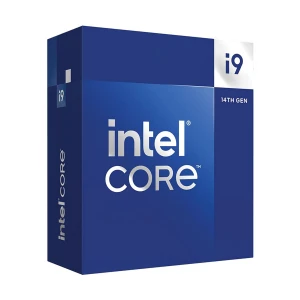
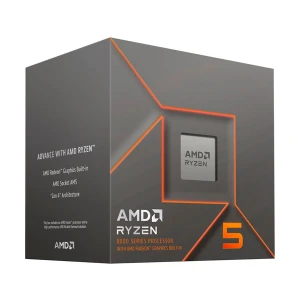
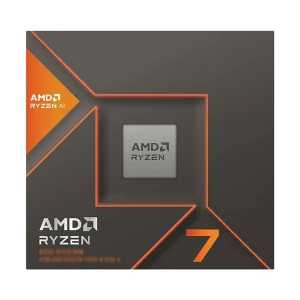
N.B. Image may differ with actual product's layout, color, size & dimension. No claim will be accepted for image mismatch.
Product Id:
Sort Options