
Series
Shape
Panel Surface
Display Size Range (Inch)
Panel Type
Touch Screen
Refresh Rate (Hz)
Response Time Range (ms)
Borderless
DVI Port
VGA Port
HDMI Port
DisplayPort (DP)
Mini DisplayPort
USB Type-A
USB Type-B
USB Type-C
Thunderbolt
Speaker (Built-in)
Rotatable
Warranty Info
A computer monitor is a display device used with desktop PCs, laptops, and other compatible systems. It is commonly used for office work, study, gaming, design, coding, entertainment, CCTV monitoring, shops, cash counters, and other business or professional tasks.
At Ryans, monitor prices start from Tk 8,000 and go up to Tk 11,35,000. You can also explore monitors by screen size, resolution, refresh rate, panel type, and brand to find the right option for your needs and budget.
Different types of monitors are available in Bangladesh for different needs.
A Full HD monitor is one of the most practical choices for regular users. It is suitable for office tasks, online classes, browsing, media watching, and everyday desktop use. Buyers who want a simple and dependable display often start with this type.
A gaming monitor is more suitable for users who want smoother motion, higher refresh rate, and better responsiveness during gameplay. It is a practical option for people who play competitive games or want better motion clarity in fast-moving scenes.
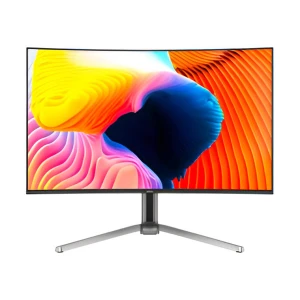
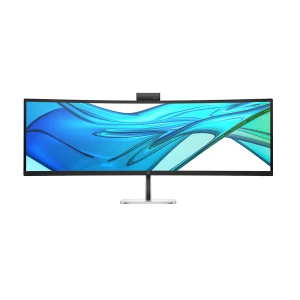
A curved monitor is useful for buyers who want a more immersive viewing experience. It is especially popular for gaming, entertainment, multitasking, and wider-screen setups. Many users also prefer curved displays for a more engaging desktop environment.
A professional monitor is better for users who want stronger color accuracy, sharper resolution, and a more work-focused display for editing, designing, and content creation. It is suitable for users who need better visual precision for creative tasks.
Portable monitors are a practical choice for users who need an extra screen for travel, remote work, study, presentations, or flexible workspace setups. It is especially useful for laptop users who want a second display without carrying a full-size monitor.
Recommended: Arzopa Z3FC 16.1 Inch Portable Monitor
A touch monitor is suitable for users who prefer interactive control for commercial use, POS setups, education, design, or presentation environments. It can also be useful for users who want more direct screen interaction in specific workflows.
Recommended: ASUS VT229H 21.5 Inch Full HD IPS Touch Monitor
Some monitor features matter more depending on how you plan to use the display every day. Resolution affects screen sharpness and workspace, refresh rate affects motion smoothness, Eye Care features improve long-session comfort, and ergonomic adjustment helps you set a better viewing position.
SHARP
Up to HD monitors are suitable for basic display needs like CCTV, POS, browsing, or secondary screen use. Full HD, also called FHD or 1080p, is practical for office work, study, online classes, movies, and regular home use. For sharper visuals, 2K QHD, QHD, WQHD, and 1440p usually refer to the same 2560 x 1440 resolution class. It is useful for 27 inch monitors, multitasking, spreadsheets, coding, gaming, editing, and creative work.
WORKSPACE
WQHD means Wide Quad HD, while UWQHD means Ultra-Wide Quad HD. These monitors give more horizontal space than regular displays, so users can open more windows side by side. 2K UWQHD and 3K WQHD monitors are useful for video editing timelines, coding, trading dashboards, wide spreadsheets, multitasking, and immersive gaming. 5K DQHD gives an even wider workspace, similar to using two QHD monitors side by side.
PRO
UHD means Ultra HD. A 4K monitor, also called 4K UHD, is useful for sharper detail, larger screens, editing, design, and premium entertainment. A 5K monitor can include 5K UHD for high clarity or 5K DQHD for a wider workspace. A 6K monitor, also called 6K UHD, is mainly for advanced editing, studio work, color-critical production, and professional creative use.
Refresh rate affects how smoothly a monitor shows motion on screen. At the moment, 100Hz is a practical starting point for comfortable everyday use, while 144Hz or above makes more sense for gaming and faster visual work.
An Eye Care monitor is practical for users who spend long hours in front of the screen for office work, study, browsing, and regular use. Features like low blue light and flicker-free viewing help improve comfort during long sessions.
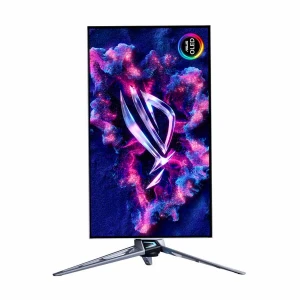
Height adjustment, tilt adjustment, swivel adjustment, and rotation adjustment are useful for users who want better comfort and a more ergonomic viewing position. These features are especially practical for office users, remote workers, and anyone who spends long hours at a workstation.
Size affects comfort, desk space, and the way you use your screen every day
21 inch monitors are a good choice for basic office work, study setups, online learning, and everyday computing, especially for users who have limited desk space and prefer a compact, efficient display.
A 24 inch monitor is a practical choice for regular users, offering a balanced mix of screen space and usability. It is well suited for office work, study, browsing, and everyday productivity without taking up too much desk space.
27 inch monitors offer a better experience for multitasking, spreadsheets, content creation, gaming, and anyone who wants more screen space for everyday work and entertainment.
32 inch and larger monitors are better for users who want a wider viewing area, stronger visual comfort, and a more immersive setup. These monitors are useful for multitasking, creative work, video editing, design, office productivity, movie watching, and premium desk setups where a standard screen size may feel limited.
Panel type affects color, contrast, viewing angle, response, motion clarity, and long-term use. IPS, VA, TN, and OLED are the main categories buyers usually compare. Newer terms like Fast IPS, IPS Black, Mini-LED, and QD-OLED are also important, but they should be understood properly before buying.
| Panel Type | Best For | Main Strength | What to Check |
|---|---|---|---|
| IPS | Office work, study, design, mixed gaming, general use | Good color and wide viewing angles | Contrast, refresh rate, color coverage, port support |
| VA | Movies, curved monitors, story games, dark-room use | Stronger contrast and deeper black levels than regular IPS | Dark-scene motion, viewing angle, response performance |
| TN | Esports-focused users who only care about speed | Very fast motion handling in specialist gaming models | Weak viewing angles, weaker color, limited general-use comfort |
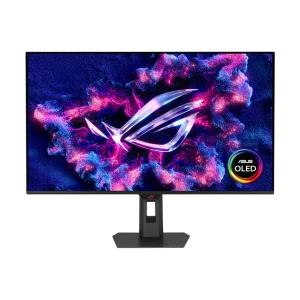
| OLED | Premium gaming, HDR movies, high-end visual experience | Perfect black, excellent contrast, near-instant pixel response | Burn-in care, warranty terms, static desktop use, local stock |
| Mini-LED | HDR gaming, bright rooms, premium LCD users | Better local dimming and higher brightness than normal LCD | Dimming zones, blooming, HDR support, actual panel base |
You want a safe all-round monitor for office work, study, design, browsing, movies, and casual gaming. IPS is usually the easiest recommendation for most users.
You like deeper contrast, curved screens, movies, racing games, open-world games, and more immersive viewing. VA is good when black level matters more than wide viewing angles.
You are buying only for esports speed and do not care much about color, viewing angle, or entertainment quality. For most normal users, Fast IPS is now a better choice.
You want premium contrast, deep blacks, fast pixel response, and strong HDR performance. It is best for high-end gaming and media, but warranty and burn-in care should be checked carefully.
Choose based on desk space and daily use. Around 23.8-inch to 24-inch is a practical starting point for most users.
Full HD is enough for regular use. Compare 2K or 4K if you want sharper visuals and more workspace.
Standard refresh rate is fine for office work, but 100Hz and above feels smoother. For gaming, 144Hz or more makes better sense.
Eye Care features and ergonomic stand adjustments are practical if you spend long hours at a desk.
Start with size, then compare resolution, refresh rate, panel type, and ports. These are the main features that affect everyday use and long-term satisfaction. If you need a broader overview before deciding, you can also check our monitor buying guide to choose the right monitor for your needs.
Brand choice usually depends on display quality, budget, screen size, resolution, refresh rate, panel type, and comfort features. Ryans offers monitors from popular brands for regular use, office work, gaming, creative tasks, and professional setups.
Bangladesh's most trusted tech retailer since 2000.
Along with monitors, Ryans is also a trusted destination for related categories such as desktop PC, Gaming Monitor, monitor accessories, PC components, gaming products, and other tech essentials.
N.B. Image may differ with actual product's layout, color, size & dimension. No claim will be accepted for image mismatch.
Product Id:
Sort Options
Filter
