
Series
Display Size Range (Inch)
Touch Screen
Response Time Range (ms)
DVI Port
VGA Port
HDMI Port
DisplayPort (DP)
Mini DisplayPort
Thunderbolt
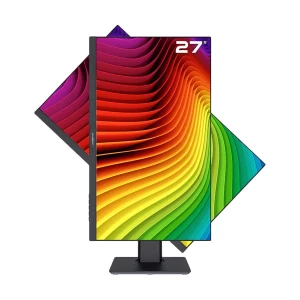
Rotatable
A good monitor setup is not only about the display. The right accessories can improve viewing comfort, connectivity, desk organization, device compatibility, and everyday productivity. Depending on your setup, you may need a monitor stand or arm, mounting solution, display cable, adapter, converter, or other supporting accessories.
At Ryans, you can choose monitors and related accessories for home, office, gaming, professional work, and multi-monitor setups. Before buying, consider your existing devices, available ports, desk space, mounting requirements, and how you plan to use the setup.
Display Resolution: Monitor resolution affects image clarity and usable screen space. Full HD and higher resolutions are commonly selected depending on screen size, workload, and system capability.
Refresh Rate and Response Time: Higher refresh rates and faster response times are particularly useful for gaming and other fast-moving content.
Panel Type: IPS, VA, TN, OLED, and other panel technologies offer different advantages in areas such as viewing angle, contrast, color quality, and responsiveness.
Connectivity: Check HDMI, DisplayPort, USB Type-C, VGA, or other available connections before choosing a monitor, cable, adapter, or converter.
VESA Compatibility: VESA support is important when you want to use a compatible monitor arm, wall mount, or adjustable stand.
Adjustment Options: Monitor stands and arms may support height adjustment, tilt, swivel, rotation, or extension to help create a more comfortable viewing position.
Cable and Adapter Compatibility: Display cables and converters should match both the source device and monitor connection. Resolution and refresh-rate support can also vary between different cables and adapters.
Check Your Existing Setup:
Start with the devices you already use. Check the available ports on your desktop, laptop, graphics card, monitor, or docking setup before buying cables, adapters, or converters.
Consider Your Desk Space:
For a compact workspace, a monitor arm or suitable stand can help free up desk space. For larger setups, check whether the accessory can safely support the required monitor size and weight.
Match the Monitor to Your Workload:
For general office and home use, prioritize comfortable screen size, suitable resolution, and useful connectivity. Gaming setups may benefit more from higher refresh rates and lower response times, while creative work may require stronger color performance.
Check Mounting Compatibility:
Do not choose a monitor arm or wall mount only by screen size. Check the monitor's VESA mounting pattern as well as the supported weight range of the mount.
Choose the Correct Connection:
HDMI and DisplayPort are widely used for modern displays, while USB Type-C can provide convenient connectivity on compatible devices. Older PCs or monitors may require VGA or suitable converters.
Consider Multi-Monitor Requirements:
For dual or multiple displays, check the number of video outputs available on your computer and whether the monitor stand or arm is designed for the number and weight of displays you plan to use.
Home and Everyday Users: A practical monitor with the necessary connection ports and a comfortable stand is usually enough for browsing, entertainment, study, and everyday computing.
Office Users: Adjustable stands, monitor arms, and multi-monitor accessories can help create a cleaner and more comfortable workstation for documents, spreadsheets, meetings, and multitasking.
Gamers: Gaming setups may require a high-refresh-rate monitor along with suitable HDMI or DisplayPort connectivity that can support the required resolution and refresh rate.
Designers and Content Creators: Color performance, resolution, screen size, and flexible positioning are important. A suitable monitor arm can also make multi-display creative setups easier to organize.
Laptop Users: Depending on the laptop's available ports, you may need an HDMI cable, USB Type-C connection, adapter, converter, or other accessory to connect an external monitor.
Multi-Monitor Users: Dual and multi-monitor stands or arms can help organize several displays while reducing the amount of desk space occupied by individual monitor stands.
Compatibility is especially important when purchasing monitor accessories. Before placing an order, check:
Monitor size and weight support for stands and arms
VESA mounting pattern
Number and type of display ports
Required cable or adapter connection
Supported resolution and refresh rate
Number of monitors the stand or mount can hold
Available desk or wall mounting space
Checking these details beforehand can help you avoid buying an accessory that does not fit or work properly with your existing setup.
Do all monitors support monitor arms and wall mounts?
No. Check whether your monitor has a compatible VESA mounting pattern and make sure the chosen arm or mount supports the monitor's size and weight.
Should I use HDMI or DisplayPort for my monitor?
It depends on the monitor, computer, resolution, and refresh rate you want to use. Check the supported specifications of both devices before choosing a connection.
Can I connect a monitor if my laptop does not have an HDMI port?
Possibly. Depending on the laptop, you may be able to use USB Type-C, DisplayPort, Mini DisplayPort, or a compatible display adapter.
What should I check before buying a monitor arm?
Check the VESA pattern, supported monitor size, maximum weight capacity, number of supported displays, and mounting method.
Can one monitor stand support two monitors?
A dual-monitor stand or arm can support two monitors when both displays meet its specified size, weight, and mounting requirements.
Do all display cables support the same resolution and refresh rate?
No. Supported resolution and refresh rate can depend on the cable standard, connection version, monitor, and source device. Choose a cable that matches the requirements of your setup.
Ryans offers monitors and related accessories for different desktop, laptop, office, gaming, and professional setups. You can compare suitable options based on connectivity, mounting requirements, screen setup, and device compatibility before making your purchase.
Ryans supports multiple payment methods for online and branch purchases, including available digital payment and card options. Eligible purchases may also support EMI facilities. Warranty and after-sales support depend on the individual product and applicable warranty terms, so check the product details before buying.
| Product Name | Taka/BDT |
|---|---|
| Kaloc M360 17-35 inch LCD/LED Monitor Single Arm Wall Mount Stand | 3,300 |
N.B. Image may differ with actual product's layout, color, size & dimension. No claim will be accepted for image mismatch.
Product Id:
Sort Options