Laptop Buying Guide in Bangladesh 2026 - Choose the Right Laptop
Choosing the ideal laptop in 2026 in Bangladesh can be challenging. There are many brands, models, and specifications to consider, and each user has different needs. Students, freelancers, office workers, gamers, and creative professionals all require different features from laptop.Performance is very important. Processors, RAM, and storageaffect how fast a laptop runs and how many tasks it can handle at once. For basic tasks, 8GB RAM is enough, but for gaming or video editing, 16GB or more is better. SSDs make laptops faster, while larger HDDs provide more storage space.
Portability matters too. Light laptops with long battery life are best for students and people who travel often. Bigger laptops with strong graphics and high-resolution screens are better for designers, gamers, and video editors.
Other features like display quality, keyboard comfort, connectivity ports, and build durability also affect your experience. Brand reputation and local after-sales support in Bangladesh are also important to consider.
This guide will help you understand all these factors. By reading it, you will know what to look for in a laptop and be able to choose one that fits your needs, lifestyle, and budget in 2026.
What to Consider Before Buying a Laptop
Before buying a laptop, it is important to understand which features will actually matter in your daily use. Choosing the right laptop type, processor, RAM, storage, graphics, and display can help you get better performance, comfort, and value.
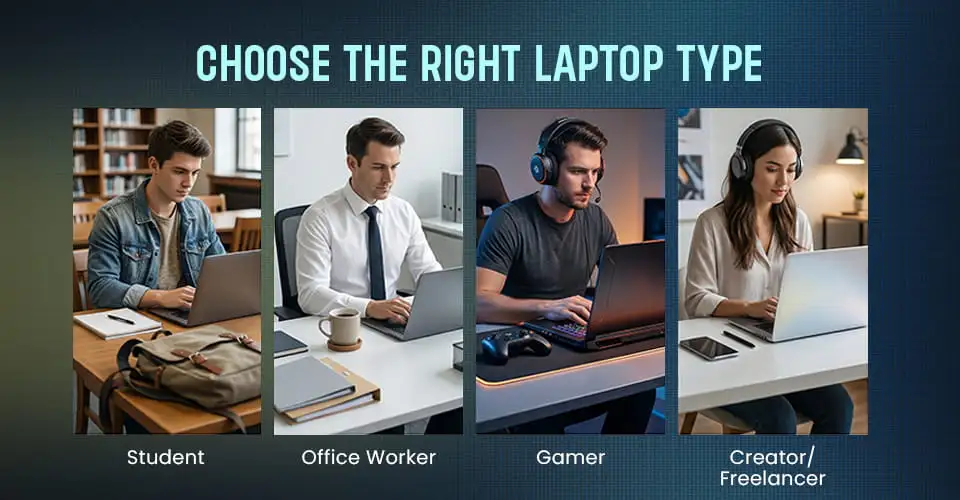
Choose the Right Laptop Type
The right laptop type depends on how you use it every day. Students usually need portability, battery life, and reliable performance for study and online classes. Office users should focus on smooth multitasking, comfort, and dependable daily productivity. Gamers need stronger performance, better graphics, and efficient cooling for demanding tasks. Choosing the right type helps you get better value and a laptop that truly fits your needs.
For students, the ideal laptop is one that offers a good balance of portability, reliable performance, and everyday comfort. It should handle online classes, assignments, browsing, presentations, and multitasking smoothly, while also offering decent battery life, SSD storage, enough RAM, and a comfortable display for long study sessions. A laptop like the Dell Inspiron 15 3530 is a practical example of the kind of setup many students can rely on for daily academic work.
A solid option for study, office work, and daily multitasking, the Dell Inspiron 15 3530 combines a 13th Gen Intel Core i3 processor, 8GB RAM, and a fast 512GB SSD for smooth everyday performance. Its 15.6-inch Full HD display gives you a comfortable viewing experience for work and entertainment, while the clean Platinum Silver finish adds a smart modern look.
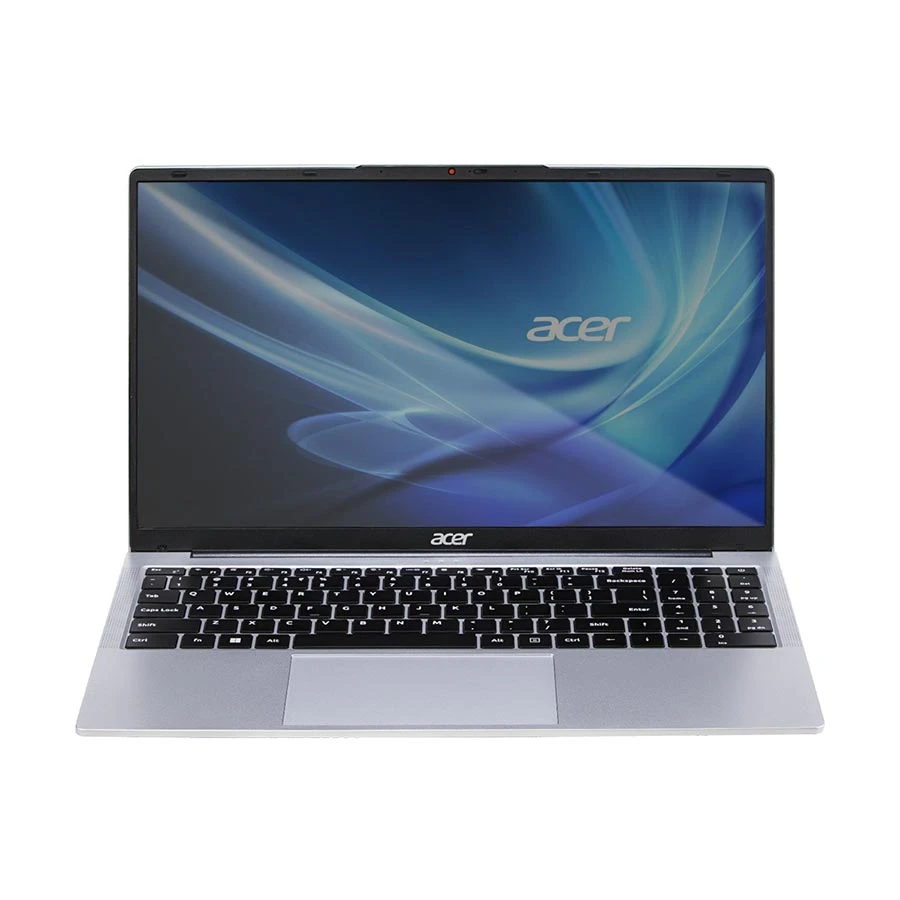
For freelancers and creative professionals, choosing the right laptop means looking for smooth performance, enough memory for multitasking, fast storage, and a display that feels comfortable during long hours of work. For writing, remote work, programming, business tasks, and light creative use, a balanced laptop like the Acer Aspire 3 A325-53 can be a practical option, offering Intel Core i5 performance, 16GB RAM, 512GB SSD storage, and a 15.6-inch Full HD display for reliable everyday productivity.
Acer Aspire 3 Intel Core i5 16GB RAM Laptop
Processor: Intel Core i5 1334U
Memory & Storage: 16GB DDR4 RAM, 512GB SSD
Display: 15.6 Inch FHD Display
Warranty: 2 Year (1 Year Traveles) (1 year for Battery and Adapter)
+ WHY IT'S ONE OF THE BEST
A strong choice for office work, study, and daily multitasking, the Acer Aspire 3 A325-53 offers a 13th Gen Intel Core i5 1334U processor, 16GB RAM, and a fast 512GB SSD for smooth performance. Its 15.6-inch Full HD display gives you a comfortable viewing experience for work and entertainment, while the silver finish keeps the design clean and professional.
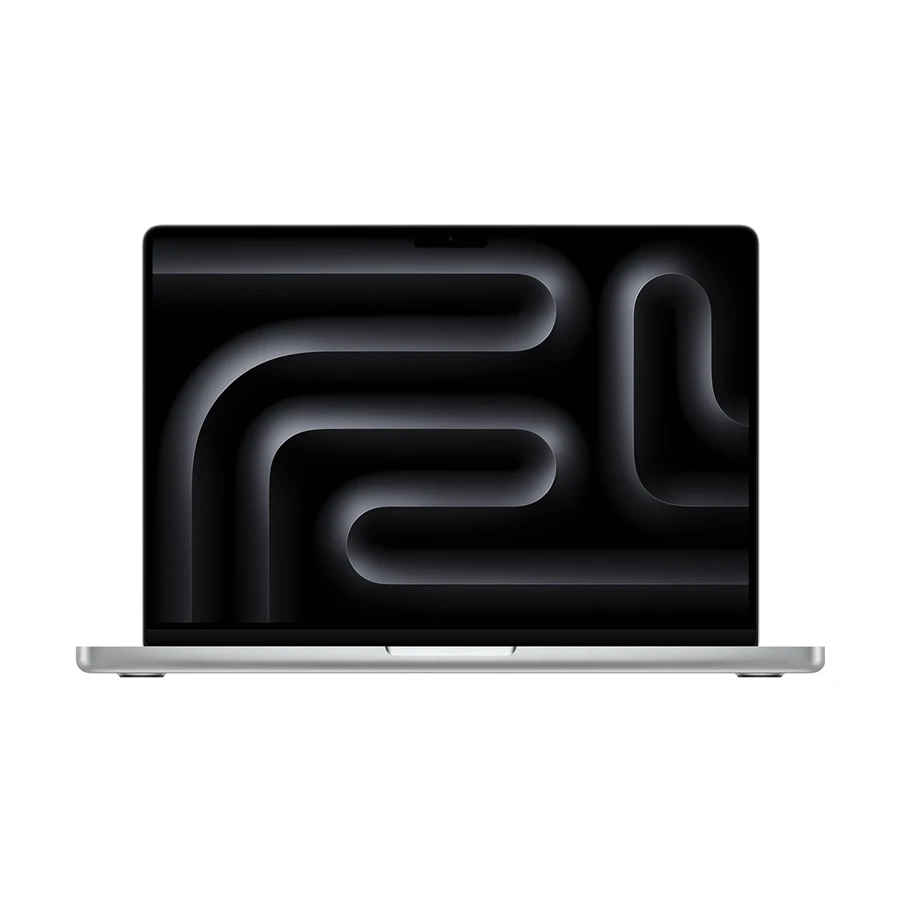
For gamers, the right laptop should deliver strong performance, better graphics power, and efficient cooling rather than focusing only on portability or battery life. Smooth gameplay usually depends on a capable processor, enough RAM, fast SSD storage, dedicated graphics, and a display that can keep up with demanding visuals. For buyers who are also interested in a premium performance-focused device, the Apple MacBook Pro (Late 2025) offers a powerful setup with Apple M5, 16GB RAM, 512GB SSD storage, and a 14.2-inch Liquid Retina XDR display, making it more suitable for high-end professional and creative workloads.
Apple MacBook Pro (Late 2025) Liquid Retina XDR Display Silver Laptop
Processor: Apple M5 Chip
Memory & Storage: 16GB RAM, 512GB NVMe SSD
Display: 14.2 Inch Liquid Retina XDR Display, 3024x1964
Warranty: 1 Year International Warranty
+ WHY IT'S ONE OF THE BEST
A premium choice for creators, professionals, and power users, this MacBook Pro combines the Apple M5 chip, 16GB unified memory, and fast 512GB SSD storage for smooth performance in demanding tasks. Its 14.2-inch Liquid Retina XDR display delivers sharp detail and rich color, while the Apple 10-core GPU helps with creative workloads, multitasking, and everyday productivity in a sleek Silver finish.
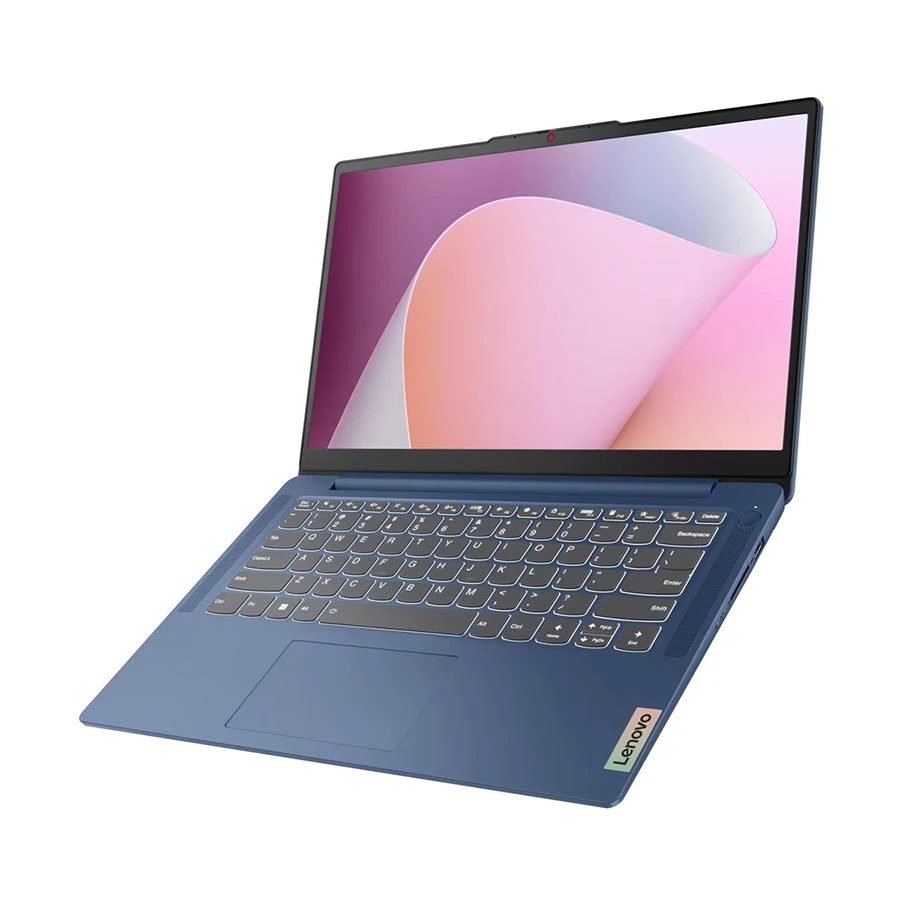
For office workers and general users: the right laptop should balance reliable performance, portability, and everyday comfort. Tasks like browsing, email, documents, meetings, and light multitasking usually need a responsive processor, enough RAM, fast SSD storage, a comfortable keyboard, and dependable battery life. A laptop such as the Lenovo IdeaPad Slim 3 14AMN8 reflects the kind of balanced setup that works well for office productivity and regular day-to-day use.
A practical choice for students, office users, and everyday multitasking, the Lenovo IdeaPad Slim 3 14AMN8 offers a Ryzen 3 7320U processor, 8GB LPDDR5 RAM, and fast 512GB SSD storage in a slim and lightweight design. Its 14-inch Full HD display makes work, browsing, and entertainment comfortable, while the Abyss Blue finish adds a stylish modern touch.
Screen size and display quality: Smaller screens are portable, while larger screens improve comfort for long working sessions.
Battery life: Important if you move around a lot or work remotely.
Brand and after-sales support: Choose brands that are reliable and provide good service in Bangladesh.
Pick the Right Processor (Intel vs AMD Ryzen)
Theprocessor(CPU) is the most important component in a laptop. It is essentially the “brain” of the device. It determines how fast your laptop runs programs, handles multitasking, and performs demanding tasks like video editing, gaming, or running design software. Choosing the right processor is crucial to ensure your laptop meets your needs both now and in the future.
Intel Processors
Processor
Best For
Key Info
Intel Core i3-14xx Series
Basic tasks, web browsing, document editing, online classes, media consumption
Budget-friendly option for students and casual users
Intel Core i5-14xx / Core Ultra 5
Students, office work, light creative tasks
Good balance of performance, multitasking, and energy efficiency
Intel Core i7-14xx / Core Ultra 7
Creative work, heavy multitasking, video editing, demanding apps
Strong performance for advanced everyday and professional use
Intel Core Ultra Series (Core Ultra 9 / 7 / 5)
Premium laptops, AI-supported tasks, professional users
Next-generation chips with better performance, graphics, AI support, and power efficiency
Tip: Always aim for the latest generation such as 13th or 14th Gen Intel Core in 2026 for better performance, improved efficiency, and longer software support.
AMD Ryzen Processors
Processor
Best For
Key Info
AMD Ryzen 3
Everyday tasks, online classes, office use
Competes with Intel Core i3 and often offers better integrated graphics
Great for slightly heavier software like Photoshop or video editing apps
AMD Ryzen 7
Gamers, creative professionals, power users
Handles demanding applications, multitasking, and modern games very well
AMD Ryzen 9
Video editors, engineers, 3D designers, professionals
High-end choice for users who need maximum laptop performance
Intel vs AMD: Which One to Choose?
Value: AMD Ryzen often gives better performance for the price, especially in mid-range laptops.
Software optimization: Some professional software and games are slightly better optimized for Intel, though the difference has narrowed significantly in 2026.
Battery efficiency: Intel’s newer processors tend to be slightly more power-efficient, giving longer battery life in lightweight laptops.
Always choose the latest CPU generation for better speed, efficiency, and future software compatibility.
RAM and Storage: Speed Matters
RAM and storage play a major role in how fast and smoothly your laptop performs in daily use. Even with a good processor, low RAM or slow storage can limit overall performance.
For most users, 8GB RAM is enough for basic tasks like browsing, online classes, Microsoft Office work, and media consumption. However, if you regularly use multiple applications at once or work with heavier software, 16GB RAM is a better choice. It ensures smoother multitasking and is highly recommended for gaming, video editing, programming, and creative work.
When it comes to storage, SSD(Solid State Drive) is now the standard and a must-have for any modern laptop. SSDs are significantly faster than traditional HDDs, allowing your system to boot quickly and applications to load almost instantly. For even better performance, NVMe SSDs offer higher speed and responsiveness compared to standard SATA SSDs.
Many modern laptops such as the HP OmniBook 5, Asus ExpertBook B1 B1503CVA, and MacBook Air M5 deliver excellent speed and efficiency thanks to fast SSD storage and optimized memory performance.
At Ryans Computers, it’s always a good idea to check whether the laptop allows RAM and storage upgrades. Upgradeable laptops give you the flexibility to improve performance later without buying a new device, which is especially useful for long-term use.
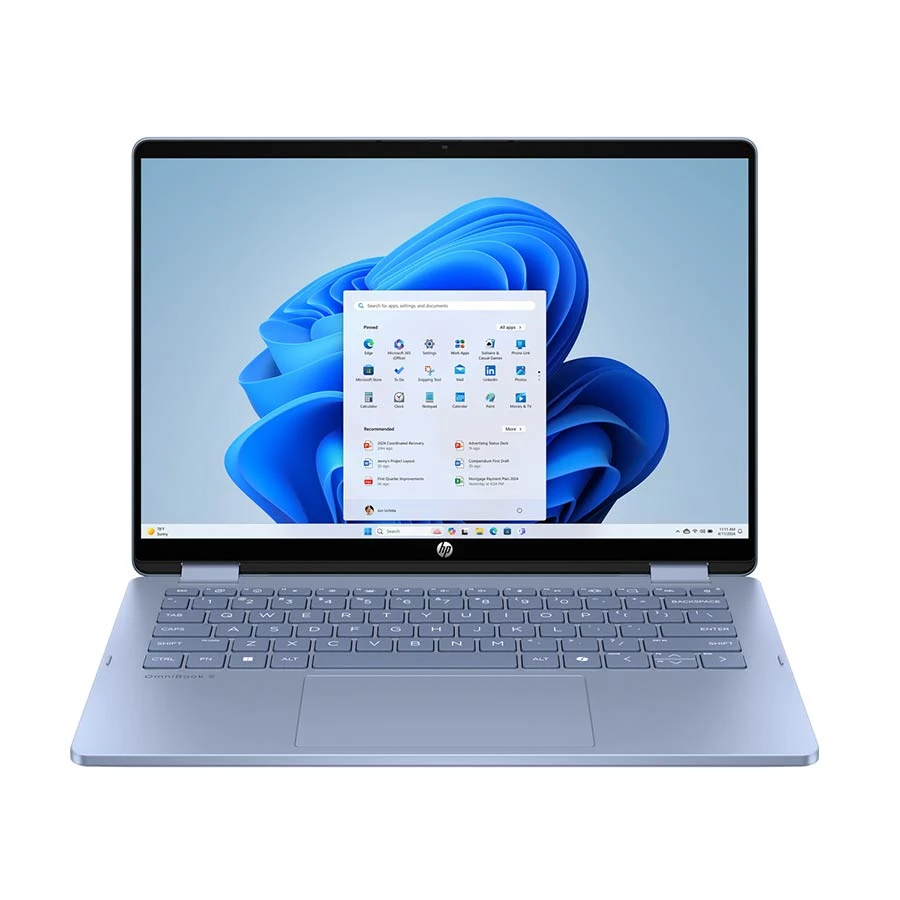
HP OmniBook 5 Flip 1 Intel Core 7 150U 24GB RAM Sky Blue Convertible Laptop
Processor: Intel Core 7 150U
Memory & Storage: 24GB LPDDR5 RAM, 1TB SSD
Display: 14 Inch FHD Touch Display, 1920x1200
Warranty: 3 Year (1 year for Battery and Adapter)
+ WHY IT'S ONE OF THE BEST
A premium choice for productivity, portability, and flexibility, the HP OmniBook 5 Flip x360 combines an Intel Core 7 150U processor, 24GB LPDDR5 RAM, and a fast 1TB SSD for smooth multitasking. Its 14-inch Full HD touch display and convertible x360 design make it ideal for work, presentations, creative tasks, and everyday entertainment, all in a stylish Sky Blue finish.
Graphics performance is an important factor when choosing a laptop, but the right choice depends on your usage. Not everyone needs a powerful GPU, so it’s important to understand the difference between integrated and dedicated graphics.
Integrated Graphics
If your daily tasks include browsing, watching videos, working on documents, or attending online classes, integrated graphics are more than enough. These GPUs are built into the processor and are designed for efficiency.
Modern integrated graphics from Intel and AMD can easily handle everyday tasks and even light photo editing or casual gaming. They also consume less power, which helps improve battery life.
Best for: Students, office users, and general everyday use
Dedicated Graphics
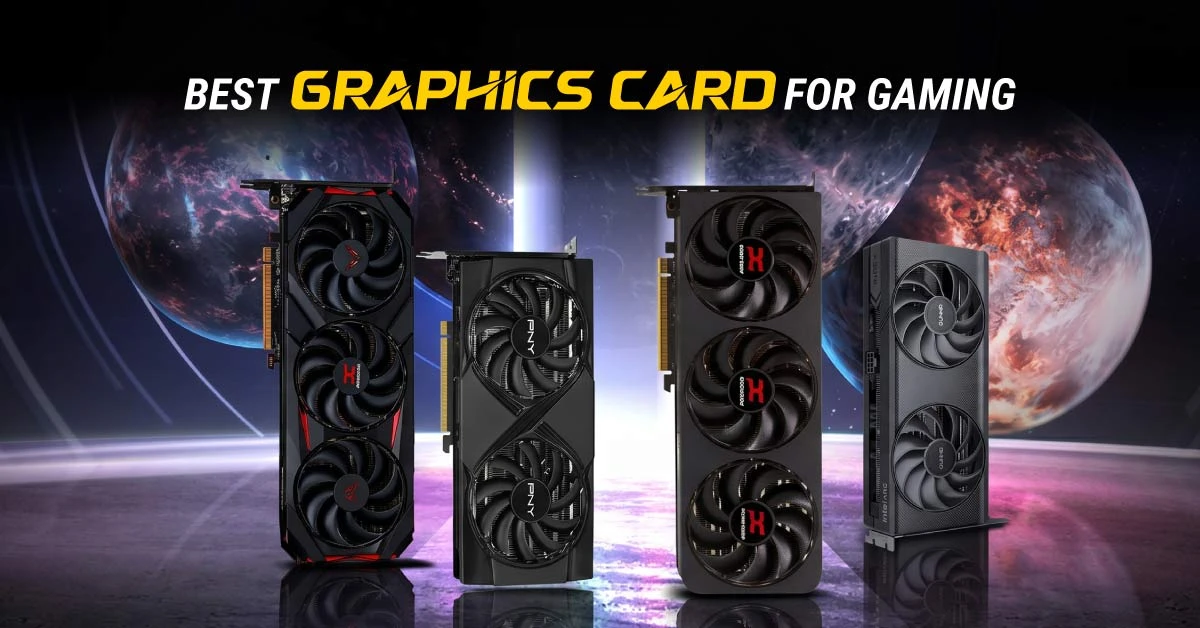
If you are into gaming, video editing, 3D design, or professional creative work, a dedicated GPU is essential. These graphics cards have their own memory (VRAM) and processing power, allowing them to handle demanding applications and high-end games smoothly.
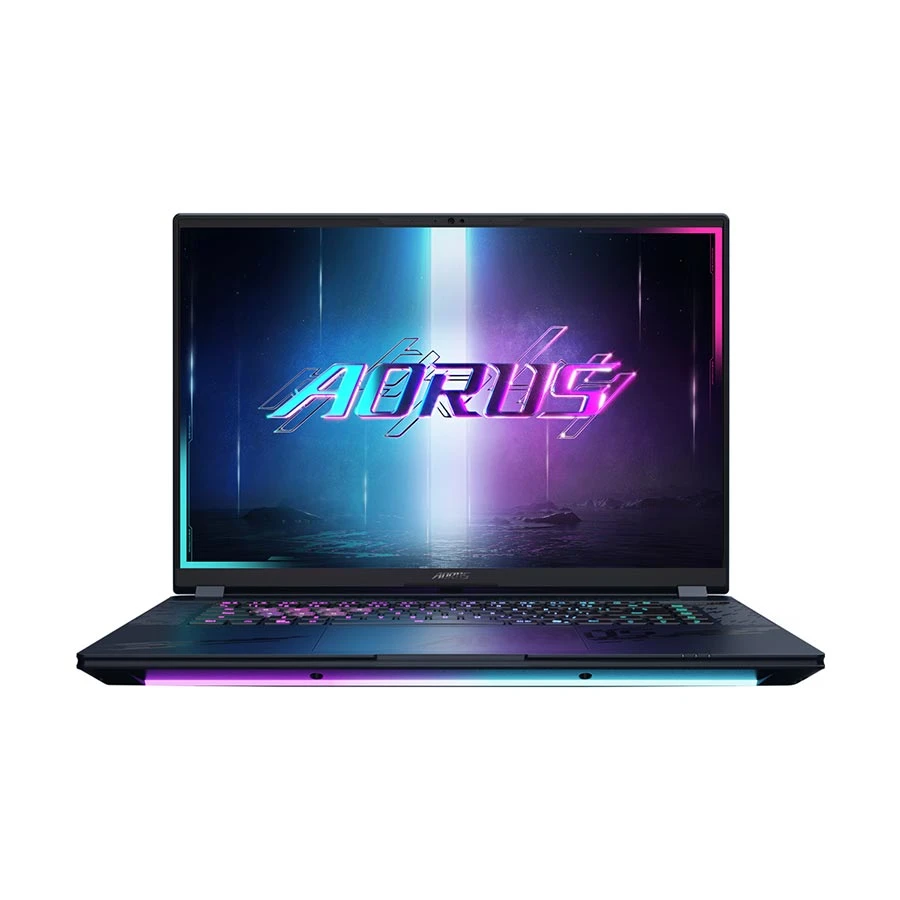
Built for serious gaming and high-end creative workloads, the Gigabyte AORUS MASTER 16 packs an Intel Core Ultra 9 275HX processor, 32GB DDR5 RAM, 1TB SSD, and Nvidia RTX 5080 graphics with 16GB memory. Its 16-inch 2.5K OLED display delivers sharp detail and rich color, making it a premium pick for gamers, streamers, and power users who want top-tier performance.
Best for: Gamers, video editors, designers, and professionals
Display, Size, and Build Quality
The display and build quality of a laptop have a direct impact on your user experience. Whether you’re working long hours, watching content, or traveling frequently, these factors play a major role in comfort and durability.
Display Quality
A good display makes everything look clearer and more enjoyable. Most modern laptops come with IPS panels, which offer better color accuracy and wider viewing angles compared to older TN panels. This is especially useful for content consumption and creative work.
In terms of resolution:
Full HD (1920×1080) is the standard and suitable for most users.
UHD / 4K displays provide sharper visuals and are ideal for designers, video editors, and professionals who need high detail.
Screen Size
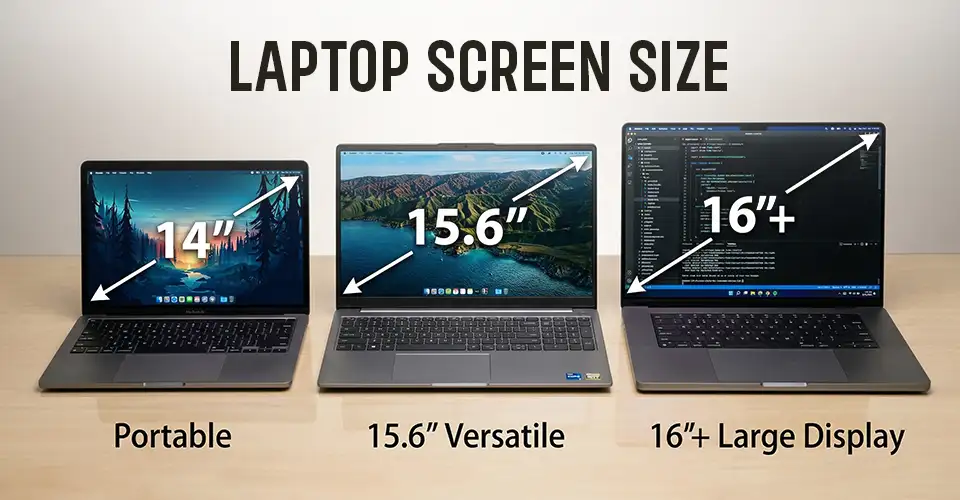
Choosing the right screen size depends on your usage and portability needs:
14-inch laptops: Lightweight and easy to carry - perfect for students and professionals who travel frequently.
15.6-inch laptops: Offer a larger workspace, making them better for multitasking, office work, and entertainment.
16-inch or bigger: Ideal for gaming and creative professionals who prefer a bigger display.
Build Quality
Build quality determines how long your laptop will last. Laptops made with metal bodies (aluminum) or high-quality reinforced plastic tend to be more durable and feel more premium. A strong hinge, solid keyboard, and minimal flex are signs of a well-built laptop.
If you’re investing in a long-term device, build quality should not be overlooked, especially if you travel frequently or use your laptop daily.
Battery Life and Portability
Battery life is one of the most important factors to consider, especially if you work or study on the go. A laptop with good battery backup allows you to stay productive without constantly worrying about charging.
For students and office users, a laptop with 6–8 hours of battery life is usually enough for daily tasks like classes, meetings, and browsing. On the other hand, gamers and creative professionals often get 4–6 hours, as high-performance components consume more power during heavy workloads.
Portability is equally important. If you carry your laptop frequently, choosing a lightweight device under 2kg will make a big difference in comfort. Slim and compact laptops are easier to carry in backpacks and are ideal for travel, office commuting, or campus use.
Simple tip:
Need mobility → Prioritize battery + lightweight design
Need performance → Expect lower battery but higher power
Ports and Connectivity
Having the right ports and connectivity options is crucial for getting the most out of your laptop. The types and number of ports determine how easily you can connect devices, external monitors, and accessories, while wireless options impact your productivity and convenience.
Essential Ports
USB-A & USB-C: USB-A is still widely used for older devices, while USB-C supports faster data transfer, charging, and even video output.
HDMI: Necessary if you plan to connect your laptop to an external monitor, projector, or TV.
Audio Jack: For headphones, microphones, or speakersif needed.
Wireless Connectivity
Wi-Fi 5/6: Ensures fast, stable internet for browsing, streaming, video calls, and cloud-based work. Wi-Fi 6 is better for modern routers and heavy network usage.
Bluetooth: Needed for wireless keyboards, mouse, headphones, and other accessories.
Laptop Buying Tips in Bangladesh - Avoid Mistakes & Get the Best Deal
Selecting a laptop in Bangladesh requires careful consideration due to the variety of brands, specifications, and price ranges. Use these practical tips to make an informed decision and get the best value for your money.
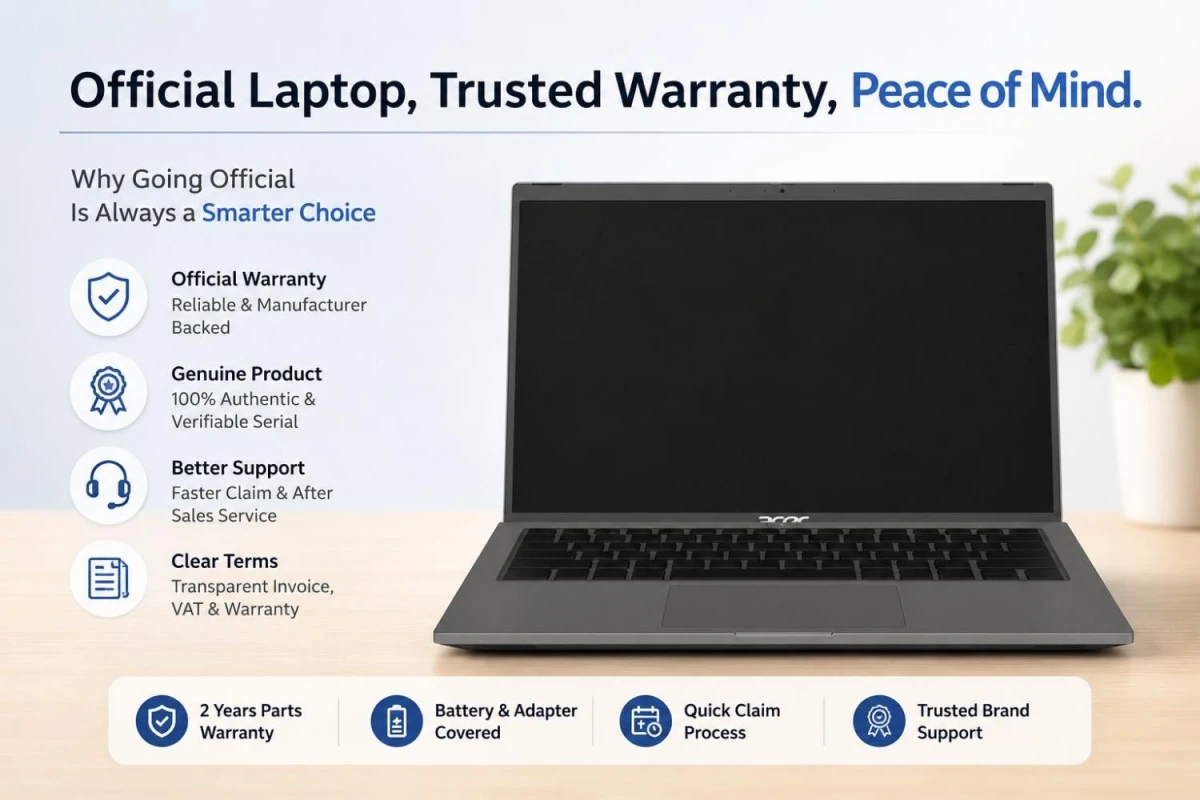
Always Choose Official Warranty Laptops
Selecting a laptop with an official manufacturer warranty is one of the most important steps in making a secure purchase. A warranty guarantees that you will receive support for hardware failures, software issues, or defects. In Bangladesh, unofficial or gray-market laptops may look cheaper upfront, but they often lack proper service options and can cause unexpected expenses. Always confirm the warranty terms and duration before purchasing, and consider models from authorized dealers for peace of mind.
Compare Laptop Price Across Trusted Shops
Laptop prices in Bangladesh vary widely depending on the retailer, promotions, and stock availability. Comparing prices across trusted shops like Ryans Computers allows you to get the best value while avoiding counterfeit or low-quality devices. Additionally, some stores provide bundled offers, extended warranty plans, or financing options, which can make your purchase more cost-effective.
Check Upgrade Options (RAM/SSD) Before Buying
A laptop that allows RAM or storage upgrades can save you money in the long run. Even if the initial configuration meets your needs, upgradeable laptops give you the flexibility to expand memory or switch to a larger SSD as your workload increases. This is particularly important for professionals, gamers, and students who may require more resources in the future. Always check the user manual or specifications to see whether upgrades are supported and how easy it is to perform them.
Don’t Ignore Display Quality
The display is the window to your work and entertainment, so investing in a quality screen pays off. IPS panels offer better color accuracy and wider viewing angles compared to older TN panels. Full HD (1920×1080) resolution is sufficient for most users, while UHD/4K is ideal for designers, video editors, and content creators. Factors like brightness, color gamut, refresh rate, and anti-glare coating also impact usability — especially for long working hours or outdoor use.
Don’t Overlook Processor Generation
The processor (CPU) is the core of a laptop’s performance. Newer-generation CPUs deliver higher speed, better energy efficiency, and longer software support. Buying a laptop with an older processor may save money upfront but can lead to performance bottlenecks and shorter device longevity. Always prioritize the latest generation Intel Core or AMD Ryzen CPUs within your budget for smoother multitasking and future-proof performance.
Choose the Best Laptop Brands in Bangladesh
Reputable laptop brands provide not only consistent performance and build quality, but also reliable after-sales support, easy access to service centers, and genuine replacement parts. In Bangladesh, choosing trusted brands ensures a better ownership experience and reduces the risk of defects or service delays. Brands likeHP,ASUS,Lenovo,Dell, andAppleare widely recognized for their durability, quality, and strong local support network.
Frequently Asked Questions (FAQs)
What are the essential features for a student laptop in Bangladesh?
For students, the key features include a lightweight design (under 2kg), 6–8 hours of battery life, 8–16GB RAM, and a Full HD display. A reliable processor like Intel Core i5‑14xx series or AMD Ryzen 5 ensures smooth multitasking for online classes, research, and productivity apps. Upgradeable RAM and SSD storage are a plus for future needs.
Which specifications are crucial for a gaming laptop experience?
Gaming laptops require a dedicated GPU (e.g., NVIDIA RTX 3050 or higher), 16GB or more RAM, a high-refresh-rate display (120Hz or above), and a powerful CPU like Intel Core i7/Core Ultra 7 or AMD Ryzen 7/9. SSD storage is recommended for faster game load times. Battery life may be lower under gaming workloads, so portability is less critical than performance.
How much RAM is enough for a laptop in 2026?
8GB RAM: Suitable for students, office work, and casual users.
16GB RAM: Ideal for gamers, creatives, and multitaskers.
32GB or more: Recommended for professional video editing, 3D design, or software development.
Which processor is better for laptops - Intel or AMD Ryzen?
Both are excellent choices in 2026.
Intel (Core i5, i7, Core Ultra series): Slightly more energy-efficient, better single-core performance, optimized for professional software.
AMD Ryzen (5, 7, 9): Great value, strong multi-core performance, excellent for gaming and multitasking. The choice depends on your usage, but either with the latest generation CPU will provide long-term performance.
Is it safe to buy unofficial laptops in Bangladesh?
No, buying unofficial or gray-market laptops can be risky. They may lack official warranty, proper after-sales service, and genuine parts. Always buy from authorized dealers like Ryans Computers to ensure product authenticity and reliable support.
How long should a laptop battery last for daily use?
Students and office users: 6–8 hours is ideal
Gamers and creative professionals: 4–6 hours is typical due to higher performance requirements. Battery life varies depending on workload, display brightness, and applications in use, so always check the laptop’s rated and real-world battery performance.
Is a dedicated graphics card necessary for everyday use?
No. For browsing, office tasks, streaming, or online classes, integrated graphics from Intel or AMD are sufficient. A dedicated GPU is only necessary for gaming, video editing, 3D design, or other graphics-intensive tasks.





Leave a comment