PC Build Guide 2026: How to Build Your Dream Computer Step by Step
Building your own PC is one of the best ways to get the exact performance you need without paying for unnecessary parts. A custom PC lets you choose the right processor, motherboard, RAM, storage, graphics card, power supply, casing, monitor, and accessories based on your budget and purpose.
In Bangladesh, PC building has become popular among students, gamers, freelancers, content creators, office users, and small business owners. But a good PC build is not only about choosing expensive parts. You also need to check compatibility, warranty, power requirement, cooling, future upgrade options, and current market availability.
Quick answer: For most Bangladeshi users in 2026, a balanced PC build should include a modern Intel or AMD processor, 16GB RAM minimum, 512GB or 1TB SSD, a reliable power supply, airflow-friendly casing, and a graphics card only if the work requires gaming, editing, 3D design, AI tools, or GPU acceleration.
What Is a PC Build?
A PC build means assembling a desktop computer by selecting each component separately. Instead of buying a ready-made desktop, you choose the CPU, motherboard, RAM, SSD, GPU, PSU, casing, cooling system, monitor, keyboard, mouse, and other accessories yourself.
This gives you better control over performance and budget. For example, a student may focus on a strong processor and SSD, while a gamer may spend more on the graphics card. A video editor may need more RAM and storage, while an office user may prefer a stable, energy-efficient setup.
Why Building a PC Makes Sense in Bangladesh
A custom PC is useful because you can match the parts with your real needs. You do not have to pay extra for features you will never use. You can also upgrade the system later by adding more RAM, a bigger SSD, a better graphics card, or a stronger power supply.
For Bangladeshi users, this matters because PC component prices can change due to import cost, exchange rate, stock availability, and product warranty type. Building carefully helps you control the total cost and avoid unnecessary spending.
Better budget control: Spend more on the parts that matter most for your work.
Easy upgrade path: Add more RAM, SSD, GPU, or cooling later.
Better repair flexibility: Individual parts can be checked and replaced separately.
More performance options: Choose parts based on gaming, freelancing, study, editing, office work, or business use.
Warranty clarity: Buying official products from trusted retailers helps with after-sales support.
Essential Components for a PC Build
Every PC build starts with a few core components. Choosing them in the right order makes the process easier and reduces compatibility problems.
Component
What It Does
Bangladesh Buying Tip
Processor / CPU
The main processing unit that controls system speed, multitasking, productivity, and gaming performance.
Choose Intel or AMD based on your budget, motherboard support, and upgrade plan.
Motherboard
Connects the CPU, RAM, SSD, GPU, and other components.
Check CPU socket, chipset, RAM type, M.2 slot, Wi-Fi, BIOS support, and warranty before buying a motherboard.
RAM
Helps the PC handle multitasking, browser tabs, apps, games, and creative software.
16GB is practical for most users. 32GB is better for editing, programming, multitasking, and heavy workloads. Check desktop RAM compatibility.
Storage
Stores Windows, software, games, files, and projects.
A SSD makes the system much faster. A 512GB SSD is usable, but 1TB is more comfortable for gaming and work. Add an HDD for large files.
Graphics Card / GPU
Handles gaming, video editing, 3D rendering, AI tools, and GPU-accelerated tasks.
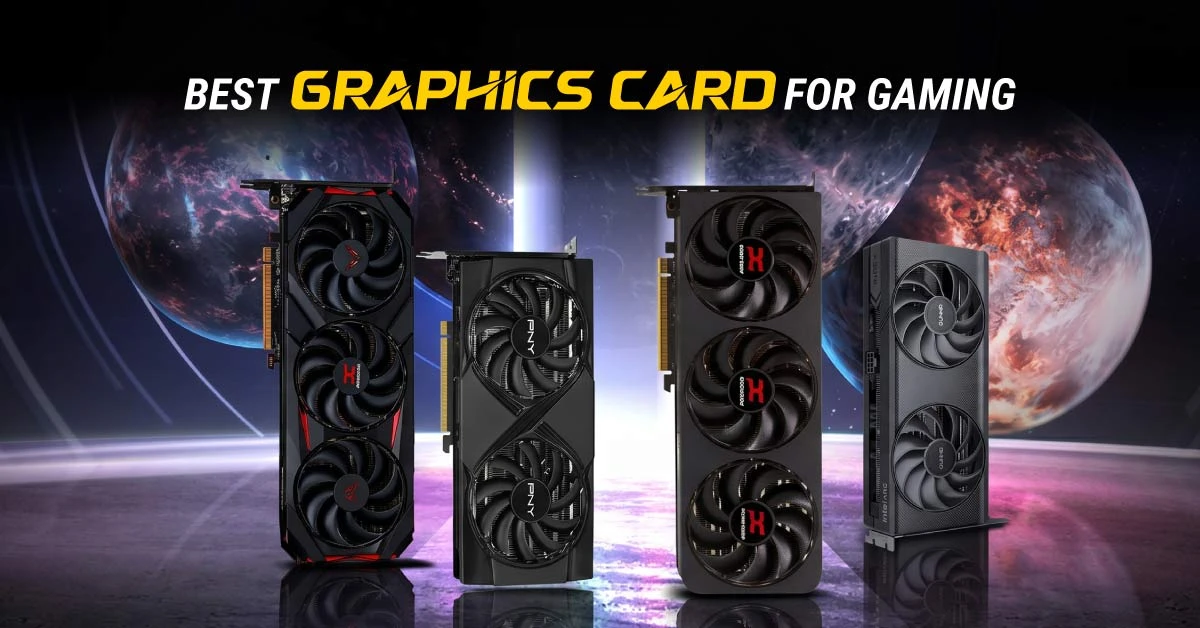
A dedicated graphics card is not required for every PC, but it is important for gaming, editing, streaming, and design work.
Power Supply / PSU
Supplies stable power to all components.
Do not use a cheap PSU for a gaming PC. Choose a reliable power supply with enough wattage and the correct GPU connectors.
Casing
Holds the components and affects airflow, cooling, and cable management.
Choose a casing with good airflow, enough fan support, GPU clearance, and space for cable management.
Cooling
Keeps the CPU and case temperature under control.
Bangladesh is hot and dusty, so good airflow and proper cleaning are important. Consider a better CPU cooler for heavy workloads.
Monitor & Accessories
Completes the user experience for gaming, work, study, and productivity.
Match your monitor with your GPU. A 1080p monitor is easier to run, while 1440p or 4K needs a stronger GPU.
Recommended PC Build Types by User Need
The right PC build depends on what you will do with it. A gaming PC, office PC, editing PC, and programming PC should not be planned the same way.
User Type
Recommended Priority
Practical Direction
Office & Basic Home Use
Stable CPU, SSD, 8GB to 16GB RAM
Good for browsing, MS Office, online classes, accounts software, and daily work.
Student & Freelancer
Modern CPU, 16GB RAM, 512GB or 1TB SSD
Good for study, research, web work, light design, basic programming, and multitasking.
Gaming PC
GPU, CPU, PSU, cooling, monitor refresh rate
Focus on graphics card first, then match the processor and monitor resolution.
Programming PC
CPU, RAM, SSD, motherboard upgrade path
32GB RAM is useful for Docker, Android Studio, virtual machines, databases, and many browser tabs.
Video Editing & Content Creation
CPU, GPU, 32GB RAM, fast SSD, large storage
Choose more RAM and storage. A dedicated GPU helps with rendering and timeline performance.
AI, 3D & Workstation
High-core CPU, powerful GPU, 32GB to 64GB RAM, strong PSU
Plan carefully for GPU VRAM, cooling, motherboard quality, and power requirement.
PC Build Budget in Bangladesh
PC build cost in Bangladesh depends on the processor generation, GPU model, RAM capacity, SSD size, motherboard features, casing quality, PSU rating, and monitor choice. The ranges below are planning estimates only. Always check the latest price before ordering because component prices can change quickly.
Budget Range
Best For
Expected Build Direction
Tk 35,000 - Tk 50,000
Basic office, study, browsing
Entry-level CPU, integrated graphics, 8GB to 16GB RAM, SSD, basic casing and PSU.
Tk 55,000 - Tk 80,000
Student, freelancer, light work
Better CPU, 16GB RAM, 512GB or 1TB SSD, upgrade-friendly motherboard.
High-end CPU and GPU, 32GB to 64GB RAM, premium motherboard, high-wattage PSU, advanced cooling.
How to Choose the Right Processor
The processor is one of the most important parts of a PC build. It affects everyday speed, app loading, multitasking, gaming frame stability, editing performance, and productivity work. For basic use, an entry-level modern processor is enough. For gaming, programming, and editing, choose a stronger CPU with better multi-core performance.
Before buying, check three things: motherboard socket support, chipset support, and RAM compatibility. A processor will not work with every motherboard. For example, Intel and AMD processors use different sockets, and even processors from the same brand may require different motherboard generations.
How Much RAM Do You Need?
RAM affects how smoothly your PC runs when many apps are open. For a modern PC build in Bangladesh, 8GB is only suitable for very basic use. 16GB is the practical starting point for most users. 32GB is better for programming, content creation, gaming while streaming, heavy browsing, and multitasking.
8GB RAM: Basic office work, browsing, and online classes.
16GB RAM: Recommended for most students, freelancers, and casual gamers.
32GB RAM: Better for gaming, programming, video editing, design, and heavy multitasking.
64GB RAM: Useful for professional editing, 3D work, large datasets, virtual machines, and workstation tasks.
SSD, HDD, or Both?
An SSD is strongly recommended for every PC build because it makes Windows, software, and file loading much faster. A 512GB SSD can work for basic users, but 1TB is more practical for gaming, freelancing, editing, and long-term use.
Many Bangladeshi users choose a mixed setup: one SSD for Windows and software, plus one HDD for movies, project files, backups, CCTV footage, or large documents. This gives both speed and storage capacity.
When Do You Need a Graphics Card?
Not every PC needs a dedicated graphics card. If you only use the PC for office work, browsing, online classes, accounting software, or basic study, integrated graphics may be enough. But for gaming, video editing, 3D design, streaming, AI tools, and GPU-supported creative work, a dedicated GPU is important.
For gaming, match the GPU with your monitor resolution. A 1080p monitor needs less GPU power than a 1440p or 4K monitor. For editing and professional work, also check VRAM capacity because larger projects and high-resolution media can need more graphics memory.
Power Supply: The Part You Should Not Ignore
The PSU is one of the most important safety components in a PC build. A poor-quality power supply can cause shutdowns, crashes, overheating, or long-term hardware problems. Always choose a PSU from a reliable brand with enough wattage for your CPU and GPU.
For a basic PC, a lower-wattage PSU may be enough. For a gaming PC with a dedicated GPU, choose a PSU with proper PCIe power connectors and some extra wattage headroom for future upgrades. In Bangladesh, where voltage fluctuation can happen, using a reliable PSU and a good UPS is a smart decision.
Bangladesh-Specific PC Build Tips
A PC build for Bangladesh should consider local weather, dust, electricity stability, product warranty, and service support. These practical factors can affect long-term performance more than people expect.
Heat: Choose an airflow-friendly casing and proper fans, especially for gaming or editing PCs.
Dust: Clean the PC regularly and use dust filters if your casing supports them.
Power backup: Use a UPS for sudden power cuts and voltage fluctuation.
Warranty: Buy official products with clear warranty support.
Upgrade path: Choose a motherboard and PSU that allow future RAM, SSD, and GPU upgrades.
Monitor matching: Do not buy a high-refresh or 1440p monitor unless the GPU can support it properly.
Case clearance: Check GPU length, CPU cooler height, and radiator support before buying the casing.
Step-by-Step PC Build Process
Set your budget: Decide whether the PC is for office, study, gaming, freelancing, editing, or professional work.
Choose the processor: Select Intel or AMD based on performance need and budget.
Select a compatible motherboard: Check socket, chipset, RAM type, M.2 slot, and BIOS support.
Pick RAM and storage: Choose 16GB RAM minimum for modern use and an SSD for fast performance.
Decide on GPU: Add a dedicated graphics card if you need gaming, editing, streaming, 3D, or AI support.
Choose PSU and casing: Make sure the PSU is reliable and the casing has good airflow.
Assemble carefully: Install CPU, RAM, cooler, motherboard, SSD, PSU, GPU, and cables step by step.
Install OS and drivers: Install Windows or Linux, then update motherboard, GPU, audio, LAN, and Wi-Fi drivers.
Test the system: Check temperature, storage health, RAM stability, and performance after setup.
Common PC Build Mistakes to Avoid
Buying a motherboard that does not support the selected processor.
Choosing DDR5 RAM for a DDR4 motherboard, or DDR4 RAM for a DDR5 motherboard.
Buying a cheap PSU for a gaming PC.
Ignoring GPU length and casing clearance.
Using only HDD storage for a modern PC.
Spending too much on RGB while reducing budget for CPU, GPU, RAM, or PSU.
Buying a high-end GPU but using a low-resolution or low-refresh monitor.
Forgetting UPS protection for areas with frequent power cuts.
Not checking warranty terms before purchase.
Where to Buy PC Components in Bangladesh
For genuine PC components in Bangladesh, Ryans Computers is a reliable place to compare and buy processors, motherboards, RAM, SSDs, graphics cards, power supplies, casings, monitors, keyboards, mice, UPS, and full desktop solutions. You can also use the Ryans PC Builder to plan a compatible build more easily.
Buying from a trusted retailer is important because a PC build includes multiple parts from different brands. If any part has an issue, clear warranty and after-sales support make troubleshooting much easier.
Final Recommendation
The best PC build is not always the most expensive one. It is the build that matches your work, monitor, software, games, power requirement, and future upgrade plan. For most Bangladeshi users, a balanced build with a modern processor, 16GB or 32GB RAM, SSD storage, reliable PSU, airflow-friendly casing, and suitable GPU will give the best long-term value.
If you are building your first PC, start with your purpose and budget. Then choose compatible parts step by step. Ryans Computers can help you compare available products, check pricing, and plan a build that fits your needs in Bangladesh.
FAQ
How much does it cost to build a PC in Bangladesh?
A basic PC build can start from around Tk 35,000 to Tk 50,000, while a better student or freelancer PC may cost Tk 55,000 to Tk 80,000. A gaming PC usually needs a higher budget because of the dedicated graphics card. Prices change based on component availability and market conditions.
Is 16GB RAM enough for a PC build in 2026?
Yes, 16GB RAM is enough for most students, office users, freelancers, and casual gamers. However, 32GB RAM is better for programming, video editing, gaming while streaming, heavy browser use, virtual machines, and creative work.
Do I need a graphics card for my PC?
You need a dedicated graphics card if you want to play modern games, edit videos, work with 3D software, stream, or use GPU-based tools. For basic office work, browsing, and online classes, integrated graphics may be enough.
Which is better for PC build: SSD or HDD?
SSD is better for speed. It makes Windows, software, and games load faster. HDD is useful for storing large files at a lower cost. A good setup is to use an SSD for Windows and software, and an HDD for extra storage.
Why is PSU important in a PC build?
The PSU supplies power to every component. A poor-quality PSU can cause crashes, shutdowns, or component damage. For gaming and editing PCs, always choose a reliable power supply with enough wattage and proper connectors.
Can I upgrade my PC later?
Yes, one of the biggest benefits of a custom PC build is upgrade flexibility. You can add more RAM, upgrade the SSD, install a better graphics card, improve cooling, or change the processor if the motherboard supports it.
Where can I build a PC in Bangladesh?
You can plan and buy PC components from Ryans Computers online or through branches. The Ryans PC Builder also helps users select compatible components for a custom desktop setup.





Leave a comment