
Chipset Brand
Case Type
PSU Category
Size
Style & Size
Connection Type
RAM Type
Supported Motherboard Type (Max.)
Number of Pin
LED Light
2X Click
Language
Click Sound
Fan Size
Memory Slot
Mechanical (Key)
Memory Max.
LED Lighting
Optical Drive Bay
Optane Memory Support
Tracking Type
Lighting Effect
VGA Port
DVI Port
Over Voltage Protection (OVP)
Power Supply (Built-In)
HDMI Port
Over Power Protection (OPP)
Display Port
Over Temperature Protection (OTP)
Short Circuit Protection (SCP)
Under Voltage Protection (UVP)
Multi Display Capability
WiFi
Transparent Side Window
CrossFire Support
Remote Control.
Sli Support
Form Factor
Supported CPU Socket Brand
Thunderbolt
RGB Support
Gaming desktop component price in Bangladesh depends on the type of part, platform, performance level, capacity, cooling design and other specifications. Ryans offers gaming motherboards, desktop RAM, graphics cards, power supplies, casings, CPU coolers, keyboards and mice for new gaming PC builds and upgrades. Check the processor platform, memory standard, GPU requirements, power capacity and physical dimensions carefully so every component works properly together.
Match the processor socket, motherboard chipset and DDR memory generation before choosing other platform-dependent parts.
Choose the graphics card, processor platform and memory according to the resolution, frame rate and games you want to play.
Make sure the power supply can support the CPU and GPU while the casing and cooler can handle the generated heat.
GPU length, cooler height, radiator size, PSU form factor and motherboard size must all fit inside the selected casing.
Choose the processor platform and motherboard first, then add compatible RAM, GPU, PSU, casing and cooling.
Check graphics performance, VRAM, PSU capacity, required power connectors and available GPU clearance.
A motherboard change may also require a different processor, memory generation or CPU cooler mounting system.
Choose the keyboard and mouse by game type, hand comfort, desk space, preferred connection and required controls.
Each part has its own role and compatibility requirements.
| Component | Main Role | Important Checks |
|---|---|---|
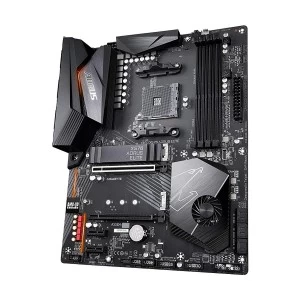
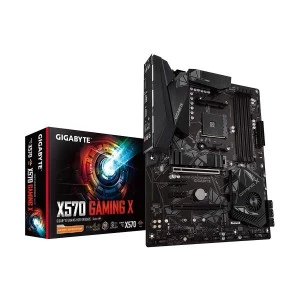
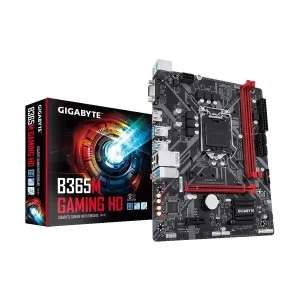
| Gaming Motherboard | Connects the processor, RAM, GPU, storage and expansion devices | CPU socket, chipset, DDR type, form factor, M.2 slots and expansion |
| Gaming Desktop RAM | Holds active game and application data | DDR4 or DDR5, capacity, frequency, latency and motherboard support |
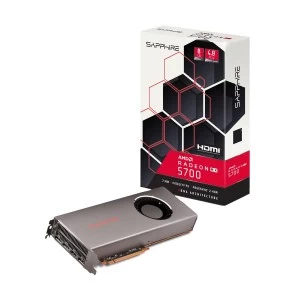
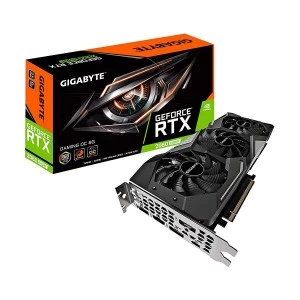
| Gaming Graphics Card | Renders games and graphics workloads | GPU performance, VRAM, PSU recommendation, connectors and physical dimensions |
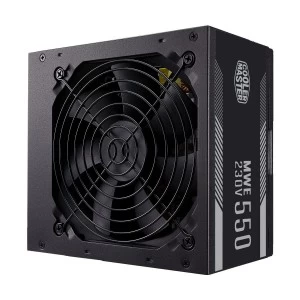
| Gaming Power Supply | Supplies power to the full gaming system | Wattage, efficiency, GPU connectors, form factor and upgrade headroom |
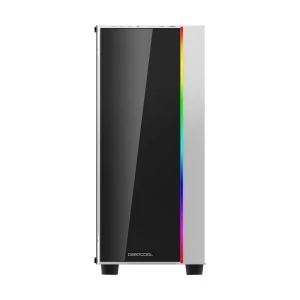
| Gaming Casing | Houses and protects internal components | Motherboard support, GPU length, cooler height, radiator size and airflow |
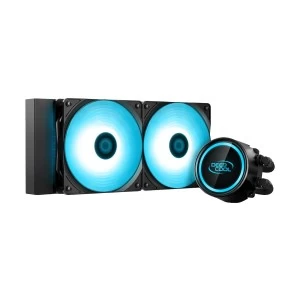
| Gaming CPU Cooler | Controls processor temperature | Socket support, air or liquid design, clearance and radiator compatibility |
| Gaming Keyboard | Handles movement, shortcuts and keyboard commands | Layout, switch type, connection, rollover, key features and desk space |
| Gaming Mouse | Controls movement, aiming and pointer input | Sensor, shape, weight, button layout and wired or wireless connection |
Some gaming components depend directly on another part of the system. Check these relationships before ordering.
The processor must use a socket supported by the motherboard. The chipset should also support the processor generation and features you need.
DDR4 and DDR5 are different memory standards. Use the RAM type supported by the exact motherboard, then compare capacity, frequency and latency.
Confirm the graphics card's recommended PSU capacity and required power connectors before choosing or reusing a power supply.
The casing needs enough room for the motherboard, graphics card, power supply, CPU cooler and any radiator you plan to install.
Different gaming workloads place pressure on different parts of the PC.
| Gaming Use | Main Priorities | Also Check |
|---|---|---|
| Esports & High FPS | Strong CPU performance, capable GPU and responsive controls | Memory performance and system cooling |
| AAA Gaming | Graphics card performance and suitable VRAM | PSU capacity, casing airflow and storage space |
| Gaming + Streaming | CPU capability, GPU encoding support and enough RAM | Cooling during sustained workloads |
| Gaming + Creative Work | CPU, GPU and memory capacity suited to both workloads | Storage performance, cooling and expansion options |
Stable power and controlled temperatures help the processor and graphics card operate properly during long gaming sessions.
Choose enough capacity for the CPU and graphics card while leaving reasonable headroom for power spikes and future upgrades.
Match the cooler to the processor, socket and expected workload. Large air coolers and liquid radiators also need suitable casing clearance.
Good intake and exhaust airflow helps move heat from the CPU, graphics card, motherboard and storage devices out of the casing.
Build tip: Fan quantity alone does not determine cooling quality. Ventilation, fan position, airflow direction and component clearance all affect thermal performance.
RGB lighting, tempered-glass panels, white components and matching designs can improve the appearance of a gaming PC, but they should not decide compatibility. Check whether RGB or ARGB components use connections supported by the motherboard or controller hub, and confirm that the required headers are available before planning synchronized lighting.
Processor and motherboard socket support must match. Similar-looking boards can support completely different CPU platforms.
DDR4 and DDR5 memory are not interchangeable. Buy the memory generation supported by the exact motherboard.
A new graphics card may require more power or different connectors than the existing power supply provides.
GPU length, card thickness, cooler height and radiator size can prevent otherwise compatible parts from fitting inside the casing.
Also check efficiency, required connectors, PSU size, build quality and protection features before choosing a unit.
Glass panels and RGB lighting should not block ventilation or force poor fan placement around heat-producing components.
Add the core parts outside this category to complete the system.
Select the CPU according to gaming performance, motherboard platform and other workloads from the desktop processor category.
Choose capacity and interface according to your motherboard and game library from the internal SSD category.
Compare complete configurations if you do not want to choose every part separately in the Ryans Gaming Desktop PC category.
Ryans lets you compare gaming PC components by specification, compatibility, brand and current price before building or upgrading your desktop.
| Product Name | Taka/BDT |
|---|---|
| Meetion MT-M371 Wired Black Gaming Mouse | 450 |
| Safeway ML-SW-ATX16 550W Power Supply | 1,250 |
| Logitech G402 Hyperion Fury Gaming Mouse #910-004070 | 3,400 |
N.B. Image may differ with actual product's layout, color, size & dimension. No claim will be accepted for image mismatch.
Product Id:
Sort Options