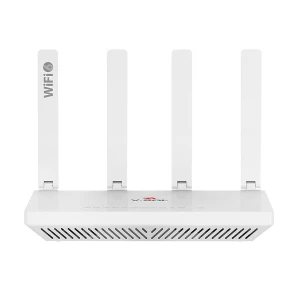
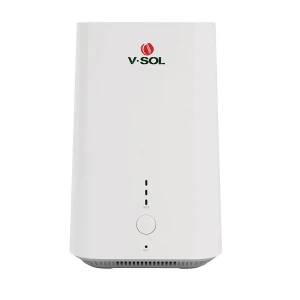
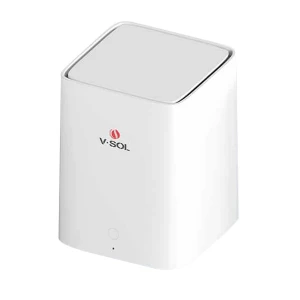
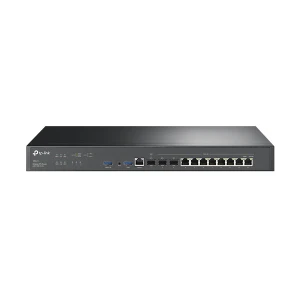

Router Type
Internet Connectivity
Band
Wi-Fi Generation
LAN Network Standard
WAN Network Standard
Number of WAN Port
Data Transfer Rate (Lan)
Wi-Fi Coverage Range (Approximate)
No of Concurrent User
Mesh Technology
MIMO Technology
VPN Support
Built in Antivirus
Warranty Info
Find the latest Router price in Bangladesh at Ryans Computers and choose the right router for home, office, gaming, streaming, or business networking. A router connects multiple devices to the internet and helps ensure smooth communication between devices. Router in BD is available in different types, including single-band, dual-band, tri-band, pocket, and mesh systems, each offering different speed, coverage, and device support. Router price in BD depends on brand, performance, Wi-Fi generation, coverage area, gigabit port, SIM support, and additional features. When purchasing a router, it is important to match the price and features with your actual internet use.
When purchasing a network router, it’s essential to consider several factors to ensure you choose the right device for your needs.
Before selecting a router, you need to check the internet speed provided by your Internet Service Provider (ISP). It’s important to match the router’s maximum speed (measured in Mbps or Gbps) with your internet plan to ensure optimal performance. Buying a high-speed router won’t be beneficial if your internet connection is slow.
The Wi-Fi standard of a router determines its speed and efficiency. The most common standards include:
802.11ac (Wi-Fi 5) A widely used standard that supports high speeds and is suitable for most users.
Wi-Fi 6 (802.11ax) The latest standard offering faster speeds, improved efficiency, and support for more devices simultaneously. Investing in a Wi-Fi 6 router is ideal for future-proofing your network.
Consider the size of your home or office when selecting a router. A basic router is often sufficient for small apartments, but larger spaces may require a more powerful router or a mesh system to ensure reliable coverage. Look for routers with external antennas for better signal strength.
Routers have limitations on how many devices they can support simultaneously. If you have multiple smart devices, gaming consoles, or streaming devices, choose a router designed to handle a higher load. Dual-band and tri-band routers typically perform better in households with many connected devices.
Security is a crucial factor, especially for home offices or businesses. Look for routers that offer WPA3 Encryption, Guest Network Feature, VPN Support, and Parental Controls.
Examine the number and types of ports available on the router. Ethernet Ports allow you to connect wired devices like desktops or gaming consoles directly to the router. USB Ports can connect external storage devices or printers, which can be shared across the network.
Quality of Service (QoS) is a feature that allows you to prioritize bandwidth for specific devices or applications, such as gaming consoles or streaming services. If you frequently stream or play online games, a router with QoS will ensure those activities perform smoothly.
Look for routers that offer additional features that can enhance your experience: Beamforming, Smart App Management, and Parental Controls.
There are several types of WiFi routers available in Bangladesh. Each is designed to serve different purposes and meet specific networking needs.
Wired routers use Ethernet cables to connect directly to devices like computers and printers. These routers are ideal for businesses or environments where consistent speeds are crucial. However, they lack the flexibility of wireless routers, as devices must be physically connected.
Single-band routers operate on a single frequency band, typically the 2.4 GHz band. While they are often more affordable, their performance can be affected by interference. It means other devices operate the same band, such as microwaves and Bluetooth devices. They are suitable for basic internet tasks like browsing and streaming.
Dual-band routers operate on two frequency bands: 2.4 GHz and 5 GHz. The 2.4 GHz band is ideal for basic tasks, while the 5 GHz band offers faster speeds. They are better for gaming or high-definition streaming. These routers provide better flexibility and performance.
Tri-band routers feature one 2.4 GHz band and two 5 GHz bands, which are excellent for homes with many devices connected simultaneously. They reduce network congestion. They ensure smoother performance for activities like gaming, streaming, and heavy internet usage.
Mesh routers are ideal for large homes or offices where standard routers may not provide sufficient coverage. Mesh systems consist of multiple devices working together to create a seamless Wi-Fi network. They cover the entire area, eliminating dead zones and ensuring strong signals everywhere.
Pocket Routers, or portable routers, use cellular networks (like 4G or 5G) to provide internet access. They are ideal for connectivity and are often used in areas without traditional internet connections.
Product suggestions from Ryans router collection for different router types.
TP-Link TL-WR841N 300Mbps Wireless Router
Useful for basic browsing and regular home internet tasks.
Tenda AC5 AC1200 Mbps Ethernet Dual-Band Wi-Fi Router
Suitable for users who need dual-band flexibility for streaming and daily use.
MERCUSYS MR30G AC1200 Mbps Gigabit Dual-Band Wi-Fi Router
Good for users who want dual-band Wi-Fi with gigabit connectivity.
TP-Link M7000 150 Mbps 4G Pocket Router
Helpful for mobile internet users and locations without traditional internet connections.
Single-band routers are suitable for basic internet tasks like browsing and streaming.
Recommended: ASUS RT-N12+ 300 Mbps Ethernet Single-Band Wi-Fi Router
Dual-band routers provide better flexibility and performance. The 5 GHz band offers faster speeds and is better for gaming or high-definition streaming.
Recommended: TP-Link Archer C54 Ethernet Dual-Band AC1200 Mbps Wi-Fi Router
Tri-band routers are excellent for homes with many devices connected simultaneously. They reduce network congestion and ensure smoother performance.
Mesh routers are ideal for large homes or offices where standard routers may not provide sufficient coverage.
These two terms are related, but they do not mean the same thing.
| Topic | Dual-Band Router | Wi-Fi 6 Router |
|---|---|---|
| Meaning | Refers to the router band, usually 2.4 GHz and 5 GHz. | Refers to the Wi-Fi generation, also known as 802.11ax. |
| Best For | Browsing, streaming, and regular home use with better flexibility. | More devices, improved efficiency, and future-proofing your network. |
| Buying Note | Good choice when you need 2.4 GHz range and 5 GHz speed. | A Wi-Fi 6 router can also be dual-band, so check both band and Wi-Fi generation. |
Quickly compare common router types based on the provided buying information
| Type | Best Use | Key Note |
|---|---|---|
| Single Band | Basic internet tasks | Operates on a single frequency band, typically the 2.4 GHz band. |
| Dual Band | Gaming or high-definition streaming | Provides better flexibility and performance. |
| Tri-Band | Homes with many devices | Reduces network congestion and ensures smoother performance. |
| Mesh | Large homes or offices | Eliminates dead zones and ensures strong signals everywhere. |
| Areas without traditional internet connections | Uses cellular networks like 4G or 5G to provide internet access. |
Match router speed with your ISP plan. Buying a high-speed router won’t be beneficial if your internet connection is slow.
Check the size of your home or office. Larger spaces may require a stronger router or a mesh system.
If you have multiple smart devices, gaming consoles, or streaming devices, choose a router designed to handle a higher load.
Single-band is suitable for basic use. Dual-band and tri-band routers typically perform better with more devices and heavier use.
Wi-Fi 5 is widely used and suitable for most users. Wi-Fi 6 offers faster speeds, improved efficiency, and support for more devices.
A gigabit port is useful for faster wired connections to desktops, gaming consoles, smart TVs, or network switches.
Looking for the Best Router Price in Bangladesh? Whether you need a router for home or office, we have great options to fit your budget and needs.
When it comes to routers, several popular router brands dominate the market. They offer a wide range of options for different needs.
TP-Link is one of the most well-known wifi router brands in Bangladesh. They offer affordable yet reliable routers for both home and business use.
Netgear is another top network router brand in BD. They are favored for their high performance. This router is a great choice for gamers and users who need extensive coverage and fast speeds.
An ASUS router is also a popular choice for gamers due to its powerful hardware and gaming-optimized features. Many ASUS models come with dual or tri-band connectivity, high-speed data transfer, and advanced QoS (Quality of Service) settings that prioritize gaming traffic for lag-free online experiences.
On the other hand, D-Link is a go-to brand for those seeking budget-friendly routers without compromising too much on performance. D-Link routers are ideal for home and small office use, offering stable Wi-Fi coverage, easy setup, and features like parental controls and guest networks.
Linksys, is a well-established wifi router brand. They offer user-friendly routers that are easy to set up and maintain.
Xiaomi wifi router has gained popularity in recent years in Bangladesh. They offer affordable routers with impressive features. They are now top choice for budget-conscious buyers.
For mobile internet and home networking, Huawei router is a strong contender. They are known for offering a range of routers that suit various needs.
Tenda router is another brand that is appreciated for its budget-friendly pricing and simple setup process.
Lastly, the Cisco network routers cater more to businesses. They offer enterprise-level routers that provide robust performance for large-scale networks. Each of these brands offers unique features, catering to different needs and budgets in the market.
Many renowned brands sell routers in Bangladesh.
Bangladeshis can now choose from a large collection of brands such as TP-Link, ASUS, D-Link, Tenda, Netgear, Xiaomi, MikroTik, Huawei, TOTOLINK, Netis, Cisco, Google etc. These brands have lucrative models in the market. Ryans is a market leader when it comes to providing customers with top-notch models from the above-mentioned brands.
When it comes to purchasing computer accessories and technology products, Ryans Computer stands out as a reliable and customer-focused option.
N.B. Image may differ with actual product's layout, color, size & dimension. No claim will be accepted for image mismatch.
Product Id:
Sort Options