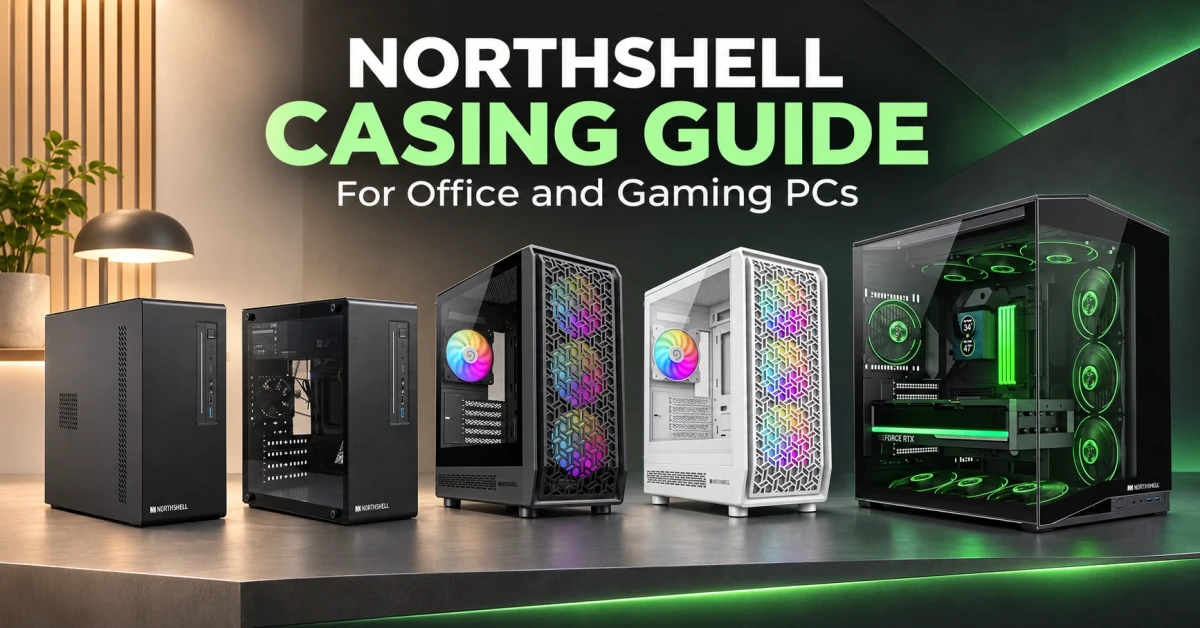
Choosing a PC casing starts with the parts you plan to install. An office computer for accounts, browsing and documents has different needs from a gaming PC with a dedicated graphics card.
The NorthShell 6528 series suits basic office and home builds, after confirming the bundled PSU can power your parts. The 3701 models offer ATX support and more cooling options. For larger components, the N71-BK gives you additional clearance and E-ATX support.
NorthShell Casing Options at a Glance
| Casing | Suitable for | Price |
|---|---|---|
| NorthShell 6528 | Basic office and home PCs | Tk 3,300 |
| NorthShell 6528-G | Compact PCs with a glass side panel | Tk 3,700 |
| NorthShell 3701-BK ARGB | ATX gaming builds in black | Tk 4,200 |
| NorthShell 3701-WH ARGB | ATX gaming builds in white | Tk 4,500 |
| NorthShell N71-BK ARGB | Builds needing larger components or E-ATX support | Tk 7,999 |
All five models have a USB Type-C port, a USB-A 3.0 or 3.2 Gen 1 port, and a USB 2.0 port. None has an optical drive bay.
Prices shown are special prices in BDT. Prices and availability may change without notice.
NorthShell Casings for Office and Home PCs
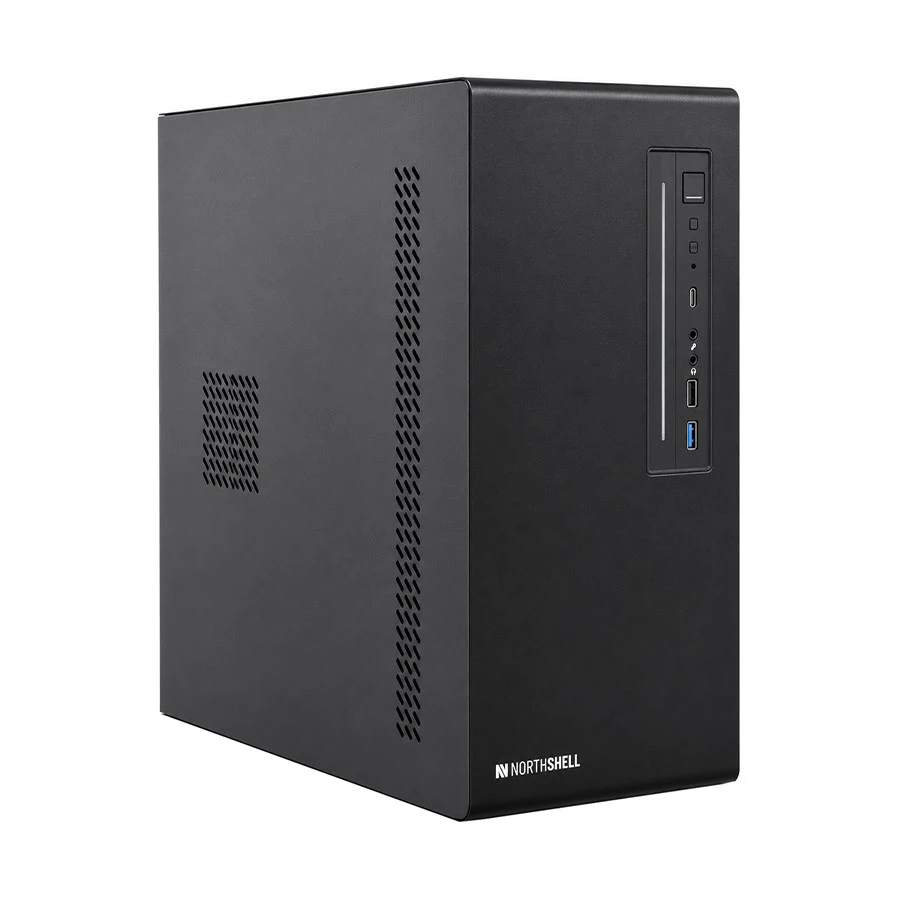
NorthShell 6528: A Simple Office Case
If you’re building a PC for billing, documents or study, the 6528 is a sensible starting point. You do not need to budget for a separate PSU if the included unit suits your configuration.
| Feature | Details |
|---|---|
| Case and panel | Mini Tower with a metal enclosure |
| Motherboard support | Mini-ITX and Micro-ATX |
| Cooling | One 80mm non-LED rear fan; no additional fan slots or radiator support |
| Component clearance | Graphics card: up to 300mm; air cooler: up to 140mm |
| Power supply | Standard 200W PSU included |
Prices and specifications may change without notice.
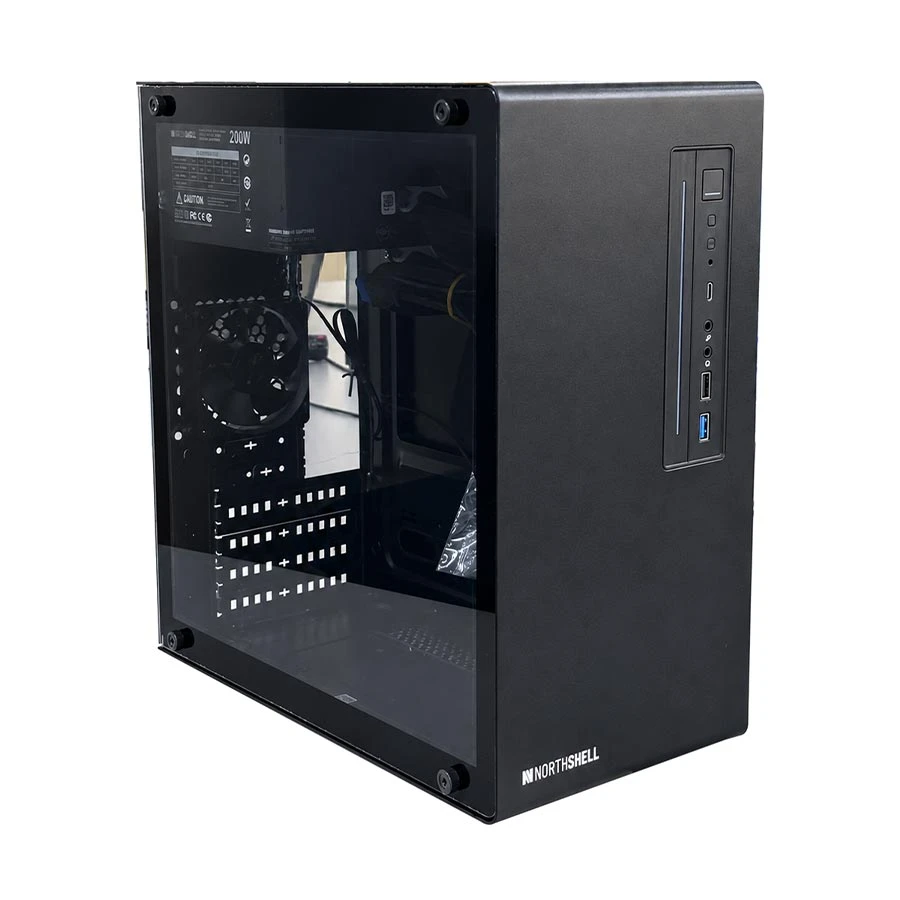
NorthShell 6528-G: The Glass-Panel Option
Choose the 6528-G if your PC will sit on the desk and you prefer a glass side panel. The Tk 400 extra goes towards the appearance; the main component limits and included cooling match the 6528.
| Feature | Details |
|---|---|
| Case and panel | Mini Tower with a tempered-glass left panel |
| Motherboard support | Mini-ITX and Micro-ATX |
| Cooling | One 80mm non-LED rear fan; no additional fan slots or radiator support |
| Component clearance | Graphics card: up to 300mm; air cooler: up to 140mm |
| Power supply | Standard 200W PSU included |
Prices and specifications may change without notice.
NorthShell Casings for Gaming PCs
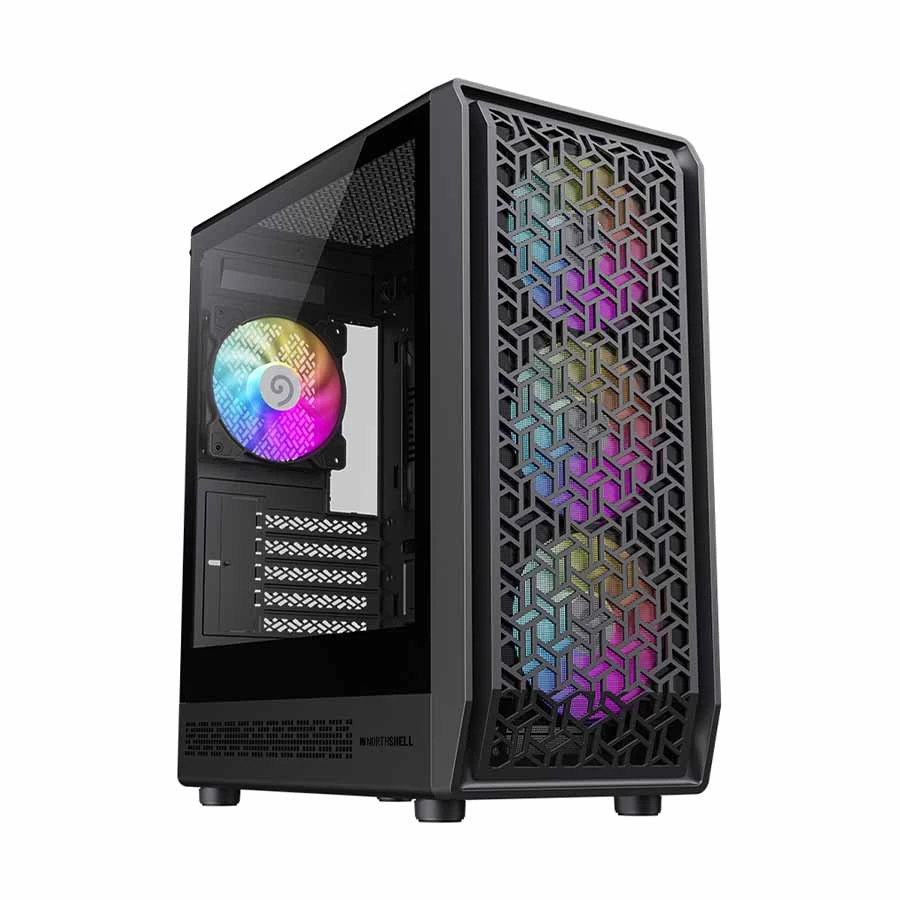
NorthShell 3701-BK and 3701-WH ARGB: For ATX Gaming Builds
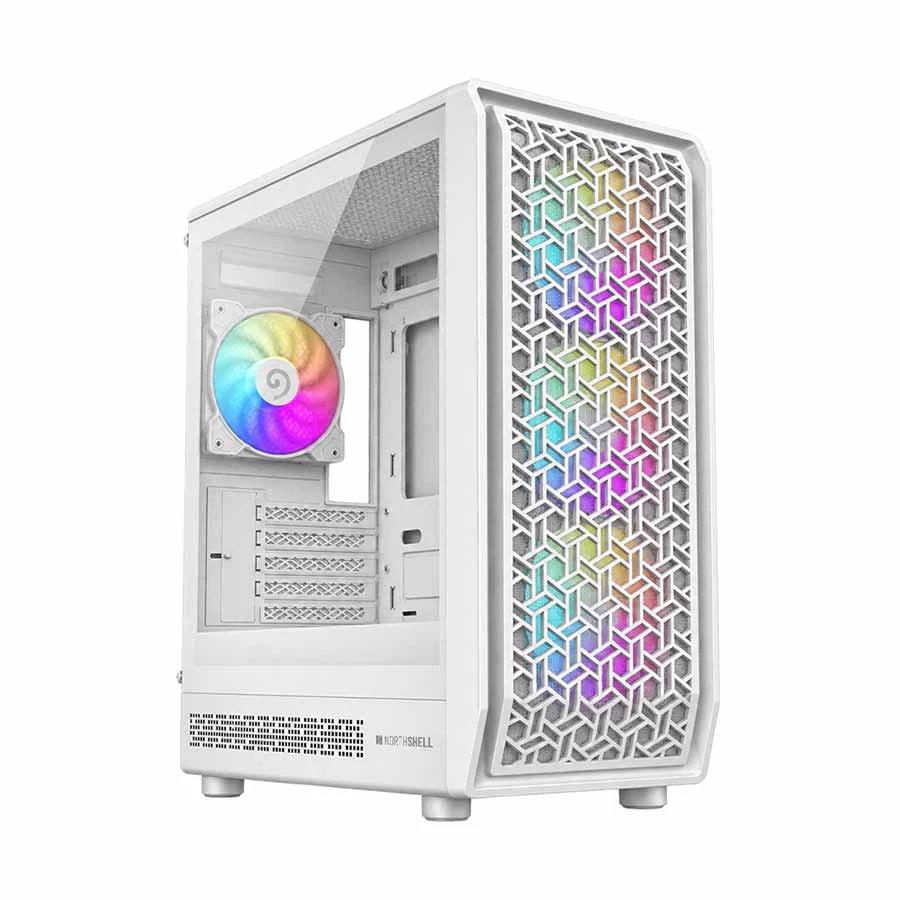
The 3701 models suit an ATX build that needs more cooling options. Both versions share the same key specifications, so your choice comes down to the finish and the Tk 300 price difference.
| Feature | Details |
|---|---|
| Case and panel | Mid Tower with a tempered-glass left panel |
| Motherboard support | Mini-ITX, Micro-ATX and ATX |
| Included cooling | Four 120mm ARGB fans; front and top mesh |
| Component clearance | Graphics card: up to 330mm; air cooler: up to 155mm |
| Radiator support | Front: up to 360mm; top: up to 240mm; rear: 120mm |
| Power supply | Purchased separately |
Prices and specifications may change without notice.
NorthShell N71-BK ARGB: More Room for Your Build
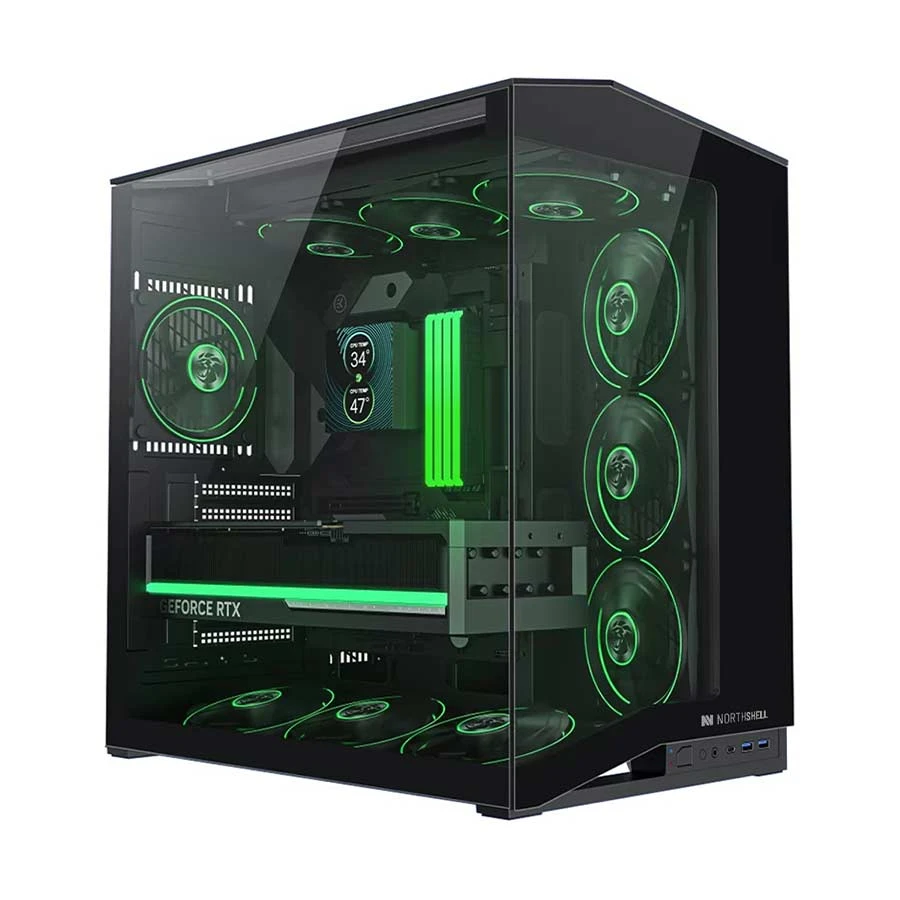
The N71 makes sense when your graphics card or air cooler exceeds the 3701’s limits, or you need E-ATX support. Its included fans, hub and remote reduce the accessories you need to buy separately. For a smaller build, you may not need the extra spending.
| Feature | Details |
|---|---|
| Case and panels | Mid Tower with tempered-glass front and left panels |
| Motherboard support | Mini-ITX, Micro-ATX, ATX and E-ATX |
| Included cooling | Seven 120mm ARGB fans, ARGB PWM hub and remote controller |
| Component clearance | Graphics card: up to 425mm; air cooler: up to 182mm |
| Radiator support | Up to 360mm |
| Power supply | Purchased separately |
 NorthShell N71-BK ARGBTk 7,999
Prices and specifications may change without notice.
What to Check Before Buying a NorthShell Casing
Match Your Parts
Start with your motherboard size. Then check the exact length of your graphics card and the height of your CPU cooler.
For liquid cooling, confirm the mounting position as well as the radiator size. Ask the assembler to check the radiator, fans, RAM and graphics card together. Individual clearance figures do not confirm that every combination will fit.
Allow for the PSU Cost
Your PSU needs the right output and connectors for the complete system. A graphics card fitting inside the case does not mean the bundled PSU can power it.
For the gaming models, include a separate power supply in your total build cost before deciding how much to spend on the case.
Leave Space for Airflow
Think about where the PC will sit. Keep ventilation openings clear of walls, cabinet panels and loose items. On the 3701, leave the front and top mesh unobstructed.
During Bangladesh’s hot summer months, room temperature and dust buildup also affect cooling. More fans alone do not guarantee lower temperatures; their direction and the installed hardware matter too.
Confirm the USB-C Connection
Ask the assembler to confirm that your motherboard has the matching internal connection for the case’s Type-C cable. A Type-C connector alone does not guarantee a particular transfer speed or charging capability.
Check Warranty Coverage
The 6528 and 6528-G have a one-year warranty, with two years for the bundled PSU. The 3701-BK, 3701-WH and N71-BK have a one-year warranty. Confirm the applicable coverage and service terms on your invoice.
Before ordering from the NorthShell casing range, have your complete parts list checked so the case, cooling and power supply suit the build.









Leave a comment