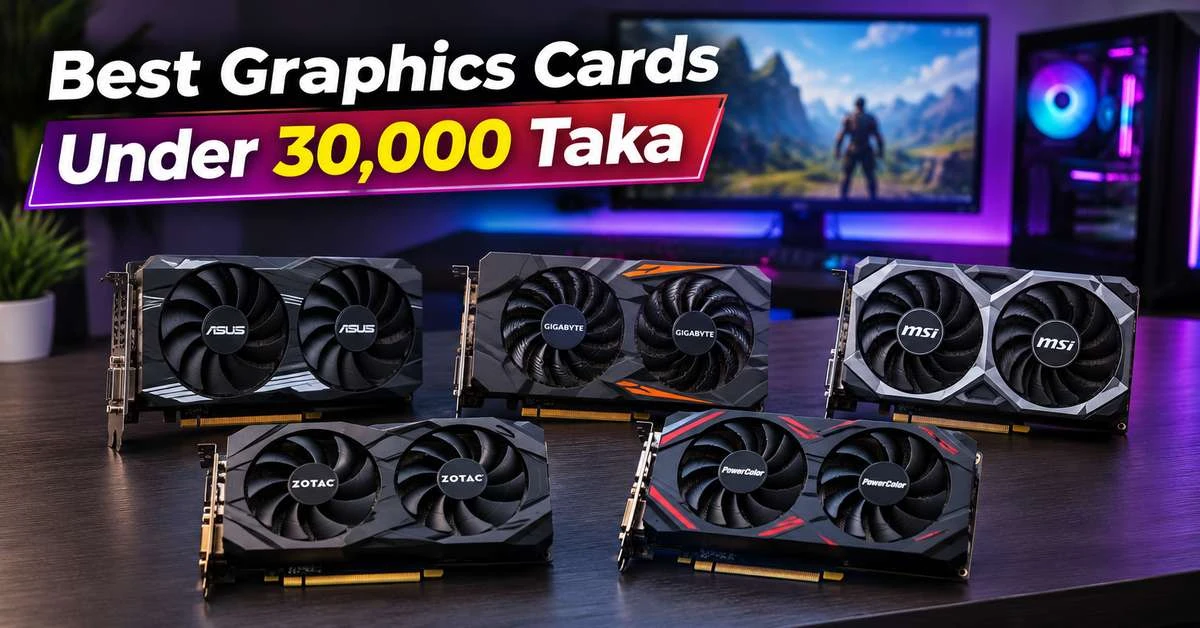
If you're building a gaming PC on a budget, you don't need to spend Tk 30,000 just to play Valorant, CS2, or GTA V. A suitable graphics card can handle many popular games, but performance depends on the GPU, processor, and graphics settings.
Finding the best GPU under 30K in BD isn't only about choosing 8GB VRAM over 4GB. You also need to consider gaming performance, power consumption, and compatibility with your existing PC.
For budget 1080p gaming, the AMD Radeon RX 580 8GB is generally a stronger choice than the RX 550 4GB. However, these are older GPUs, so knowing their limitations is important.
Here are five graphics cards worth comparing before making your decision.
Comparison of the Best GPU Under 30k in BD
| Graphics Card | VRAM | Listed Price | Best For |
|---|---|---|---|
| MSI GeForce GT 730 N730-4GD3V2 | 4GB GDDR3 | Tk 13,600 | Basic display upgrades and office PCs |
| OCPC Radeon RX 550 XR | 4GB GDDR5 | Tk 13,900 | Entry-level gaming and everyday graphics |
| Afox Radeon RX 550 | 4GB GDDR5 | Tk 14,200 | Casual gaming and multi-monitor setups |
| PELADN KaiTian RX 580 | 8GB GDDR5 | Tk 17,900 | Budget 1080p gaming |
| Arktek Radeon RX 580 V4 | 8GB GDDR5 | Tk 20,200 | 1080p gaming and light creative work |
Prices and stock availability are subject to change. MSI GT 730 availability requires confirmation.
Best GPUs Under 30,000 Taka in Bangladesh
1. MSI GeForce GT 730 N730-4GD3V2 4GB Graphics Card
Key Specifications:
| Specification | Details |
|---|---|
| Listed Price | Tk 13,600 |
| Graphics chipset | NVIDIA GeForce GT 730 |
| Video memory | 4GB GDDR3 |
| Engine clock | 700MHz |
| Interface | PCI Express 2.0 |
| Approx. power consumption | 49W |
| Recommended PSU | 300W |
| Display support | Dual display |
The MSI GeForce GT 730 is mainly suited to older desktop PCs that need a dedicated graphics card for display output, office applications, and basic multimedia work.
Its 4GB memory may look attractive, but the older GDDR3 technology and entry-level graphics processor limit gaming performance. It isn't a sensible choice for modern 1080p gaming, particularly in demanding titles such as CS2.
If your goal is simply to connect monitors or replace a faulty graphics card, the GT 730 may still serve that purpose. For gaming, however, the RX 550 models below are more practical options.
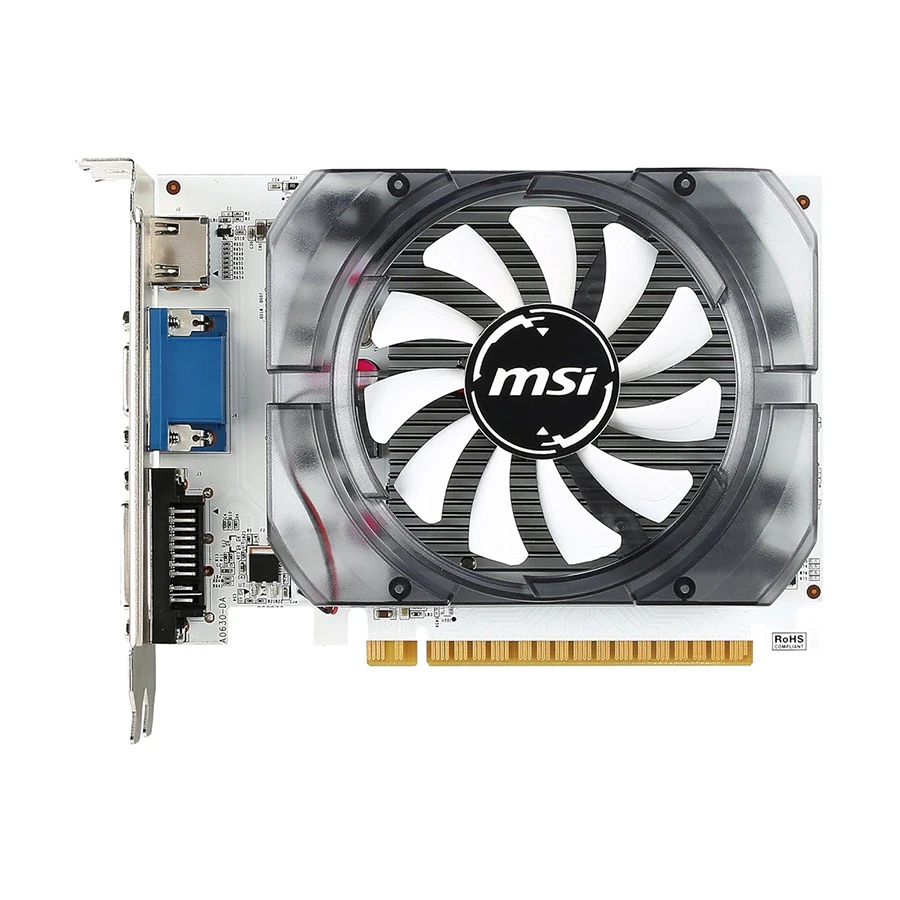
MSI GeForce GT 730 N730-4GD3V2 4GB Graphics Card
Listed Price: Tk 13,600
Availability requires confirmation.
2. OCPC Radeon RX 550 XR 4GB Graphics Card
Key Specifications:
| Specification | Details |
|---|---|
| Price | Tk 13,900 |
| Graphics chipset | AMD Radeon RX 550 |
| Video memory | 4GB GDDR5 |
| Cooling | Fan |
| Approx. power consumption | 150W (listed) |
| Recommended PSU | 300W |
| Maximum graphics resolution | 7680 × 4320 |
The OCPC Radeon RX 550 XR is a better starting point for casual gaming than the GT 730. Its GDDR5 memory and RX 550 graphics architecture make it more suitable for lightweight games and basic graphics applications.
You can consider it for games such as Valorant and older PC titles with reduced graphics settings. However, it isn't powerful enough to recommend for demanding modern AAA gaming.
One thing to check is its power specification. The product page lists 150W consumption alongside a 300W recommended PSU, which is unusual for this GPU class. Confirm the actual board requirements before installing it.

3. Afox Radeon RX 550 4GB Graphics Card
Key Specifications:
| Specification | Details |
|---|---|
| Price | Tk 14,200 |
| Graphics chipset | AMD Radeon RX 550 |
| Video memory | 4GB GDDR5 |
| Memory bus | 128-bit |
| Engine clock | 1183MHz |
| Approx. power consumption | 50W |
| Recommended PSU | 400W |
| Display outputs | HDMI, DisplayPort and DVI |
The Afox Radeon RX 550 is a practical choice for casual gaming and everyday desktop use. It offers a clearer set of power specifications and supports up to three displays.
If you use your PC for studying, office work, watching videos, and occasional gaming, this card provides a reasonable combination of graphics capability and connectivity.
It also makes sense for users running multiple monitors without needing a high-performance gaming GPU. However, if you're planning to play more demanding games at 1080p, an RX 580 would be a better upgrade.
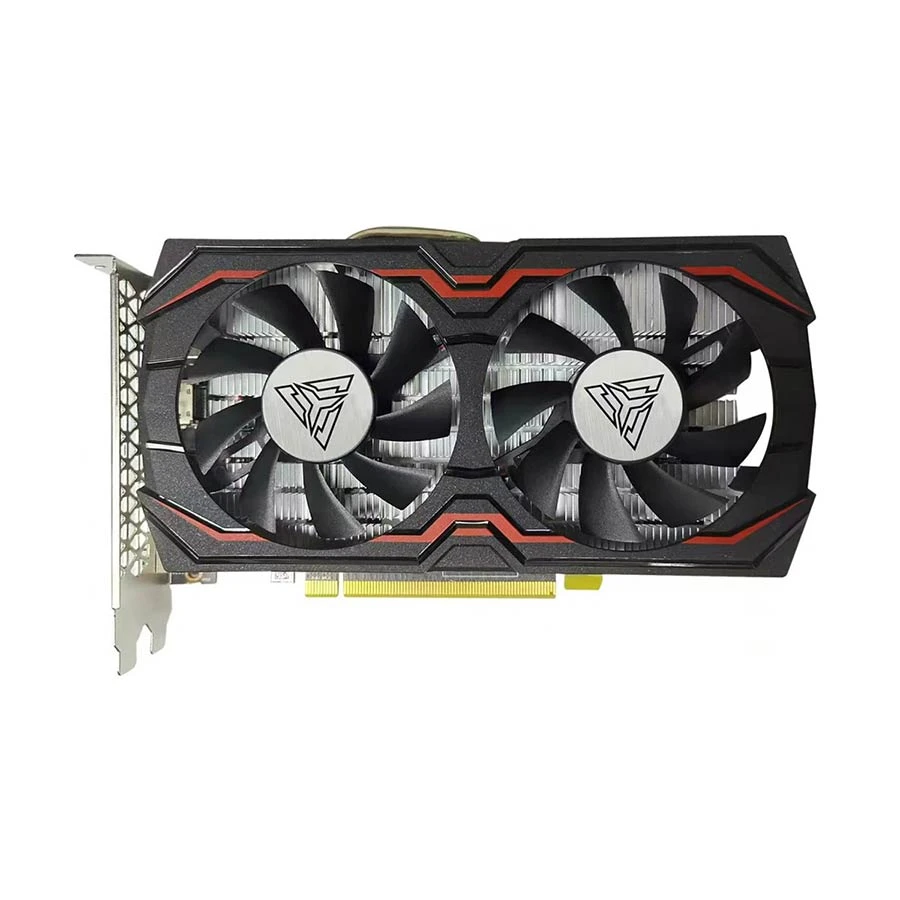
4. PELADN KaiTian RX 580 8GB Graphics Card
Key Specifications:
| Specification | Details |
|---|---|
| Price | Tk 17,900 |
| Graphics chipset | AMD Radeon KaiTian RX 580 |
| Stream processors | 2,048 |
| Video memory | 8GB GDDR5 |
| Memory bus | 256-bit |
| Memory clock | 7000MHz |
| Approx. power consumption | 150W |
| Recommended PSU | 500W |
| Power connector | 6-pin |
If gaming is your main priority, the PELADN KaiTian RX 580 is one of the strongest choices in this selection. It offers considerably more graphics processing capability than the RX 550 models.
For GTA V Legacy, Valorant and older AAA games, this GPU is more suitable for 1080p gaming with reasonable settings. Demanding newer games may still require significant compromises.
Keep in mind that this version has 2,048 stream processors rather than the original RX 580's 2,304. Its performance shouldn't be judged using benchmarks from the full-spec RX 580.
At Tk 17,900, it is my preferred gaming option from these five models, provided your PC has a reliable PSU with the required power connector.

5. Arktek Radeon RX 580 V4 8GB Graphics Card
Key Specifications:
| Specification | Details |
|---|---|
| Price | Tk 20,200 |
| Graphics chipset | AMD Radeon RX 580 |
| Stream processors | 2,048 |
| Video memory | 8GB GDDR5 |
| Memory bus | 256-bit |
| Engine clock | 1125MHz |
| Memory clock | 6600MHz |
| Approx. power consumption | 150W |
| Recommended PSU | 500W |
The Arktek Radeon RX 580 V4 is another option for 1080p gaming, particularly for older AAA titles and competitive games.
Its 8GB GDDR5 memory and 256-bit bus make it more capable than the RX 550 family for graphics-intensive workloads. It can also support selected photo editing and GPU-accelerated tasks, depending on software compatibility.
The main question is whether it's worth spending Tk 2,300 more than the PELADN RX 580. Both have 2,048 stream processors and similar listed power requirements, so the higher price doesn't automatically mean better performance.
I'd compare their cooling, warranty terms and verified gaming benchmarks before choosing the Arktek model.
What to Consider Before Buying a GPU Under 30K?
You don't need to understand every technical specification to buy a graphics card. Focus on what affects your games, applications and existing PC.
VRAM Capacity and Memory Type
You’ll find both 4GB and 8GB graphics cards within this budget.
A 4GB GPU can still be useful for lightweight games and everyday graphics tasks. An 8GB model provides more space for game textures and larger graphics workloads.
But more VRAM doesn't always mean better performance. The GPU itself and memory bandwidth matter too.
Buying tip: For gaming, compare the actual GPU performance rather than choosing a card only because it has 8GB VRAM.
GPU Performance for Gaming, Design & More
Not every graphics card is made for the same workload.
- Casual gaming: An RX 550 can handle lightweight and older games with adjusted settings.
- 1080p gaming: An RX 580 is generally a better choice for esports and older AAA titles.
- Graphic design: Photoshop and Illustrator can run on either GPU, depending on the work and software requirements.
- Video editing: GPU acceleration helps certain tasks, but older cards may lack support for newer features.
- Modern AAA gaming: Consider saving for newer hardware if demanding games are your priority.
Your processor and system RAM also affect performance, particularly in CPU-heavy games such as CS2.
Power Supply and Power Consumption
Before buying a GPU, check whether your power supply can handle it.
An RX 550 usually requires less power than an RX 580. The listed PELADN and Arktek RX 580 models recommend a 500W PSU.
Make sure your PSU has sufficient capacity and the correct PCIe power connectors.
Buying tip: A reliable PSU is more important than a high wattage number printed on a low-quality unit.
GPU Compatibility and Cooling
Most desktop GPUs use a PCIe x16 slot, but that doesn't guarantee every card will work with your existing setup.
Check these details:
- Motherboard: Confirm compatible PCIe and firmware support.
- Case size: Make sure the graphics card fits inside your case.
- Cooling: Leave enough space for proper airflow.
- Power connectors: Check whether your PSU has the required connectors.
- Monitor ports: Confirm HDMI, DisplayPort or DVI compatibility.
For older desktop PCs, checking these details before purchasing can prevent unnecessary installation problems.
NVIDIA vs AMD: Which GPU Offers Better Value Under 30K?
Both AMD and NVIDIA offer graphics cards for gaming and creative work. The better choice depends on the available models and the applications you use.
AMD's RX 580 remains a more capable option than an entry-level RX 550 for older games and budget 1080p gaming. However, both belong to older GPU generations.
NVIDIA can be advantageous for software that relies on CUDA acceleration. Newer GeForce cards may also support features such as DLSS, depending on the model.
AMD offers its own graphics technologies, including FSR in supported games, but compatibility varies.
If you mainly play Valorant, GTA V Legacy, and older games, an affordable RX 580 may meet your needs. For demanding modern games, newer GPUs from either brand are worth considering.
The better GPU isn't always the one from your preferred brand. It's the one that delivers the performance and software support you actually need.
What Makes Ryans a Reliable Place to Buy Graphics Cards?
When buying a graphics card, product authenticity, warranty coverage, and reliable support matter alongside price.
Here's what buyers can expect from Ryans:
- Genuine Products: Graphics cards from different brands with model-specific specifications.
- Competitive Pricing: Options across different budgets, making it easier to compare GPU models.
- Product Information: Detailed specifications to help check memory, connectivity, and compatibility.
- Warranty Support: Applicable manufacturer or distributor warranty assistance according to product terms.
- Technical Assistance: Support for graphics card compatibility and related PC hardware questions.
- Nationwide Delivery: Purchasing and delivery options for customers across Bangladesh.
You can compare available models in the Graphics Card section before choosing one for your PC.
Frequently Asked Questions
1. Will a graphics card under Tk 30,000 work with my old motherboard?
Usually, if your motherboard has a compatible PCIe x16 slot. However, check BIOS compatibility, PSU capacity, and case clearance before buying.
2. Should I buy a GPU under Tk 30,000 now or save for a higher-end model?
For older games and esports, a budget GPU may be enough. If you want to play demanding new AAA games, saving for a newer graphics card is generally a better long-term choice.
3. Is a 4GB graphics card enough for gaming in 2027, or should I choose 8GB?
4GB can still handle lightweight games, but 8GB gives you more memory for textures. However, a faster GPU matters just as much as VRAM capacity.
4. Does NVIDIA offer better support than AMD for Photoshop and Premiere Pro?
NVIDIA CUDA acceleration can benefit certain creative tasks, while AMD also supports selected GPU-accelerated features. Check your software's requirements before deciding.
5. Can I connect two or three monitors to a GPU under Tk 30,000?
Yes, several budget GPUs support multiple monitors. Check the available display outputs and maximum supported displays for your chosen card.
6. Can I play GTA V, Valorant, and CS2 smoothly with a GPU under Tk 30,000?
Yes, depending on your PC and game settings. An RX 580 is generally more capable than an RX 550 for these games, although your CPU and RAM also affect performance.
Final Verdict
For budget 1080p gaming, I'd choose the PELADN KaiTian RX 580 8GB from this comparison. It offers a stronger gaming configuration than the RX 550 cards without requiring you to spend the entire Tk 30,000 budget.
If you mainly need a graphics card for casual games, basic graphics work, or multiple displays, the Afox Radeon RX 550 4GB is a practical lower-cost option.
For demanding modern games, however, saving for a newer GPU is worth considering. These older cards can still serve specific needs, but they aren't ideal for every new release.
Before buying, check your PC's compatibility, available PSU power, and the exact GPU specifications.













Leave a comment