
Form Factor
Chipset Brand
Memory Type
Built-in Processor
Memory Slot
Optane Memory Support
M.2/SSD Slot Gen
Cable Management
WiFi
VGA Port
DVI Port
HDMI Port
CrossFire Support
Sli Support
Thunderbolt
RGB Support
Warranty
Motherboard is the base of your desktop build, so choosing the right one matters more than many buyers expect. This category helps you compare motherboard price in Bangladesh across top brands on the page like Asus Motherboard, Gigabyte Motherboard, MSI Motherboard, Maxsun Motherboard, Biostar Motherboard, and NZXT Motherboard, making it easier to find the right option for budget builds, gaming PCs, custom setups, and future upgrades.
Choosing the right motherboard becomes much easier when you start with your build plan first. Before comparing different models, think about your processor socket, chipset, RAM type, form factor, budget range, and brand preference, because these are the things that decide whether the board will actually fit your PC properly.
PC builders usually want a motherboard that feels balanced instead of flashy. For a normal custom desktop used for browsing, work, study, and daily computing, the smarter choice is usually a reliable board with the right socket, enough RAM support, at least one M.2 slot, and practical long-term compatibility. This type of buyer cares more about building a smooth, stable system than paying extra for features they may never use.
Gamers usually look at motherboards differently. Here, the board needs to do more than just run the CPU. Better performance and features, stronger VRM stability, better storage flexibility, smoother upgrade potential, and a more gaming-friendly chipset matter more. That is why gaming buyers often compare B550, B650, and other stronger mainstream platforms more seriously than simple entry-level boards.
IT technicians usually think in a more practical way. They want motherboards that are available, sensible in price, easy to match with common processors, and practical for repair or replacement work. This is also true when maintaining multiple computers, where simple compatibility and dependable support matter more than premium branding or unnecessary extras.
Upgraders care less about today’s setup and more about what happens next. If the goal is to support newer CPUs or tech, DDR5 memory, faster storage, or a stronger GPU later, the motherboard becomes a much bigger decision. Buyers in this group usually focus on socket life, chipset level, RAM direction, and whether the board gives enough room for future changes without forcing a full rebuild too soon.
Students and learners usually do not need an expensive motherboard. A reliable entry-level or value mid-range board with the right socket, practical connectivity, and enough upgrade room is often the better choice for practice and study. For this type of buyer, the best motherboard is usually the one that keeps the build simple, affordable, and easy to understand.
For many buyers in Bangladesh, the first real motherboard comparison is still Intel vs AMD. The main difference is platform direction: socket, chipset options, RAM support, and future upgrade logic. The better choice is usually the one that fits your processor plan, budget, and build path more cleanly.
If your build is basic, a simpler chipset can be enough. If you want the best all-round value, B-series boards usually make more sense. If you already know you need stronger features, heavier CPUs, more storage flexibility, or more premium platform features, then higher-end chipsets become relevant. For Intel buyers, H usually covers basic needs, B gives a better mainstream balance, and Z suits high-end or enthusiast use.
ATX suits buyers who want more room and more slots. Micro-ATX is usually the most practical option for normal desktop builds because it balances size, features, and price well. Mini-ITX only makes sense when compact size is the priority and you are comfortable with fewer slots and often higher prices.
DDR4 still makes sense for value-focused builds and upgrades. DDR5 is the newer direction and better for buyers who want a more future-ready platform. But DDR5 usually raises the total platform cost, so it only becomes the smarter choice when the rest of the build justifies it.
Socket type should match your CPU properly, chipset should fit your actual usage, and form factor must fit your case correctly. If any one of these is wrong, the board becomes a bad purchase no matter how attractive the brand or price looks.
DDR4 or DDR5 support affects the total platform cost more than many buyers expect. RAM slots and maximum capacity also matter for upgrade comfort, especially if you want to expand later instead of replacing the whole board.
PCIe slots matter for GPU and future expansion cards, while M.2 and SATA support matter for storage flexibility. USB ports, LAN, Wi-Fi, Bluetooth, and rear I/O also shape how practical the motherboard feels in daily use.
VRM and power design matter more when stability and heavier CPUs are involved, while cooling features like heatsinks and fan headers help long-term usability. Warranty and seller confidence matter too, especially in Bangladesh where replacement comfort matters after purchase.
Use the motherboard category filters to narrow down boards by socket, chipset, RAM type, form factor, and price before comparing the final options that actually fit your build.
Compare by socket, chipset, DDR4/DDR5, storage support, and upgrade path.
This is still the biggest hesitation point for many buyers. People worry about whether the board will support the CPU, RAM, and GPU properly, and that concern is valid. Socket mismatch, wrong RAM type, and poor expansion fit can turn even a good-looking motherboard into the wrong purchase.
Many buyers hesitate because they are not sure whether the board is really worth the cost. The concern is not only about price, but also about overkill vs need. Buyers do not want to pay for features they will not use, especially when the rest of the build is still budget-sensitive.
Another common objection is whether the board will still feel useful later. Buyers often worry about future upgrade limits, whether it will support newer hardware later, and whether the platform will become outdated too quickly. This matters more for people who want their build to stay relevant for a longer time.
Brand reliability, fear of low quality or failure, features confusion, installation difficulty, and warranty & support all sit in the same decision area. Buyers often feel unsure about ports, slots, chipset differences, and whether the board will fit the PC case properly. They also want confidence that support will be there if something goes wrong after purchase.
| Brand | Main Positioning | Best For | Quick Note |
|---|---|---|---|
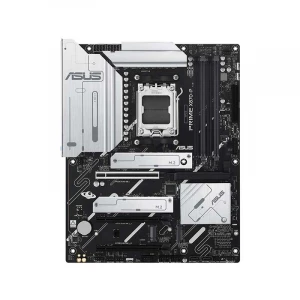
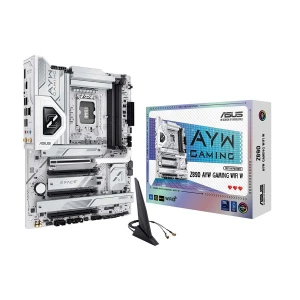
| Asus Motherboard | Mainstream, gaming, creator platforms | Everyday builds, gaming, productivity | Usually a strong choice for buyers who want broad model variety and platform familiarity. |
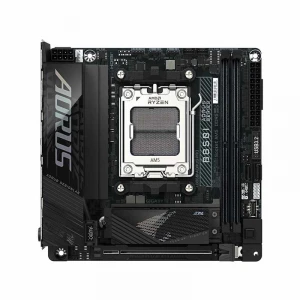
| Gigabyte Motherboard | Mainstream and gaming-friendly boards | Balanced builds, gaming, upgrades | Often attractive for buyers comparing chipset value, storage flexibility, and gaming-friendly options. |
| MSI Motherboard | Value-to-performance mainstream and gaming use | Gaming, practical builds, productivity | Popular for buyers who want a clean balance between price, features, and platform reliability. |
| Maxsun Motherboard | Value-focused and gaming-oriented choices | Budget gaming, mainstream builders | Useful for buyers who want something different from the most common mainstream choices. |
| Biostar Motherboard | Budget and entry-level mainstream use | Budget PCs, simple builds, practical users | Usually considered when keeping total build cost lower matters more than premium extras. |
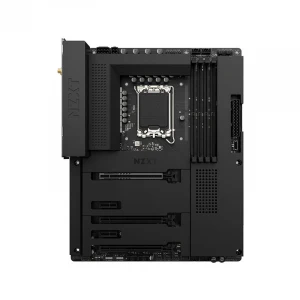
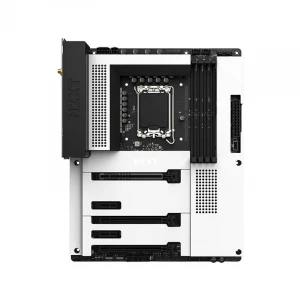
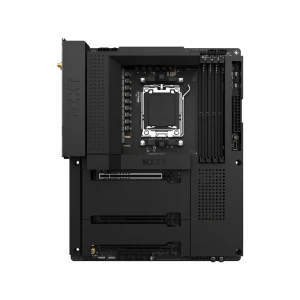
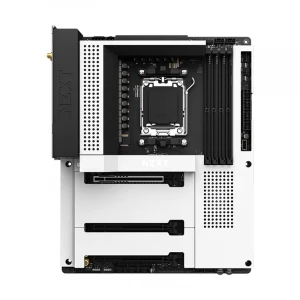
| NZXT Motherboard | Premium cleaner-design platform direction | Premium custom builds, style-focused setups | More suitable for buyers who care about design presentation and a cleaner high-end build feel. |
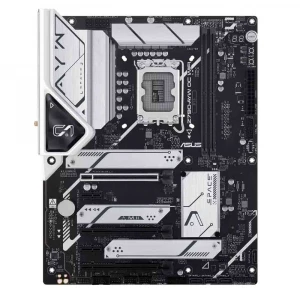
N.B. Image may differ with actual product's layout, color, size & dimension. No claim will be accepted for image mismatch.
Product Id:
Sort Options
Filter
