Smart TV Buying Guide in Bangladesh 2026 - Pick the Best One
Note: We wrote this guide to help you choose with confidence — it's based on advice from Ryans' experts with around 26 years' experience.
Buying a smart TV in Bangladesh is often confusing because the market is crowded and sellers push technical terms—4K, QLED, Google TV, Dolby Atmos, HDMI 2.1—without explaining what matters in real use.
Many buyers choose based on brand or discounts, then realize the TV doesn’t fit their room size, viewing distance, habits, or budget. A smart TV simply adds internet and apps like YouTube and Netflix, but specs on the box don’t guarantee good picture, sound, or smooth performance.
This guide highlights the practical factors Bangladeshi buyers should check before purchasing.
Quick Guide: Pick the Right TV in a Minute
1) Size (match room + distance)
32–40″: small room / bedroom
43–50″: medium room / family use
55″+: living room / home-theater feel
2) Resolution (match the size)
4K: best choice for 43″+ (the practical standard in 2026)
Full HD: acceptable for smaller sizes, but choose 4K if the price gap is reasonable
3) Panel type (brightness matters in Bangladesh)
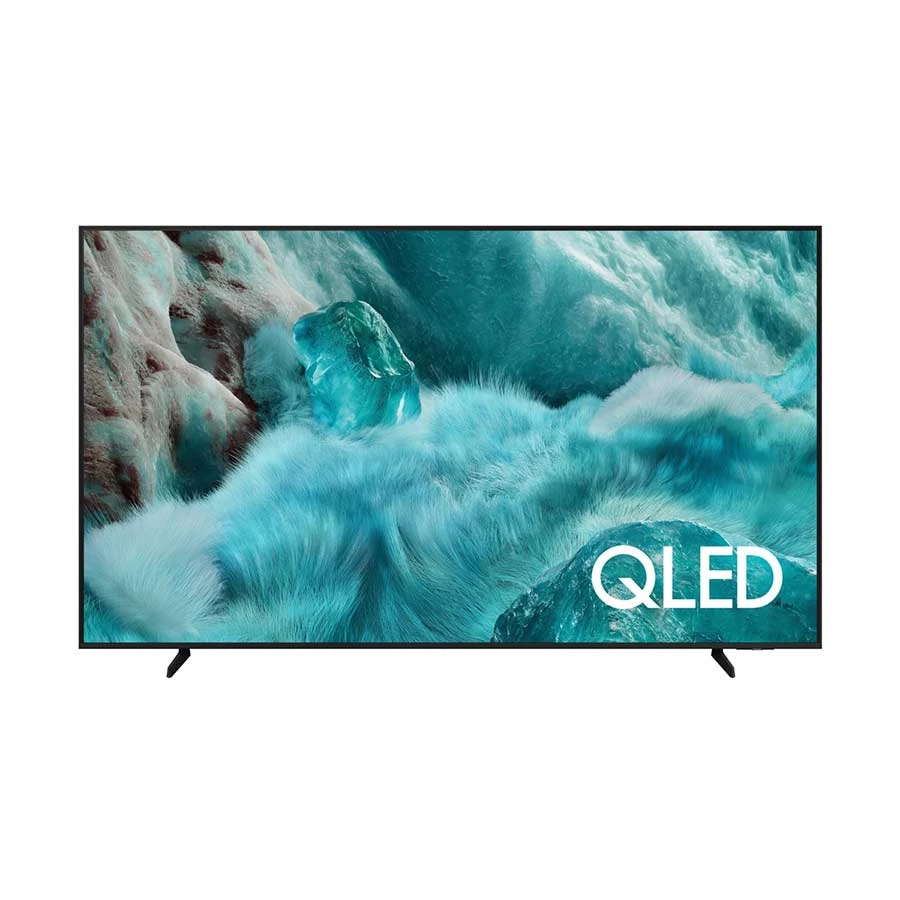
QLED: strong all-round choice for most homes (good brightness + color)
Mini-LED: premium option for very bright rooms and stronger HDR impact
OLED: best black levels, but performs best in darker rooms
4) Must-have essentials (don’t skip)
Smart OS: choose the one that feels smooth (Google TV / Tizen / webOS)
Ports: minimum 3 HDMI (choose HDMI 2.1 if you game)
Warranty: prefer official warranty for safer service and parts availability
Choose Size by Room & Viewing Distance
For Bangladesh homes, 43–55 inches is the most popular range. Let’s read…
32"–40": This size is ideal for small rooms or bedrooms. These TVs are compact, easy to fit, and don’t overwhelm the space. They are perfect for casual viewing or a secondary TV for personal use.
Haier H32K85FX 32 Inch HD Bezel Less Google TV
Display: 32" HD (1366×768) LED, Direct LED (Bezel-less)
A practical 32″ pick for bedrooms/small rooms—Google TV gives smooth access to streaming apps, Chromecast makes phone-to-TV casting easy, and the Direct LED + HDR10 combo improves everyday picture balance. You also get enough ports for set-top box/console/USB media, plus strong official coverage (4-year panel + 2-year parts & service).
43"–50": They are the best for medium rooms or as a family TV. They offer a larger screen for comfortable viewing without taking up too much space. Great for watching movies, shows, and sports together.
LG UR7550 43 Inch 4K HDR Smart TV
Display:43" 4K (3840×2160) LED
HDR:HDR10, Hybrid Log Gamma (HLG)
Smart OS: webOS (Processor: α5 AI Processor 4K Gen6)
Connectivity: 3× HDMI (supports eARC and ALLM as specified in HDMI 2.1), 2× USB 2.0, Ethernet, Wi-Fi 5, Bluetooth 5.0, SPDIF out
+ WHY IT'S ONE OF THE BEST
A dependable 43″ family TV—sharp 4K picture, smooth webOS for everyday streaming, and HDMI features (eARC/ALLM) that make it easy to add a soundbar or game with lower lag.
55" and above: They are also perfect for living rooms or home theater setups. These large screens provide an immersive experience for movies and gaming. They are ideal for family entertainment and creating a cinematic feel at home.
Singer SLE55GU5000TV 55 Inch 4K UHD Google TV
Display: 55" 4K (3840×2160) LED, 60Hz
Resolution:4K,
Smart OS: Google TV (Android 11), Google Play Store, Google Assistant
A solid 55″ living-room upgrade at a mid-range price—sharp 4K screen, Google TV for easy streaming, Chromecast for quick phone casting, and Dolby Atmos support to pair well with a soundbar later.
Rule of thumb: A good rule of thumb is to sit about 1.5 to 2.5 times the screen size away from your TV. For example, if you have a 50-inch TV, you should sit around 6 to 10 feet away. This distance ensures comfortable viewing without straining your eyes.
Expert Advice: Caleb Denison, an American technology journalist, says, “The best TV is not the most expensive one. It’s the TV that matches your room lighting, viewing habits, and content type.”
Pick Resolution (HD / Full HD / 4K) Based on Size
Another important thing is that the resolution should match the screen size.
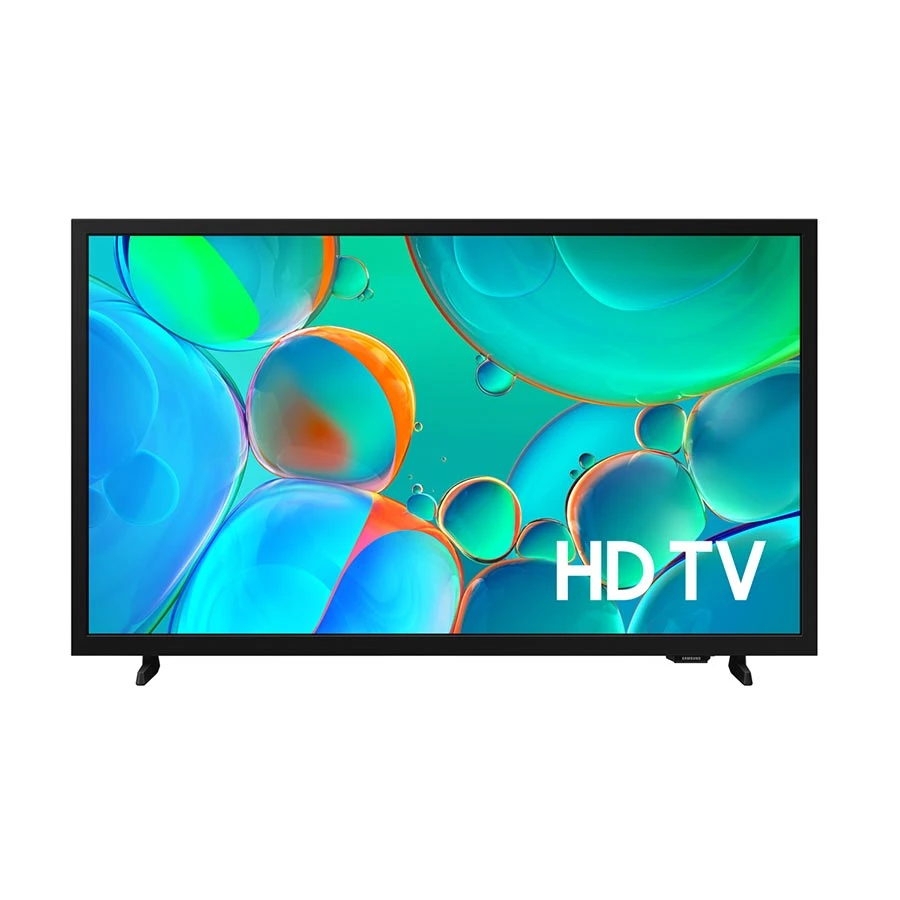
HD (720p): HD is suitable only for 32-inch TVs. It works for small screens but may appear less sharp on larger displays.
Samsung 32H5000F 32 Inch HD HDR Smart TV (Official)
Display: 32" HD (1366×768) LED, 50Hz
HDR: HDR10+
Smart OS: Tizen OS (SmartThings support)
Connectivity: 2× HDMI (ARC/eARC), 1× USB; Wi-Fi + Bluetooth
+ WHY IT'S ONE OF THE BEST
A safe 32″ bedroom TV from a top brand—Tizen runs smoothly for streaming, HDR10+ improves contrast on supported content, and ARC/eARC makes soundbar upgrade easy later (without extra cable hassle).
Full HD (1080p): Ideal for 32"–43" TVs. Provides clear and detailed images for bedrooms or small rooms.
Toshiba 43V35MP 43 Inch FHD Smart TV
Display: 43" FHD (1920×1080) LED, 60Hz
Resolution: FHD
Smart OS:Android TV (Android 11), Google Home support, voice control via remote, Chromecast built-in
Connectivity: 2× USB, Ethernet; Dual-band Wi-Fi + Bluetooth 5.0; SPDIF + headphone jack + RF/AV outputs
+ WHY IT'S ONE OF THE BEST
A value 43″ family TV if you want a bigger screen on a controlled budget—Android TV keeps apps familiar, Chromecast makes casting easy, Dolby Audio improves everyday sound, and Toshiba includes a full 3-year parts/panel/service warranty.
If you want a true “big-screen living room” upgrade, this gives you a huge 75″ 4K panel with HDR10+ for better contrast on supported content, Tizen for smooth daily streaming, and eARC for an easy soundbar setup—without cable swapping thanks to 3 HDMI ports.
If you want a true flagship “big-room” TV, this one is built for it—8K Neo QLED brightness helps in well-lit living rooms, the high refresh + HDMI gaming support suits next-gen consoles, and Wi-Fi 6/eARC make streaming + soundbar setup straightforward.
Is 4K worth it for 43 inch? Yes. In 2026, most content and YouTube videos are 4K, and price difference is small.
Expert Advice: David Katzmaier from CNET points, “Brightness and contrast matter more than resolution once you move to 4K. A bright TV with good HDR will look better than a dim TV with higher specs.”
Pick Panel Type (LED vs QLED vs OLED vs Mini-LED)
If you’re buying a TV for a bright living room, the type of panel really matters. Let me break it down for you:
OLED
Most of the customers love OLED for its perfect blacks and amazing colors, but if your room gets a lot of sunlight, you might find the picture less visible.
Samsung 55S85F 55 Inch 4K UHD OLED HDR Vision AI Smart TV
Display: 55" 4K (3840×2160) OLED, 100Hz
HDR:HDR10+ / OLED HDR
Smart OS: NQ4 AI Gen2 Processor + Tizen (SmartThings)
OLED gives true blacks and strong contrast for movies, while 4K 120Hz + eARC makes it easy to pair a console and a soundbar without compromise—ideal for a premium living-room setup.
Smart OS: Android 11 (Google TV UI), Chromecast, Google Home
Connectivity: Wi-Fi + Bluetooth
+ WHY IT'S ONE OF THE BEST
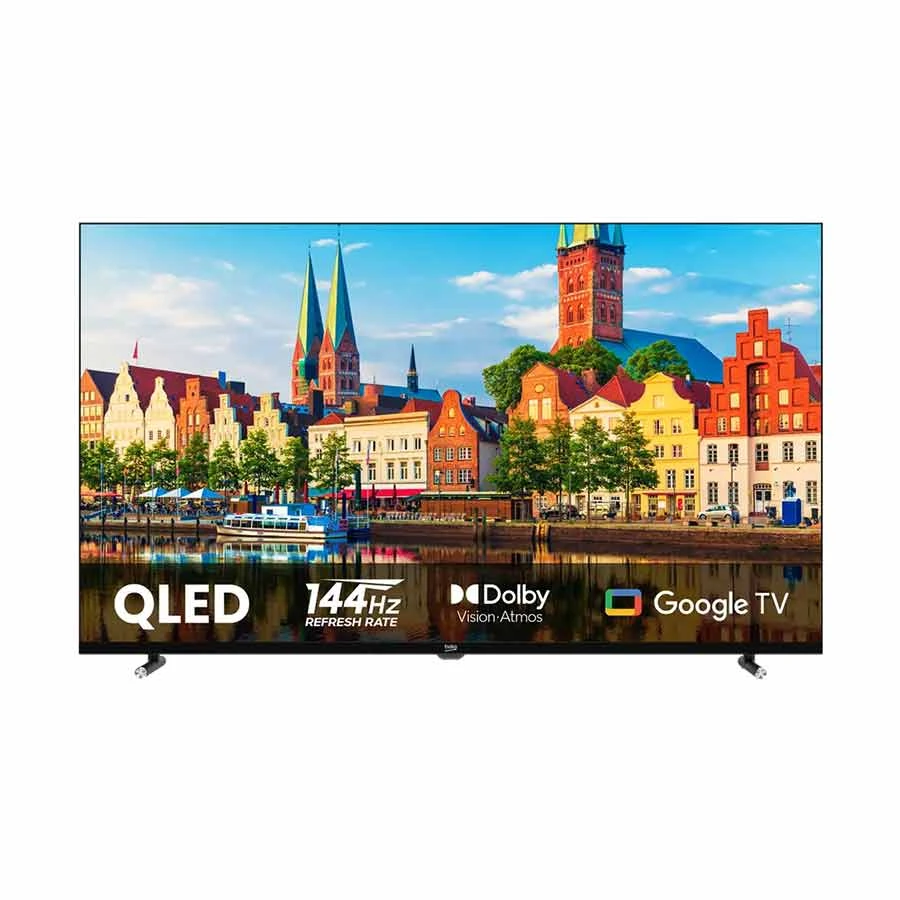
A strong 43″ option for bright BD rooms—QLED boosts color and brightness, Dolby Vision improves supported movies/series, and the 144Hz panel + MEMC helps fast sports and smoother motion.
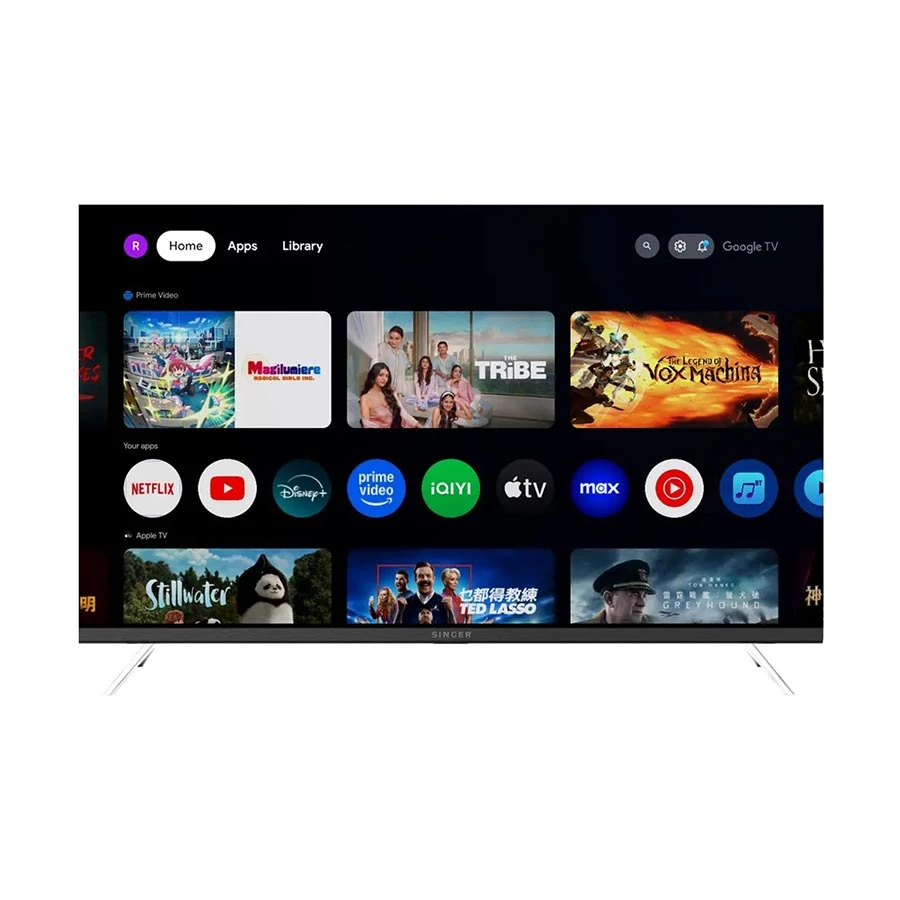
A practical budget 32″ pick for bedrooms/small rooms—Android 11 keeps streaming familiar, dual-band Wi-Fi helps reduce buffering, Bluetooth lets you connect headphones/speakers, and Singer includes a 3-year warranty for safer long-term use.
If you want the best of the best: Mini-LED is for you, especially if you don’t want to worry about OLED burn-in.
Ryan's expert says, For most people in Bangladesh, QLED gives you the perfect balance of brightness, color, and price. Choose Mini-LED if you want a premium experience, and pick OLED only if your room isn’t too bright and you want cinema-like blacks.
Panel Type
Bright Room Performance
Picture Quality
Best For
LED
Good
Standard
Budget-friendly, everyday TV
QLED
Very Good
Better colors & contrast
Bright rooms, family TV
OLED
Moderate
Excellent blacks & contrast
Cinematic experience, dark rooms
Mini-LED
Excellent
Deep contrast + high brightness
Bright rooms, HDR movies, gaming
Expert Advice: Vincent Teoh (HDTVTest – Professional TV Calibrator) explains that “real picture quality depends more on panel technology (OLED, QLED, Mini-LED) and brightness than on marketing terms.”
Pick Smart OS (Google TV / Android TV vs Tizen vs webOS)
When choosing a smart TV, I always pay attention to the platform because it’s just as important as the screen size or resolution. It shows me how easy it will be for you to navigate, access apps, and enjoy streaming content. A good platform also gives better recommendations and smoother performance to make your viewing experience much more enjoyable.
Google TV vs Android TV (H4): Google TV is newer, with a cleaner interface and smarter content suggestions compared to Android TV.
Haier H32S80EFX 32 Inch FHD QLED Google TV
Display: 32" FHD (1920×1080) QLED, Direct LED, 60Hz
HDR:HDR10
Smart OS: Google TV + Chromecast (Google Play Store supported)
Connectivity: 3× HDMI, 2× USB, Composite, LAN; Wi-Fi + Bluetooth
+ WHY IT'S ONE OF THE BEST
One of the best “small room” upgrades—FHD is noticeably sharper than HD at 32″, QLED + Direct LED helps with brighter Bangladeshi rooms, and Google TV + Chromecast makes YouTube/Netflix and phone casting straightforward. Plus, the port count (3 HDMI) means fewer cable swaps.
Tizen (Samsung)(H4): Fast, stable, and reliable, making it easy to navigate apps and settings.
Samsung 75U8500F 75 Inch 4K UHD HDR Smart TV
Display: 75" 4K (3840×2160) LED (LCD), Backlit LED, 50Hz
HDR: HDR10+
Smart OS: Crystal Processor 4K + Tizen
Connectivity: 3× HDMI (ARC/eARC), 1× USB; Wi-Fi + Bluetooth 5.3
+ WHY IT'S ONE OF THE BEST
A true big-screen upgrade for a large living room—75″ 4K with HDR10+ makes movies and sports look more detailed, Tizen keeps streaming smooth, and eARC makes adding a soundbar simple without extra setup.
A true “statement” home-theater TV—97″ OLED delivers perfect blacks and high contrast for movies, 120Hz + eARC suits premium gaming and soundbar/AVR setups, and Wi-Fi 6 keeps 4K streaming more stable in busy home networks.
Google TV vs Android TV: What’s the Real Difference?
Google TV is basically a newer and smarter version built on top of Android TV. Both run on the same core system, but the way they show content is different.
Android TV focuses more on apps. When you open it, you mainly see app icons like Netflix, YouTube, and Prime Video, and you choose what to open.
Google TV focuses more on content. Instead of just showing apps, it recommends movies and shows directly from Netflix, YouTube, Prime Video, and other platforms on the home screen. This makes it easier for you to find something to watch without opening each app separately.
Advice from expert: “Global tech experts note that smart TV operating systems like Google TV, webOS, and Tizen each have strengths and trade‑offs, whether it’s app availability, interface speed, or ease of navigation.”
When it comes to ports and connectivity, I always check what’s available because it affects how you can use your TV. Here’s what you should look for:
HDMI ×3 or more – Enough ports to connect multiple devices at once. This allows you to keep your gaming console, set-top box, and streaming stick connected simultaneously.
Singer 32GD6100TV 32 Inch HD Google TV
Display: 32" HD (1366×768) LED (Backlit LED), 60Hz
HDR: Dolby Vision, HDR10, HLG
Smart OS:Google TV (Android 11), Google Assistant (voice), Chromecast built-in, Google Play Store, Netflix certification
Connectivity: HDMI (1 port) + USB; Dual-band Wi-Fi + Bluetooth
+ WHY IT'S ONE OF THE BEST
A budget-friendly 32″ bedroom TV—Google TV keeps streaming easy, Chromecast helps quick phone casting, and dual-band Wi-Fi reduces buffering compared to basic single-band sets.
HDMI 2.1 – Essential if you plan to use a PS5 or Xbox for gaming. It supports higher refresh rates and 4K at 120Hz. It also future-proofs your TV for upcoming consoles.
Smart OS: Google TV (2GB RAM, 32GB storage), Chromecast, Google Assistant
Connectivity: 4× HDMI 2.1 (4K@120Hz), 2× USB 2.0, Ethernet; Bluetooth remote
+ WHY IT'S ONE OF THE BEST
A high-value “big living room” TV—Mini-LED brightness helps in bright BD rooms, HDMI 2.1 (4K@120Hz) suits PS5/Xbox gaming, and Google TV + Chromecast makes streaming and casting simple for the whole family.
eARC – For connecting a soundbar with high-quality audio. It ensures lossless sound and supports Dolby Atmos for a cinematic experience. You can enjoy movies and games with clear, immersive audio.
Samsung HD H5000 32 Inch HD HDR Smart TV
Display: 32" HD (1366×768) LED, 50Hz
HDR: HDR10+
Smart OS: Tizen (SmartThings)
Connectivity: 2× HDMI (ARC/eARC), 1× USB-A; Wi-Fi + Bluetooth
+ WHY IT'S ONE OF THE BEST
A solid 32″ bedroom TV at a controlled budget—Tizen is simple for everyday streaming, HDR10+ helps supported content look less flat, and eARC/ARC makes adding a soundbar later straightforward.
USB & Ethernet – For external drives and a stable wired internet connection. USB lets you play media directly from flash drives or hard disks. Ethernet provides faster and more reliable internet than Wi-Fi for streaming.
Singer 32GD6100TV 32 Inch HD Google TV
Display:32" HD (1366×768) LED (Backlit LED), 60Hz
HDR: Dolby Vision, HDR10, HLG
Smart OS:Google TV (Android 11), Chromecast built-in, Google Assistant voice control, Google Play Store
Connectivity: HDMI In: 1 port + USB; Dual-band Wi-Fi + Bluetooth
+ WHY IT'S ONE OF THE BEST
A sensible 32″ bedroom TV—Google TV keeps apps easy, Chromecast makes phone casting simple, and dual-band Wi-Fi helps smoother streaming than basic single-band sets.
Dual-band Wi-Fi & Bluetooth – Smooth streaming and wireless device connectivity. Dual-band Wi-Fi reduces buffering issues and keeps your connection stable. Bluetooth allows you to connect headphones, keyboards, or controllers without extra wires.
Samsung 55Q7F 55 Inch 4K QLED HDR Smart TV
Display:55" 4K (3840×2160) QLED, 50Hz
HDR: HDR10+ (Quantum HDR)
Smart OS: Tizen + Q4 AI Processor
Connectivity: 3× HDMI + 1× USB + 1× LAN (eARC), Wi-Fi 5 + Bluetooth 5.3
+ WHY IT'S ONE OF THE BEST
A strong 55″ family upgrade—QLED keeps the picture bright and colorful for Bangladeshi rooms, HDR10+ improves contrast on supported content, and Tizen stays smooth for daily YouTube/Netflix use. eARC also makes adding a soundbar simple later.
Advice from Ryans Experts : How many HDMI ports should I target? At least 3, ideally 4 if you use a gaming console, set-top box, and soundbar.
Sound Basics (Dolby Audio / Dolby Atmos)
Most built-in TV speakers are average and won’t give you a true cinematic experience. To get better sound:
Dolby Audio – should be the minimum standard for clearer, richer sound.
Dolby Atmos – ideal if you plan to add a soundbar or external audio system.
eARC support – future-proofs your TV so you can upgrade your sound system later without issues.
Advice from Ryans Experts : Don’t rely on HDR labels alone (HDR10, HDR10+, Dolby Vision). The real experience comes from peak brightness and good sound support together, for both matter for immersive viewing.
Gaming Essentials (120Hz, VRR, ALLM, HDMI 2.1)
If you are buying a TV mainly for gaming on PS5 or Xbox, I recommend focusing on the following features. These features make gameplay smoother, reduce lag, and give you a competitive advantage.
120Hz Panel – A 120Hz refresh rate makes motion much smoother compared to standard 60Hz TVs. You will notice clearer movement during fast action scenes and competitive games. It delivers a more fluid and responsive gaming experience.
Sony BRAVIA 5 K-65XR50 65 Inch 4K HDR Google TV
Display: 65" 4K (3840×2160) LED (LCD), Mini LED, 120Hz
HDR: HDR10, HLG, Dolby Vision
Smart OS: XR Processor + Google TV (Google Play Store)
Mini-LED + XR processing delivers stronger brightness/contrast for bright BD living rooms, 120Hz helps sports and PS5/Xbox gameplay feel smoother, and 4 HDMI (with eARC) makes it easy to run set-top box + console + soundbar without cable swapping.
VRR (Variable Refresh Rate) – VRR adjusts the TV’s refresh rate to match your console’s frame rate. This reduces screen tearing and stuttering. As a result, your gameplay feels more stable and smooth.
ALLM (Auto Low Latency Mode) – ALLM automatically switches your TV to game mode when you start playing. This reduces input lag without you needing to change settings manually.
HDMI 2.1 – This is essential for unlocking full next-gen console performance. It supports 4K resolution at 120Hz and other advanced gaming features. Without HDMI 2.1, you cannot fully enjoy the power of your PS5 or Xbox.
Advice from Ryans Experts : Even if you’re on a 43–55″ TV, 120 Hz can make a noticeable difference for action games, racing, or shooters on PS5/Xbox Series X/S.
Official Warranty vs Seller Warranty: Which Should You Choose?
Warranty is another important factor many buyers overlook when purchasing a TV. You will usually see two types of warranty: official warranty and seller warranty.
Official warranty is provided by the brand or authorized distributor. This means you get genuine spare parts, trained technicians, and reliable service support if any problem occurs.
Seller warranty, on the other hand, is provided only by the shop you bought the TV from, like Ryans Computers. The quality of service depends entirely on the seller, and sometimes parts or repair support may not be reliable.
For peace of mind, it is always better to choose a TV with an official warranty, unless the price difference is extremely large and you fully trust the seller.
Bangladesh-Specific Buying Tips
1. Warranty Types & Service Reality
Warranty is very important when buying a TV. Official warranty comes from the manufacturer. It gives real parts and authorized service. This is the safest choice. Seller warranty comes from shops or local vendors. It is cheaper, but service quality may vary. Repair can take longer so check if service centers are near you. Also, see what parts are covered.
2. Delivery, Installation & Wall Mount Checklist
You need to check if home delivery and installation are included. Many shops in Bangladesh, including Ryans Computers, provide installation services for TVs. For wall mounting, ask if the bracket is included. Make sure it fits the TV size. Ask if professional mounting is available. Look at the TV box before signing. Make sure it is sealed and not damaged.
3. Voltage & Surge Protection Suggestions
Electricity in Bangladesh can change suddenly. Use a voltage stabilizer or surge protector to protect your TV. Ryans Computers has recommended surge protectors and accessories. Do not use cheap adapters so choose products that match your TV’s wattage.
Many users prefer well-known models from brands like Samsung, Sony, and Xiaomi. You can explore our list of the top 5 smart TVs in Bangladesh to see which models offer the best value.
FAQ
1. Google TV vs Android TV: what’s the real difference for buyers?
Google TV is a newer, smarter interface on top of Android TV with better recommendations and a cleaner UI.
2. Is 4K worth it for 43 inch?
Yes, 4K is worth it on 43″ because it looks sharper and is now the standard for streaming and gaming.
3. Do I really need 120Hz for PS5/Xbox?
Only if you care about smoother gameplay; for casual gaming and movies, 60Hz is enough.
4. QLED vs OLED vs Mini-LED: which is best for bright rooms in BD?
Mini-LED is best for bright rooms, followed by QLED but OLED looks great but struggles more in strong daylight.
5. How many HDMI ports should I target in 2026?
Aim for at least 3–4 HDMI ports, with 1–2 being HDMI 2.1 if you game.
6. What’s more important: HDR label or peak brightness?Peak brightness matters more, because HDR formats are useless if the screen is too dim.
7. Should I buy an “official warranty” TV or is seller warranty okay?
Official warranty is safer and more reliable. But seller warranty is riskier and depends on the shop.
Closing Note
If you are searching for the best smart TV in Bangladesh or checking smart TV price in Bangladesh, use this guide as your checklist. A smart TV is not just a screen,it’s your home entertainment hub. Buy smart, and be safe, and enjoy your upgrade in 2026 with Ryans.














Leave a comment