In Bangladesh, a budget under 15K is still a good range for many users, especially for office work, study, browsing, and regular home use. In this price range, you can find Full HD monitors with practical features like IPS or VA panels, 75Hz to 100Hz refresh rates, and eye-care options such as low blue light and flicker-free technology. However, this budget is not enough for every type of user. People who work in advanced design, professional editing, or serious gaming usually will not find all the performance and display quality they need within this range.
In this blog, you’ll find 10 of the best monitors under 15K in Bangladesh, along with practical insights to help you compare their features and make a more confident buying decision.
Top Computer Monitors Under 15,000 Taka in BD at a glance
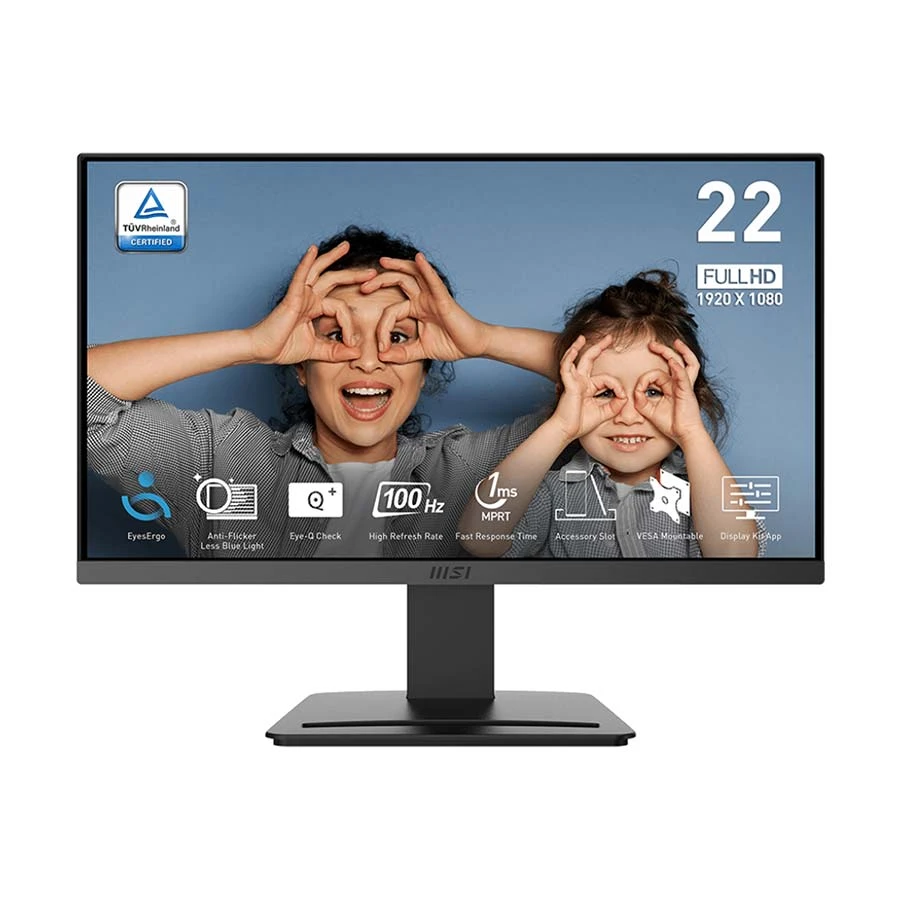
The MSI PRO MP223 is a good choice if you need a monitor mainly for office work, study, freelancing, browsing, spreadsheets, or coding. Its 21.45-inch Full HD screen is practical for smaller desks, and the VA panel helps with better color than many cheaper alternatives. The smoother refresh rate also makes everyday movement feel nicer than a basic 60Hz monitor, so scrolling, switching windows, and regular desktop work feel more comfortable during long use.
It is also a safe option if you want to use it with both older and newer systems. If your PC or laptop has HDMI or VGA, it should be easy to connect, which makes it useful as a secondary display too. This monitor makes the most sense for work-focused users and light gamers, not for serious gaming, advanced design work, or people who need a larger screen for heavy multitasking. If your priority is a comfortable, reliable monitor for daily use at a reasonable price, this is the kind of model that fits well.
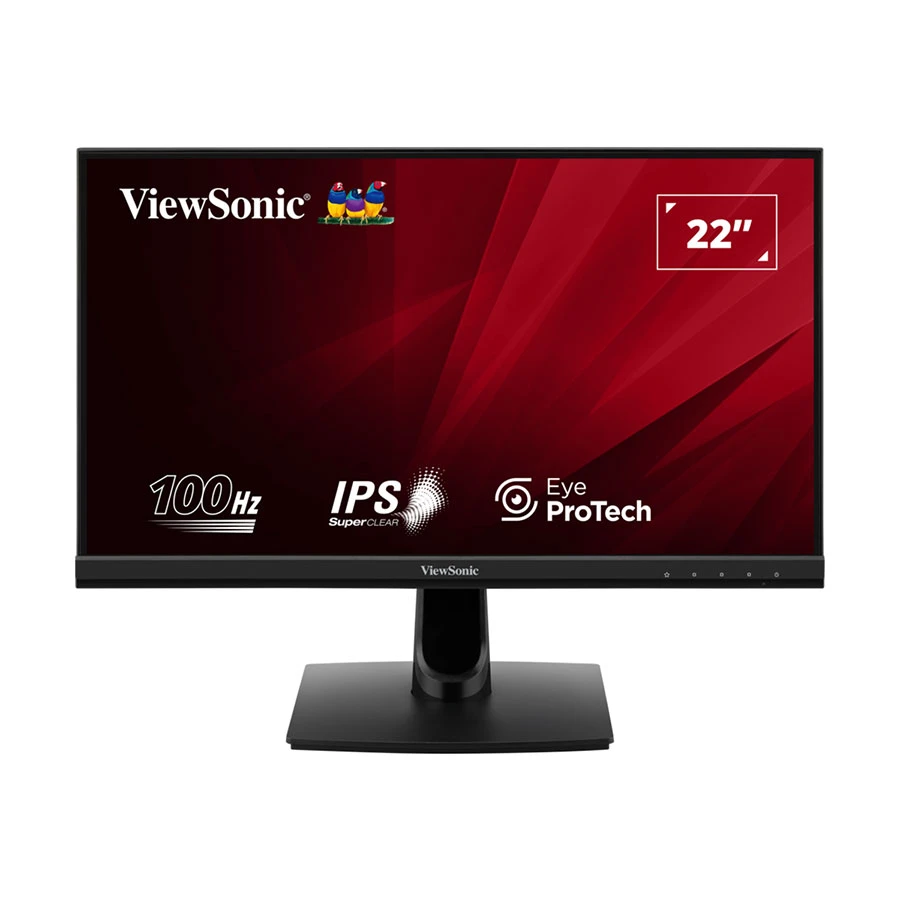
The ViewSonic VA220-H is a good choice if your main focus is watching movies, YouTube, and general home use. Its VA panel gives better contrast and deeper blacks, which makes videos and darker scenes look more immersive than typical IPS budget monitors. The Full HD resolution is clear enough for everyday tasks, and the 75Hz refresh rate adds a slightly smoother feel compared to basic 60Hz screens.
It works well for both old and new systems, since it usually includes HDMI and VGA, making it easy to connect as a secondary monitor too. However, it is not the best option for color-sensitive work like design or heavy multitasking, where IPS panels perform better. If you want a monitor mainly for entertainment, casual browsing, and comfortable daily use, this is a practical and budget-friendly option.
Acer EK240Y P6 – Balanced Performance with Adaptive Sync
The Acer EK240Y P6 is a solid choice if you want a 24-inch Full HD IPS monitor that feels comfortable for everyday use. The larger screen gives you more space for multitasking—whether you’re working with documents, browsing, or using multiple windows at once. The IPS panel helps maintain consistent colors and wide viewing angles, which makes it easier on the eyes during long hours of use, especially for office work, study, or home setups.
What makes this monitor a practical buy is its focus on comfort and smooth daily performance. It typically includes features like low blue light, flicker-free technology, and a smoother refresh rate, which help reduce eye strain over time. With common ports like HDMI and VGA, it works well with both older desktops and newer laptops, and it’s also a good option as a secondary display. If you’re looking for a reliable, larger screen for long-term daily use without going into high-end pricing, this is a smart and safe choice.
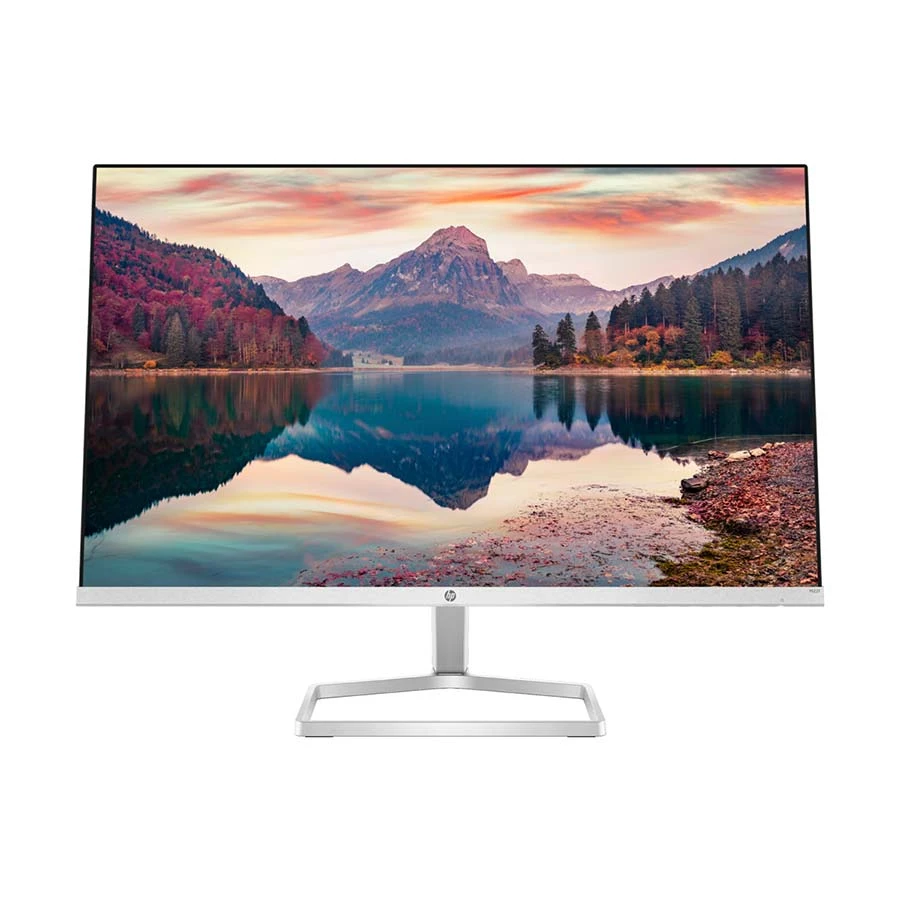
The HP M22f is a good choice for users who care about a clean desk setup along with reliable everyday performance. Its 21.5-inch Full HD IPS display gives balanced colors and wide viewing angles, which makes it comfortable for office work, browsing, and regular home use. The slim, borderless design also makes the screen feel modern and less bulky on the desk, especially in smaller workspaces.
This monitor works well for both new and older systems, and it’s a practical option if you want to use it as a secondary display, thanks to its lightweight and thin design. It’s not meant for heavy gaming or advanced editing, but for multitasking, office work, and dual-monitor setups, it fits very well. If your focus is a simple, clean-looking monitor that works smoothly for daily use, this is a safe and practical choice.
The Lenovo D22-20 makes the most sense when the goal is simple: get a dependable monitor for everyday use without spending extra. This kind of monitor suits students, home users, online classes, browsing, typing, office documents, and basic software use. Since it has Full HD resolution and HDMI + VGA, it is easy to pair with both older desktop systems and newer laptops or PCs. If someone is still using an older office computer, a basic processor, or a system without a dedicated GPU, this type of monitor is usually a safer match than buying something with higher refresh rate or larger resolution that the PC may not fully benefit from.
It is also a practical choice as a secondary display for work, study, or simple multitasking. At the same time, this is not the right monitor for users who expect strong gaming performance, color-sensitive design work, or a lot of screen space for heavy multitasking. If the PC setup is basic and the need is mostly regular day-to-day use, this monitor does the job without making the setup more complicated or expensive.
The ASUS VA24EHE is a strong choice if you want a slightly larger screen that actually helps with real work like coding, multitasking, and office tasks. The 23.8-inch size makes a noticeable difference compared to smaller monitors—you get more room for multiple windows, spreadsheets, or browser tabs, which makes daily work easier and faster. The IPS panel keeps colors balanced and viewing angles consistent, which is important if you sit for long hours or move around while working.
This monitor works well with both modern laptops and older PCs, as long as you have HDMI (and in some cases VGA depending on variant). It can also be a very good secondary monitor, especially for people who already use a laptop and need extra screen space. The smoother refresh rate adds comfort in scrolling and general use, even if you are not gaming. However, it’s not built for heavy gaming or high-end design work. If your setup is focused on productivity, coding, and long working hours, this is one of the more practical upgrades you can make under this budget.
Gigabyte GS25F14 – Best Reliable IPS Monitor for Everyday Use
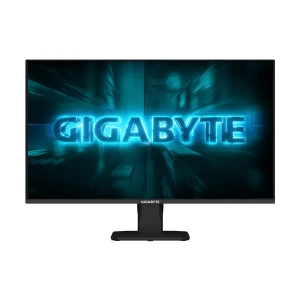
The Gigabyte GS25F14 makes sense for users who want a monitor mainly for gaming, fast everyday use, and a smoother screen than a basic office display. It comes with a 24.5-inch Full HD IPS panel, 144Hz refresh rate, and 1ms response support, which makes motion look much cleaner in shooters, racing games, and other fast games than a normal 60Hz monitor. It also includes Adaptive-Sync, low blue light, and flicker-free features, so it is easier on the eyes during longer use. Gigabyte positions it clearly as a gaming monitor, and Ryans lists it as a current product in Bangladesh.
This monitor is a good fit if your PC has at least a mid-level GPU and you want to enjoy higher FPS in games. It can also work well as a secondary display for a newer setup if you want one screen for gaming and another for browsing or streaming. But if you are using an older system, no dedicated GPU, or mainly doing office work, this is probably more monitor than you need, because you may not fully benefit from the 144Hz refresh rate. In that case, a 75Hz or 100Hz office monitor is usually the better value.
Dell SE2225HM – Best Reliable Monitor for Office Use
The Dell SE2225HM is a practical choice for users who want a monitor from a trusted brand for office work, study, and regular daily use. Its 21.5-inch Full HD IPS display gives clear text, balanced colors, and better viewing angles, which makes it comfortable for documents, browsing, spreadsheets, and long working hours. This kind of monitor suits users who care more about stability and comfort than extra gaming features.
It also works well with both older and newer systems, since models like this usually support common ports such as HDMI and VGA. That makes it easy to use with office desktops, home PCs, or even as a secondary monitor for a laptop-based setup.
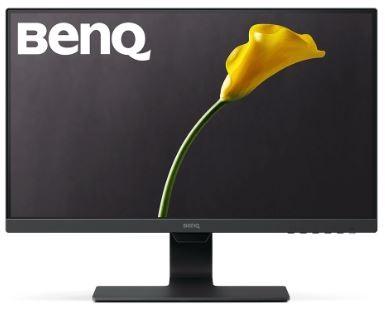
The BenQ GW2283 is a practical choice for users who spend long hours in front of the screen and want something comfortable for study, office work, online classes, browsing, and regular home use. Its 21.5-inch Full HD IPS display is clear enough for documents, spreadsheets, and daily tasks, while the screen size works well on smaller desks. BenQ is also known for focusing on eye comfort, so this model makes more sense for users who care about long-term viewing comfort more than extra gaming features.
This monitor is especially useful for students, office users, freelancers, and home setups where the main work is reading, typing, browsing, and attending classes or meetings. It can also work well with both older and newer systems, and it is a reasonable option as a secondary display if you need extra screen space for simpler tasks. However, this is not the right pick for gaming, high refresh rate use, or advanced creative work. If the main priority is a comfortable monitor for long daily use, this is the kind of model that fits well.
Value Top S24IFR144W – Best Budget 144Hz Gaming Monitor Under 15K
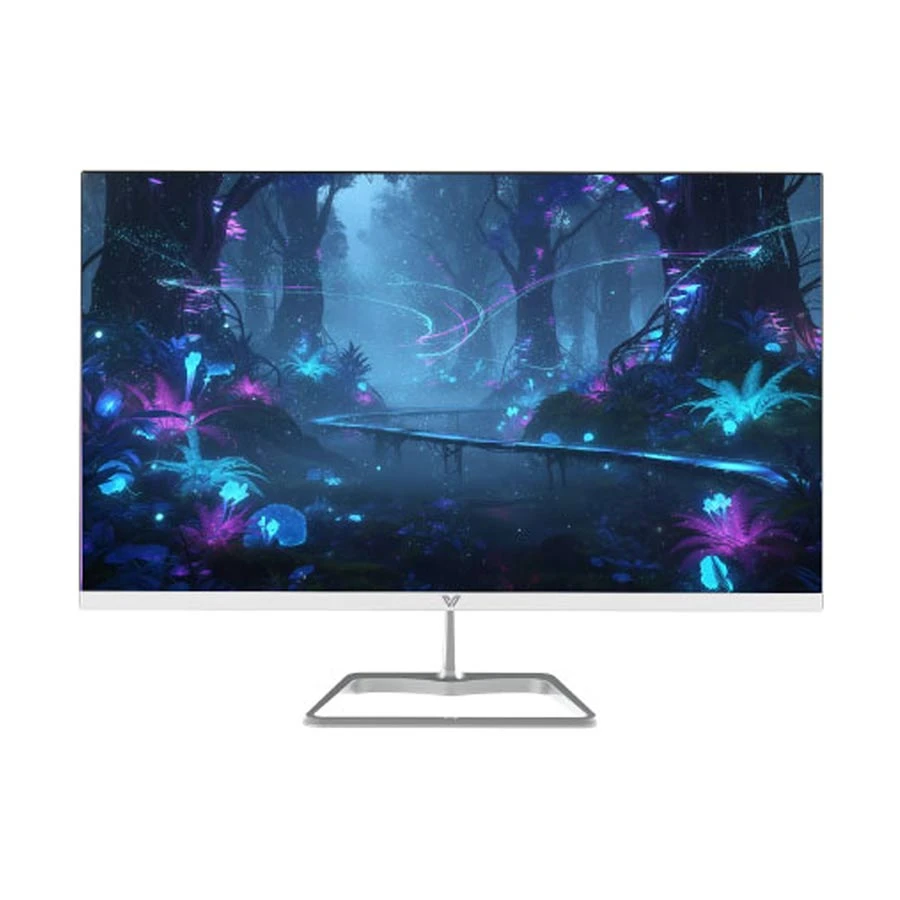
The Value Top S24IFR144W is a good choice for users who want a larger 23.8-inch monitor with a high refresh rate without spending too much. Its Full HD IPS panel gives a clear picture, decent colors, and comfortable viewing angles, which makes it useful not only for gaming but also for browsing, study, and general daily work. The main reason this monitor stands out is the 144Hz refresh rate, which makes motion feel much smoother than a regular 60Hz or 75Hz display. That difference is easy to notice in fast games, scrolling, and everyday movement on the screen.
It makes the most sense for budget gamers, students, and users who want a smoother monitor for both work and entertainment. It can also work well with both older and newer systems because of common ports like HDMI and VGA, but to get the full benefit of 144Hz, the PC should have the right output support and enough graphics performance. If the system is old or has no capable GPU, the monitor will still work, but the user may not fully use its gaming advantage. So this is a smart option if you want better smoothness now or plan to upgrade to a stronger setup later.
What to Look at While Buying?
Do not choose a monitor only by going after the highest specs in every area. The right monitor depends on how you will use it and what your system can actually support. For example, a low-configuration PC will not give you the full benefit of a high refresh rate or higher resolution monitor, especially in gaming or heavier tasks. In the same way, if you need a feature like USB Type-C for your laptop or workflow and choose a monitor without it, the investment may not be as useful in the long run. To make better use of your budget, it is important to focus on the features that truly matter for your setup and daily use at home or in the office.
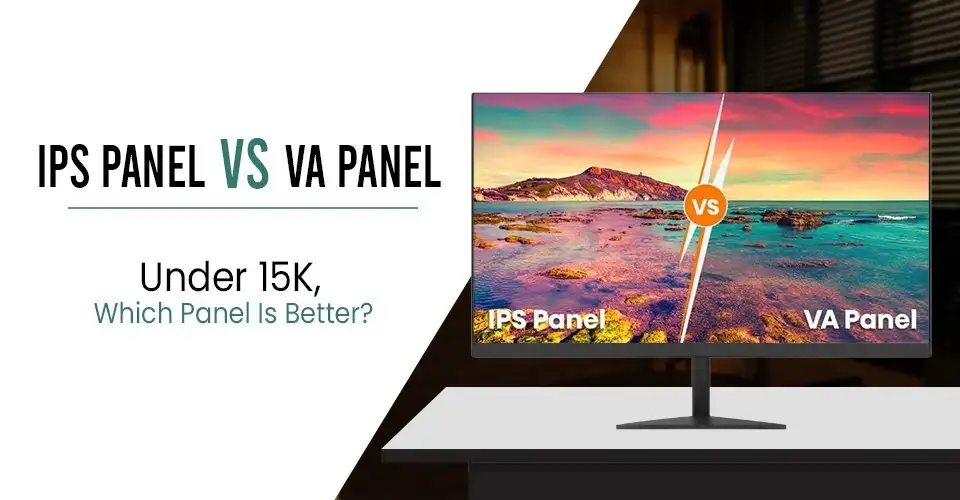
IPS vs VA Panel
Feature
IPS
VA
Best For
Work, study, browsing, mixed use
Movies, entertainment, casual gaming, especially in a dark room
Color Quality
More balanced and accurate
Good, but usually less accurate than IPS
Viewing Angle
Better
Narrower
Contrast
Lower
Higher, with deeper blacks
Daily Comfort
Better for long use
Good, but IPS is often safer for regular work
Simple choice:
Choose IPS for office work, study, and long daily use.
Choose VA if you want better contrast and deeper blacks, especially for movies or gaming in a dark room.
Important Things You Should Know:
What to Check
What to Prefer
Resolution
Full HD (1920×1080) is the safer choice for most normal PCs, including systems with built-in graphics. QHD (2K) looks sharper, but it usually works better with a more powerful PC, especially for gaming.
Screen Size
22-inch to 24-inch: Full HD is usually enough
27-inch: QHD is the stronger long-term choice
32-inch and above: QHD minimum, 4K if your budget and hardware support it
Refresh Rate
75Hz is a safe choice for most budget buyers. A 100Hz monitor is still good for office work, browsing, and videos, and it usually feels smoother than 75Hz. For gaming, you will feel the benefit more when your PC can produce frame rates close to 100 FPS.
Ports
Make sure the monitor has HDMI for better display and audio quality. If you are using older laptops or desktop PCs, having a VGA port can still be useful. Most importantly, the port version matters, because it controls how much data can pass, so newer versions help you get better performance from your monitor.
Eye Comfort
Low blue light, flicker-free, anti-glare
Final Tip
Finally, under 15K, the safest choice is usually a 24 inch Full HD IPS monitor with HDMI, eye-care features, and at least a 75Hz refresh rate. If you play light games or simply want smoother everyday use, 100Hz is a better option. Most regular PCs can still use a 100Hz monitor for browsing, office work, and media, but to fully enjoy smoother gaming at that level, your system should be able to produce enough FPS.
In this budget, anti-glare coating, HDMI + VGA ports for better compatibility, and a borderless design if you prefer a cleaner setup or plan to use dual monitors later. These are the features that usually give the best long-term value in this price range.
Where to Buy Monitors Under 15,000 in BD?
When buying a monitor, choosing a trusted retailer is just as important as choosing the model itself. A reliable store ensures product authenticity, warranty protection, and better after-sales support.
This makes your purchase safer and more reliable in the long run.
FAQs
Can I get a good IPS monitor under 15k in BD?
Yes, many IPS monitors are available in this price range with excellent color quality and eye comfort features suitable for daily use.
Is 100Hz worth it for office work and browsing?
Yes, but choose 100Hz if you have a mid-range GPU, play games, or want a better-than-average, comfortable, and smooth experience for long-term daily use.
Which is better: IPS or VA?
IPS is better for productivity, design, and general use, while VA is better for movies and deeper contrast performance and for people who work mostly in a dark room.
Do I need both HDMI and VGA?
Yes, having both ensures compatibility with both modern devices and older desktop systems.
What size is better under 15k?
Under this budget, you will usually find monitors between 21.5-inch and 24-inch. And these ranges are good for FHD.
Can I use these monitors for dual setups?
Yes, slim-bezel IPS monitors are ideal for dual-monitor setups used in office or trading environments.
Is 100Hz really smoother than 60Hz?
Yes, the difference is clearly visible in real usage, especially during scrolling and multitasking, making the experience much more fluid. Also for better experience in 100hz your system configuration is important.








Leave a comment