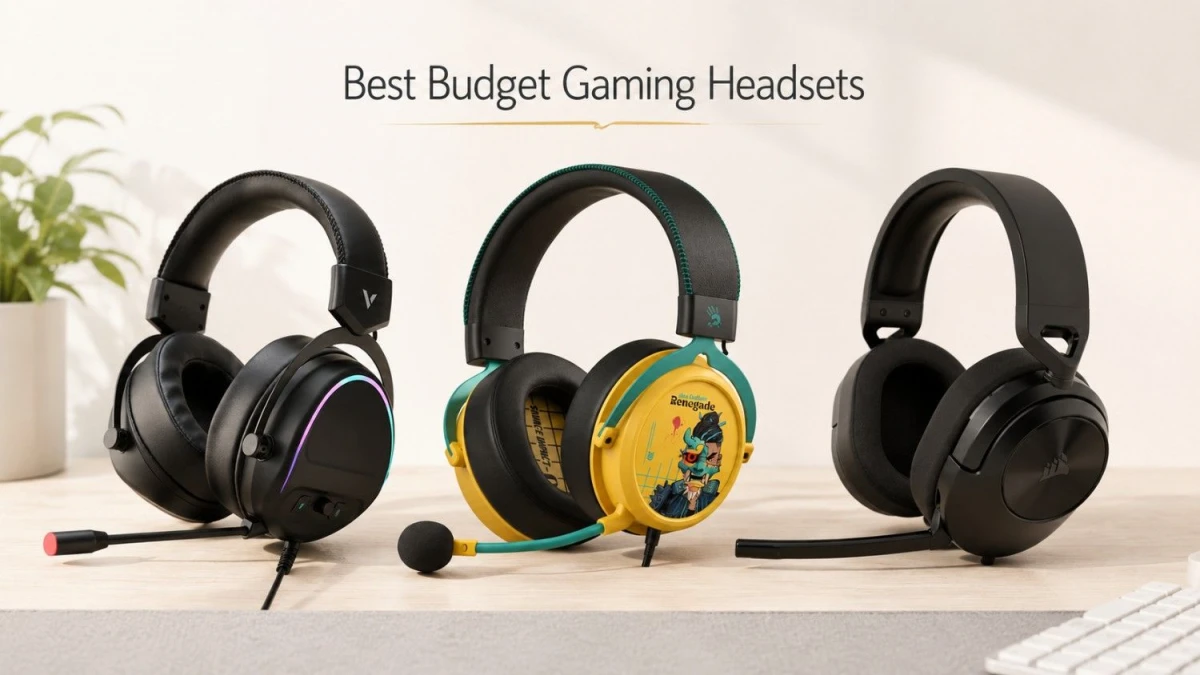
If your budget is around Tk 5,000 and the main use is long gaming sessions plus casual Discord chat, the safest first pick is the Corsair HS55 Stereo if you find it near Tk 4,500. It is not the loudest-looking headset in the shop, but that is part of the appeal. It is lighter than many RGB gaming headsets, uses a simple 3.5mm connection, and Corsair lists it with memory foam leatherette ear pads, 50mm drivers, and a flip-to-mute microphone.
If you specifically want USB audio and virtual 7.1-style software sound, Rapoo VH650 is the more feature-heavy option around Tk 4,800. If you want a USB headset with stronger gaming styling and a detachable noise-cancelling mic, A4TECH Bloody M595 is another practical option around Tk 4,675.
The short version: for long hours, buy comfort first; for Discord, buy mic clarity second; for gaming, do not overpay only for RGB or "7.1" wording.
The Best Pick for Most People: Corsair Hs55 Stereo
The Corsair HS55 Stereo is the most balanced choice around this budget because it avoids two common problems in budget gaming headsets: unnecessary weight and overcomplicated software. Ryans lists the HS55 Stereo at Tk 4,500, while Corsair's own product page describes the headset as 273g with memory foam leatherette ear pads, custom-tuned 50mm neodymium drivers, a 3.5mm jack, and a flip-to-mute omnidirectional microphone.
That combination matters for Discord. A 3.5mm headset is easy to use with a desktop, laptop, controller, or phone, but PC users should check one thing before buying: does your PC case or motherboard provide a proper combo jack, or do you need a Y-splitter for separate headphone and mic ports? Corsair includes the HS55 Stereo with a PC Y-adapter in many regions, but always check the box contents before paying.
For long sessions, the lighter body is the bigger advantage. RGB headsets can look better on a desk, but extra plastic, lighting, and USB hardware often make a headset feel heavier after two or three hours. If you play Valorant, CS2, Apex, GTA Online, or casual co-op games while talking in Discord, the HS55 is the least risky recommendation in this price range.
Rapoo Vh650 if You Want USB and Virtual 7.1
Rapoo VH650 is a good choice if your motherboard audio is noisy, your front-panel audio jack is loose, or you simply want one USB cable for both sound and mic. Ryans lists the VH650 at Tk 4,800, with USB connection, 50mm drivers, virtual 7.1 channel sound, RGB lighting, 8 ft cable, 336g weight, and a 1-year warranty.
The advantage of USB is convenience. You plug it in and Windows sees it as a separate audio device. That is useful for Discord because you can set the headset as input/output without depending on the PC's analog audio ports.
The trade-off is that USB headsets are less flexible. You cannot plug the VH650 into a phone, console controller, or 3.5mm-only laptop port. The 336g weight is also not extreme, but it is noticeably heavier than the HS55. If your priority is long comfort, that matters.
A4tech Bloody M595 if You Want a USB Gaming Headset With Stronger Mic Features
A4TECH Bloody M595 sits in the same practical zone as the Rapoo, with Ryans listing it at Tk 4,675. The important details are the USB connection, 50mm HybridCore speaker driver, 10mm microphone, ENC noise cancellation claim, detachable unidirectional noise-cancelling mic, and plush 3D protein leather cushions.
This is the kind of headset to consider if your room has fan noise, keyboard noise, or family background sound and you want the mic hardware to help a little before Discord's own noise suppression kicks in. Do not expect studio-mic quality, but for casual voice chat, it is better to prioritize a stable detachable or adjustable mic than a headset that only advertises loud bass.
The M595 is also more "gaming headset" in character than the HS55. If you like USB, software modes, and a stronger gaming look, it makes sense. If you want the lightest and simplest long-session headset, the HS55 still gets the first vote.
What I Would Not Buy Blindly
- Do not buy a headset only because it says 7.1. In this budget, virtual surround is software processing. It can help some users with immersion, but for competitive FPS, stereo positioning is often cleaner and easier to trust.
- Do not buy a very heavy headset just because it has RGB. A headset that feels fine for 15 minutes in a shop can become annoying after a full night of gaming.
- Do not ignore the connection type. If your PC has separate green and pink audio ports, a single 3.5mm headset needs a splitter. If your laptop has one combo jack, a single 3.5mm headset is convenient. If your audio ports are noisy, USB may be safer.
- Do not assume every "noise cancelling" mic is equal. For Discord, mic placement, room noise, and Discord noise suppression matter a lot. A flexible mic arm close to the mouth usually beats a far-away fixed mic.
Quick Buying Checklist
- Pick 3.5mm if you want PC, phone, controller, and laptop flexibility.
- Pick USB if your motherboard audio is noisy or you want plug-and-play PC audio.
- Keep weight in mind for long sessions; under 300g is usually easier to tolerate.
- Check whether the ear cups fully cover your ears.
- Test mic monitoring or Discord input before final use.
Check warranty and box contents, especially splitter or USB adapter.
Final Recommendation
For most people asking for a headset around Tk 5,000 for gaming and Discord, buy the Corsair HS55 Stereo first if it is available around Tk 4,500. It is the most sensible all-rounder because it focuses on comfort, mic usability, and simple wired compatibility.
Choose Rapoo VH650 if you specifically want USB, RGB, and virtual 7.1. Choose A4TECH Bloody M595 if you want a USB gaming headset with a detachable mic and stronger gaming styling. In this budget, the right headset is the one you can wear for three hours without thinking about it.




Leave a comment