In Bangladesh, gaming laptops generally cost approximately Tk 80,000 to over Tk 2,00,000, depending on the specifications, brand and current market price. Today’s market offers more choices than ever before. You can find laptops that allow you to play competitive games like Fortnite and Valorant, or AAA games like Cyberpunk 2077. The gaming laptop price in Bangladesh varies by GPU, CPU, and display tier. However, gaming laptops serve as more than just the capability to process graphics. The best gaming laptop should provide additional value in terms of the CPU, RAM, SSD, display, and future upgrades. Finding the best laptop for gaming in Bangladesh means balancing all these factors.
In this guide, we will present the 5 best gaming laptops available in Bangladesh to help our readers find the laptop that best fits their needs.
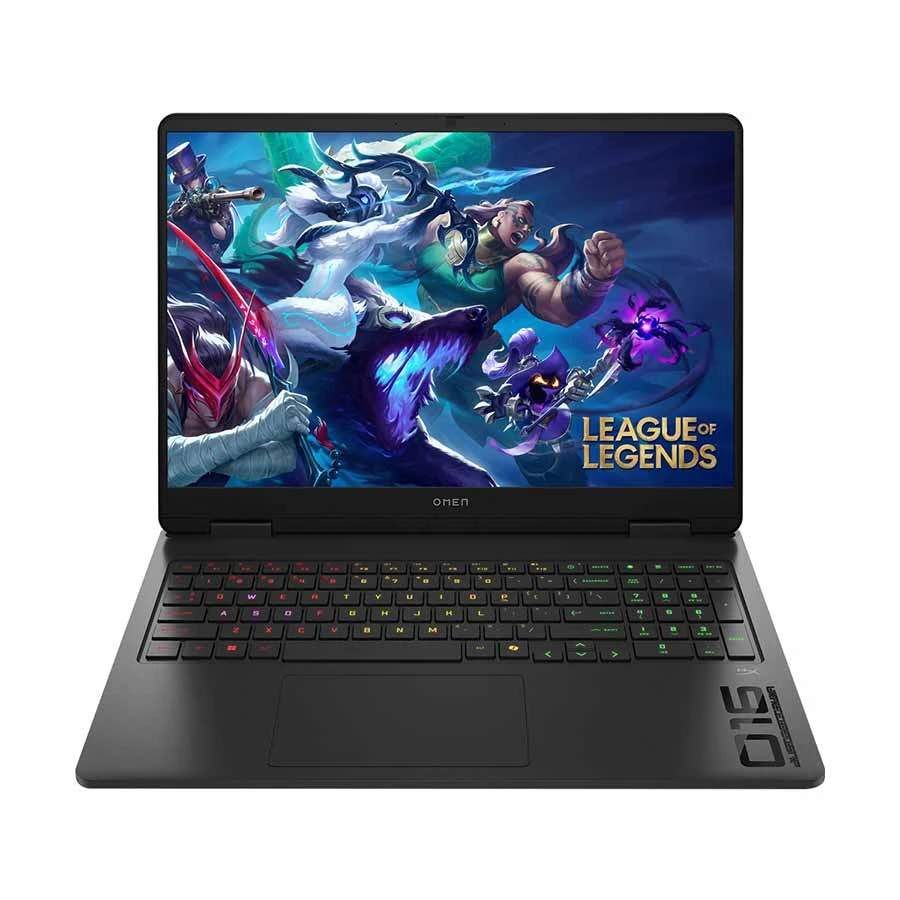
Best for serious gamers, professional creators and power users who need high-end performance, sharp visuals and smooth gameplay.
Key Specs
CPU: Intel Core i9-14900HX
GPU: NVIDIA GeForce RTX 5070 8GB GDDR7
RAM: 32GB DDR5 5600MHz
Storage: 1TB PCIe Gen 4 NVMe SSD
Display: 16-inch 2.5K WQXGA IPS display, 240Hz
Connectivity: Wi-Fi 6E, Bluetooth 5.3, USB-C, USB-A, HDMI and LAN
Battery: 83Wh
Weight: 2.43kg
Operating System: Windows 11 Home
Warranty: 2 years; 1 year for the battery and adapter
Why It Stands Out
The HP OMEN 16 combines a Core i9-14900HX processor with RTX 5070 graphics for demanding AAA gaming, streaming, video editing and 3D work.
Its 2.5K 240Hz display delivers sharp visuals and smooth motion. You also get 32GB DDR5 RAM and a 1TB SSD, making it ready for demanding games and professional applications.
Limitations / Who Should Skip It
Skip this laptop if you need a lightweight device, long unplugged use or an affordable gaming option. Its powerful hardware, 2.43kg weight and premium price make it more suitable as a high-performance desktop replacement.
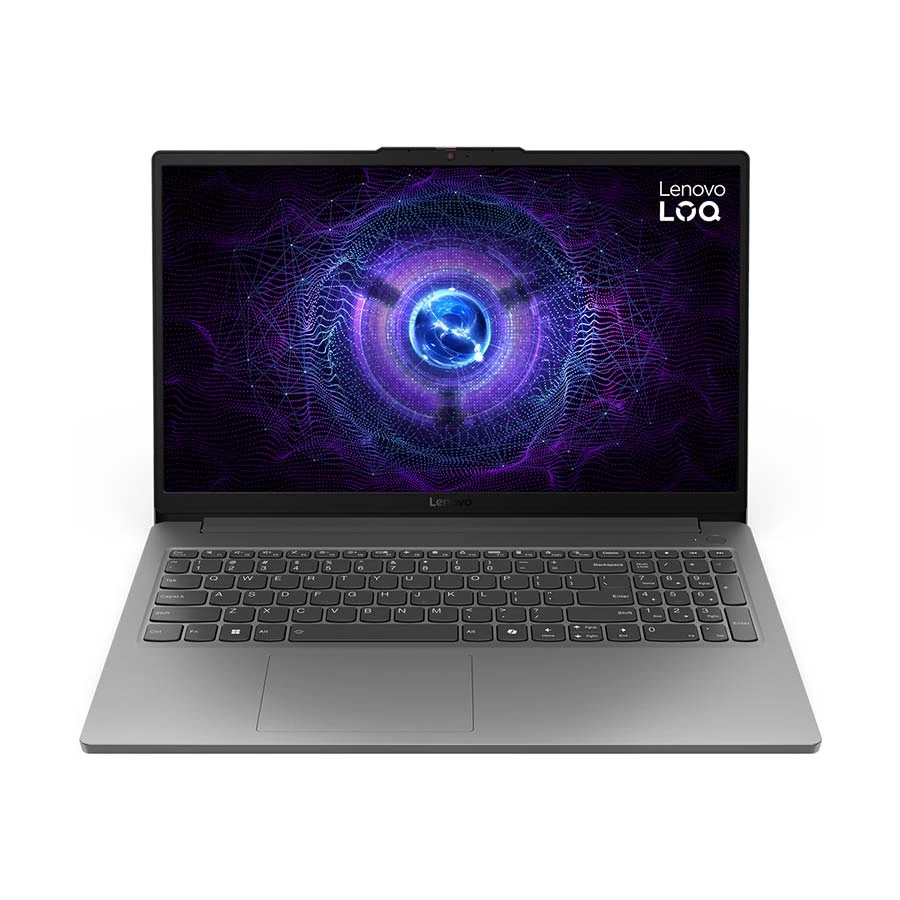
Gaming model from Lenovo, this particular example works great for cutting-edge specifications and leaves little left to desired.
Best for : Customers coming from a simple PC (especially gamers), casual gamers, and those with frequent multitasking needs.
Key Specs
CPU: Intel Core 5 i5 12450HX
GPU: NVIDIA GeForce RTX 3050
RAM: 16GB DDR5
SSD: 512GB PCIe Generation 4 NVMe-SSD
Display: 15.6 inch full HD, 144Hz
Connectivity: Wi-Fi 6, USB Type-C, HDMI, LAN, Backlit keyboard
Included Accessories: 2-year warranty
Why It Stands Out:
For RAM, Lenovo LOQ makes 16GB standard. The Intel i5 12450HX is a notable addition. The RTX 3050provides great 1080p gaming. The 144Hz display supports smooth gaming. With the M2 SSD slot, the device has storage expansion for later.
Limitations/Who Should Skip It
AAA games at ultrapixel depths cause the laptop difficulty. Streamers may also find challenges publishing content on the device.
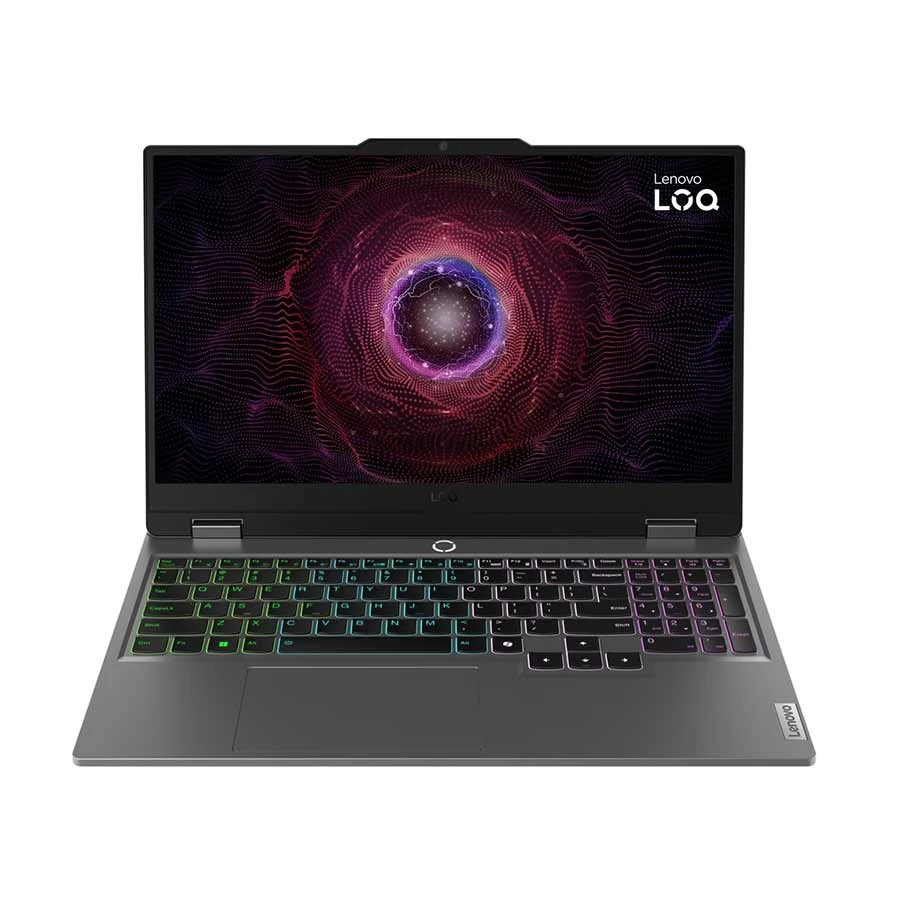
Connectivity: Wi-Fi 6, Bluetooth 5.2, USB Type-C, HDMI, LAN, backlit keyboard
Warranty: 2-year warranty
Why It Stands Out
The RTX 4050 is a huge upgrade over the RTX 3050 and RTX 2050 GPUs. The difference in performance from the RTX 2050 to the RTX 4050 is massive with an improvement in ray tracing and DLSS as well as the improvement in FPS. In any RTX 2050 vs RTX 4050 comparison, the 4050 wins on every benchmark.
The Ryzen 5 7535HS is great for gaming and multitasking. Wi-Fi 6E has better speeds for gaming and its military-grade durability helps it stand against the competition for students. It is also a reliable gaming laptop for students who need one device for study and play.
Limitations/Who Should Skip It
The 512GB SSD only has room for a couple of modern games. If you are looking for RTX 4060 performance, look at the following entry.
Best Performance Gaming Laptop: MSI Katana 15 HX B14WFK
Best for serious gamers, content creators and power users who need strong RTX performance, a high-refresh QHD display and upgradeable memory.
Key Specs
CPU: Intel Core i7-14650HX
GPU: NVIDIA GeForce RTX 5060 8GB GDDR7
RAM: 16GB DDR5 5600MHz
Storage: 512GB PCIe Gen 4 NVMe SSD
Display: 15.6-inch QHD IPS-level display, 165Hz
Connectivity: Wi-Fi 6E, Bluetooth 5.3, USB-C, USB-A, HDMI 2.1 and LAN
Battery: 75Wh
Weight: 2.4kg
Warranty: 2-year international warranty; 1 year for battery and adapter
Why It Stands Out
The MSI Katana 15 HX B14WFK combines a powerful Core i7-14650HX processor with RTX 5060 graphics. It is suitable for modern gaming, video editing, streaming, 3D work and other demanding applications.
Its QHD 165Hz display provides sharper visuals and smoother gameplay. The 16GB DDR5 RAM is also upgradeable, making it a capable long-term option.
Limitations / Who Should Skip It
Skip this laptop if you need a lightweight device or long battery life. Its 512GB SSD may fill quickly, and Windows must be installed separately because it comes with FreeDOS. For demanding games at native QHD resolution, you may also need to adjust the graphics settings.
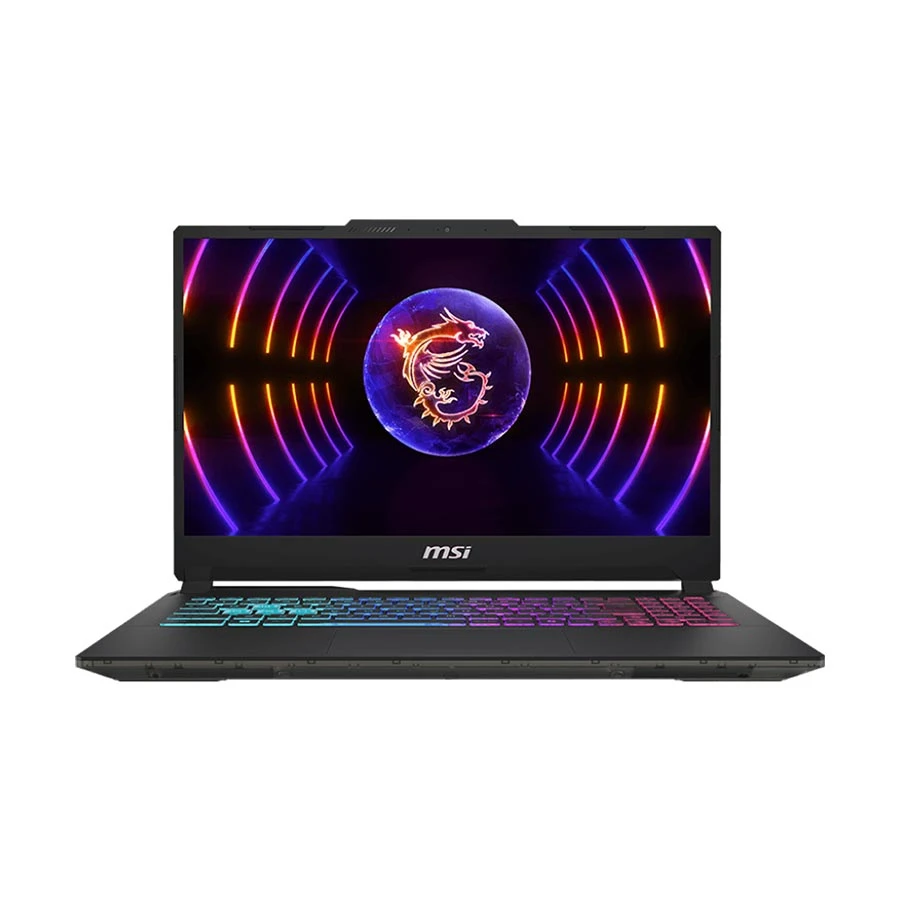
Best choice to consider for students, casual gamers, entry-level creators, and users who want an RTX gaming laptop without moving into a high premium budget.
Key Specs
CPU: Intel Core i5-13420H
GPU: NVIDIA GeForce RTX 3050 graphics
RAM: 8GB DDR5
Storage: 512GB PCIe 4.0 NVMe M.2 SSD
Display: 15.6-inch Full HD IPS-level display, 144Hz refresh rate
Connectivity: Wi-Fi 6, Bluetooth 5.2, USB Type-C, USB-A, HDMI, LAN, audio combo port
Battery: 53.5Wh
Weight: Around 1.98kg
Warranty: 2 Year International (1 year for Battery and Adapter)
Why It Stands Out
The MSI Cyborg 15 A13UC is a good choice if you want a gaming laptop that feels more affordable but still gives you dedicated RTX graphics. The RTX 3050 can handle popular esports titles, casual gaming, and many 1080p games if you use balanced graphics settings instead of pushing everything to ultra.
The 144Hz display is also useful for fast-paced games because it feels smoother than a regular 60Hz laptop screen. For students or everyday users, the Core i5-13420H is strong enough for study work, browsing, office tasks, light editing, and gaming in one device.
Limitations / Who Should Skip It
You should skip this laptop if you want high-end AAA gaming, heavy video editing, 3D rendering, or long-term premium performance. The RTX 3050 is good for entry-level RTX gaming, but it is not as powerful as RTX 4050, RTX 4060, or higher GPUs.
How We Picked the 5 Best Gaming Laptops
All the laptops included in this list provide excellent value and fall under the different major buyer categories.
Gaming Performance: High-end GPUs and higher, consistent FPS are prioritized.
Display: Screen's refresh rate, screen's resolution, type of panel.
SSD and RAM: Types of SSD, the used bus for SSD, and type of RAM. All 5 picks on this list feature DDR5 RAM for faster performance.
Practical Value : Price to performance ratio.
Upgrade Path : Potential capacity to upgrade RAM and M.2 slots. We prioritised models with upgradeable RAM for long-term value.
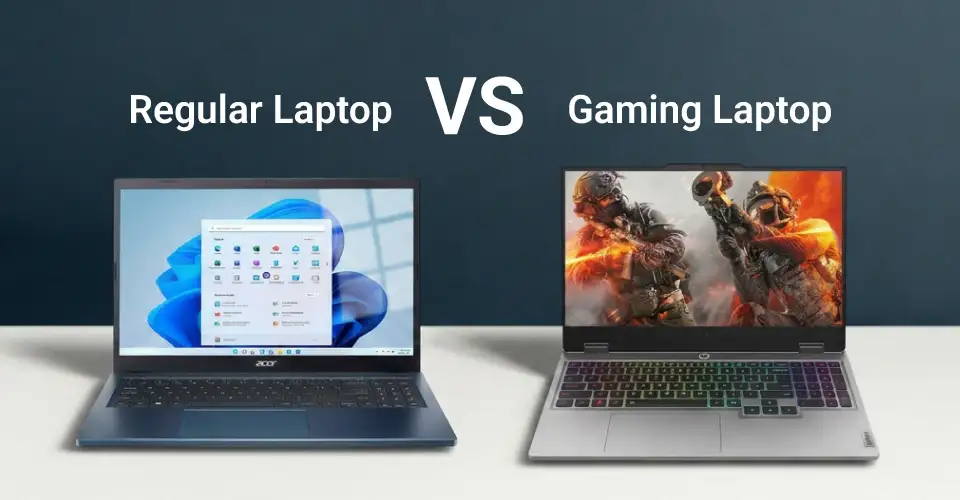
Regular Laptops vs Gaming Laptop
Regular laptops are for office and business functions, whereas a gaming laptop is for gaming.
Gaming laptops are designed to fulfill the need to play games that require dedicated graphics. A gaming laptop fulfills the need for streaming, video editing, and gaming.
Feature
Regular Laptop
Gaming Laptop
GPU
Integrated (Intel UHD / AMD Radeon Vega)
Dedicated NVIDIA RTX / AMD Radeon RX
Display Refresh Rate
60Hz standard
144Hz, 165Hz, or 240Hz
Cooling
Basic single fan / passive
Advanced dual fan + multiple heat pipes
RAM
8GB DDR4 / LPDDR5
8GB–16GB+ DDR5 (upgradeable)
Battery Life
6–10 hours (office use)
2–4 hours under gaming load
Weight
1.2–1.8 kg (ultra-portable)
2.0–2.7 kg (heavier build)
Best For
Office, study, browsing, video calls
Gaming, streaming, video editing, esports
Price Range (BDT)
TK 30,000 – TK 70,000
TK 80,000 – TK 2,00,000+
Get Your Gaming Laptop from Ryans Now!
Your budget and gaming objectives determine which gaming laptop is best for Bangladesh. The RTX gaming laptop price in Bangladesh ranges from entry-level RTX 2050 to premium RTX 5060 models.
If you’re on a budget, you’ll appreciate the value of the HP Victus Gaming 15-fb3167AX. Typical gamers choose Lenovo LOQ 15IAX9E .
If you want the most affordable RTX 4050 value, get the Lenovo LOQ 15AHP9.
All 5 laptops have a genuine warranty and EMI options at Ryans Computers.






Leave a comment