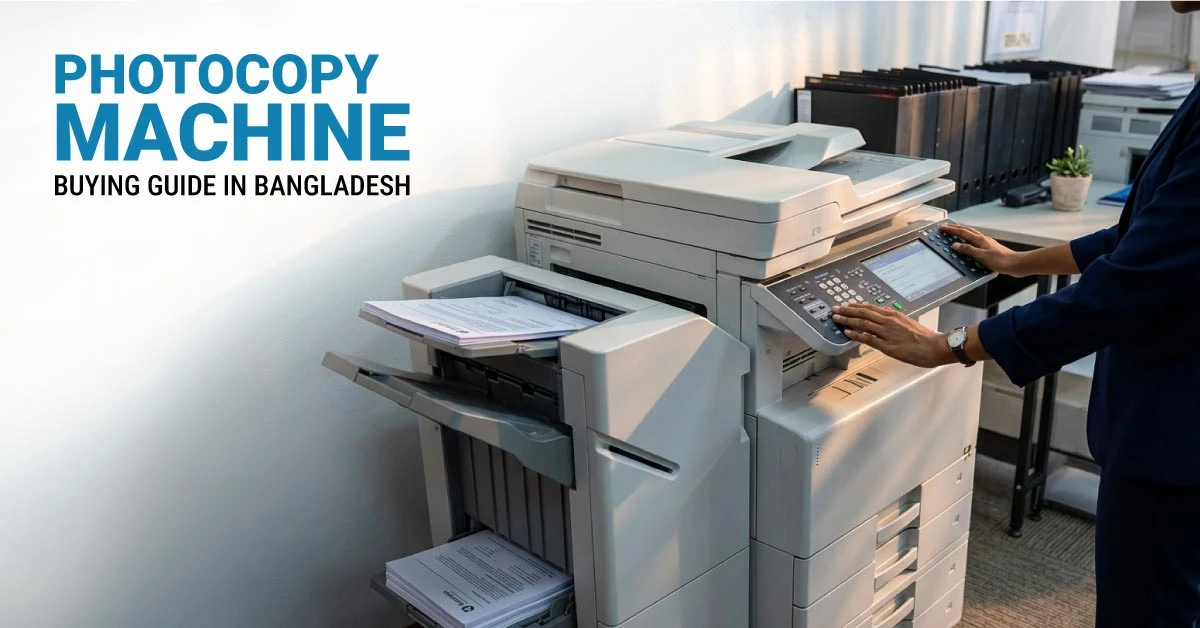
Buying a photocopy machine in Bangladesh should not start with brand name or lowest price only. The right choice depends on your office workload, copy speed, paper size, toner cost, service support, and how many people will use the machine every day. A wrong photocopier can slow down daily work, increase maintenance cost, create long queues, and cause regular downtime. A well-matched machine helps your office copy, print, and scan documents faster while keeping long-term cost under control. For offices, schools, coaching centers, copy shops, banks, and business teams, Ryans offers a wide range of photocopy machines in Bangladesh from Canon, Toshiba, Ricoh, Sharp, HP, and KYOCERA. This guide will help you choose a photocopier based on real office use.
How to Choose the Right Photocopy Machine
The right photocopy machine should match your daily copy volume, paper size, number of users, and running cost. Before choosing a model, check how your office handles documents every day.
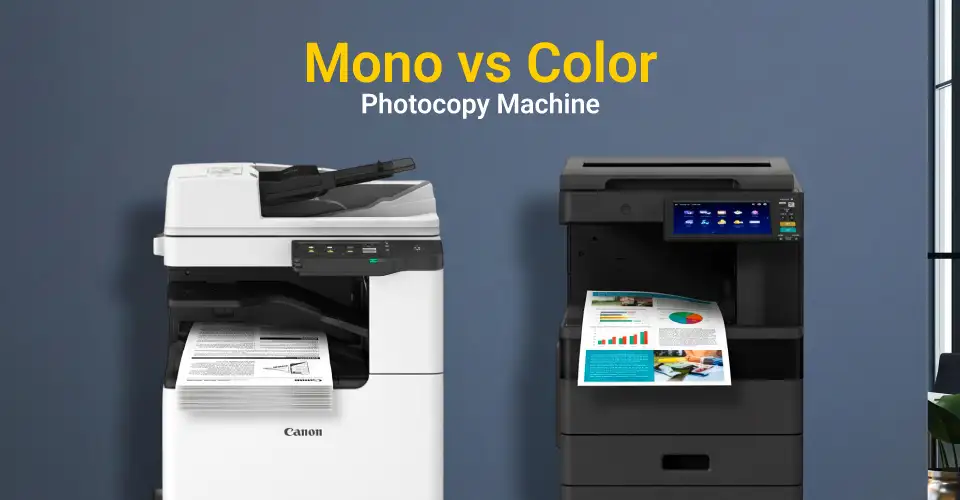
Mono or Color Photocopier
A mono photocopier prints in black and white. It fits most offices because daily work usually includes bills, reports, forms, notices, invoices, attendance sheets, and official documents. Mono machines usually cost less to run and handle regular office copying faster. A color photocopier makes sense when your office prints client proposals, brochures, charts, presentations, designs, or marketing documents. Color output costs more, so choose it only when your work needs color regularly.
A3 or A4 Requirement
A4 support works for normal office documents. But many offices in Bangladesh prefer A3 support because schools, banks, copy shops, government offices, and corporate teams often handle larger paper. An A3 photocopier can handle A3, A4, Legal, and other common paper sizes depending on the model. It costs more than a basic A4 machine, but it gives better flexibility for long-term office use.
Low, Medium, or High Volume Usage
Copy volume should guide your purchase. A small office does not need a high-end commercial copier. A copy shop should not depend on a basic entry-level model. Match the machine with your real daily workload so it does not stay overloaded.
|
Usage Type
|
Daily Copy Volume
|
Recommended Photocopier Type
|
Best Fit
|
|
Light Use
|
100-500 copies
|
Entry-level A3 mono photocopier
|
Small office, startup, coaching center
|
|
Medium Use
|
500-2000 copies
|
Mid-range multifunction photocopier with duplex and network support
|
School, growing office, department use
|
|
Heavy Use
|
2000+ copies
|
High-speed commercial photocopier with RADF, duplex, and higher paper capacity
|
Copy shop, corporate office, print room
|
Choose a machine that can handle more than your regular workload. This gives your office enough room during exam season, billing periods, admission work, monthly reporting, or bulk document processing.
Print-Scan-Copy or Print-Scan-Copy-Fax
Most offices should choose a multifunction photocopier with print, scan, and copy. It saves space, reduces the need for separate devices, and keeps daily document work easier for staff. Fax is less important for many offices now. Choose fax only if your business, legal process, or official communication still needs it.
USB, LAN, or WiFi
USB works for a single computer. LAN works better for offices because multiple people can share the same photocopier through the network. WiFi adds more flexibility when laptops and mobile devices need easier access. If your office has more than one computer, choose LAN or WiFi support. A shared photocopier without network support can slow down everyone.
Duplex, RADF, and Paper Tray
Auto duplex helps print or copy on both sides of the paper. It reduces paper cost and helps your office handle reports, forms, and internal documents more efficiently. RADF or document feeder support matters when staff copy or scan multiple pages at once. Instead of placing one page manually each time, the feeder processes a stack of documents faster. Paper tray capacity also matters in busy offices. A larger tray reduces refill time and keeps long copy jobs running smoothly.
Warranty and Service Confidence
A photocopier is a long-term office machine. Service support matters because toner replacement, drum support, regular cleaning, and parts availability affect daily work. Before buying, check warranty, service availability, spare parts, and compatible consumables. Ryans helps you compare photocopiers by brand, function, speed, paper size, duplex, interface, and price. This makes it easier to shortlist a model that matches your office workload instead of guessing from brand name only.
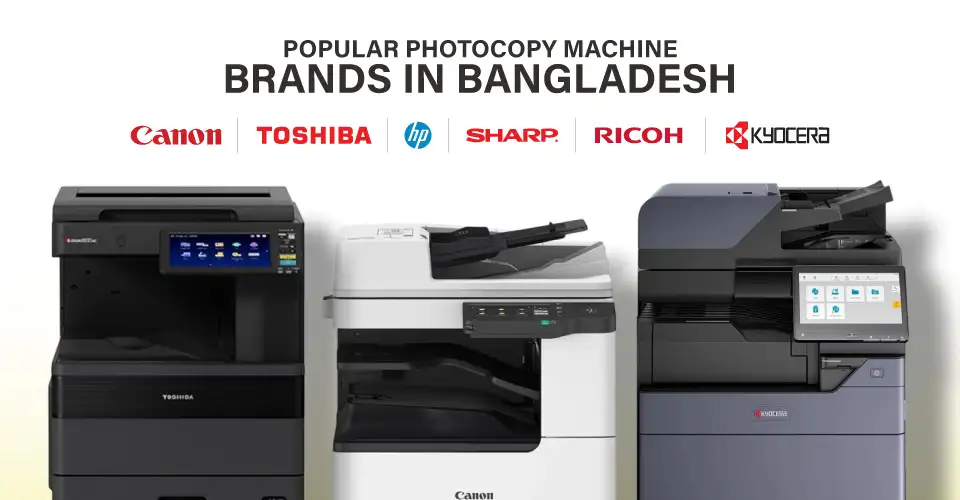
Popular Photocopy Machine Brands in Bangladesh
Canon, Toshiba, Sharp, Ricoh, HP, and KYOCERA are widely used in Bangladesh for office copying, scanning, and document printing. Each brand has a different strength, so choose based on workload, service expectation, and long-term cost.
Canon Photocopy Machine
Canon photocopiers fit offices that need stable daily copying with clean document output. Many Canon models support A3 paper, duplex printing, LAN, WiFi, and multifunction use. This makes Canon a strong option for schools, offices, institutions, and corporate teams.
Popular Canon Photocopier Models
Canon is a good fit when your office wants dependable document output and a balanced feature set instead of only the lowest starting price.
Canon imageRUNNER 2925i
-
Functions: Print, Scan, Copy
-
Color Output: Black & White
-
Print Paper Size: A3, A4, A4R, A5, A5R, A6R, B4, B5, B5R
-
Display: 7 inch TFT LCD WVGA Colour Touch panel
-
Memory: 2GB
-
Storage: 64GB eMMC
-
Interface: USB, LAN, WiFi
+ Why It's a Smart Pick
A strong A3 black and white multifunction photocopier for offices that need regular print, scan, and copy work. Its touch display, 2GB memory, 64GB eMMC storage, and USB, LAN, plus WiFi support make it practical for shared office use.
Tk 379,750
Tk 350,000
Special Price
Note: Price may vary over time, so please check the latest price before ordering.
Toshiba Photocopy Machine
Toshiba photocopiers are popular in offices that need stronger daily performance. They suit medium to large offices, departments, government work, and organizations that process many documents every day.
Popular Toshiba Photocopier Models
Toshiba works well if you want a practical office copier with steady speed and better durability than a very basic machine.
Sharp Photocopy Machine
Sharp photocopiers offer a good balance between price, features, and everyday office usability. Many small offices, schools, and coaching centers choose Sharp because it covers regular copy-scan-print needs without making the setup too complex.
Popular Sharp Photocopier Models
Sharp is a smart direction if you need an office-ready copier for regular work but do not want to jump into high-end commercial pricing.
Ricoh Photocopy Machine
Ricoh photocopiers fit offices that need strong scan-copy workflow, fast document processing, and reliable network support. Ricoh usually makes more sense for corporate offices, admin departments, and high-volume document environments.
Popular Ricoh Photocopier Models
Ricoh is better for performance and workflow control, not just basic copying.
HP Photocopy Machine
HP photocopiers usually fit small offices and light business use. They are easy to set up and work well when you need print, scan, and copy in a compact office environment.
Popular HP Photocopier Models
HP is best for light to moderate office use. For heavy copying, compare Toshiba, Canon, KYOCERA, Ricoh, or Sharp models from the photocopier category.
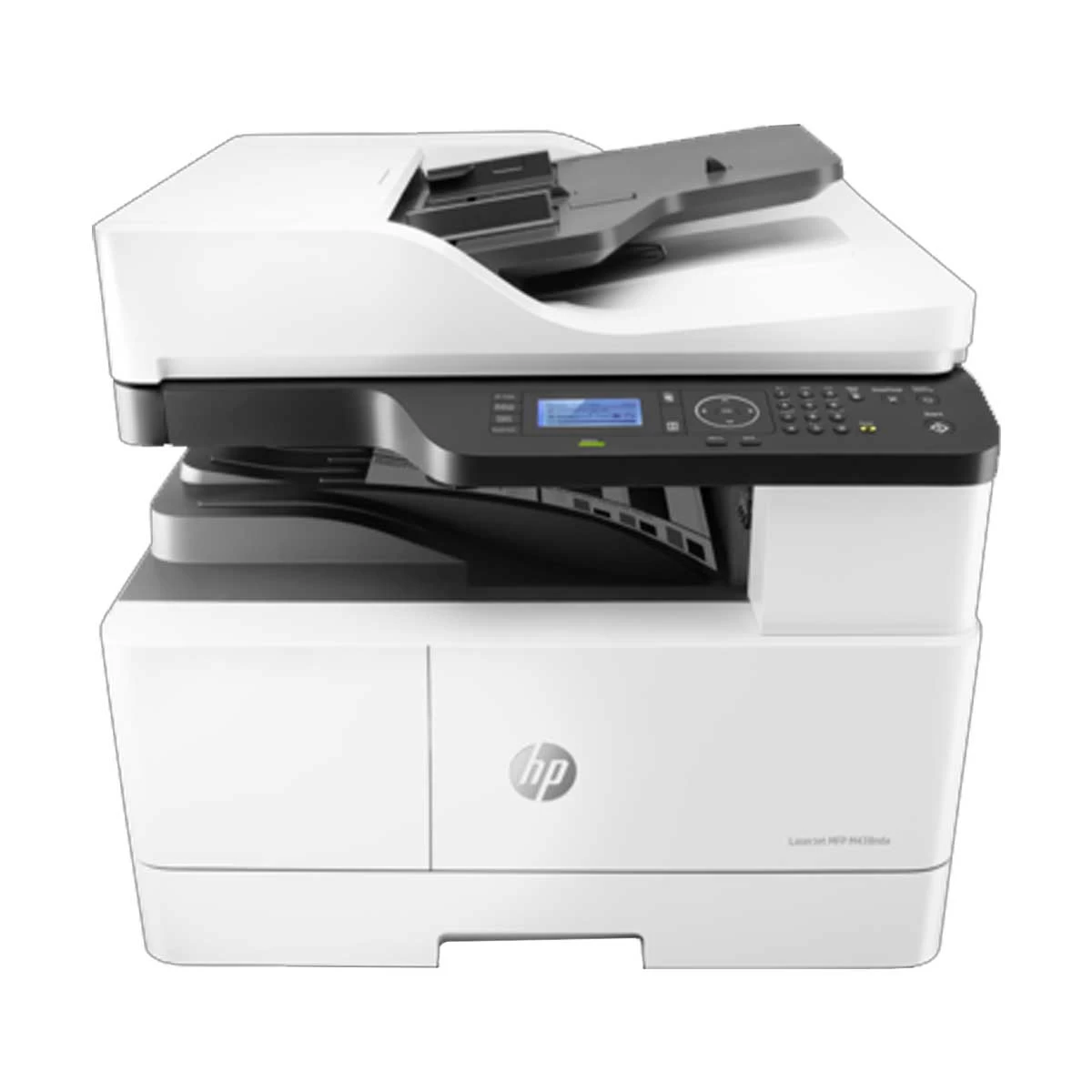
HP MFP M438nda
-
Functions: Print, Scan, Copy
-
Color Output: Black & White
-
Print Paper Size: A3, Legal, Letter, A4
-
Paper/Media Types: Plain, Mid-weight, Light, HP LaserJet, Colored, Preprinted, Recycled, Intermediate, Letterhead, Prepunched
-
Display: 4-line LCD
-
Memory: 512MB
-
Interface: USB, LAN
-
Duty Cycle: Up to 50000 Copies
-
OS Compatibility: Windows 7, 8, 8.1, 10, Server 2008 R2, 2012, 2016, Linux, Ubuntu
+ Why It's a Smart Pick
A practical A3 mono laser photocopier for offices that need print, scan, and copy support with duplex convenience. Its USB and LAN connectivity, 50000-copy duty cycle, and wide OS compatibility make it a dependable choice for regular business document work.
Tk 119,350
Tk 110,000
Special Price
Note: Price may vary over time, so please check the latest price before ordering.
KYOCERA Photocopy Machine
KYOCERA photocopiers are strong for offices that care about long-term cost, durable parts, and continuous document output. Choose KYOCERA when you want a machine that can handle regular office pressure with better running-cost control.
Popular KYOCERA Photocopier Models
KYOCERA is a strong fit when you think beyond first-time price and want better value across long-term office use.
Photocopy Machine Price in Bangladesh
Photocopy machine price in Bangladesh changes based on brand, copy speed, paper size, duplex support, RADF, network features, toner efficiency, and workload capacity. Basic mono machines cost less, while high-speed A3 photocopiers with advanced scan, duplex, and paper handling cost more. For updated pricing, check the latest photocopy machine price in Bangladesh at Ryans before ordering.
| Segment |
Product |
Best Fit |
Why Choose It |
| Entry-Level |
Toshiba e-Studio 2523A |
Small office, startup, coaching center |
A3 mono copier with 25ppm speed for regular daily documents |
| Entry-Level |
Toshiba e-Studio 2523AD |
Small office with duplex need |
Auto duplex support helps reduce paper use |
| Mid-Range |
KYOCERA TASKalfa 2320 MFP |
Regular office use |
Good balance of A3 support, office copying, and long-term cost control |
| Mid-Range |
Sharp BP-20M24L |
School, coaching center, small office |
24ppm mono multifunction copier with practical office features |
| Mid-Range |
Canon imageRUNNER 2425 |
Shared office use |
A3 multifunction copier with duplex and network-friendly features |
| High-End |
KYOCERA TASKalfa 4012i |
Corporate office and high-volume department |
40ppm speed, RADF, auto duplex, LAN, and stronger office workflow |
| Commercial |
KYOCERA TASKalfa 5004i |
Heavy commercial copying |
50ppm speed and stronger capacity for continuous document output |
| Premium |
Canon imageRUNNER ADVANCE DX C5840i |
Color corporate output |
High-end A3 color copier for business documents and presentation output |
What Affects Photocopy Machine Price in Bangladesh
Photocopier price depends on how much work the machine can handle and how many features it offers. A basic machine costs less, but a faster copier with duplex, RADF, larger paper capacity, and better networking will cost more because it saves time in busy offices.
- Copy Speed: Higher PPM finishes bulk jobs faster. Choose 20-25ppm for small offices and 30ppm+ for busier teams.
- Color Output: Color machines cost more to buy and run. Choose color only when business output needs it.
- A3 Support: A3 machines handle larger documents, legal papers, question papers, and professional formats.
- Duplex: Auto two-sided printing saves paper and keeps report printing more efficient.
- RADF or DADF: Document feeder support helps your office scan or copy multi-page files faster.
- LAN or WiFi: Network support matters when multiple people share one photocopier.
- Paper Tray Capacity: Larger capacity reduces paper refill interruption during long copy jobs.
- RAM and Processor: Better hardware helps the machine handle larger print and scan jobs smoothly.
- Service and Consumables: Toner, drum, parts, and service support affect long-term cost.
What to Check Before Buying a Photocopier
Real Daily Workload
Do not buy based on brand alone. First estimate how many pages your office copies and prints daily. A machine that works well for 200 copies a day may not handle 3000 copies a day without frequent issues.
Toner and Drum Cost
The machine price is only the first cost. Toner, drum unit, maintenance kit, and service cost affect the real long-term expense. A higher-priced copier can sometimes save money if it gives lower cost per page and better durability.
Paper Size
Choose A3 if your work includes legal documents, question papers, certificates, layouts, or larger office papers. Choose A4 only if your office handles simple document printing and does not need larger paper support.
Duplex and Feeder
Auto duplex and document feeder features save time in daily office work. They are especially useful for schools, banks, admin teams, and offices that copy multi-page files regularly.
Network Sharing
If more than one person will use the machine, choose LAN or WiFi support. A shared office copier without proper network support can slow down the whole team.
Service Support
Photocopiers need service over time. Check warranty support, spare parts, toner availability, and service coverage. A machine with good support keeps your office safer from sudden downtime.
Photocopier Accessories and Consumables
Photocopier performance also depends on the right consumables and parts. Toner, drum units, RADF units, cassette modules, and other accessories help the machine keep running properly over time. For long-term use, check photocopier accessories at Ryans. This helps your office plan maintenance and avoid delays when toner or parts need replacement.
















Leave a comment