Best Attendance Management Software Options Available in Bangladesh
Managing employee attendance manually can become difficult. HR teams need to track employee check-in and check-out, late attendance, overtime, shifts, leave, and attendance records. Managing these records across several departments or branches can take even more time.
An attendance management software can bring these tasks into one system. It can collect attendance data from connected devices, organize employee records, manage shifts, and generate reports.
For businesses using ZKTeco attendance terminals, ZKTeco BioTime is one option to consider. It is designed to centralize attendance data from compatible ZKTeco devices and support functions such as shift management, attendance calculation, reporting, and employee self-service.
The right license depends on the number of attendance devices, user capacity, branches, current attendance process, and future expansion.
What Is ZKTeco BioTime Attendance Management Software?
ZKTeco BioTime is web-based biometric attendance software for managing employee attendance through compatible ZKTeco attendance terminals. Instead of checking attendance separately on every machine, administrators can manage data through a central system.
Depending on the connected device, employees can use fingerprint, face recognition, RFID, PIN, or other supported authentication methods. BioTime can then organize the collected attendance records for HR and management.
The software supports functions such as employee management, timetable management, shift management, employee scheduling, attendance monitoring, and attendance reporting. It can also be useful for businesses that need to manage multiple attendance terminals or branches.
For a company with several offices, centralized attendance tracking software can reduce the need to collect information manually from individual devices.
ZKTeco BioTime Software Options Available in Bangladesh
The available BioTime licenses mainly differ in the number of attendance devices they can support and their user capacity.
Ryans currently lists different options, including 5-, 10-, 15-, 20-, 30-, 50-, 60-, 100-, 150-, 200-, 500-, and 1,000-device versions. User capacity also varies by license. If you're looking for one, here you can find the ZKTeco access control software on Ryans.
This gives businesses several ways to match the software to their attendance setup.
Standard ZKTeco BioTime Device Licenses
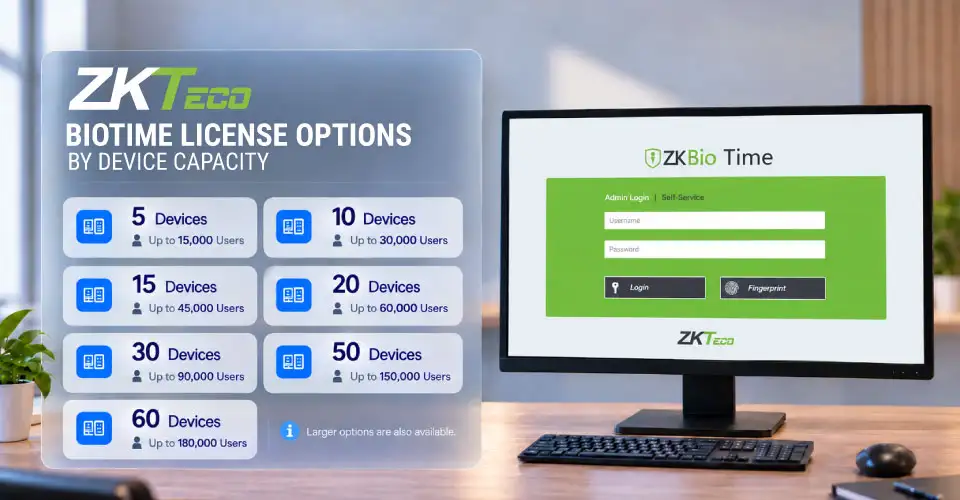
The main BioTime licenses are based on device capacity. For example:
5 devices with up to 15,000 users
10 devices with up to 30,000 users
15 devices with up to 45,000 users
20 devices with up to 60,000 users
30 devices with up to 90,000 users
50 devices with up to 150,000 users
60 devices with up to 180,000 users
Larger options are also available. These figures show why you should not select a license only by looking at the number of employees. Device capacity can be the more important limit.
ZKTeco BioTime Software Extender
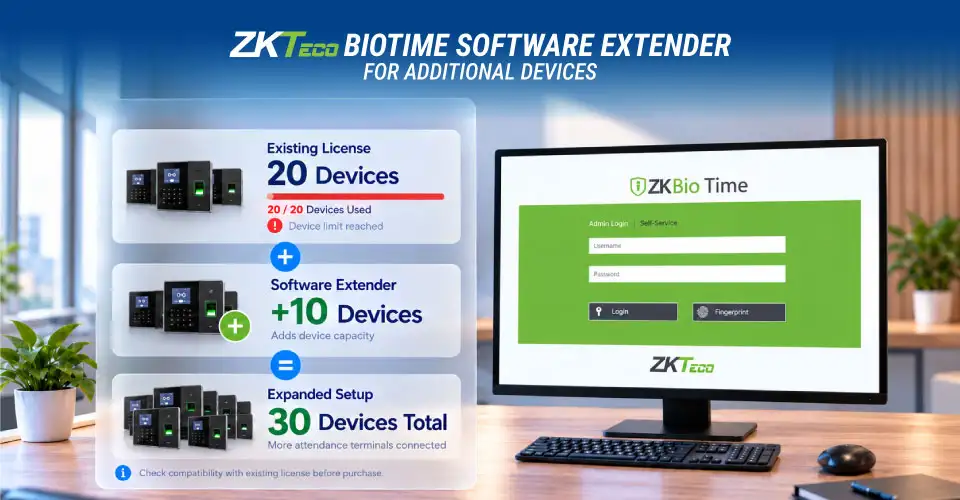
A ZKTeco BioTime software extender can be useful when a business needs more device capacity than its existing license provides.
For example, Ryans currently lists a BioTime Software Extender for 10 additional devices. This can be useful when a company expands and needs more attendance terminals without immediately changing its complete software setup.
Before buying an extender, check the existing license, current device capacity, and the number of additional devices required.
ZKTeco BioTime Mobile App License
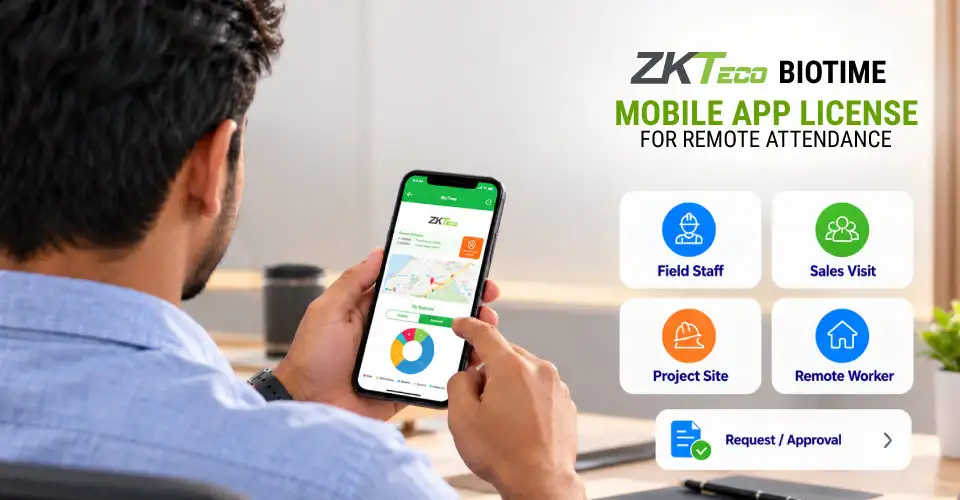
The ZKTeco BioTime mobile app license is useful when employees need to record attendance away from a fixed attendance terminal.
This can be relevant for field workers, sales teams, employees visiting project sites, or businesses with remote workers. Mobile attendance can support functions such as mobile check-in and check-out and attendance-related requests and approvals.
It is less important for a business where all employees work at one location and use fixed attendance terminals.
How to Choose the Right ZKTeco BioTime License
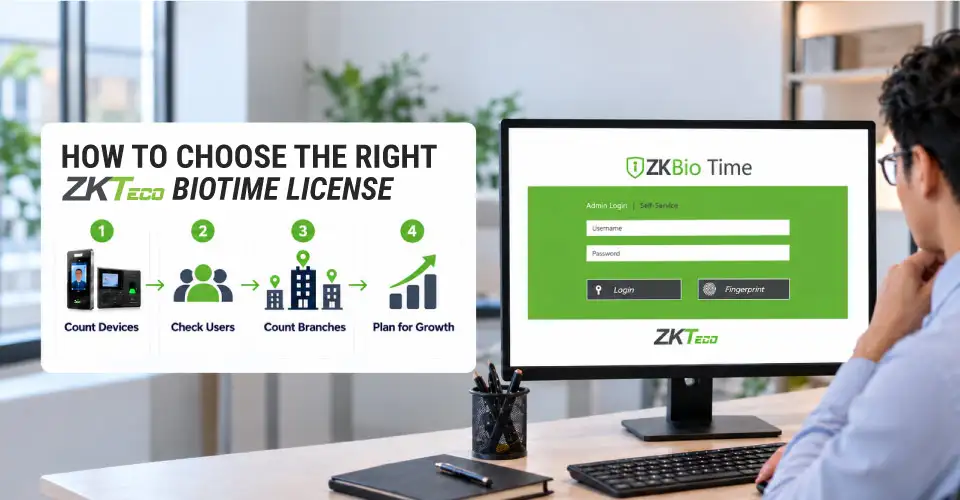
Choosing a ZKTeco BioTime license should start with your actual attendance setup rather than simply selecting the cheapest option.
Count Your Attendance Devices First
Count every attendance terminal you want to connect to the software.
For example, if your office needs four terminals, a 5-device license may provide enough capacity. If you have eight terminals across different departments or locations, a 10-device license may be more suitable.
For multi-branch attendance, count the devices at every branch rather than counting only the number of branches.
Check the User Capacity
Next, check how many employees or users the license can support.
The user capacity of some BioTime licenses is much higher than the number of devices they support. Therefore, a business with 500 employees may not need a very large user license if its number of attendance terminals is small.
Allow Capacity for Future Expansion
Think about your expected growth. If you plan to open another branch or add more attendance terminals soon, choosing a license with some extra device capacity can reduce the need for an immediate upgrade.
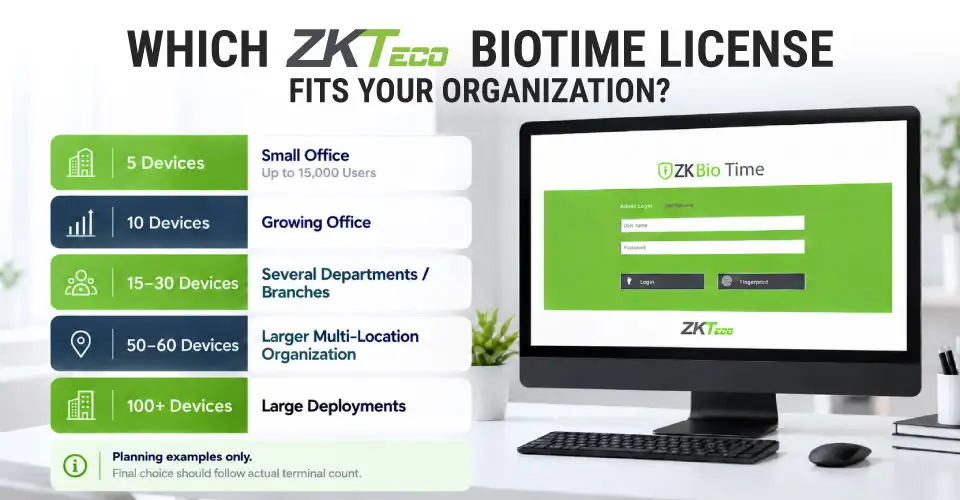
Which ZKTeco BioTime License Fits Your Organization?
The following breakdown can help you understand the different capacity levels.
5-Device BioTime License
A 5-device license can suit a small office or organization with only a few attendance terminals. It may also work when several devices are placed at different entrances or departments.
Ryans currently lists the 5-device version with up to 15,000 users.
10-Device BioTime License
A 10-device license can be suitable for a growing office or business that needs more terminals across departments, floors, or locations.
It can also provide some room for future device expansion without immediately moving to a much larger license.
15 to 30-Device BioTime Licenses
Organizations with several departments, entrances, or branches may need 15-, 20-, or 30-device licenses.
These options are more relevant when a business has moved beyond a small single-office attendance setup. Before choosing one, count the actual terminals required across all locations.
50 to 60-Device BioTime Licenses
A 50- or 60-device license is more suitable for larger organizations or businesses managing attendance across several locations.
For multi-branch businesses, calculate the number of attendance terminals needed at each location and then compare the total with the available license capacity.
100+ Device BioTime Licenses
Large organizations may require 100 or more attendance devices. Ryans currently lists 100-, 150-, 200-, 500-, and 1,000-device BioTime options.
At this scale, the buying decision should also include the attendance server, attendance database, network, device compatibility, and IT support.
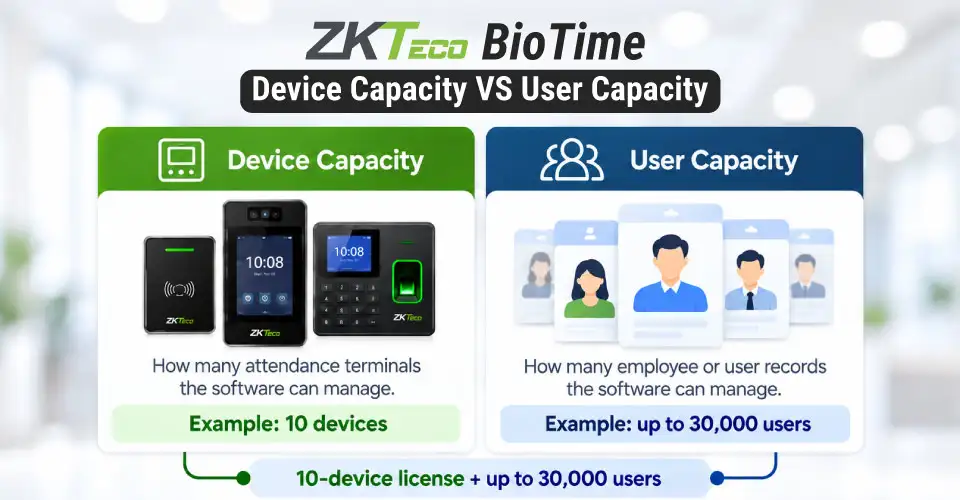
Device Capacity vs User Capacity: What Is the Difference?
These two terms are easy to confuse. Device capacity means how many attendance terminals the software license can manage. A terminal could use fingerprint, face recognition, RFID, or another supported authentication method.
User capacity means how many employees or users can be managed by the software. For example, a 10-device license with 30,000 users can support up to 10 connected devices while allowing a much larger number of employee records.
For most businesses, count the required attendance terminals first and then check whether the license provides enough user capacity.
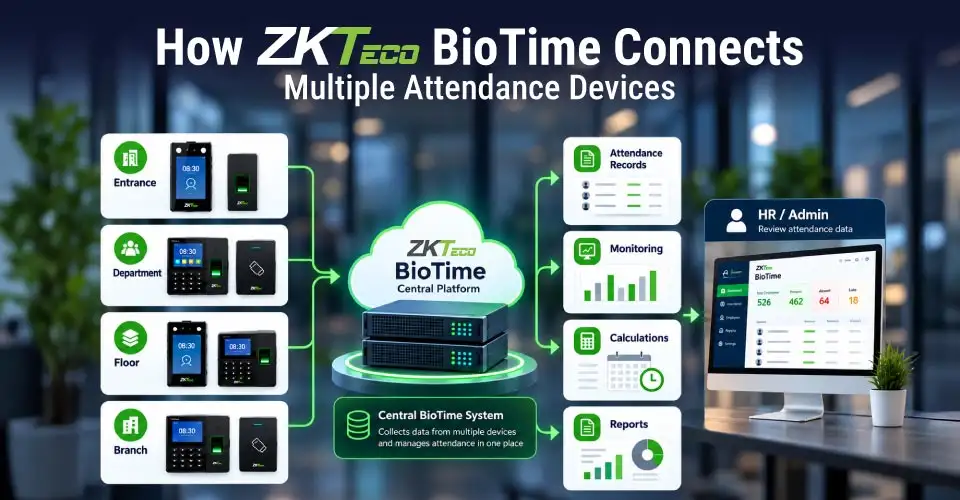
How ZKTeco BioTime Connects Multiple Attendance Devices
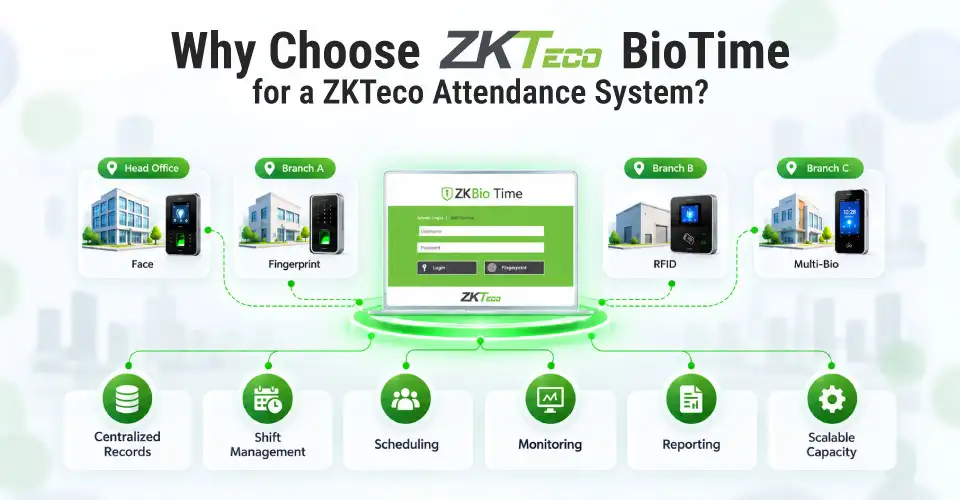
BioTime works as a central platform for compatible ZKTeco attendance devices. Attendance data from connected terminals can be transferred to the software for centralized management.
This can be useful when a company has different terminals for separate entrances, departments, floors, or branches.
Instead of collecting attendance information from every machine separately, HR can use the central system for attendance monitoring, attendance records, calculations, and reports.
The exact connection method depends on the selected ZKTeco attendance terminal, network, server, and software setup.
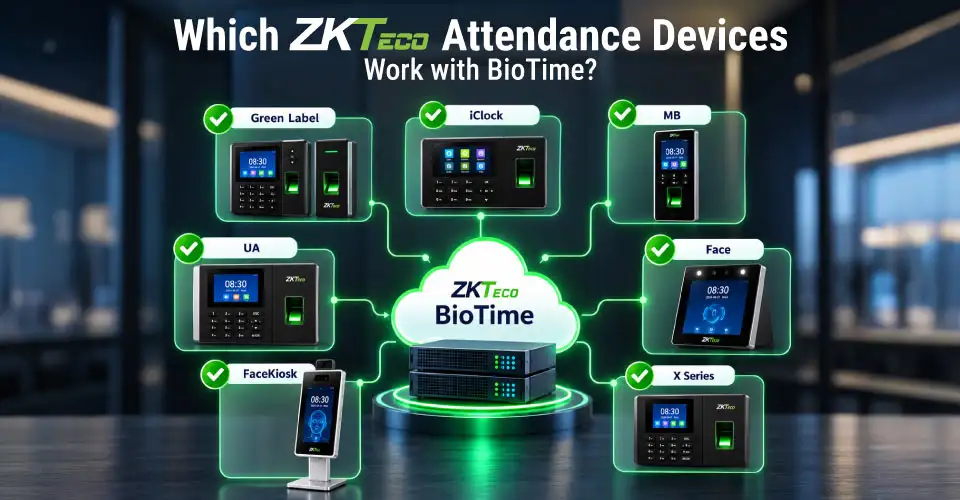
Which ZKTeco Attendance Devices Work with BioTime?
Compatibility should always be checked before buying. Ryans offers BioTime compatibility with various ZKTeco device families, including Green Label, A, B, FaceKiosk, i-Clock, IN, KF, MB, P, S, Silk, LP, U, UA, Face, VF, and X series on its product listings.
If you already have a ZKTeco attendance terminal, confirm that it is supported by the specific BioTime version you plan to purchase. But if you are buying the attendance machine and software together, checking compatibility before ordering can prevent installation problems.
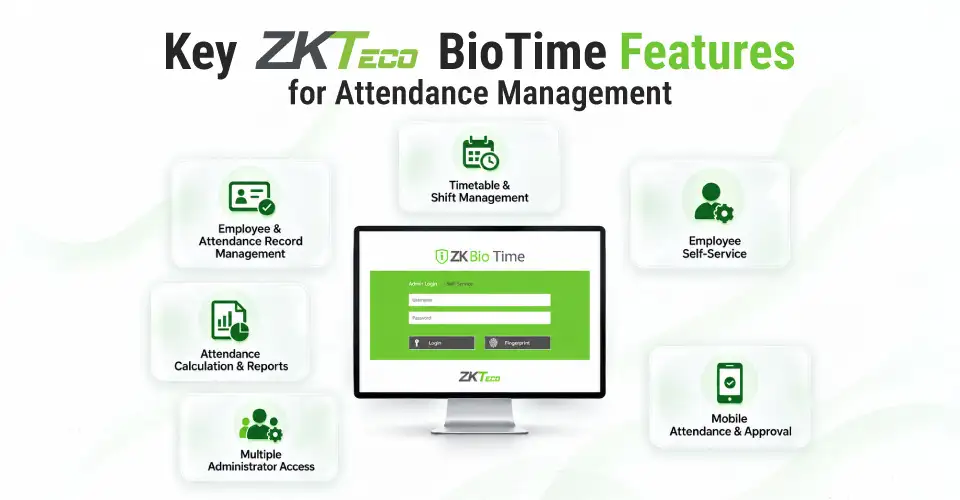
Key ZKTeco BioTime Features for Attendance Management
Employee and Attendance Record Management
BioTime can centralize employee information and attendance records from connected devices. This can make employee attendance management easier than maintaining separate spreadsheets for different machines.
Timetable and Shift Management
Businesses with different working hours can use shift management and timetable functions to organize employee schedules.
This can be particularly useful for factories, retail businesses, and organizations operating multiple shifts.
Attendance Calculation and Reports
Manual attendance calculation can become difficult when employees have different schedules, late arrivals, absences, and overtime.
BioTime can organize attendance information and generate reports, making it easier for HR and management to review attendance patterns.
Employee Self-Service
Employee self-service can reduce routine work for HR. Depending on the configuration, employees can access attendance information and submit certain attendance-related requests.
Multiple Administrator Access
A business may need HR, administration, and authorized managers to access attendance information. BioTime supports multiple administrator access, allowing authorized users to work with the same system.
Mobile Attendance and Approval
Mobile attendance can help employees who work away from fixed terminals. It can be useful for field staff, sales teams, and employees working at different locations.
When Do You Need a ZKTeco BioTime Software Extender?
A software extender becomes useful when your business needs additional device capacity.
For example, a company may initially use a 10-device license but later add more terminals. If the existing setup supports expansion through an extender, this may provide a practical way to increase capacity.
Check your current license and the number of additional devices required before buying the extender.
When Is the ZKTeco BioTime Mobile App License Useful?
A mobile license is useful when employees need to record attendance away from a fixed attendance machine.
It can be considered for:
Field service teams
Sales employees
Project-site workers
Employees visiting clients
Remote or mobile workers
Businesses needing mobile attendance approval
If everyone works at one office and uses biometric terminals, a mobile license may not be necessary.
ZKTeco BioTime for Different Business Environments
Different organizations have different attendance needs:
Small offices: A 5- or 10-device license may be sufficient when only a few terminals are required.
Corporate offices: Multiple devices can be useful for different entrances, departments, and floors.
Factories: Shift management, overtime management, and late attendance tracking can be important.
Retail businesses: Centralized attendance monitoring can help businesses operating several branches.
Educational institutions: Employee scheduling and different timetables may require more structured management.
Multi-branch businesses: Count devices across all branches and plan the central network before selecting a license.
Field-based organizations: A mobile attendance license may be useful when employees work away from fixed terminals.
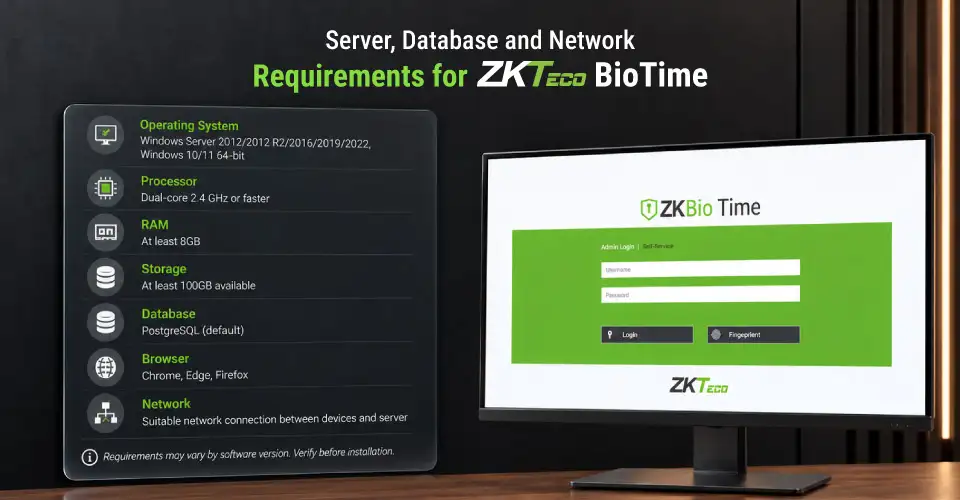
Server, Database and Network Requirements for ZKTeco BioTime
Before purchasing, make sure your IT setup can support the software.
Operating system: Current ZKTeco documentation lists Windows Server 2012/2012 R2/2016/2019/2022 and Windows 10/11 64-bit among supported systems.
Processor: A dual-core 2.4 GHz or faster processor is listed as a minimum requirement.
RAM: At least 8GB RAM is listed for the server.
Storage: At least 100GB of available storage is listed.
Database: PostgreSQL is the default, with other supported database options depending on the software version.
Browser: Current documentation lists Chrome, Edge, and Firefox among supported browsers.
Network: Connected attendance devices need a suitable network connection to communicate with the server.
Requirements can change between software versions, so check the current requirements before installation.
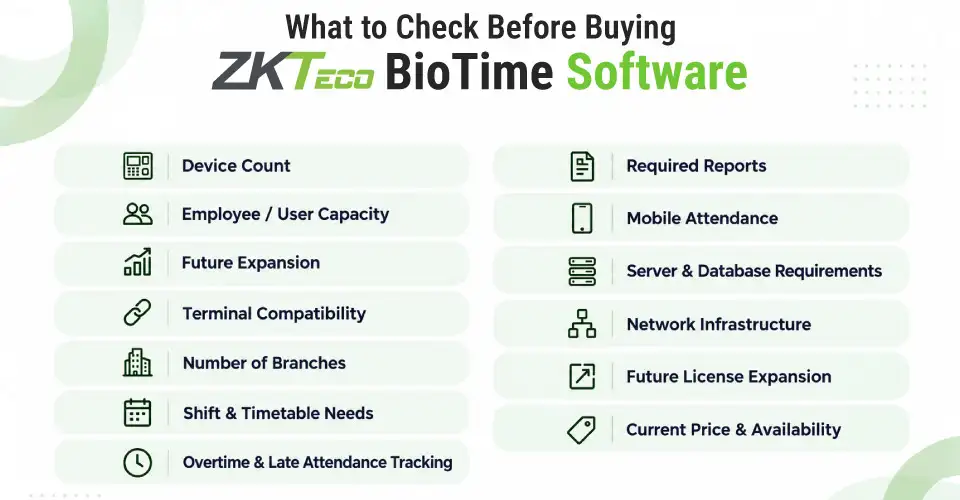
What to Check Before Buying ZKTeco BioTime Software
Before buying ZKTeco time attendance software, check:
Number of attendance devices
Employee/user capacity
Planned future expansion
Attendance terminal compatibility
Number of branches
Shift and timetable requirements
Overtime and late attendance tracking needs
Required attendance reports
Mobile attendance requirements
Server and database requirements
Network infrastructure
Possibility of future license expansion
Current price and availability
Do not choose a license based only on price. A cheaper option may not provide enough device capacity for a growing organization.
Why Choose ZKTeco BioTime for a ZKTeco Attendance System?
For organizations using ZKTeco attendance terminals, BioTime provides a centralized platform for managing employee attendance.
Its value goes beyond recording check-in and check-out times. It can help organize employee attendance management, shift management, employee scheduling, attendance monitoring, attendance reporting, and attendance records.
The different license capacities also allow businesses to select a setup according to their current number of devices and expected growth.
For a small business, a lower-capacity license may be enough. Larger organizations can consider higher-capacity options based on their actual device requirements.
Where Can I Buy ZKTeco BioTime Software in Bangladesh?
You can check the latest ZKTeco BioTime price in Bangladesh and available license options from Ryans. The ZKTeco software category includes different BioTime licenses based on device and user capacity.
Check the current listing for the latest price, availability, license capacity, and product details before purchasing.
Frequently Asked Questions
Which ZKTeco BioTime license do I need?
Choose the license based first on the number of attendance devices you need to connect. Then check user capacity, future expansion, branch requirements, and other features.
Can ZKTeco BioTime manage attendance from different branches?
Yes. BioTime can centralize attendance information from supported connected devices. For multiple branches, however, the network, server, device compatibility, and license capacity should be planned together.
Can I increase my BioTime device capacity later?
Depending on the existing license, additional capacity may be possible through a suitable software extender or another license option. Check compatibility before expanding.
What is a ZKTeco BioTime software extender?
It is an additional license designed to increase the supported device capacity of a BioTime setup. It can be useful when a business adds more attendance terminals.
Is the attendance machine included with a BioTime software license?
No. The software license and physical attendance machine are separate products. If you are setting up a new system, plan the attendance terminal, software, server, network, and installation together.















Leave a comment