Cat5 vs Cat6 Ethernet Cable: What’s the Difference and Which Should You Use?
Choosing between Cat5 vs Cat6 Ethernet cable is not simply about picking the cable with the higher number. Your internet speed, local network bandwidth, cable length, connected devices, and installation environment all matter.
For a basic home network, Cat5e may already be enough. But for a new home network, gaming setup, office, or CCTV installation, Cat6 is often a more practical choice.
However, this article will explain the differences in speed, bandwidth, construction, interference, cost, and real-world use so you can choose the right cable for your setup.
What Is a Cat5 Ethernet Cable?
Cat5 is an older category of Ethernet cable designed for network connections. It can support up to 100 Mbps under its standard specifications and is rarely the first choice for a new network installation today.
You may still find Cat5 in older network cable installations, but replacing it can be sensible if your network needs higher speed or the existing cable is damaged.
Therefore, it is important not to confuse Cat5 with Cat5e. Cat5e is an improved version that is commonly used for Gigabit Ethernet and is still suitable for many basic home and office connections.
What Is a Cat6 Ethernet Cable?
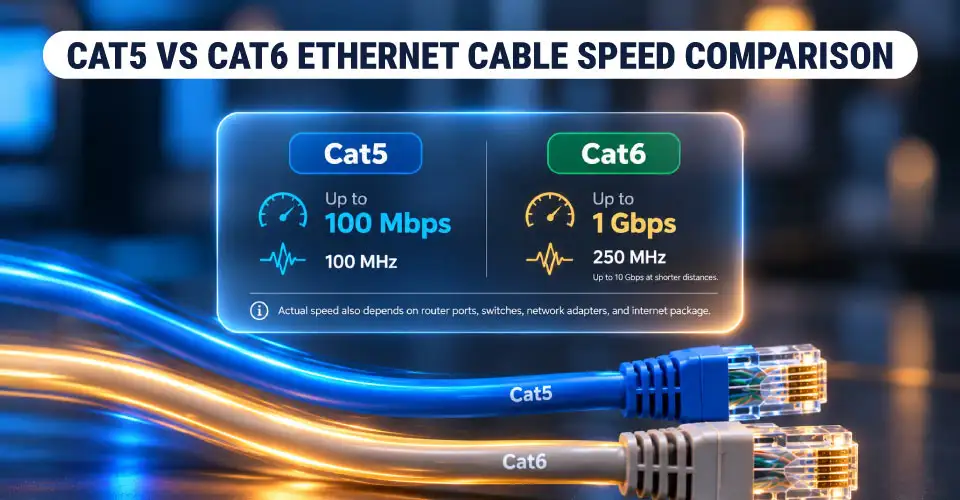
This is designed for higher network speed and better control of interference than older cable categories. A Cat6 cable can support 1 Gbps Ethernet over typical full-length structured cabling and can support 10 Gbps over shorter distances under appropriate conditions.
Ryans currently lists hundreds of network cables, including Cat5e, Cat6, Cat6A and higher categories, with different lengths and construction options.
Main Differences Between Cat5 and Cat6
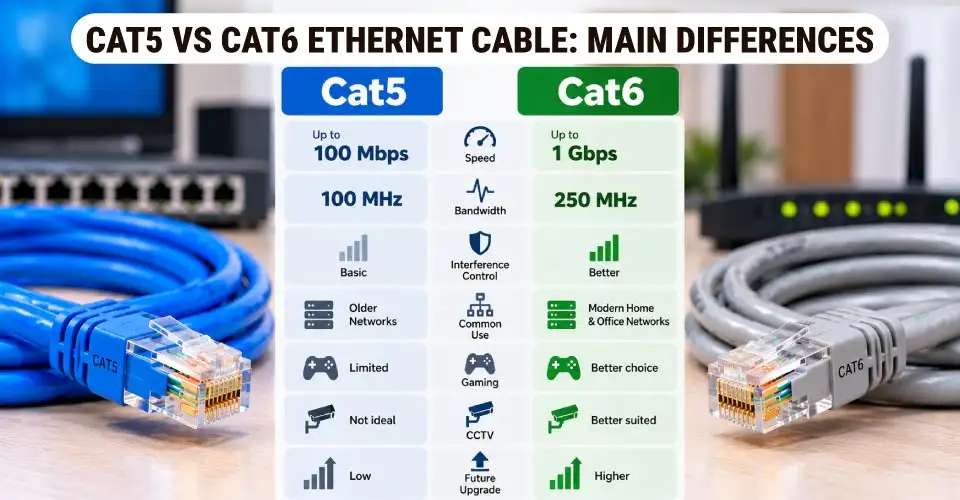
Feature
Cat5
Cat6
Typical maximum data rate
Up to 100 Mbps
Up to 1 Gbps for standard full-length use
Bandwidth
100 MHz
250 MHz
Common use today
Older networks
Modern home and office networks
Gaming
Limited for modern connections
Better choice
CCTV
Not ideal for new installations
Better suited
Interference control
Basic
Better
Future upgrade potential
Low
Higher
New installation
Generally not recommended
Recommended for many users
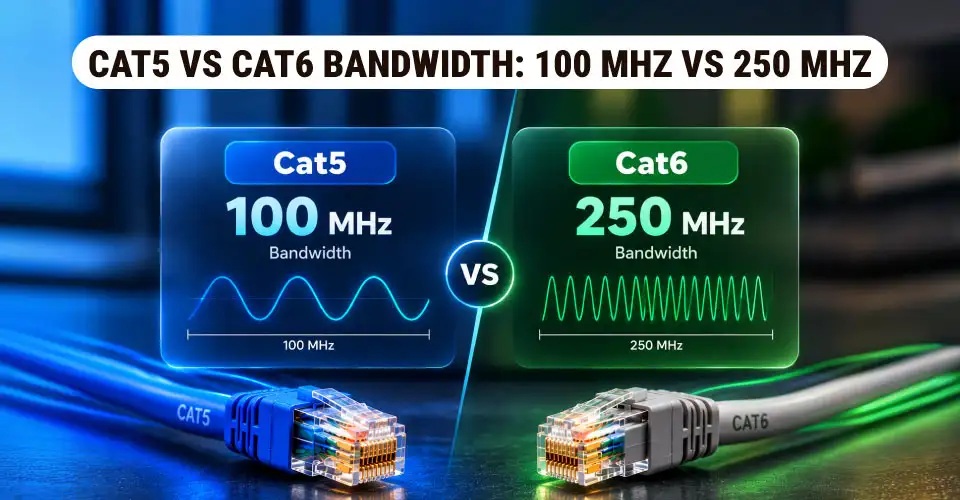
The biggest practical difference is bandwidth. Cat5 is rated around 100 MHz, while Cat6 is rated at 250 MHz. Higher bandwidth gives Cat6 more capacity for modern networking applications.
However, the cable alone does not determine your internet speed. Your ISP connection, router, network switch, LAN port, network adapter, and other hardware must also support the desired speed.
Speed Differences Explained
Cat5 Speed
Cat5 is associated with 100 Mbps Fast Ethernet. That may be enough for an older computer or a basic connection. But it can become a limitation with modern broadband and local networks.
If your router and computer have Gigabit Ethernet ports, using an old Cat5 cable may prevent you from getting the expected network speed.
Cat6 Speed
Cat6 is designed for Gigabit Ethernet and provides more bandwidth for modern wired networks. This makes it a better choice for a new connection between a router, PC, network switch, smart TV, or gaming device.
For example, if you have a 1 Gbps internet connection and compatible Gigabit equipment, Cat6 is a sensible cable to consider.
Will a Faster Cable Increase Internet Speed?
Not by itself. If your internet package is 100 Mbps, replacing a working Cat5e cable with Cat6 will not turn the connection into 1 Gbps.
Similarly, a Cat6 cable cannot make a 100 Mbps router port operate at Gigabit speed. The cable needs to match the rest of the LAN connection.
Bandwidth: 100 MHz vs 250 MHz
Bandwidth is one of the clearest differences in the Cat5 vs Cat6 bandwidth comparison. Cat5 is rated around 100 MHz, while Cat6 is rated at 250 MHz. This does not mean Cat6 automatically gives you a faster internet connection.
Instead, its higher bandwidth provides more capacity for transmitting network signals and supports higher-performance network standards. This becomes more relevant when you are building a new network rather than replacing a short cable between two existing devices.
How Far Can Each Ethernet Cable Run?
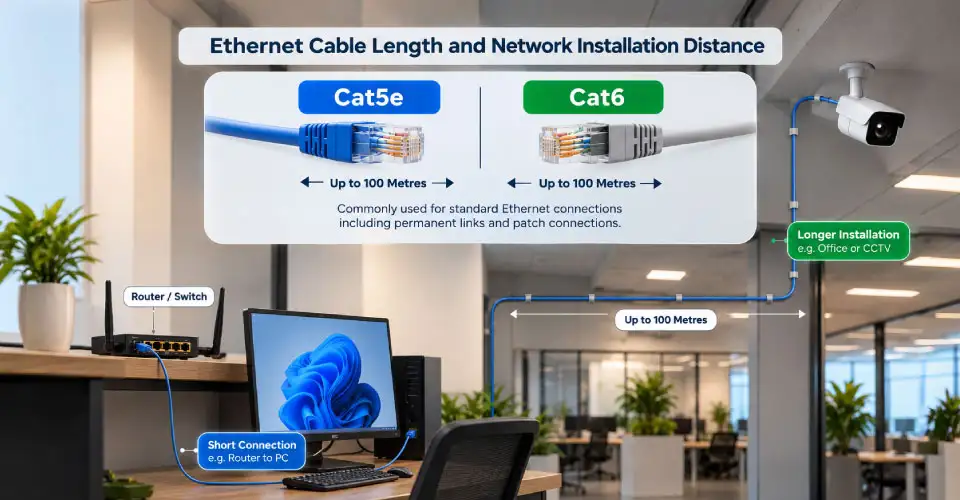
Cable length matters when planning a network. For standard Ethernet installations, Cat5e and Cat6 are commonly used for connections up to about 100 metres, including the permanent link and patch connections.
Actual performance depends on installation quality, cable construction, connectors, and the network standard being used. For a short connection between your router and PC, cable length is rarely a major concern. However, for an office, shop, or CCTV installation, you should measure the route before buying.
Do not buy a very long cable simply because it is available at a lower price. Excess cable can make installation messy and may be unnecessary.
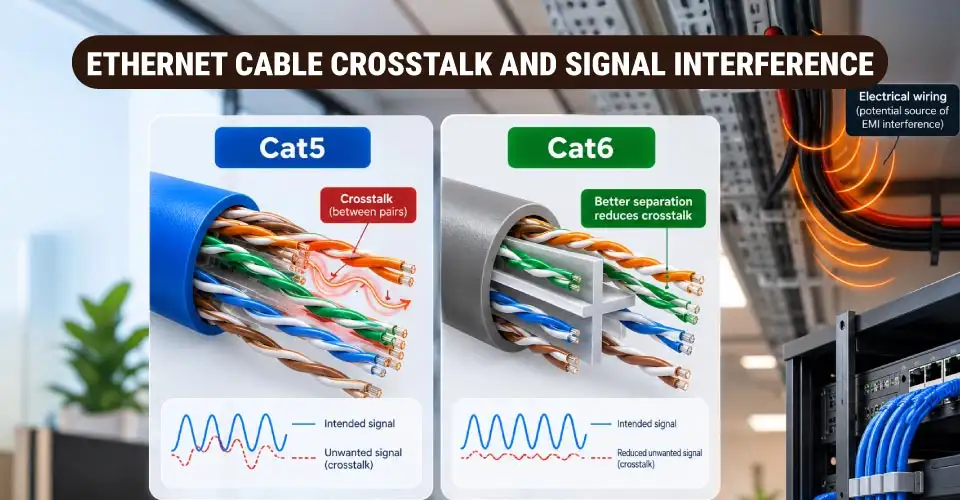
Crosstalk and Signal Interference
Crosstalk occurs when signals from one pair of wires interfere with another pair. Cable construction helps control this interference.
Cat6 generally has better control of crosstalk than older Cat5 designs. Some Cat6 cables also use physical separators between twisted pairs to maintain separation.
For a normal home connection, you usually do not need to overthink this. But interference becomes more important when cables run near electrical wiring, machines, power equipment, or other sources of electromagnetic noise.
In such environments, you may need a shielded Ethernet cable rather than simply choosing a higher category.
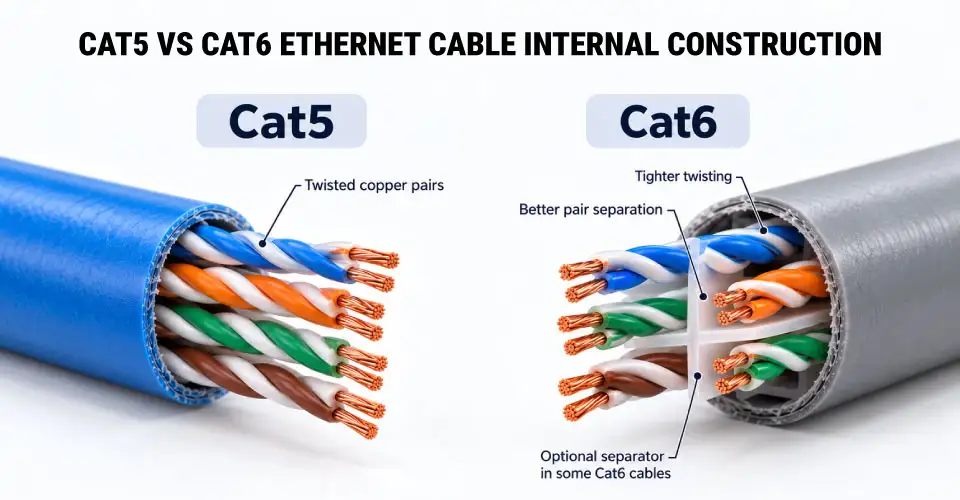
Differences in Cable Construction
Both Cat5 and Cat6 use twisted copper wire pairs, but Cat6 is generally built to tighter specifications. The cable can include features such as:
Tighter twisting
Better pair separation
A central spline or separator
Different conductor sizes
Improved protection against crosstalk
These differences can make Cat6 thicker and less flexible than some basic Cat5e cables. For short desktop connections, flexibility may be more important than maximum specification. For permanent installations, stronger construction and suitable cable quality can matter more.
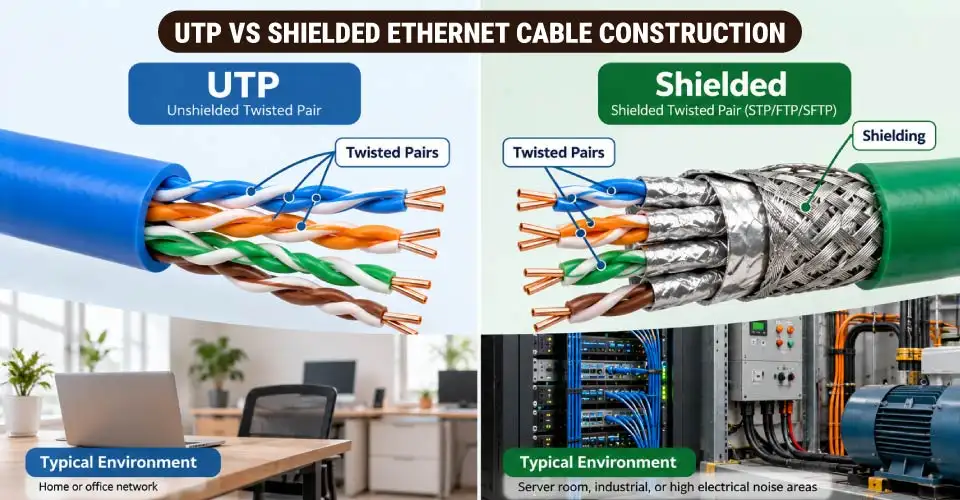
UTP Ethernet Cables
UTP cable means Unshielded Twisted Pair. It does not have an additional metallic shield around the cable pairs.
UTP Ethernet cables are widely used for homes, offices, PCs, routers, and other ordinary network connections. For a typical home where the cable is not running alongside heavy electrical equipment, a good UTP Cat6 cable is often enough.
Shielded Ethernet Cables
Shielded cables add protection against electromagnetic interference. They can be useful in electrically noisy environments, server rooms, industrial areas, or installations where cables run close to power equipment.
But do not buy a shielded cable simply because it sounds more advanced. The network installation should also have appropriate grounding and compatible components where required.
Connectors and Device Compatibility
Most common Ethernet connections use an RJ45 connector. A ready-made patch cable normally has connectors already fitted at both ends, so you can connect devices without crimping the cable yourself.
For example, a short cable can connect:
Router to computer
Router to smart TV
Switch to PC
Router to gaming console
PoE switch to IP camera
Network outlet to workstation
The connector should be securely fitted, and the cable should not be sharply bent or physically damaged. Ryans currently offers Cat5e, Cat6 and higher-category patch cords in different lengths.
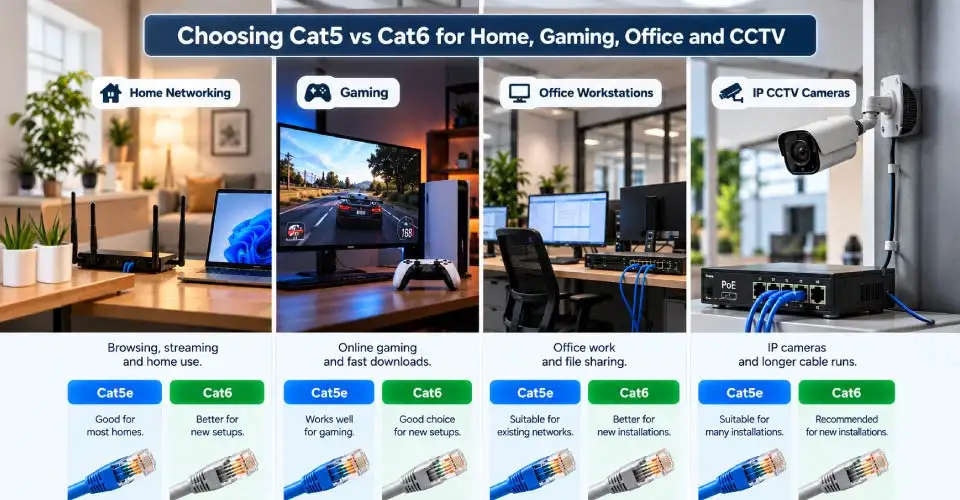
Which Cable Is Better for Different Uses?
Cat5 vs Cat6 for Home Network
For a new home network, Cat6 is generally the better choice if the price difference is reasonable. It gives you more bandwidth headroom for Gigabit networking and future upgrades.
If you already have good Cat5e cabling working at Gigabit speed, there may be little reason to replace it only for the sake of upgrading.
Cat5 vs Cat6 for Gaming
For gaming, Cat6 is a practical choice for a wired connection. It can provide a stable link between your gaming PC or console and the router or network switch.
However, do not expect Cat6 to automatically reduce your internet ping. Ping depends on your ISP, server distance, routing, network congestion, and other factors.
Cat5 vs Cat6 for Office
For a new office installation, Cat6 is usually the more sensible starting point. It gives workstations, printers, access points, and other network devices more room for future upgrades.
For larger networks, you may want to compare Cat6A depending on the required network speed and installation design.
Cat5 vs Cat6 for CCTV
For IP CCTV, Cat6 is a practical option for connecting cameras to a switch or NVR, including suitable PoE installations.
Cable quality, distance, camera power requirements, connectors, and installation conditions are still important. For a new CCTV project, choose the cable based on the complete system rather than cable category alone.
Advantages and Limitations of Cat5
Advantages
Suitable for older basic networks
Can work for simple 100 Mbps connections
May be useful when replacing an identical existing cable
Usually inexpensive
Limitations
Limited compared with modern cable categories
Not a good choice for most new installations
Less suitable for Gigabit network planning
Provides less future upgrade potential
If you are buying a cable for a new network today, Cat5 is usually difficult to justify when Cat5e or Cat6 is available.
Advantages and Limitations of Cat6
Advantages
Supports Gigabit Ethernet
Higher 250 MHz bandwidth
Better crosstalk control
Suitable for home, gaming, office, and CCTV use
Better choice for new network installations
Provides more room for future network upgrades
Limitations
Can cost more than basic Cat5e
May be thicker and less flexible
Extra capability may not provide any benefit on a slow network
Higher category does not fix limitations in routers or switches
Which Ethernet Cable Should You Choose?
For most buyers, the decision can be simple:
Old 100 Mbps setup: Cat5 may still work, but upgrading to Cat5e or Cat6 is more sensible when replacing the cable.
Basic home network: Cat5e is usually sufficient for Gigabit Ethernet.
New home network: Cat6 is a good balanced choice.
Gaming: Cat6 is a practical option for a wired connection.
Office: Cat6 is suitable for many new installations; consider Cat6A for higher-speed requirements.
CCTV: Cat6 is a useful choice for many IP camera installations.
10 Gbps network planning: Check Cat6A and the requirements of your complete network.
So, Cat6 is not automatically better for every connection, but it is generally the better buy for a new network when the price difference is small.
Where Can You Buy Cat5 or Cat6 Ethernet Cable?
You can compare network cable price in Bangladesh based on category, length, conductor material, shielding, and connector type. Ryans currently lists Cat6 cables starting from very low prices for short lengths, while longer and higher-category cables cost more.
For ready-to-use connections, check the available patch cords. For wall wiring, office installation, or longer runs, choose the cable length and construction based on the installation requirements rather than buying a pre-made short cable.
Final Verdict
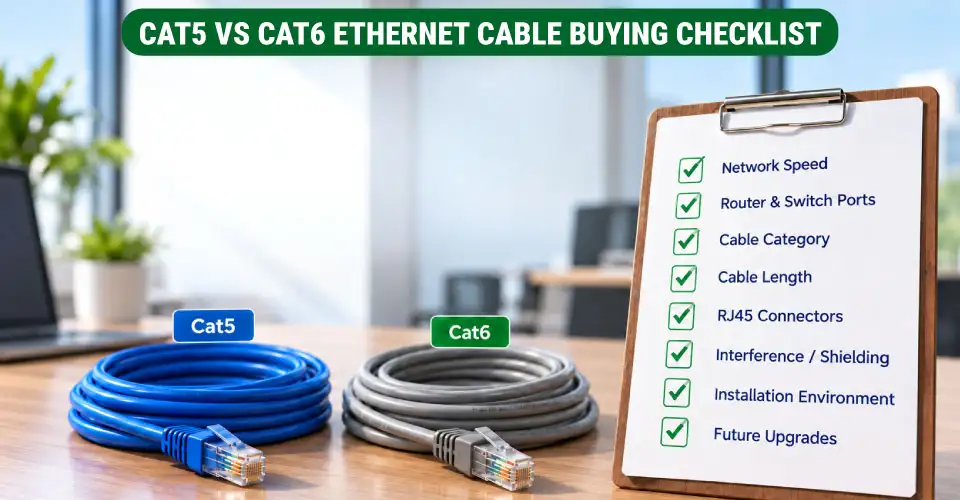
Cat5 is mainly relevant to older basic networks. Cat5e remains a useful budget option for many Gigabit Ethernet connections. On the contrary, Cat6 is the better all-round choice for most new home, gaming, office, and CCTV network installations because it offers higher bandwidth and better room for future upgrades.
Before buying, check your network speed, bandwidth requirement, cable length, RJ45 connectors, router, network switch, and connected devices. If those components cannot use the extra performance, paying more for a higher category may not improve your actual connection. For current options, you can comparenetwork cables on Ryans by category, length, and construction.















Leave a comment