Best Monitor for Graphics Designer in Bangladesh 2026
The selection of the best monitor for graphic design is one of the critical decisions that a designer has to make. Whether you're a logo designer, web designer, branding or packaging designer, or a video editor, the right professional monitor will ensure you're getting the accurate colours, sharp text, and pixel density necessary to create flawless designs. Monitor Prices in Bangladesh varied and not all monitors were appropriate to colour critical tasks.This guide will break down the best ones that are available in BD in 2026, what features are really important, and how to find the right monitor for your workflow.
Top Graphic Design Monitors and Details
Below is a quick reference list of the currently best selection of monitors available in Bangladesh for the designers. These are explored in detail below, each model.
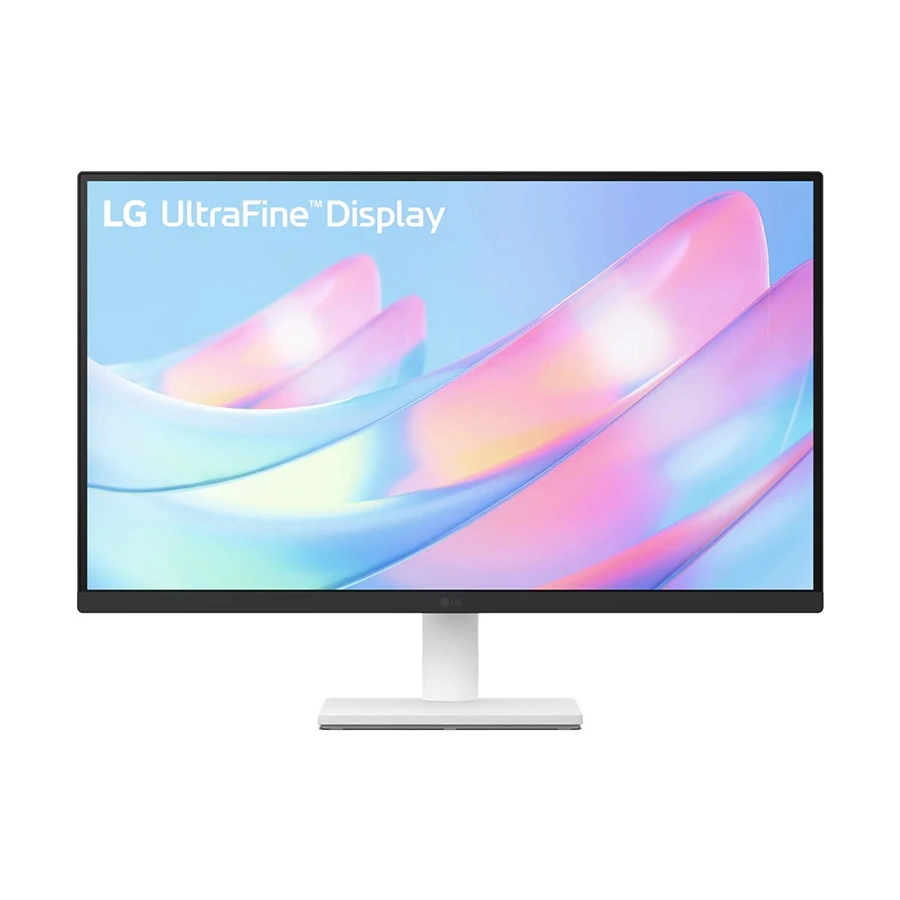
For graphic designers in Bangladesh who want serious 4K work without spending a fortune, the LG UltraFine 27US500-W is one of the most capable displays on Ryans' shelves right now. Its 27-inch IPS panel at 3840 × 2160 renders logos, typography, and illustrations with a sharpness that Full HD simply cannot match.
Colour performance is genuinely credible for design work, 90% DCI-P3 coverage, HDR10, and a stable 178° viewing angle mean colours stay accurate whether you're working alone or showing a client. The 1000:1 contrast ratio and 300 cd/m² brightness are comfortable for Dhaka offices and home studios alike.
The stand supports tilt only, so a separate VESA arm is needed for height or pivot. Connectivity is dual HDMI and one DisplayPort, sufficient for most single-machine setups. Flicker Safe, Reader Mode, and the LG Switch app round out the experience for long design sessions.
ASUS ProArt PA279CRV is the best printer for print work and Adobe RGB coverage
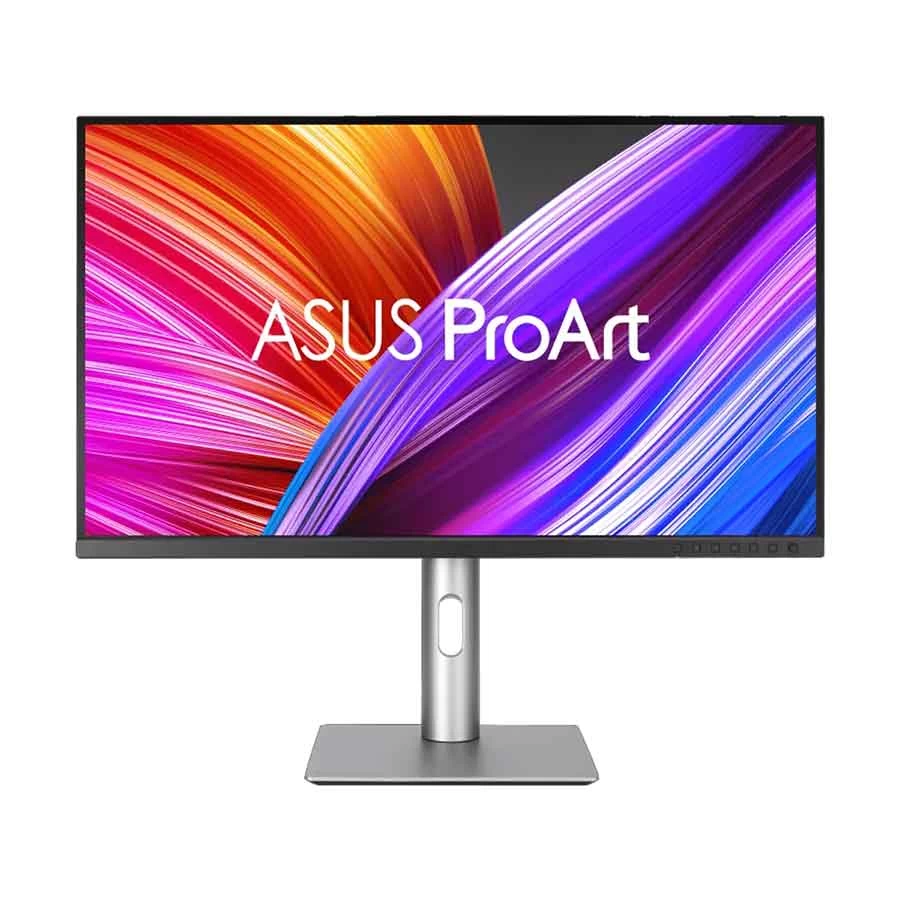
ASUS ProArt PA279CRV is a strong 27-inch 4K IPS monitor for designers who work on print marketing, packaging, photo editing, and color-sensitive projects. It offers 99% DCI-P3 and 99% Adobe RGB coverage, Calman Verified factory calibration, and Delta E < 2 accuracy, making it reliable for professional design work.
It also includes useful preset modes for sRGB, Adobe RGB, DCI-P3, Rec.709, and Rec.2020, so switching between web, print, and video projects is easier. Connectivity is strong too, with dual HDMI, dual DisplayPort, USB-C with 96W power delivery, a USB hub, and daisy-chain support.
HDR10 and DisplayHDR 400 are helpful for previewing HDR content, but this monitor is mainly best for accurate color work, 4K design, editing, and productivity.
Dell UltraSharp U2725QE is best suited for UI Design & Productivity
Dell's line of UltraSharp monitors has always been a popular choice for professionals and the U2725QE is the newest 4K 27-inch option for creators and productivity users. The panel is an IPS Black, which offers a 3000:1 contrast ratio, about three times that of the typical IPS panel, for improved blacks and natural shadow detail. This is why it is especially well suited for UI design tasks, where you have to assess dark-mode interfaces in a proper manner.
Monitor provides full 98% DCI-P3 coverage, 98% Delta E < 2 cal at factory. It has dual Thunderbolt 4 ports delivering 140W of power which is great for use with MacBook Pro or high-end Windows PC laptop configurations and enables single-cable connectivity with fast data transfer and daisy chaining. For freelance designers who have to handle multiple computers for their clients, the inbuilt KVM switch will make multitasking easier.
This has a natural appeal for the dual monitor set-up, which has minimal bezels allowing for less visual clutter between screens. Ergonomic stand for portrait mode viewing, full height adjustment and pivot.
ViewSonic VP2756-4K, best budget professional monitor available
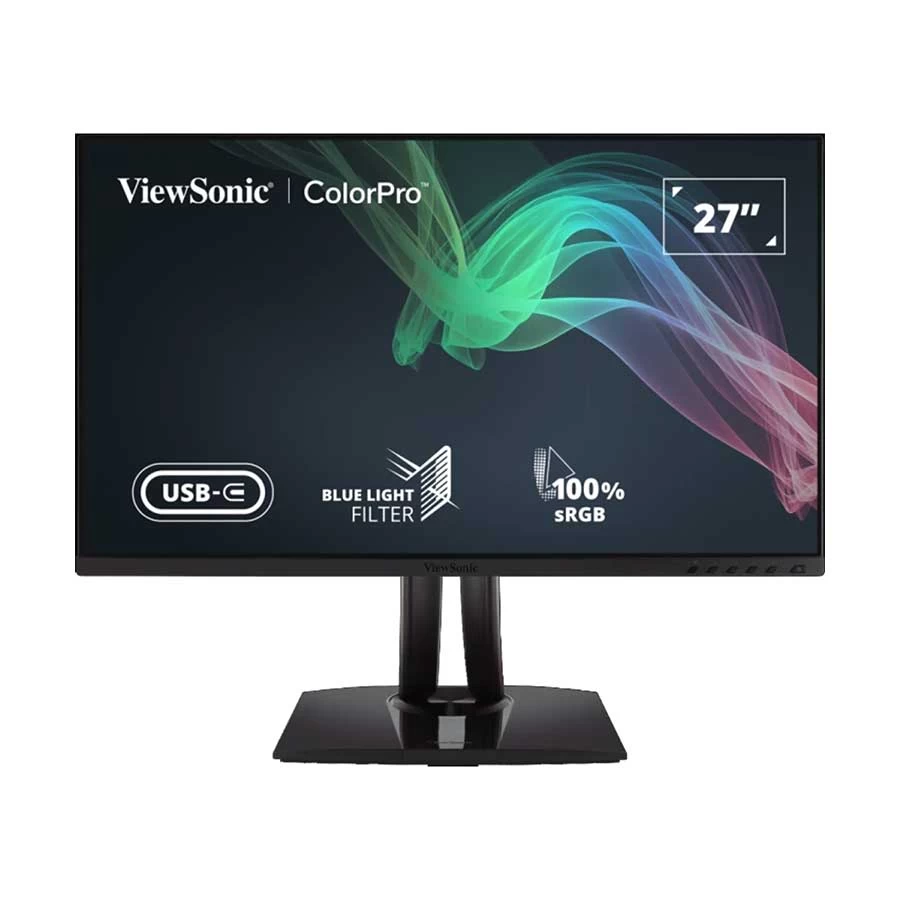
Designed for professional color accuracy at an affordable price, the ViewSonic VP2756-4K is a solid choice for designers in Bangladesh. It spans 100% sRGB ( ensures colors from screen to print are the same, crucial for branding, logo design and illustration work) and is Pantone Validated ( ensures on screen colours are accurate and consistent with print-outs).
The 27-inch 4K IPS panel is factory calibrated to Delta E < 2, offering a good brightness uniformity, sharp and anti-glare matte screen. In photo editing, and in graphic design that's more complex and utilizes more gradient colors, the 14-bit 3D look up table produces more than 4.39 billion colors for smooth gradients. An ergonomic stand with height adjustment, tilt, swivel and an integrated G-Sensor automatically rotates the picture if it is taken in portrait or landscape mode.
There is USB-C with 60W power delivery, HDMI and DisplayPort. As for the power delivery, USB-C is inferior to some of the other models, but it can still comfortably power most laptops that fall under the ultrabook classification. The VP2756-4K is a good value option for designers or studios on a budget who want to outfit multiple workstations.
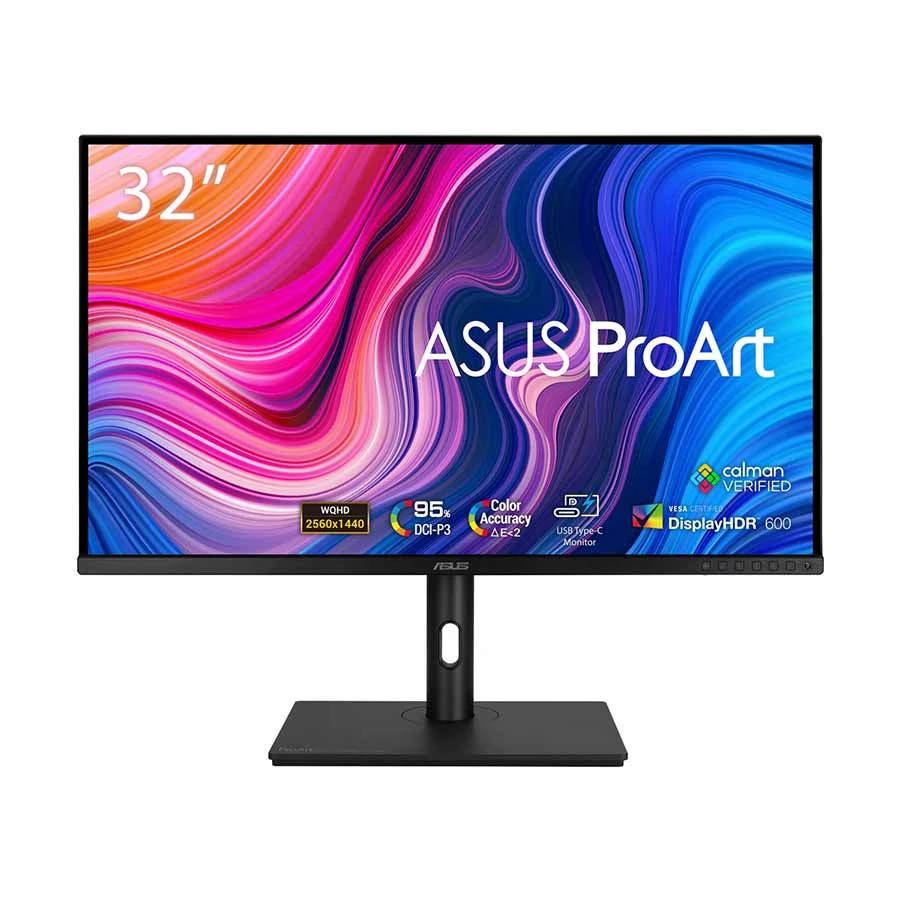
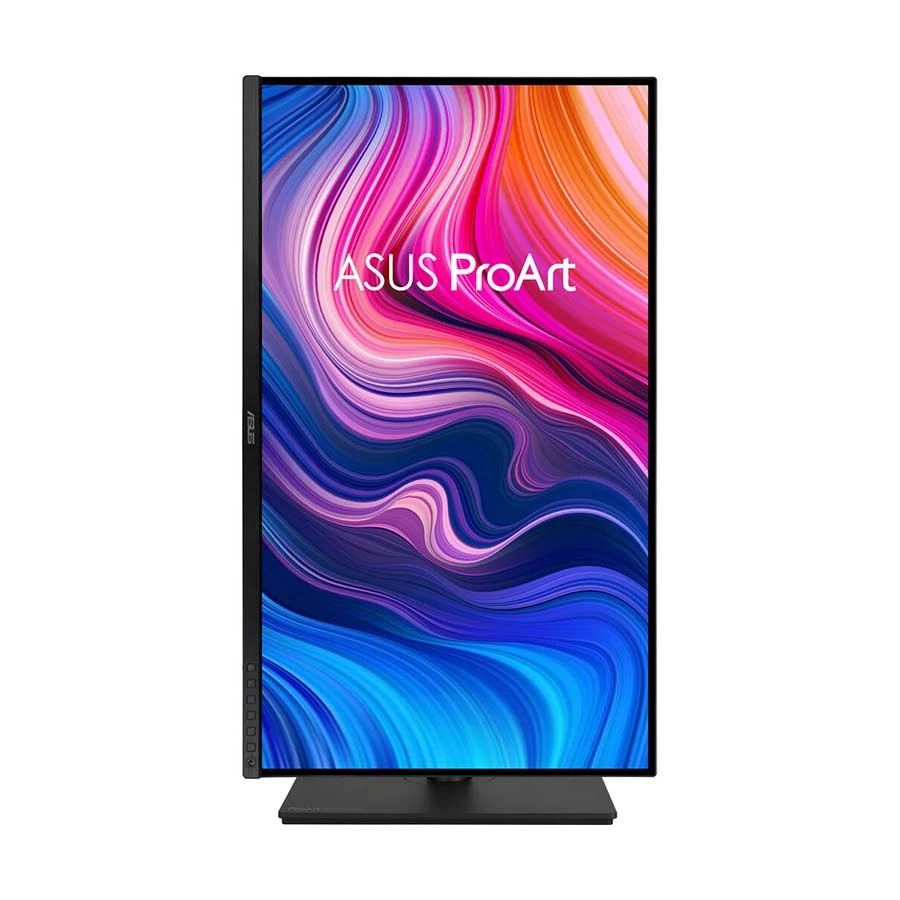
ASUS ProArt Display PA328CGV: Best Choice for Professional Designers Who Need Room to Work
ASUS ProArt Display PA328CGV is a strong 32-inch professional monitor for designers, video editors, and creators who need more workspace for timelines, tool panels, reference images, and large design layouts. Its 2560 x 1440 WQHD IPS panel gives a spacious canvas, while 100% sRGB, 100% Rec.709, 95% DCI-P3, Calman Verification, and factory-calibrated Delta E < 2 make it reliable for color-focused work.
The 165Hz refresh rate with FreeSync Premium Pro is a useful bonus for motion graphics, animation previews, and smoother visual work. It also supports VESA DisplayHDR 600 with up to 600 nits HDR brightness, so HDR previews are more meaningful than on basic HDR monitors.
Connectivity is flexible, with HDMI, DisplayPort, USB-C with 90W power delivery, a USB hub, and an earphone jack. ASUS also includes a Desk C-clamp mount, which helps free up desk space. For UI/UX design, packaging work, video editing, and home studio setups, the PA328CGV offers a good mix of screen size, color accuracy, speed, and practical connectivity.
ASUS ProArt Display PA247CV: Best Multi-Display Workstation Monitor for Professional Designers
Not every professional setup needs the largest or most expensive screen. For designers building a multi-monitor workstation where budget, desk space, and colour consistency all matter, the ASUS ProArt Display PA247CV is a remarkably capable choice.
The 23.8-inch FHD IPS panel at 1920 × 1080 is a conscious trade-off Full HD, not 4K but what ASUS prioritises here is colour accuracy over pixel density. It covers 100% sRGB and 100% Rec. 709, Calman Verified with factory calibration to Delta E < 2. Text and vector work are clean at 93 PPI, and the IPS panel holds colour accurately at 178° without the shift common in cheaper VA or TN displays.
The PA247CV's standout feature is DisplayPort daisy-chaining chain up to four monitors from a single graphics card output, each maintaining colour consistency. For design agency workstations in Bangladesh, this is a practical and cost-efficient way to build serious screen real estate.
Connectivity includes HDMI, dual DisplayPort, and USB-C with 65W power delivery plus a four-port USB 3.2 hub. The full-adjustment ergonomic stand covers tilt, swivel, pivot, and 130mm height, portrait mode for vertical mockups or long web pages is a single rotation away. ProArt Preset modes, Flicker-Free, and Ultra-Low Blue Light cover the rest.
For designers who need reliable, colour-accurate screens across a multi-display setup without a premium budget, the PA247CV is the practical professional answer.
Which Type of Monitor Do Graphic Designers Require?
All monitors with the label "Full HD" or “LED monitor” are not suitable for professional design. The specs and features that really do count for graphic design and photo, video editing and creative production overall.
Colour Accuracy (Delta E < 2):
This is the key specification for any monitor that is used for graphic design. The difference between the colour of the monitor and the target colour is called Delta E or ΔE. A ΔE of less than 2 will not be noticed by a human eye. For a time, at the very least, you save the price of obtaining a separate hardware calibration device when you use one of the monitors that is factory calibrated to this standard, such as the ASUS ProArt or the BenQ DesignVue ranges.
Colour Space Coverage:
If you are designing for the web or user interfaces, then 99-100% sRGB coverage is a must. Adobe RGB coverage (ideally 99%+) is important for print design, packaging design and photo editing, as these workflows have a wider gamut than the web. DCI-P3 is suitable for video editing and HDR content. The best professional monitors have presets for each colour space, which are switchable.
The 4K UHD (3840 × 2160) monitor at 27 inches provides about 163 pixels per inch, which is good for reading text, showing fine details in vector graphics, and editing photos at 100% zoom. The 32" 4K monitor is larger in area, but has lower pixel density (~138 PPI). Most designers find 27" 4K panels to be just the right size for getting the job done, while maintaining sufficient resolution for the tasks at hand.
Standard Design Monitors are IPS (In-Plane Switching):
IPS (In-Plane Switching) panels are the standard for design monitors. They offer a large viewing angle (178° typically), uniform colour across the display and good brightness uniformity. Newer options include QD-OLED panels which are capable of better contrasts and per-pixel dimming; however, they are very expensive and may have burn in issues with static design tool interfaces.
Anti-Glare and Matte Displays:
Almost all design monitors come with a matte anti-glare coating. It does not allow reflections from overhead lights or windows to affect colour judgment, which is important for many Bangladeshi offices and studios. While glossy panels can be more colourful, they're not suitable for colour evaluation in any but the most controlled of environments.
Connectivity:
USB-C with power delivery (for single cable laptop connection), DisplayPort 1.4 (for full 4K at 60Hz without compression), and HDMI 2.0. The thunderbolt connectivity is an added feature for daisy chaining multiple displays and Mac workflows. A USB hub is also built into the soundbar to eliminate excess cables.
Ergonomic Stand with Pivot:
An ergonomic stand that pivots, swivels, tilts and adjusts in height can help you to work for extended periods with ease. It's especially handy — and turning to portrait mode is perfect for checking out layouts that are vertical, long-scrolling web pages or coding along with design tasks. Some monitors will also allow the use of VESA for monitor arm installations.
HDR Support:
This is a feature that's becoming more popular with time (HDR or DisplayHDR 400), however, for most graphic design work, it's not really that important. It becomes more relevant for video editing and content for HDR displays. An IPS panel with basic support for HDR is not that helpful, and better HDR performance relies on higher-end panels equipped with mini-LED backlighting or OLED technology.
Conclusion
The key to getting the best monitor for graphic design in Bangladesh in 2026 is to select the most appropriate combination of colour accuracy, resolution, panel quality, and connectivity that suits your needs to fit your workflow, whether that's web design, print work, photo editing, video editing, or UI design. Monitors from BenQ DesignVue, ASUS ProArt, Dell UltraSharp, ViewSonic VP Series and LG UltraFine all provide factory calibrated colour accuracy ideal for professional design applications, with prices ranging up to different levels.
Availability is a crucial point for designers in Bangladesh that needs to be taken into account when considering an official warranty. These manufacturers offer a selection of professional monitors, which are available in authorized retailers with after sales service and original warranty, safeguarding your investment. You can depend on local sources for genuine products with trusted service whether you're upgrading a personal work station or installing a design studio.
Consider your colour space requirements, screen size, and your setup with other components like the graphics card and if you're using a laptop with USB-C or Thunderbolt for connectivity. The right monitor is not only to show your work, it's to make sure your work looks like it does on your monitor, for your clients and your audience.
FAQs
Which is the ideal size monitor for graphic design?
Most graphic designers believe that a 27-inch screen with 4K UHD resolution is the ideal screen for their work. It has a density of around 163 ppi, making it suitable for very fine text and vector graphics, photos and layouts. The 32" 4K screen provides a larger working area but has slightly less pixel density. Two 27-inch displays are especially popular among professionals for multitasking with multiple applications
Do graphic designers need a 4K monitor?
A 1920 x 1080 computer monitor may be used for design, but a 4K monitor has 4 times the amount of pixels, making the images sharper, the text clearer to read, and offering a better preview of what a high-resolution design will look like on today's monitors and in print. It's recommended that any professional or serious graphic designing be done with a 4K monitor in 2026.
What are the recommended colour space coverage of a graphic design monitor?
A 99–100% sRGB coverage is required for web design and digital content. Seek 99%+ Adobe RGB for print design and photo editing. Video editing: DCI-P3 coverage (95% or higher). The best professional monitors will have dedicated colour presets for each colour space, and will be factory calibrated with a Delta E < 2.
Is it acceptable to use a gaming monitor for graphic design?
Gaming monitors value a higher refresh rate and quicker response time over colour fidelity. High-end gaming monitors with IPS panels are available with good sRGB support, but not as expansive colour gamut, factory calibration and dedicated colour space modes as the professional monitors. If you need to create or design in colour, a dedicated professional monitor or creator monitor is a better purchase.
What does Delta E mean and why is it important?
Delta E (∆E) is a numerical difference between a color on screen and the actual color. If the ∆E value is less than 2 the difference is hardly noticeable to the human eye. A factory calibrated ∆E < 2 guarantees you that the colours you see when designing (such as Adobe Photoshop, Illustrator, or Figma) are accurate and reliable for print product and digital delivery.
In which place, I can get professional monitors for graphic designing in Bangladesh?
There are authorized retailers in Bangladesh for professional monitors from the manufacturers BenQ, ASUS, Dell, ViewSonic and LG etc. Official warranty and after-sales support is provided by stores such as Ryans and other reputable dealer stores. Shop from authorised dealers to get the authentic product and warranty coverage. In Bangladesh, the price of professional-grade design displays usually falls within the range of BDT 42,000 to BDT 75,000, depending on the brand and features.
Do I need a curved monitor for graphic design?
Curved monitors can be excellent for immersive experiences and wide-screen multitasking, but for graphic design, flat IPS panels remain the standard. Flat panels provide more geometrically accurate representation of designs, which is important for layout work, logo design, and any content that will be displayed on flat screens or printed. Curved displays are better suited for ultra-wide productivity or gaming setups.
What is colour accuracy and how can I verify it?
Colour accuracy refers to how faithfully a monitor reproduces colours compared to industry-standard colour spaces. You can verify accuracy using a hardware colorimeter (such as the Datacolor SpyderX or X-Rite i1Display) to measure Delta E values across the gamut. Many professional monitors come with individual factory calibration reports, which provide a reliable baseline for colour-critical work right out of the box.







Leave a comment