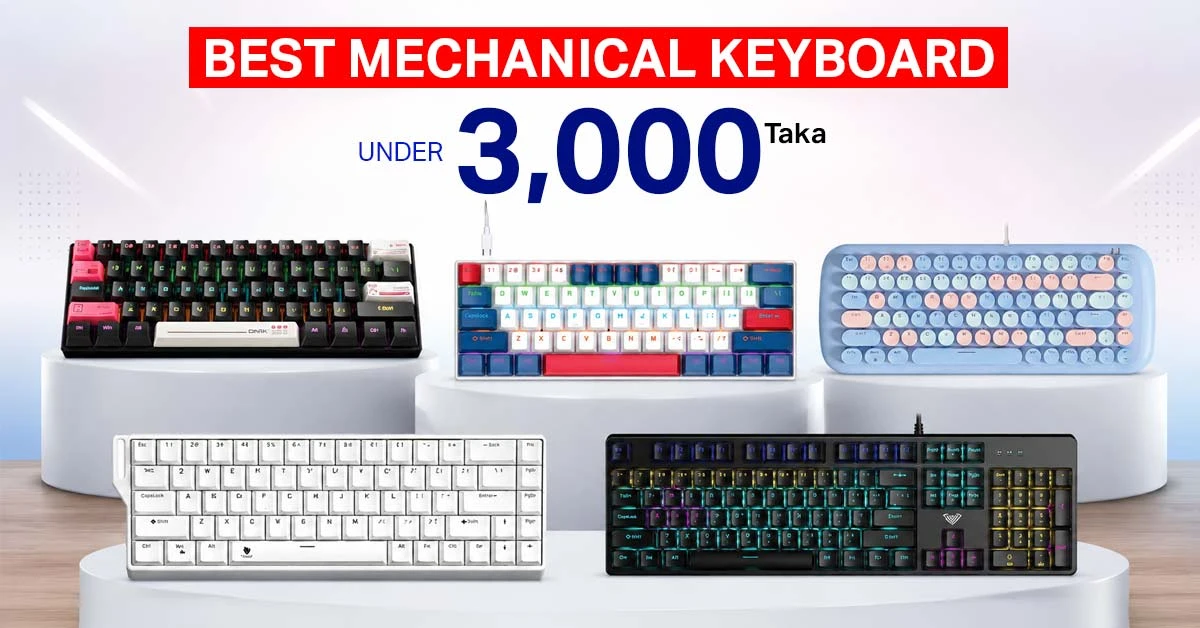
The best mechanical keyboard under 3000 Taka should give you real mechanical switches, a suitable layout, dependable wired or wireless connectivity, and useful lighting without pretending to offer premium-level refinement. Based on the available options shown at Ryans, strong choices start from Tk 1,750 and include compact wired boards, full-size keyboards, quieter Red or Brown switch options, and a tri-mode hot-swappable model.
For most buyers, the right choice depends less on RGB and more on four practical questions: Do you need a numpad? How much noise can you tolerate? Will the keyboard stay connected to one PC? Do you want to replace switches later? Answering these first prevents paying for features that do not improve everyday use.
Top 5 Mechanical Keyboards Under 3000 Taka: Comparison Table
The table compares the practical differences that affect buying decisions, not only the specifications printed on the product cards. Prices were taken from the supplied Ryans category screenshots on 29 August 2026 and may change with stock or promotional offers.
Note: Prices and availability may change depending on model and stock.
ONIKUMA G55 RGB Wired: Best Low-Cost Balanced Choice
ONIKUMA 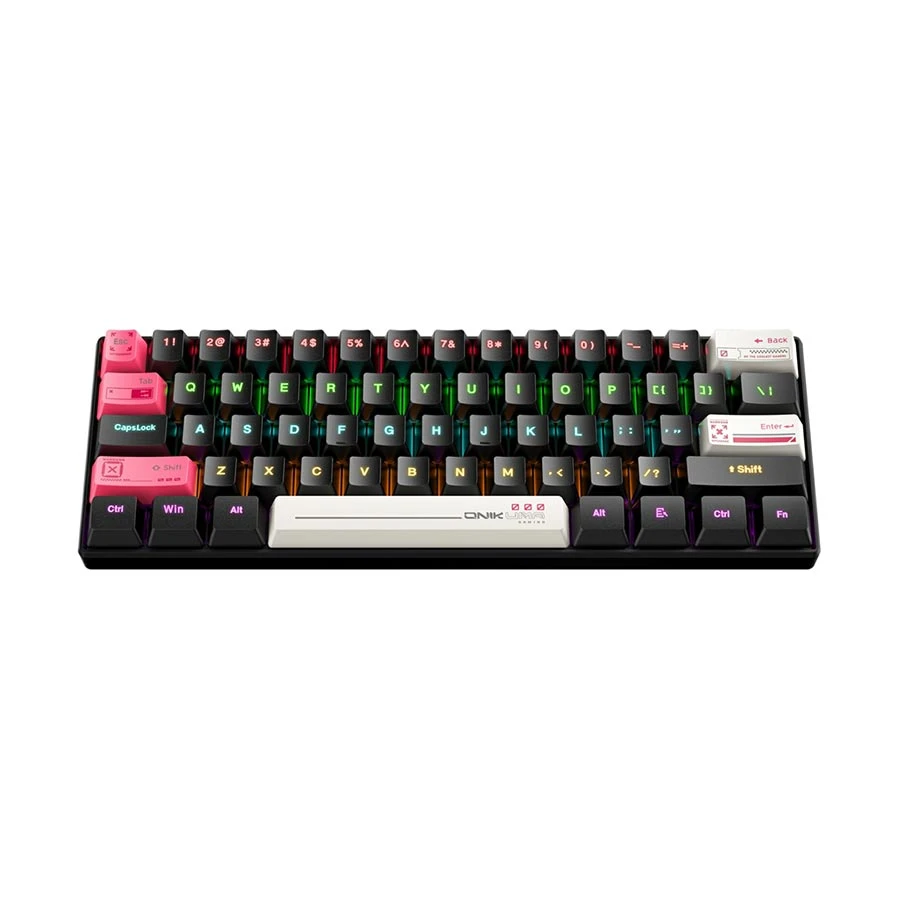
- Brown Switch
- 61-Key Layout
- RGB Lighting
- Wired USB
Compact 61-key mechanical gaming keyboard with tactile Brown switches, RGB lighting, ABS keycaps, wired USB connectivity, and a space-saving layout suitable for gaming and everyday typing.
Tk 1,750 Tk 1,900 Price may change
View Product
The ONIKUMA G55 is the least expensive option in this shortlist, but its Brown mechanical switch gives it a more balanced use case than a loud Blue-switch board. Brown switches are normally tactile without the separate click mechanism found in clicky switches. This makes the G55 suitable for students, home users, and budget gamers who type as much as they play.
Why it stands out
- The Brown switch is easier to recommend for mixed typing and gaming than a loud clicky switch in a shared room.
- Its compact-looking body can leave more room for mouse movement than a full-size keyboard.
- USB connectivity keeps setup simple and avoids battery or pairing problems.
- RGB lighting gives the expected gaming appearance without pushing the price beyond the entry level.
Important limitations
- The supplied listing does not state hot-swap support, so buyers should not assume the switches can be removed without soldering.
- A compact layout may omit or reposition keys that spreadsheet and office users regularly need.
- Brown switches from different manufacturers can feel different; the colour describes the general behaviour, not guaranteed quality.
Choose it if: you want the cheapest practical mechanical keyboard for mixed study, typing and casual gaming, and you prefer a less aggressive sound than Blue switches.
T-WOLF T60 RGB Wired: Best for Compact Gaming Setups
T-WOLF 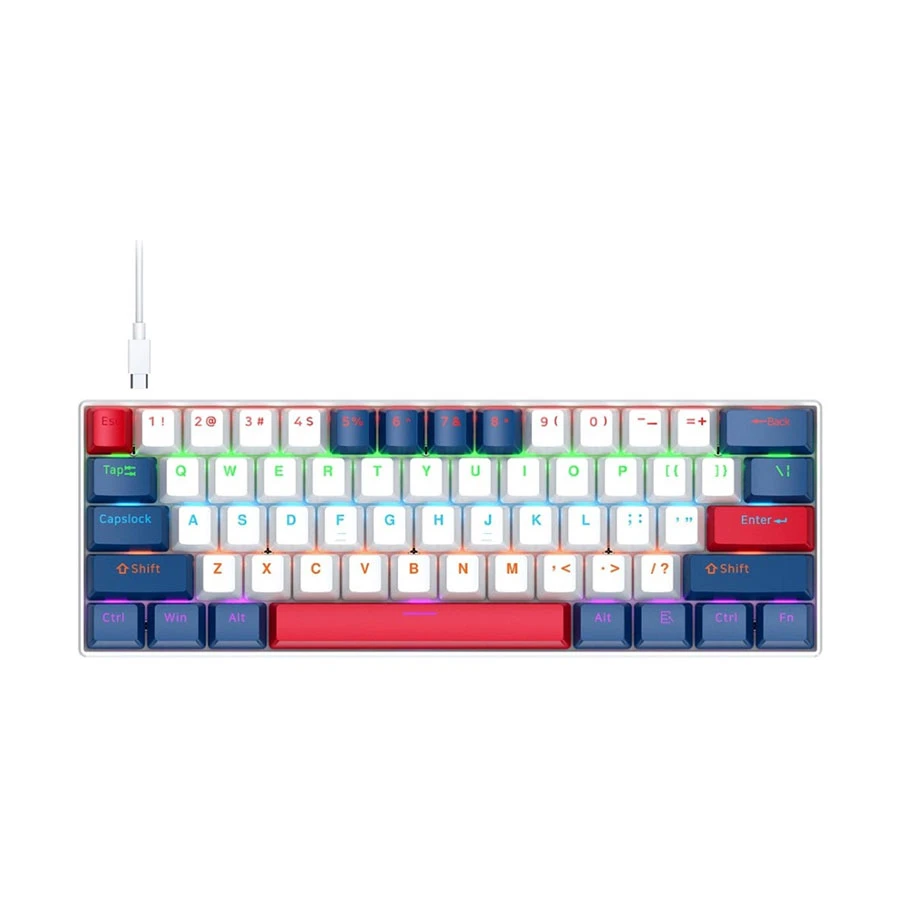
- Blue Switch
- 63-Key Layout
- RGB Lighting
- Wired USB
Compact 63-key mechanical gaming keyboard with clicky Blue switches, RGB lighting, multi-key anti-ghosting, ABS keycaps, and wired USB connectivity for responsive gaming and typing.
Tk 1,800 Tk 1,950 Price may change
View Product
The T-WOLF T60 is built around a compact 60%-style design and Blue switches. It is most useful when desk space matters or when a gamer wants more room for wide mouse movement. The wired USB connection also makes it straightforward for a desktop gaming setup where the keyboard rarely moves between devices.
Why it stands out
- The compact footprint is useful on small desks, dorm desks, and crowded computer tables.
- Blue switches provide a clear tactile response and audible click that some typists enjoy.
- The wired connection avoids charging and wireless interference concerns.
- Its Tk 1,800 price leaves room in a limited setup budget for a mouse, mouse pad, or headset.
Important limitations
- Blue switches are loud and can disturb roommates, family members, or nearby colleagues.
- Compact layouts depend more heavily on key combinations for functions available as dedicated keys on larger boards.
- It is not the strongest choice for frequent spreadsheet work, data entry, or users who need a numpad.
Choose it if: you have a small desk, mainly play games, and are comfortable learning function-layer shortcuts in exchange for more mouse space.
AULA S2022 Pro Wired: Best Full-Size All-Rounder
AULA 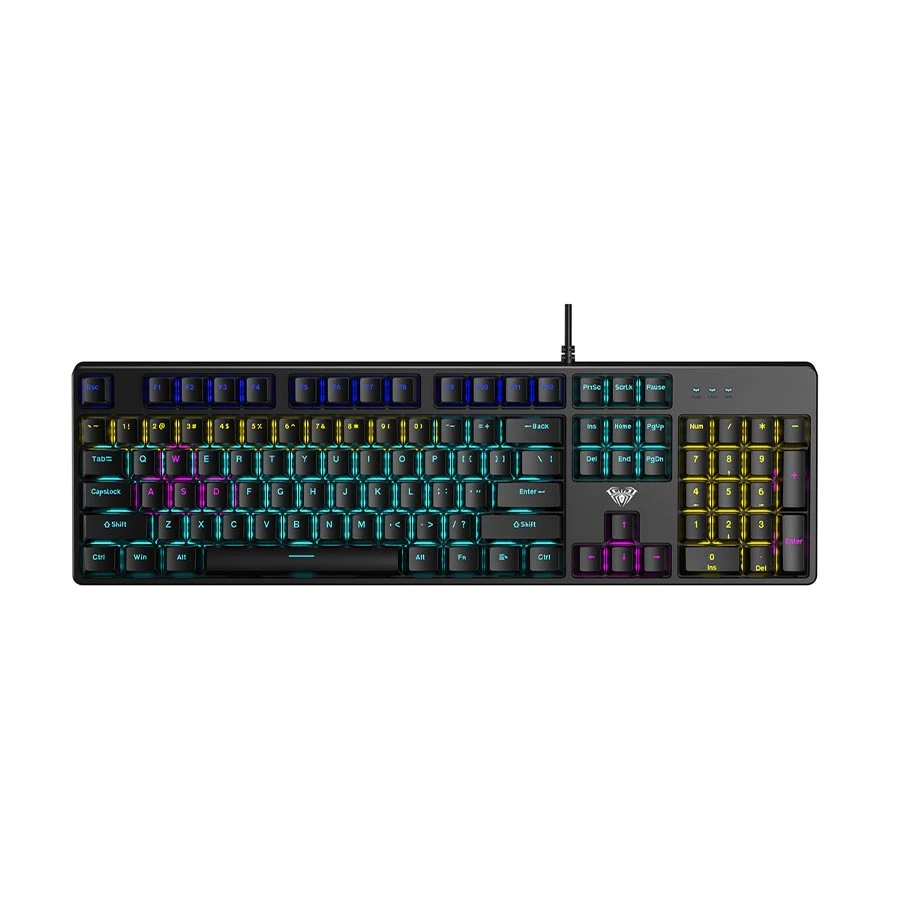
- Red Switch
- 104-Key Layout
- Multi-Color Lighting
- Wired USB
Full-size 104-key mechanical gaming keyboard with linear Red switches, multi-color backlighting, wired USB connectivity, and a 1.6-meter cable for gaming, typing, and everyday desktop use.
Tk 1,900 Tk 2,010 Price may change
View Product
The AULA S2022 Pro combines a familiar full-size layout with Red mechanical switches and wired USB connectivity. Red switches are linear, which means the key travels without a tactile bump or click mechanism. This behaviour is commonly preferred for repeated gaming inputs and is generally easier to use in shared spaces than a Blue-switch keyboard.
Why it stands out
- The full-size layout keeps the numpad, arrow cluster, function row, and navigation keys available without layers.
- Red switches suit buyers who want smooth key travel and less click noise.
- The layout works for gaming, assignments, office documents, calculations, and everyday home use.
- At Tk 1,900, it offers a versatile switch-and-layout combination without reaching the top of the budget.
Important limitations
- A full-size board takes more desk space and reduces the area available for low-sensitivity mouse movement.
- The wired design is intended mainly for one fixed setup rather than frequent device switching.
- Red switches reduce click noise but do not make a keyboard silent; keycap bottom-out and stabilizer sound remain.
Choose it if: you need a numpad or dedicated keys and want one affordable keyboard for both gaming and productive work.
MOFII Candy M Wired: Best for Typing and Distinctive Design
MOFII 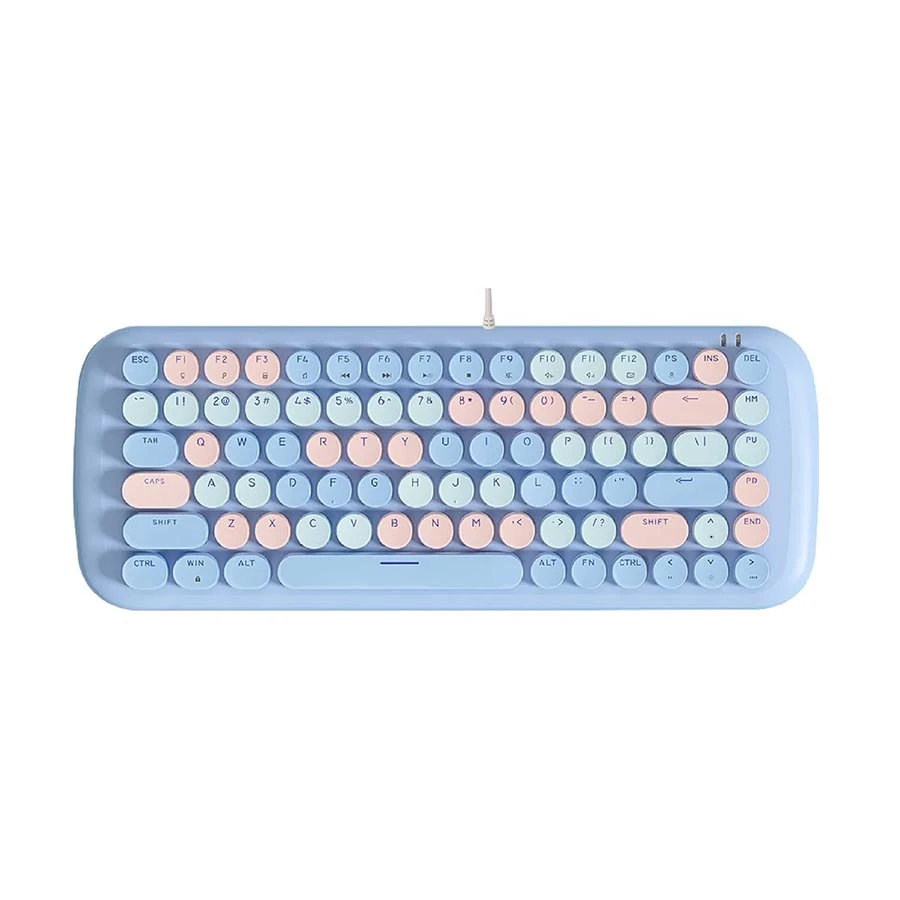
- Red Switch
- 84-Key Layout
- LED Lighting
- Wired USB
Compact 84-key mechanical gaming keyboard with smooth Red switches, LED illumination, 26-key anti-ghosting, multimedia shortcuts, and wired USB connectivity for gaming and everyday typing.
Tk 2,300 Tk 2,500 Price may change
View Product
The MOFII Candy M stands apart through its rounded keycaps and colourful retro-inspired appearance. It uses Red switches and a wired USB interface. This makes it more suitable for buyers who want an eye-catching desk setup while keeping the smoother, comparatively quieter behaviour of a linear switch.
Why it stands out
- The full-size arrangement is familiar for writing, study, office applications, and numeric entry.
- Red switches avoid the sharp click of Blue switches and can be more comfortable around other people.
- Its visual design suits buyers who care about a coordinated or less aggressive-looking desk setup.
- Wired USB operation keeps connection simple and consistent.
Important limitations
- The rounded keycap shape may feel different from standard gaming keycaps, especially during the first few days.
- Buyers focused only on gaming value may prefer a lower-priced model or the more feature-rich K68.
- The supplied product information does not state hot-swap support or advanced software control.
Choose it if: your priorities are comfortable everyday typing, a full keyboard layout, Red switches, and a distinctive design rather than the most aggressive gaming appearance.
T-WOLF 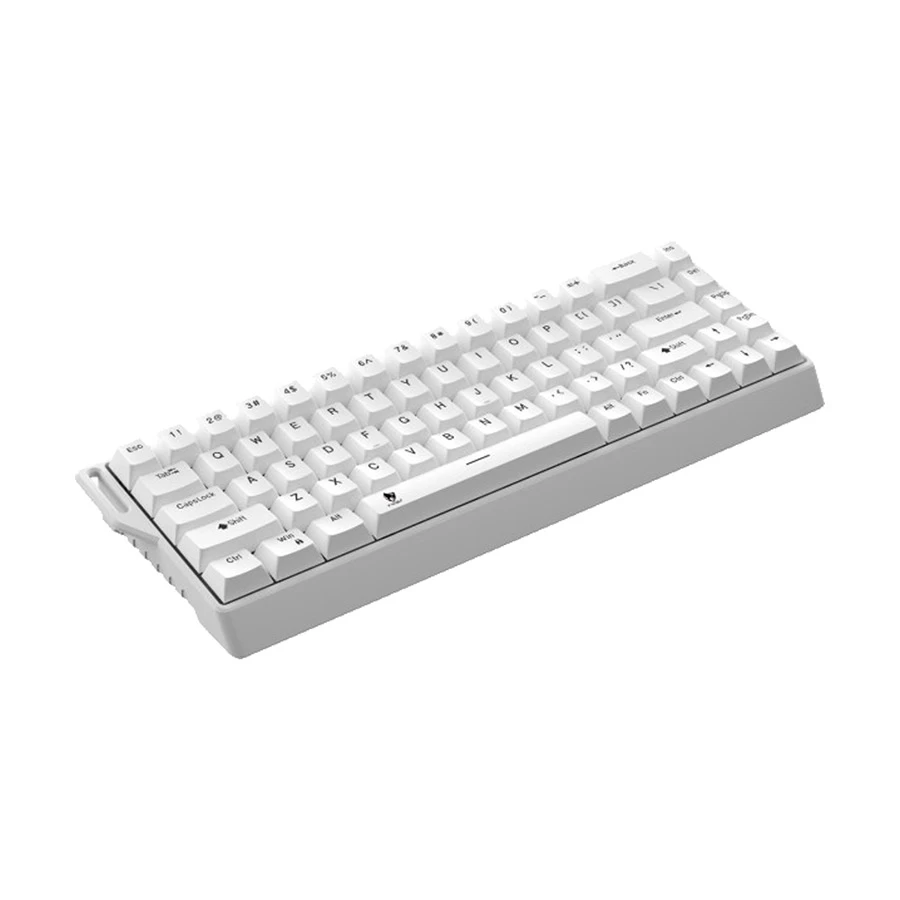
- Jerrzi White Switch
- 68-Key Layout
- Tri-Mode Connectivity
- Hot-Swappable
Compact 68-key mechanical gaming keyboard with Jerrzi White switches, RGB lighting, hot-swappable switches, a 4000mAh rechargeable battery, and Bluetooth, USB, and 2.4GHz USB dongle connectivity.
Tk 2,499 Tk 2,600 Price may change
View Product
The T-WOLF K68 is the strongest feature-focused option in this shortlist. Its product title states tri-mode connectivity and hot-swap support, while the supplied listing identifies Jerrzi White switches. It suits buyers who want a compact keyboard that can move between different devices and offers easier individual-switch replacement.
Why it stands out
- Tri-mode connectivity offers more flexibility than a wired-only keyboard for users with multiple devices.
- Hot-swap support can simplify replacing a faulty compatible switch or changing the typing feel later.
- The compact layout leaves more space for a mouse and is easier to carry than a full-size board.
- At Tk 2,499, it remains comfortably below the Tk 3,000 ceiling while offering features rarely found on basic wired models.
Important limitations
- The exact hot-swap socket and compatible switch pin type should be confirmed before buying replacement switches.
- The supplied listing should be checked for the precise tri-mode connection methods and included receiver.
- Jerrzi White is a named switch rather than a universal colour category, so its exact force, sound, and behaviour should be confirmed from the product specification.
- Compact boards are less convenient for users who require a numpad or many dedicated navigation keys.
Choose it if: you want wireless flexibility and hot-swap support and are willing to spend more than the basic wired models for those benefits.
How to Choose the Right Mechanical Keyboard Under 3000 Taka
1. Confirm It Uses Real Mechanical Switches
The most important check in this budget is whether the keyboard uses individual mechanical switches. Terms such as “mechanical feel,” “mechanical style,” or “gaming keyboard” do not confirm a mechanical design. Look for a stated switch type or model, such as Red, Blue, Brown, Jerrzi White, or another named mechanical switch. If the product page does not identify a switch, do not assume it is mechanical only because it has RGB lighting.
2. Choose the Right Switch Feel
Switch colour can help identify how a keyboard may feel, but it does not guarantee quality. The same switch colour can feel different across manufacturers.
Choose based on how and where you will use the keyboard. Red or Brown switches are generally safer for shared rooms and offices. Blue switches provide stronger feedback but may disturb people nearby.
No mechanical keyboard is completely silent. Even quieter switches produce sound when the keys are pressed firmly.
3. Select a Layout That Fits Your Work
Compact keyboards create more space for mouse movement, but they also remove or combine certain keys.
- Full-size: Best for accounting, spreadsheets, data entry and office work because it includes a numpad.
- TKL: Removes the numpad but keeps arrow keys, function keys and most navigation controls.
- 75%: Offers many TKL functions in a smaller and more tightly arranged body.
- 60% or compact: Provides maximum desk space, but some functions require key combinations.
Do not choose a compact layout only because it looks modern. If you regularly use a numpad, arrow keys or dedicated function keys, a larger layout will be more convenient.
4. Check Gaming Key Support
Anti-ghosting allows commonly used key combinations to register correctly during gaming. Key rollover indicates how many keys the keyboard can recognise at the same time.
A keyboard advertised as a gaming model does not automatically support every simultaneous key press. Check the exact anti-ghosting or rollover specification when available. This is particularly important for games that require movement, sprinting, crouching and other actions together.
6. Judge Build, Stabilizers, and Keycaps Realistically
Budget mechanical keyboards can provide the main mechanical-switch experience, but consistency is where premium boards usually pull ahead. Look for chassis rigidity, limited key wobble, stable larger keys, adjustable feet, readable legends, and clearly stated keycap material.
PBT keycaps generally resist surface shine better than ABS, while double-shot legends are less likely to fade. However, do not claim PBT, double-shot construction, a metal plate, or premium stabilizers unless the exact product specification confirms it.
7. Decide Whether Hot-Swap Is Worth Paying For
A hot-swappable keyboard lets you remove compatible switches without soldering. This is useful when one switch fails or when you want to try a different feel. It does not automatically mean that every mechanical switch will fit.
Three-pin and five-pin compatibility, optical versus mechanical designs, and socket restrictions can matter. The T-WOLF K68 is the hot-swap option in this shortlist, but buyers should still confirm compatible switch types before purchasing replacements.
8. Choose Wired or Tri-Mode Connectivity
A wired keyboard is usually the most practical choice for a desktop computer. It requires no charging, pairing or separate wireless receiver.
Tri-mode connectivity is more useful when you want to use one keyboard with several devices. Depending on the model, it may support wired USB, Bluetooth and 2.4GHz wireless connections.
Choose:
- Wired for a fixed desktop setup, gaming or the simplest connection.
- Tri-mode for switching between a desktop, laptop, tablet or other supported devices.
Wireless connectivity is not automatically better. If the keyboard will remain on one desk, a wired model may provide better value.
9. Check Battery, Charging, and Included Accessories
Battery considerations only apply to wireless models. Check the stated battery capacity, charging port, whether lighting changes the claimed runtime, and whether the keyboard works while charging.
Also confirm whether a wireless receiver and charging cable are included. Avoid publishing a runtime estimate when the manufacturer or product listing does not provide one, because RGB brightness, connection mode, and sleep settings can change real use significantly.
10. Treat RGB and Software as Secondary Features
RGB lighting can improve visibility and match a gaming setup, but it does not improve switch consistency, rollover, or build quality. Some budget keyboards provide fixed rainbow lighting rather than fully customisable RGB. Others rely only on onboard shortcuts and offer no desktop software.
Check whether the listing states lighting modes, brightness control, macro support, key remapping, or software compatibility. Never assume that an RGB keyboard has per-key control.
10. Confirm Compatibility and Warranty
Most wired USB keyboards work with Windows without additional setup. However, software features, shortcuts and key mapping may not work equally well on macOS, tablets or mobile devices.
Also check whether the keyboard has a fixed or detachable cable. A detachable cable is easier to replace and pack, while damage to a fixed cable may be harder to repair.
Finally, confirm the warranty period for the exact model. Do not assume that every keyboard from the same brand receives identical warranty coverage.
Frequently Asked Questions
Which keyboard under Tk 3,000 is suitable for a shared room?
A Red-switch option such as the AULA S2022 Pro or MOFII Candy M is generally safer than a Blue-switch model because it does not include the same deliberate click mechanism. The ONIKUMA G55 Brown switch is another balanced option. None should be described as silent.
Which option has a numpad for office work?
The AULA S2022 Pro and MOFII Candy M use full-size layouts with a numpad visible in the supplied product information. They are more practical for spreadsheets, billing, accounting, and frequent numeric entry than a compact board.
Which model is easiest to carry or use on a small desk?
The T-WOLF T60 is the most compact-focused recommendation in this list. Its smaller body provides more mouse room, but users must accept greater dependence on shortcut layers.
Can I use a mechanical keyboard under Tk 3,000 for gaming and regular typing?
Yes. Switch choice and layout matter more than the price label alone. Red or Brown switches are usually easier for mixed use, while Blue switches suit buyers who enjoy an audible click and do not need a quiet environment.
Is the T-WOLF K68 worth paying more for?
It is worth the higher price when you genuinely need tri-mode connectivity or hot-swap support. If the keyboard will remain connected to one desktop, a lower-priced wired model may offer better value.
Does hot-swap mean every switch will fit the keyboard?
No. The socket may support only particular switch designs or pin configurations. Confirm the compatible switch type before buying replacement switches.
Does RGB mean the keyboard supports software control?
No. Some affordable keyboards provide onboard lighting modes only. Check the exact specification for software, remapping, macros, and per-key lighting before making those claims.
Do mechanical keyboards under Tk 3,000 include an official warranty?
Official warranty depends on the specific brand, model, and seller listing. Check the warranty field on the exact product page before purchasing rather than assuming the same coverage applies to every keyboard.















Leave a comment