Calculator for Admission, SSC, and HSC: Choose the Right Type for Study & Exam Use
Admission preparation is often when students realize that knowing the formula is not enough. You also need to enter the calculation quickly, read the result correctly, and use the calculator without searching for every key. The right choice depends on your subject and exam rules, not only the number of functions printed on the package.
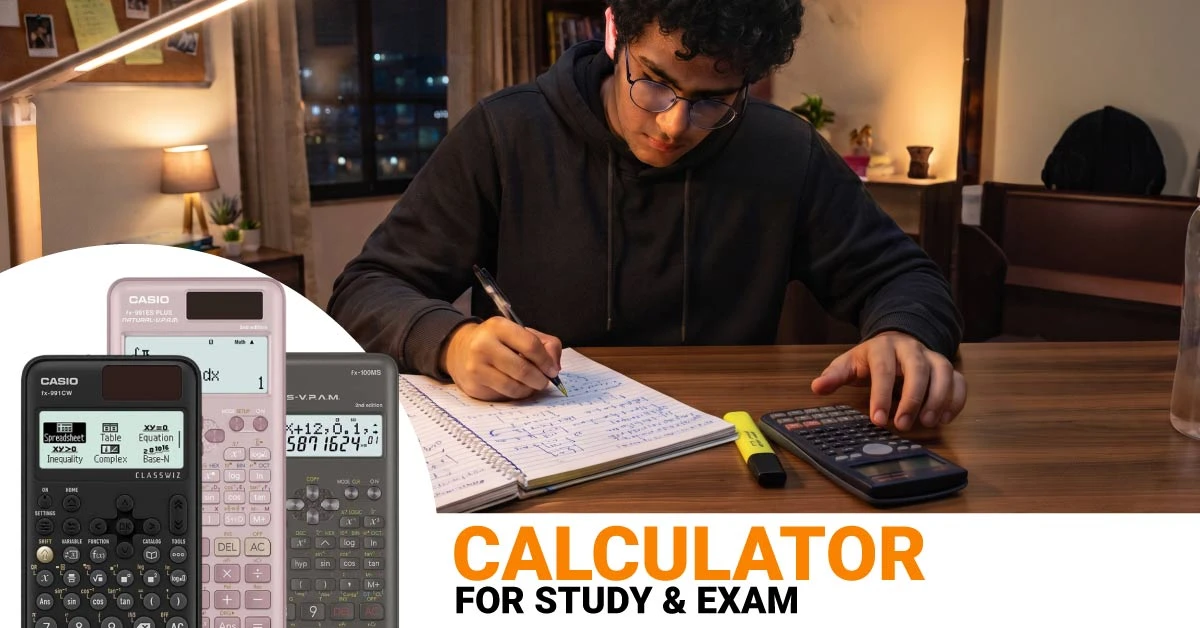
Before checking the calculator price in Bangladesh, decide whether you need a normal desktop calculator or a scientific calculator. More importantly, check whether your exam authority allows you to carry one.
Quick Answer: Normal or Scientific Calculator?
Normal Calculator for Basic Work
A normal calculator is enough for addition, subtraction, multiplication, division, percentage, profit-loss, totals, and routine accounting work. It suits commerce practice, shop calculations, office work, and students who do not need scientific formulas.
Scientific Calculator for Advanced Study
A scientific calculator is more useful for higher math, physics, chemistry, statistics, engineering preparation, and science-based admission practice. It handles functions such as square roots, powers, fractions, logarithms, trigonometry, equations, and statistical calculations.
For exam use, however, the calculator with the most functions is not automatically the best choice. The allowed type and model matter more.
Recent Board-Listed Scientific Calculators and Their Study Fit
The models below have appeared in recent Dhaka Education Board notices. This table explains their practical study fit; it does not mean every model is automatically permitted in every admission test. Always follow the latest circular or admit card instruction for your exact examination.
Calculator Model
Practical Study Fit
Why a Student Should Choose It
CASIO FX-82MS
Basic school science and mathematics
Simple layout for fractions, roots, logarithms, trigonometry, and introductory statistics.
Advanced study, university work, statistics, and technical subjects
Modern menu navigation and a wider function set, but you should practise the interface before relying on it under time pressure.
Why Admission Students Should Check the Rules First
Read the Admission Circular
Admission rules are not the same everywhere. Do not depend on a coaching-centre rumour or an old social media post. Read the latest circular published by the institution conducting your exam. Search specifically for instructions about calculators, electronic devices, programmable functions, and items allowed inside the hall.
The admit card or final exam notice may contain more specific instructions than the original circular. Check it again before exam day. When a model list is provided, match the complete model number printed on your calculator rather than relying only on its appearance.
Practise with the Same Layout
If calculators are permitted, practise with the same model or at least the same key layout you plan to carry. Switching from an MS-series layout to a newer menu-based calculator just before the exam can slow you down, even when the new model has more functions.
Calculator for Admission Preparation
Science Admission Practice
For science admission preparation, a scientific calculator for students can save time during home practice. It helps you check trigonometric values, logarithms, powers, roots, fractions, equations, statistics, and numerical physics or chemistry problems. The calculator should support the work you practise regularly, but familiarity matters just as much.
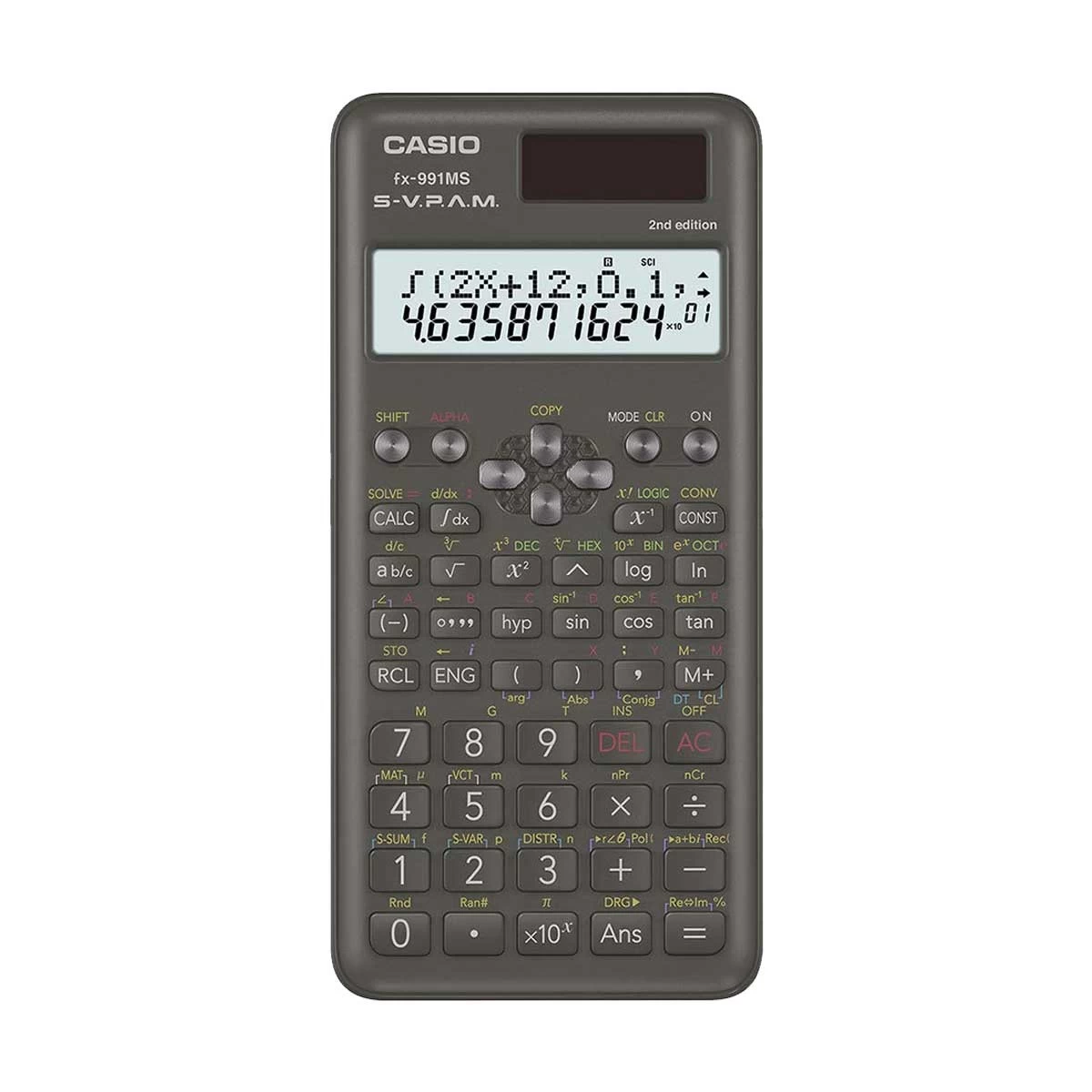
An advanced calculator will not help if you spend too long navigating its menu. Choose a layout you can operate without breaking your concentration. Familiar Study Option: CASIO FX-991MS-2 2nd Edition Scientific Calculator
Business admission practice often includes percentages, ratios, averages, profit-loss, interest, finance, and accounting-style calculations. A normal calculator may handle much of this work faster because it has larger keys and a simpler layout. If your preparation also includes statistics, powers, formulas, or more advanced mathematics, a scientific calculator may still be useful during practice.
Match the calculator with the actual question pattern rather than assuming every commerce student needs the same type. Basic Calculation Option: CASIO MJ-120D Desktop Calculator
Check Exam Permission Before Depending on It
You can use a calculator at home even when the admission test does not allow one inside the hall. That is useful for checking answers during practice, but do not become completely dependent on it. Keep practising mental arithmetic, estimation, fractions, and common values so you can continue confidently if your exam bans calculators.
Calculator for SSC Students
General Math and Commerce Practice
For basic arithmetic, percentages, averages, simple interest, profit-loss, and routine accounting work, a normal calculator can be enough. A clear display and comfortable keys may help more than hundreds of unused functions.
Science Group
Science students commonly work with roots, powers, logarithms, trigonometry, statistics, physics formulas, and chemistry calculations. A non-programmable scientific model makes daily practice easier and prepares you for more advanced HSC work.
The 2026 SSC notice issued by Dhaka Education Board named specific scientific models and also mentioned ordinary calculators. Students under other boards should still check their own board or school instruction before the exam.
Calculator for HSC Students
Science Group
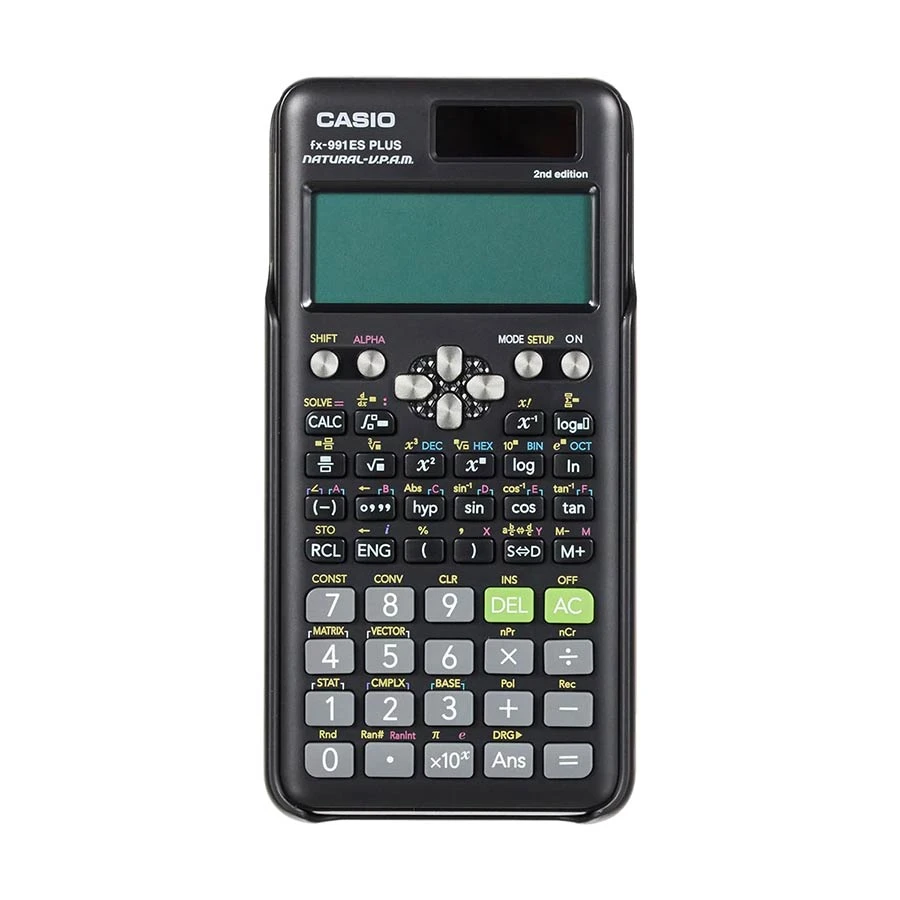
A scientific calculator is the practical choice for physics, chemistry, higher math, and statistics. At this level, the key layout should already feel familiar because exam time is not the right moment to learn where equation, fraction, mode, or statistical functions are located. Balanced Option: CASIO FX-991ES Plus 2nd Edition Scientific Calculator
Many accounting and finance calculations can be completed with a normal desktop calculator. Larger keys and check-and-correct functions may feel more practical for repeated figures. A scientific model becomes useful when your syllabus includes statistics, powers, formulas, or calculations that a basic model cannot handle comfortably.
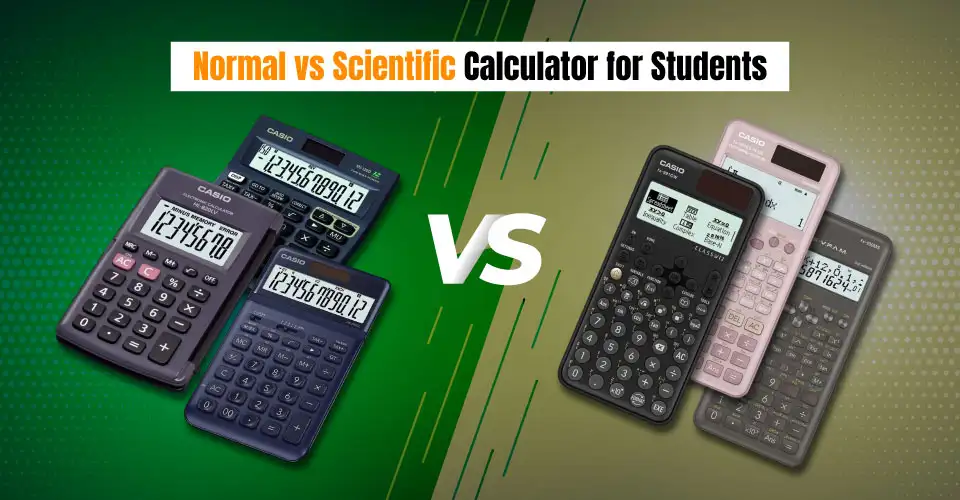
Normal Calculator vs Scientific Calculator
Choose a Normal Calculator When You Need
Basic arithmetic and percentages
Profit-loss, totals, bills, and accounting practice
Large, easy-to-press desk keys
Simple memory or check-and-correct functions
A calculator for regular office, shop, or commerce work
Choose a Scientific Calculator When You Need
Fractions, roots, powers, and logarithms
Sine, cosine, tangent, and other trigonometric functions
Physics, chemistry, higher math, and statistics
Equations, complex numbers, matrices, or vectors where supported
Science, engineering, technical study, or advanced admission practice
What to Check Before Choosing a Student Calculator
Non-Programmable Type
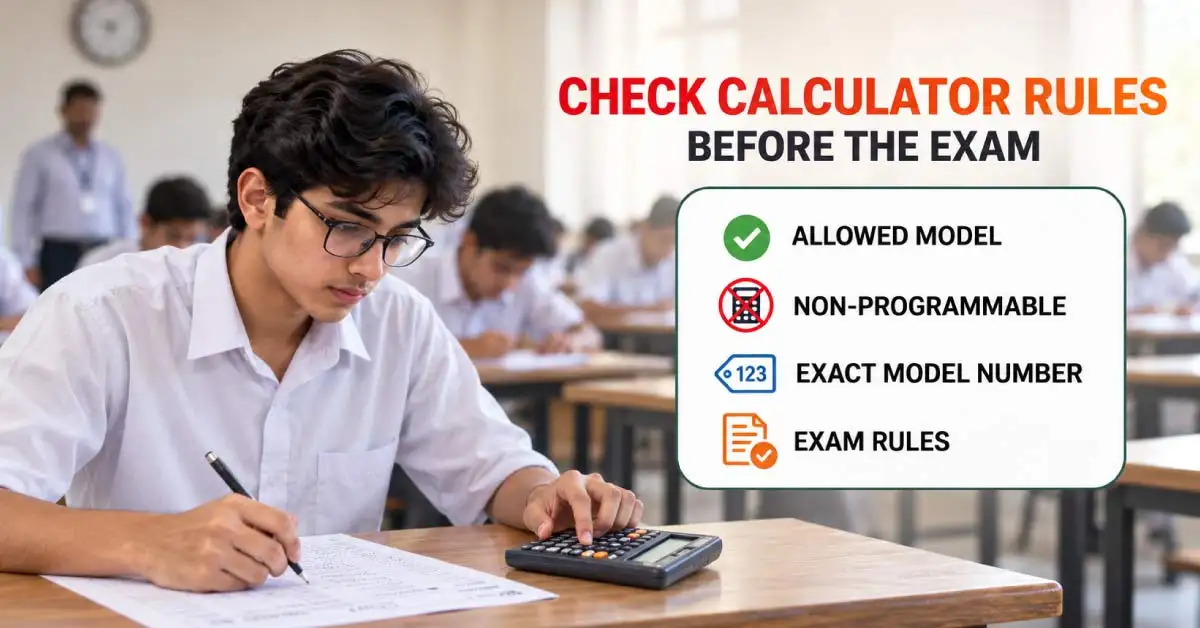
A non-programmable calculator cannot be used to write and store custom programs in the way a programmable calculator can. Public examination notices often focus on non-programmable models, but that description alone does not guarantee admission-test permission. Check the official notice for exact rule.
Exact Model Number
Similar calculators can have different model numbers, editions, and layouts. Match the complete model printed on the front or back of the calculator with the official list when an exam authority provides one.
Display and Key Layout
A textbook-style display can make fractions and roots easier to read. A traditional two-line display may feel faster if you have used it for years. The better layout is the one you can operate accurately under time pressure.
Battery and Build Quality
Your calculator should remain dependable through school, coaching, mock tests, and exams. Check the power source, key response, protective cover, warranty, and whether replacement batteries are easy to find.
Common Calculator Mistakes Students Make
Buying only by function count: Extra functions do not help if you cannot find them quickly during practice.
Changing the model before an exam: A new layout can slow down calculations and increase input mistakes.
Ignoring the exact model number: Similar-looking calculators may belong to different editions or model series.
Depending on the calculator for every step: Keep practising mental calculation, estimation, fractions, and common mathematical values.
Assuming non-programmable means automatically allowed: The exam authority’s latest instruction remains the final rule.
Match the Calculator with Your Subject and Exam Rule
Do not choose only by price, model popularity, or function count. Start with the calculations you actually perform. A normal calculator may be enough for accounting, percentages, and routine business work. A scientific model is more suitable for physics, chemistry, higher math, statistics, and technical study. For admission tests, your latest circular and admit card instruction come before every product recommendation.
After confirming the rule, compare the available normal and scientific calculator options at Ryans and choose a model you can use quickly and confidently.
Calculator Problems That Can Give You the Wrong Answer
Wrong Angle Mode
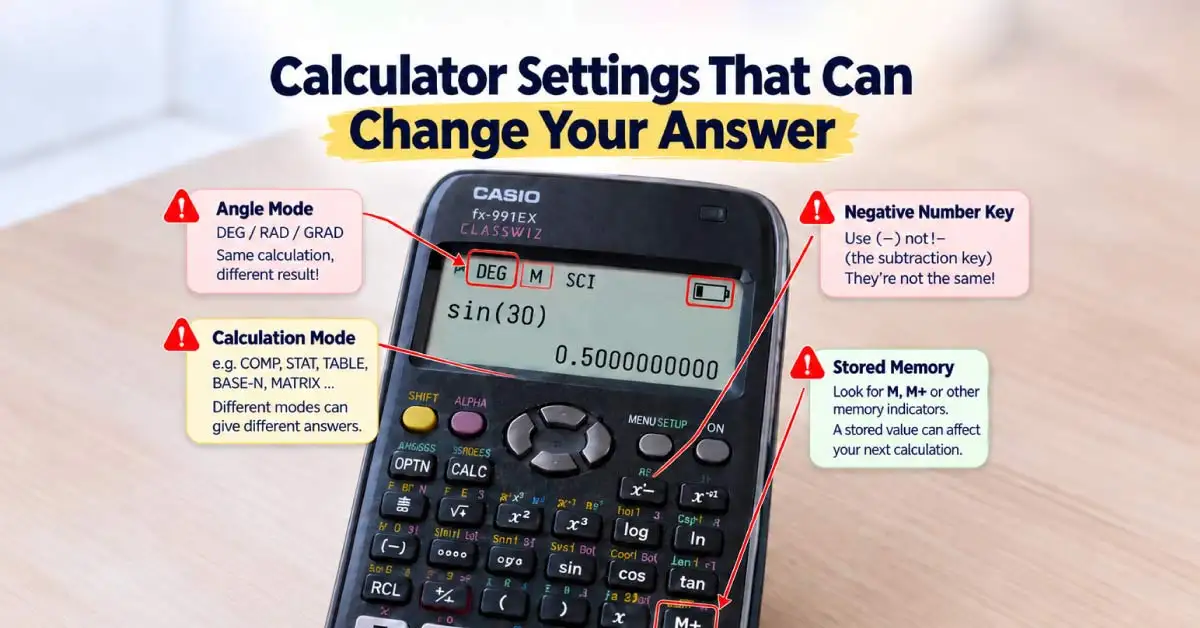
Trigonometry answers change depending on whether the calculator is set to DEG, RAD, or GRAD mode. For most school and admission problems in Bangladesh, questions commonly use degrees unless stated otherwise. Check the mode indicator before solving sine, cosine, or tangent problems.
Calculator Left in the Wrong Function Mode
A calculator may remain in statistics, equation, table, complex, or another mode after previous practice. This can change how keys behave or how results appear. Return to the normal calculation mode before starting a new problem set or mock test.
Old Values Stored in Memory
Values saved under M, A, B, or other memory variables can affect later calculations without you noticing. Clear stored memory before an important practice session or exam, especially if you regularly use variable and equation functions.
Entering Negative Numbers Incorrectly
Many scientific calculators use separate keys for subtraction and negative numbers. Using the wrong key can create a syntax error or an incorrect result in powers, equations, and bracket calculations. Practise entering negative values correctly on your own model.
Weak Battery or Fading Display
Do not wait until exam day to discover that the display is fading or some keys need extra pressure. Check the calculator several days earlier, replace the battery when necessary, and keep the protective cover so the keys do not get pressed inside your bag.
Resetting the Calculator Without Knowing the Effect
A full reset can clear saved values and return calculation settings to default. Learn how to check and change modes manually instead of resetting the calculator every time something looks unfamiliar.















Leave a comment