Does a Laptop Have a CMOS Battery? Signs of Failure and Fixes
Various users of laptops observe unusual issues with time. The system clock is shutdown and then it restarts. BIOS settings do not save. Startup messages keep reoccurring. All these questions bring to one question, does a laptop have a CMOS battery? Whereas CMOS batteries are visible in desktop computers, laptops conceal this element or apply an alternative design. Yes, most laptops have CMOS power but the manner in which it is utilized would depend on the design and age of the laptop. Learning about the operation of CMOS batteries in laptops assists the user to diagnose appropriately. It also avoids unneeded repairs or misunderstanding when the simple system settings just keep on reconfiguration.
What Is a CMOS Battery?
CMOS battery is a small battery which supplies a memory chip on the motherboard. The chip contains vital system data. The data stored includes system date, time, hardware configuration details and BIOS or UEFI settings. These settings determine the startup and behavior of hardware components of the laptop. CMOS memory requires power voltage. It should remain in working condition even when the laptop is switched off or unplugged. This power is given by the CMOS battery. In its absence, the system loses the settings as it fully switches off.
Does a Laptop Have a CMOS Battery?
Yes, most laptops have a CMOS battery that keeps the system clock and BIOS settings saved when the laptop is off. The CMOS power source is present in most laptops, although it does not always appear. The Laptop manufacturers make gadgets that are small and lightweight. Due to this reason, CMOS battery is typically smaller than the one employed in desktop computers. It is usually wrapped in plastic and linked using a short cable. Most current laptops do not have a dedicated CMOS battery. The CMOS memory is instead powered out of the main laptop battery or by an internal capacitor. The CMOS settings are saved as long as there is some charge in the main battery. Only when the main battery is exhausted or when it is pulled off a long time, problems are observed.
Traditional CMOS Batteries in Laptops
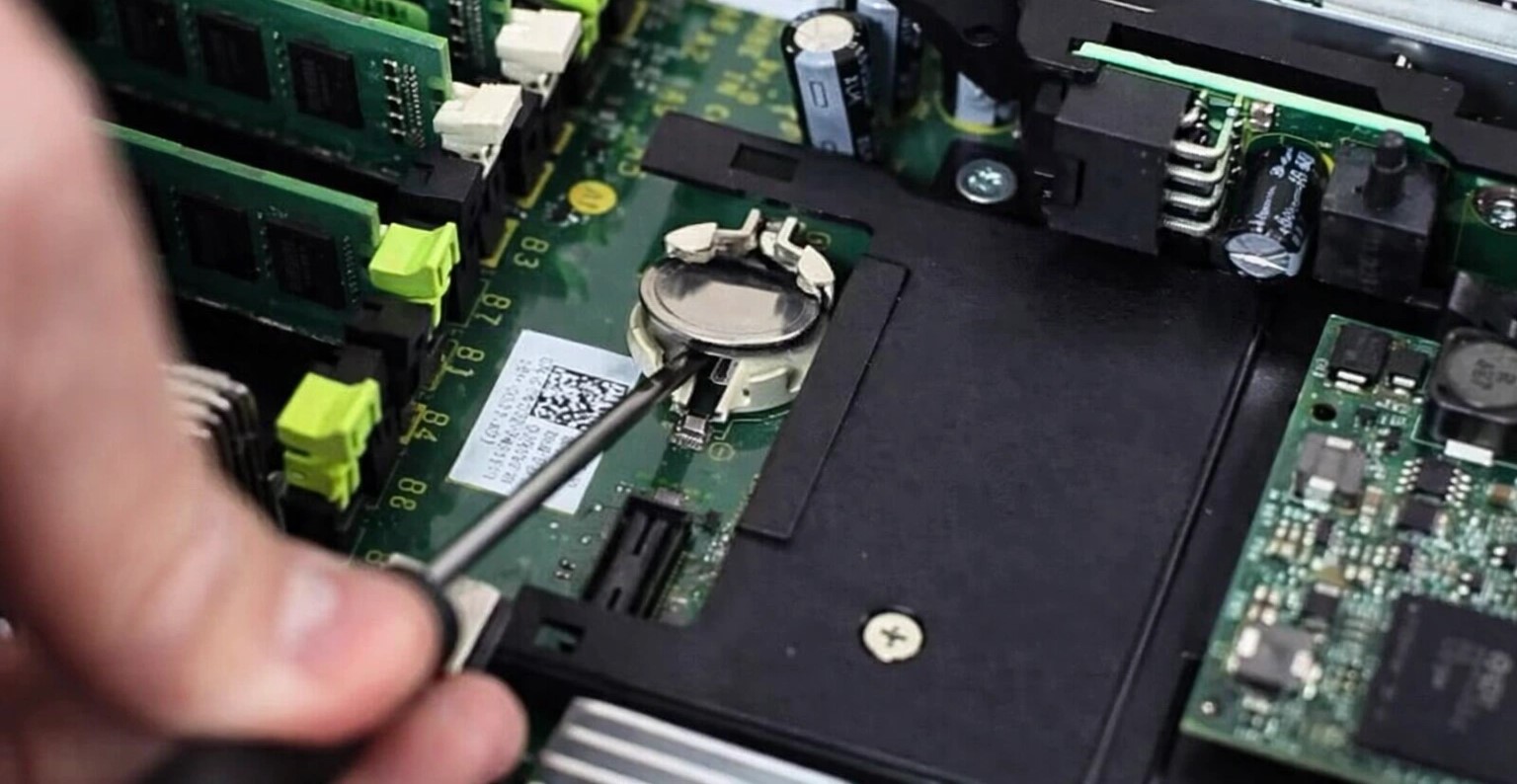
Elderly and mid-range laptops tend to have a special CMOS battery. This battery operates alone, not connected to the main battery. Even with a dead battery or removed battery, it retains system settings. Such batteries are mostly lithium based. They are small and flat. They are fitted into the laptop and attached to motherboard . Their operation closely resembles desktop CMOS batteries, but they are significantly harder to access.
CMOS Power in Modern Laptops
A large number of more recent laptops operate in a different manner. Lightweight and thin models tend to skip the separate CMOS battery. CMOS memory is powered by the main battery. There are also premium laptops with small capacitors as opposed to a battery. The design minimizes internal elements. It is also space saving and enhancing reliability. Nonetheless, it implies that CMOS settings can be lost in case the main battery fails completely. This normally happens with laptops that are not used frequently.
Why Laptops Use Different CMOS Designs
Laptops have little internal capacity. Each and every part has to be small and efficient. The elimination of a discrete CMOS battery assists in size and weight minimization by the manufacturer. It reduces production expenses also. The current power management systems are more sophisticated. They enable CMOS memory to share the power with other components. That is why the users do not even consider CMOS batteries until something goes wrong.
Where Is the CMOS Battery Located in a Laptop?
Where a laptop has an inbuilt CMOS battery, it is always found inside the chassis. The usual places are under the keyboard, under the bottom cover or around the mother board. It is never accessible externally. The CMOS battery can frequently be accessed only through partial disassembly. Screws must be removed. Cables can be required to be disconnected. Due to this reason, some manufacturers do not suggest user replacement without any technical information.
What Happens When a Laptop CMOS Battery Fails?
A broken CMOS battery leads to minor, yet irritating problems. The system date and time after shut down resetting is the most frequent problem. On the BIOS settings, they might be set back to default. There can be warning messages appearing on the startup of the laptop. The order of the boots varies in certain instances. The laptop might have a delay in booting. Hardware settings are not always loaded correctly. These issues tend to be repeated until the CMOS power problem is resolved.
Common Signs of CMOS Battery Problems
Certain symptoms strongly suggest a CMOS issue. These signs often appear together:
Date and time reset after every shutdown
BIOS or UEFI settings do not save
Startup messages mention CMOS or checksum errors
Boot configuration resets repeatedly
These issues are more common in older laptops or devices stored without power.
Can a Laptop Work Without a CMOS Battery?
CMOS power may be absent and a laptop can still boot up. The operating system is capable of loading normally. Nevertheless, the system can be forgotten in settings each time it fully goes off. This turns out to be exasperating in the long run. In the laptops that have the main battery as the power source to CMOS, the issues might vanish after the battery is recharged. In the dead CMOS battery models, the problem persists until replacement.
Can You Replace a Laptop CMOS Battery?
A large number of laptop CMOS batteries are replaceable. The challenge will be model dependent. There are those laptops that can be easily accessed when the bottom cover has been removed. Others are in need of radical de-assembly. Professional service is usually the most secure. This prevents internal parts being damaged. It safeguards warranty cover as well.
CMOS Power Type
Common Devices
Replacement Difficulty
Wired lithium CMOS battery
Older laptops
Medium
Compact lithium cell
Slim laptops
Hard
Main battery powered CMOS
Modern ultrabooks
Not needed
Capacitor-based CMOS
Premium models
Not replaceable
How Long Does a Laptop CMOS Battery Last?
A laptop CMOS battery usually lasts three to five years. Some last longer under good conditions. Frequent use and regular charging can help extend its life.
Laptops left unused for months tend to drain CMOS power faster. This is why stored laptops often show time and BIOS errors when powered on again.
Do Modern Laptops Still Use CMOS Memory?
Yes, modern laptops still use CMOS memory. BIOS and system settings must be stored somewhere. What has changed is how this memory gets power.
Even without a visible CMOS battery, the function still exists. It is simply integrated into newer power systems.
FAQs
1. Are all laptops equipped with CMOS battery?
The majority of laptops are CMOS powered, although not all of them contain a separate battery.
2. Is a dead CMOS battery able to prevent a laptop from booting?
Typically no, but may lead to multiple problems when starting up.
3. Can a CMOS battery be changed at home?
It depends on the laptop. There are models which are risky and not experience based.
4. Will file deletion occur with CMOS battery replacement?
No, no personal data has been accessed.
5. What should I do to verify the CMOS design of my laptop?
Visit the service manual or support site of the manufacturer.
Final Thoughts
Therefore, does a laptop have a CMOS battery? In most cases, yes. Older laptops tend to have an independent battery. Most of the new laptops incorporate integrated power. The role is significant in any system. The knowledge of the CMOS power can make users familiar with the problems in startup. It is also useful in assisting them to select the appropriate repair solution. Even such minor elements can contribute to the stability of the systems.
















Leave a comment