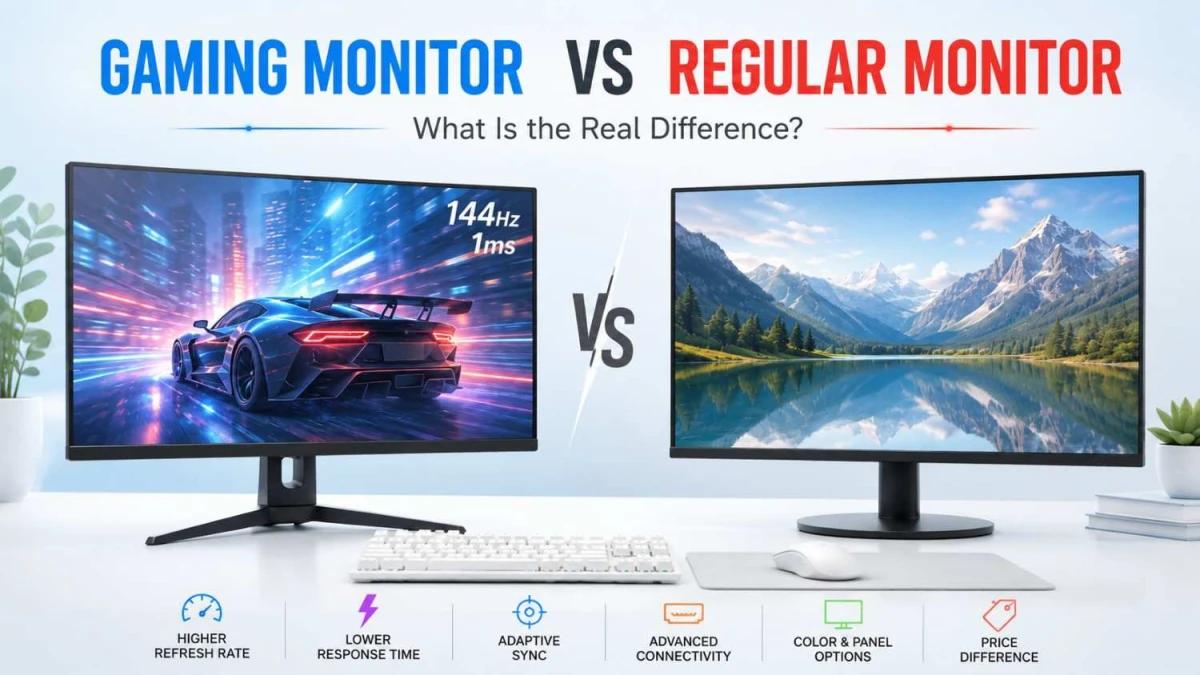
When buying a monitor in Bangladesh, many users get confused between a regular monitor and a gaming monitor. Both look similar, but they are built for different priorities. A regular monitor is made for everyday work, study, browsing, online classes, and media watching. A gaming monitor is designed for smoother motion, faster response, and better control during gameplay.
In this guide, we will explain the real difference between gaming monitors and regular monitors, so you can choose the right option from Ryans based on your use, budget, and PC setup.
What Is a Regular Monitor?
A regular monitor is a display made for everyday computer use. It works well for office work, online classes, browsing, document editing, spreadsheets, video calls, and general home or business tasks.
Most regular monitors focus on clear visuals, comfortable viewing, practical screen size, useful ports, and reasonable pricing. For many users in Bangladesh, a 22 inch to 24 inch Full HD monitor is enough for daily work and entertainment.
A regular monitor is a smart choice when you need a dependable screen for long hours but do not require advanced gaming features.
What Is a Gaming Monitor?
A gaming monitor is built to make games feel smoother, quicker, and more responsive. It usually offers a higher refresh rate, lower response time, better motion handling, and gaming-focused display settings.
These features are useful in games where movement is fast and reaction time matters. For example, Valorant, CS2, PUBG, Fortnite, Apex Legends, racing games, and action titles can feel much better on a gaming monitor.
A gaming monitor is a better option if you play regularly, use a gaming PC or gaming laptop, or want a screen that can handle fast visuals more smoothly than a standard office monitor.
Gaming Monitor vs Regular Monitor: Main Differences
The real difference is not only in design or price. It is in how the monitor handles motion, response, and visual performance.
A regular monitor is mainly built for stable daily viewing. It is enough when you are working with documents, websites, videos, spreadsheets, or online meetings.
A gaming monitor focuses more on speed and screen performance. It can refresh the image faster, respond to movement more quickly, and reduce visual problems like tearing, blur, and ghosting.
Here are the main features that separate gaming monitors from regular monitors:
- Refresh rate
- Response time
- Input lag
- Adaptive Sync support
- Panel type
- HDMI, DisplayPort, and USB-C support
- Gaming modes and display settings
So, the better question is not only “Which monitor is better?” The better question is: what do you need the monitor for most?
Refresh Rate
Refresh rate means how many times the monitor updates the image in one second. It is measured in Hertz, or Hz.
A regular monitor may come with 60Hz, 75Hz, or 100Hz refresh rate. These are fine for daily work, browsing, online classes, YouTube, and general home use.
A gaming monitor usually offers a higher refresh rate such as 144Hz, 165Hz, 180Hz, 200Hz, 240Hz, or more. This makes fast movement look smoother and easier to follow.
For gaming, refresh rate matters because the screen needs to keep up with quick movement. When you turn, aim, race, or move through a fast scene, a higher refresh rate can make the action feel cleaner.
For most gamers in Bangladesh, 144Hz is a strong starting point. Higher refresh rates are useful for competitive players, but your PC or gaming laptop also needs to produce enough FPS to take full advantage of them.
Response Time
Response time tells you how quickly a monitor’s pixels can change from one color to another. It is usually shown as 1ms, 0.5ms, or GTG response time.
For regular use, response time is not a major concern. Office work, browsing, video watching, and online classes do not need ultra-fast pixel response.
For gaming, it matters more because fast scenes can show motion blur or ghosting if the monitor is slow.
A lower response time can help reduce:
- Motion blur
- Ghosting
- Smearing in dark scenes
- Unclear movement during quick turns
However, buyers should not choose a monitor only because it says “1ms” on the box. Panel quality, refresh rate, overdrive tuning, and real motion performance also matter.
For most gamers, a monitor with a good refresh rate and clean motion handling is more useful than focusing only on the response time number.
Input Lag and Responsiveness
Input lag is the delay between your action and what you see on the screen.
For example, when you move your mouse, press a key, or use a controller, the monitor should show that action as quickly as possible.
This matters in games where timing is important, such as:
- Shooting games
- Racing games
- Fighting games
- Battle royale games
- Fast action games
A regular monitor can handle everyday work without issue, but it may not feel as instant during fast gameplay.
A gaming monitor is usually tuned for a quicker feel. This helps aiming, movement, and reaction feel more connected to what is happening on screen.
For casual users, the difference may feel small. For regular gamers, it can make the experience feel sharper and more controlled.
Adaptive Sync Support
Screen tearing happens when your monitor and graphics card are not fully matched. You may see broken or uneven lines during fast movement.
Adaptive Sync helps reduce this problem by matching the monitor’s refresh behavior with the graphics card output.
Common names include:
- AMD FreeSync
- NVIDIA G-SYNC Compatible
- Adaptive Sync
- Variable Refresh Rate, or VRR
This feature is useful when your game FPS changes during gameplay. Instead of showing uneven motion, the monitor adjusts better with the system.
Adaptive Sync is helpful for:
- Open-world games
- Racing games
- Shooting games
- Action games
- Games with changing frame rates
For office work, this feature is not very important. For gaming, it can make motion feel smoother and more stable.
Before buying, check whether the monitor supports Adaptive Sync and whether your graphics card, gaming laptop, or console can use it properly.
Panel Type
Panel type affects color, contrast, viewing angle, black level, and motion performance. This is important for both regular monitors and gaming monitors.
IPS Panel
IPS is a safe choice for most users. It offers good color quality and wide viewing angles. It works well for office work, study, gaming, editing, browsing, and daily use.
An IPS gaming monitor is a practical option if you want both smooth gameplay and better color.
VA Panel
VA panels are known for stronger contrast and deeper black levels. They are often found in curved monitors and larger displays.
VA is good for movies, story-based games, racing games, open-world titles, and immersive setups. However, some VA monitors may show more smearing in dark scenes, so motion performance should be checked before buying.
TN Panel
TN panels are mostly focused on speed. They were once very popular for esports monitors.
Today, TN is more of a niche choice. It can still be useful for competitive players who only care about fast response, but color quality and viewing angles are usually weaker than IPS or VA.
OLED Panel
OLED is a premium display technology with excellent contrast, deep black levels, and very fast pixel response. It is great for high-end gaming, HDR content, and media watching.
However, OLED monitors are usually more expensive. Buyers should also check warranty, burn-in protection, and long-term usage habits before choosing one.
For most buyers in Bangladesh, IPS is the safest all-round option. VA is better for contrast and curved displays. OLED is for premium users, while TN is mostly for esports-focused buyers.
Ports and Console Support
Ports decide what devices you can connect to your monitor.
For a regular monitor, one HDMI port is often enough for a desktop PC, laptop, or basic office setup. Some older models may also include VGA, but HDMI is more practical for modern devices.
For gaming, ports are more important because resolution and refresh rate support can depend on the connection type.
Common monitor ports include:
- HDMI for PC, laptop, PlayStation, Xbox, and media devices
- DisplayPort for high refresh rate PC gaming
- USB-C for supported laptops and cleaner desk setups
- Audio out for speakers or headphones
- USB hub for accessories and workspace convenience
Console users should check the monitor carefully before buying. Some monitors support high refresh rate through DisplayPort but may have limits through HDMI.
For Bangladesh buyers, this is important because many users connect one monitor with multiple devices, such as a desktop PC, gaming laptop, office laptop, and console.
A monitor with the right ports gives more flexibility for long-term use.
Is a Gaming Monitor Only for Gamers?
No. A gaming monitor can also be useful outside gaming.
The smoother screen can feel better when you are:
- Scrolling through long webpages
- Editing videos
- Watching fast action content
- Switching between windows
- Using a powerful PC or laptop
- Working with motion-heavy visuals
However, not everyone needs a gaming monitor.
If your main tasks are typing, browsing, attending online classes, watching YouTube, or using office software, a regular monitor can still do the job well.
A gaming monitor becomes more valuable when you want a smoother and more responsive screen for both games and daily use.
When Should You Buy a Regular Monitor?
A regular monitor is the better choice when your main need is simple, reliable screen use.
Choose a regular monitor if you mostly do:
- Office work
- Online classes
- Web browsing
- Document editing
- Spreadsheet work
- Video watching
- Basic freelancing tasks
- Home or business use
For these tasks, you do not need a very high refresh rate or advanced gaming features. A good Full HD monitor with comfortable viewing, useful ports, and Eye Care features can be enough.
For many users in Bangladesh, a 24 inch monitor offers a good balance of price, size, and daily usability.
It is also a smart option if your budget is limited and you want a dependable display for long-term work or study.
When Should You Buy a Gaming Monitor?
A gaming monitor is worth buying when your screen needs to keep up with fast gameplay.
Choose a gaming monitor if you:
- Play games regularly
- Use a gaming PC or gaming laptop
- Want smoother movement on screen
- Play competitive or action-based games
- Need better response during quick scenes
- Want FreeSync, G-SYNC Compatible, or Adaptive Sync support
- Plan to use the monitor for both gaming and entertainment
It is also a good choice if your PC can produce high FPS. For example, if your system can run games above 100 FPS, a higher refresh rate monitor can display that smoother performance properly.
For most gamers in Bangladesh, a 144Hz or higher gaming monitor is a practical starting point. If you play esports titles seriously, you can compare 180Hz, 200Hz, or 240Hz options based on your budget and PC performance.
Is 144Hz Enough for Gaming?
Yes, 144Hz is enough for most gamers.
It gives a clear upgrade over a standard 60Hz monitor and makes gameplay feel noticeably smoother. For many players, 144Hz is the best starting point because it balances performance, price, and availability.
A 144Hz monitor is suitable for:
- Valorant
- CS2
- PUBG
- Fortnite
- Apex Legends
- Racing games
- Action games
- Casual and regular gaming
Higher refresh rates like 180Hz, 200Hz, or 240Hz are useful for competitive players who want faster motion and better responsiveness. But these monitors make the most sense when your gaming PC or laptop can produce high FPS.
For most Bangladesh buyers, 144Hz is a practical choice because it is smoother than a regular 60Hz monitor but still more budget-friendly than many high-end esports displays.
Does a Gaming Monitor Improve FPS?
No, a gaming monitor does not increase FPS.
FPS mainly depends on your:
- Processor
- Graphics card
- RAM
- Game settings
- Cooling performance
- Overall PC or laptop configuration
A gaming monitor only displays the frames that your system can produce.
For example, if your PC can run a game at 120 FPS or 144 FPS, a 144Hz monitor can show that smoother motion better than a 60Hz monitor.
But if your PC only produces 50 to 60 FPS, buying a high refresh rate monitor will not make the game run faster.
Before buying a gaming monitor, check two things:
- Can your PC or laptop produce high FPS?
- Can the monitor display that FPS properly?
This helps you avoid spending extra on a monitor that your system cannot fully use.
Gaming Monitor vs Regular Monitor for Bangladesh Buyers
For buyers in Bangladesh, the right monitor depends on three things: usage, budget, and device performance.
A regular monitor is usually better when you need an affordable display for work, study, browsing, online classes, freelancing, or business use. It gives you the essentials without adding gaming-focused cost.
A gaming monitor makes more sense when you already have a gaming PC, gaming laptop, or console and want a smoother experience.
Before choosing, ask yourself:
- What will I use the monitor for most?
- Does my PC or laptop support high FPS?
- Do I need 144Hz or higher refresh rate?
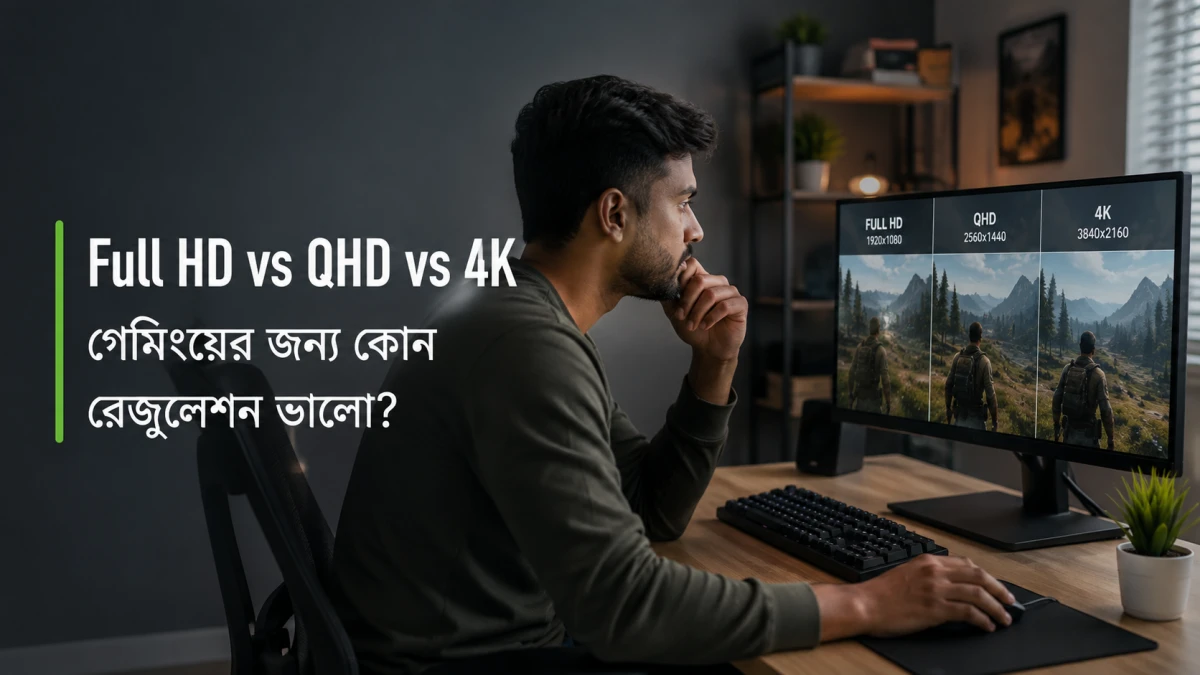
- Is Full HD enough, or do I need 2K QHD or 4K UHD?
- Do I need HDMI, DisplayPort, or USB-C?
- Is official warranty important for long-term use?
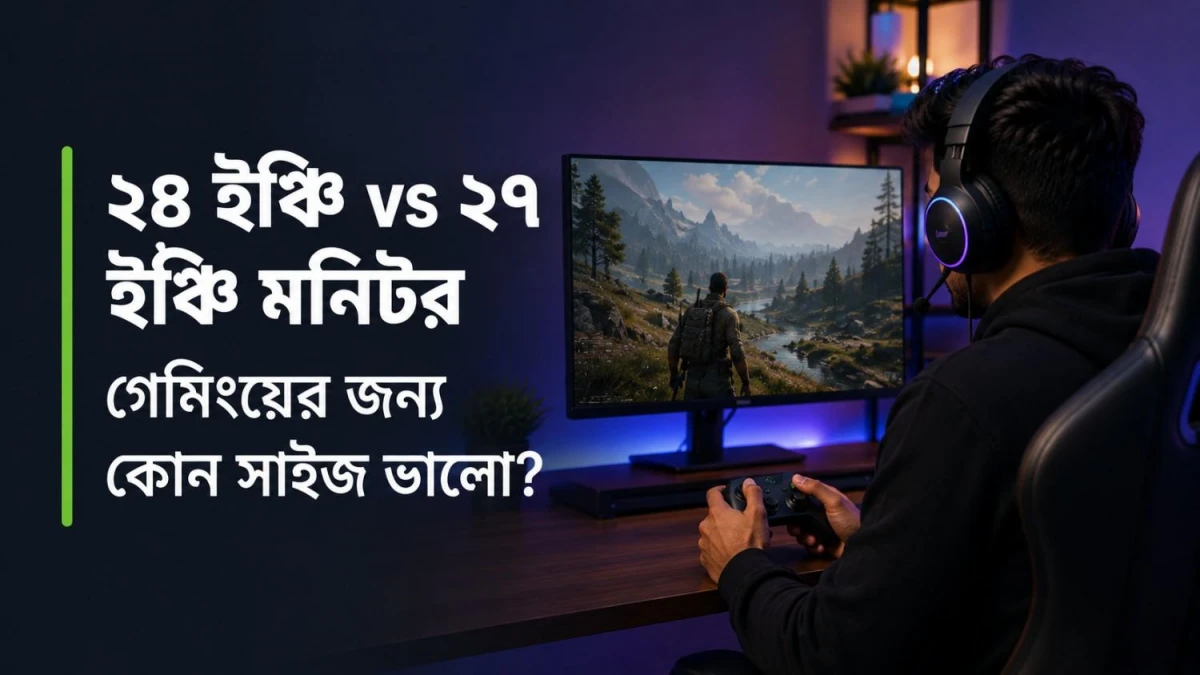
For daily work, a 24 inch Full HD monitor is enough for many users. For gaming, a 27 inch monitor or 24 inch 144Hz monitor is a practical starting point. For editing, multitasking, or premium gaming, 2K or 4K monitors can be better if the budget allows.
At Ryans, you can compare regular monitors and gaming monitors by brand, size, resolution, refresh rate, panel type, connectivity, and warranty before buying.
Conclusion
A regular monitor is enough for office work, study, browsing, online classes, and everyday use.
A gaming monitor is better when you want smoother gameplay, faster response, and cleaner motion.
For buyers in Bangladesh, the best choice depends on your real use, budget, and PC performance. If you mainly work or study, choose a regular monitor. If you play games regularly, a gaming monitor is worth the upgrade.
At Ryans, you can compare monitors by size, resolution, refresh rate, panel type, brand, and warranty before buying.






Leave a comment