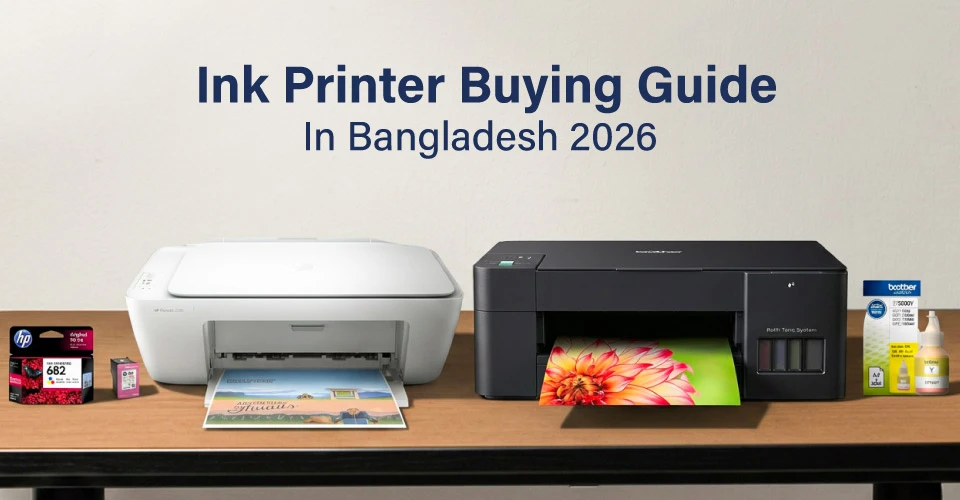
Buying the right ink printer in Bangladesh does not have to be confusing. There are many brands and models in the market, but once you know what to check, it becomes much easier to choose the right one.
If you print at home, run a small business, or manage a coaching center, an ink tank printer is usually the better choice for regular use. On the other hand, an inkjet printer is more suitable if you print occasionally, want a lower upfront cost, or prefer a cartridge-based system without refilling tanks.
Simple printing can be handled well by an inkjet printer. But for daily printing and better long-term value, an ink tank printer usually makes more sense.
How to Choose the Right Ink Printer
Your daily printing needs should decide the right printer, so here are the 6 main things to consider.
Inkjet Printer vs Ink Tank Printer
Inkjet printers use cartridges, while ink tank printers use refillable ink tanks. That is where the main difference in cost and long-term value comes from. The biggest differences are printing cost and print volume.
- Inkjet printer: Lower price to begin with. Best for minimal printing, usually under 100 pages per month.
- Ink tank printer: Higher starting price, but lower printing cost per page. Best for regular printing and better long-term value.
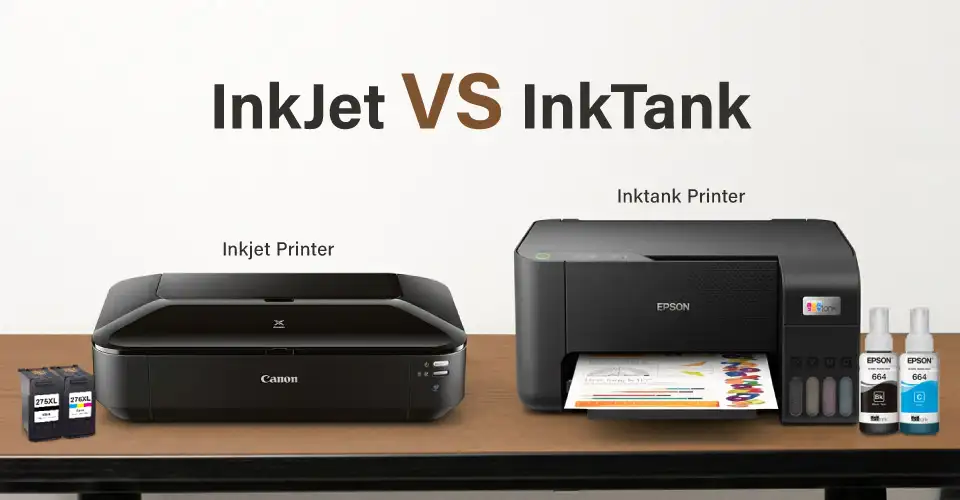
An ink tank printer gives more value in the long run if you print often. An inkjet printer is still a good choice if your print volume is low or you only print occasionally for specific needs.
Another point is convenience. A cartridge-based printer can feel simpler for very light use because there is no need to monitor ink levels or refill tanks.
Inkjet Printer vs Ink Tank Printer
| Point to Check |
Inkjet Printer |
Ink Tank Printer |
| Ink system |
Uses ink cartridges |
Uses refillable ink tanks or ink bottles |
| First-time price |
Lower starting price |
Higher starting price |
| Cost per page |
Higher for regular printing |
Much lower for regular printing |
| Best use |
Occasional home printing |
Home, student, office, and higher-volume printing |
| Refill style |
Replace the cartridge |
Refill the tank with ink bottles |
| Best fit |
Very light monthly printing |
Regular printing with lower long-term cost |
Print-Only vs Multifunction Printer
A print-only printer can only print. A multifunction printer can print, scan, and copy, and some models also include fax.
- Print only: Suitable for simple document printing.
- Print, scan, copy: Useful for school forms, office papers, homework, ID cards, and daily documents. This type is also known as a print scan copy printer.
- Print, scan, copy, fax: Useful for offices that still need fax for legal or official work. This type is more suitable for formal office use.
For most users, a multifunction printer is the better choice because it covers more daily needs in one machine.
Color Printer vs Black & White Printer
Color printers can print both color pages and black text. Black & white printers only print in black.
- Color printer: Good for home use, school work, photos, creative work, and everyday mixed printing.
- Black & white printer: Good for offices that mostly print text documents, reports, and invoices.
A color ink tank printer is usually a better fit for home users and students. But if the work is mostly document-heavy and speed matters more than color, the Laser Printer category at Ryans can also be worth comparing.
USB vs WiFi/LAN Ink Printer
This is how you send print jobs from your device to the printer.
- USB printer: Connects to one device with a cable. Good for personal use.
- WiFi printer: Connects wirelessly. Good for families, students, and home office use.
- LAN printer: Connects to the office network. Good for small offices where multiple devices need access.
For most home users, a WiFi printer is the better choice because it adds more convenience without changing how the printer works.
Consumable Type & Running Cost
Running cost means how much you spend on ink over time, not just how much you paid for the printer.
- Ink cartridge: Costs more for heavy printing and usually needs more frequent replacement.
- Ink bottle: Costs less for regular or high-volume printing. One bottle can handle many print jobs.
Ink tank printers with refillable bottles can significantly reduce printing cost compared with standard cartridge printers, which is why they are often preferred for regular use.
Monthly Workload & Daily Use
Monthly duty cycle means the maximum number of pages the printer can handle in a month.
- If you print under 100 pages per month, a basic inkjet printer or entry-level ink tank printer can be enough.
- If you print 100–500 pages per month, a mid-range ink tank printer like the Epson EcoTank L3250 or Canon Pixma G3010 is usually a better fit.
- If you print 500+ pages per month, a higher-duty ink tank printer like the Epson EcoTank L6370 or Brother MFC-T910DW is more suitable.
Choose Ink Printer Based on Your Use
You can choose a printer based on who will use it and what kind of work it needs to handle.
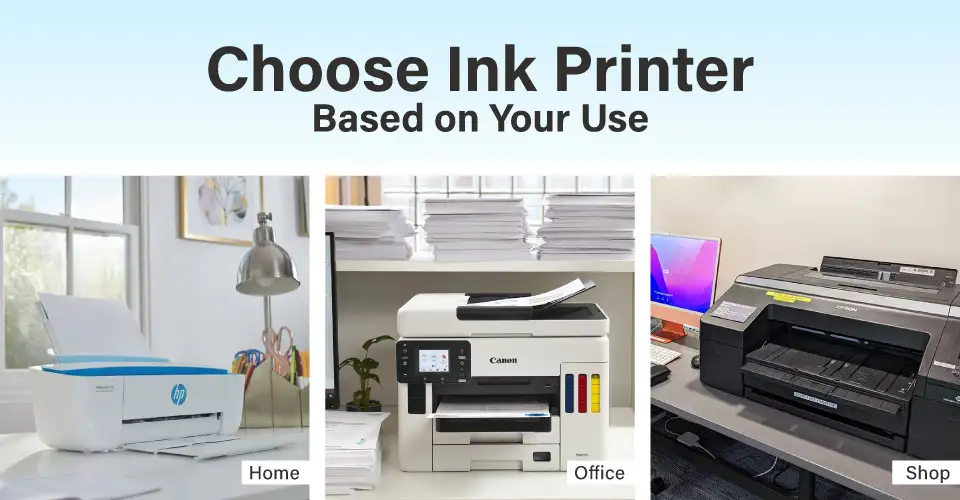
Home Office & Remote Work
Home office users need fast and reliable printing with WiFi support. A good home office printer should handle documents, invoices, and scans without hassle.
For home office or remote work, regular printing may include reports, invoices, and contracts. Scanning signed documents is also important, and duplex printing helps save both paper and running cost.
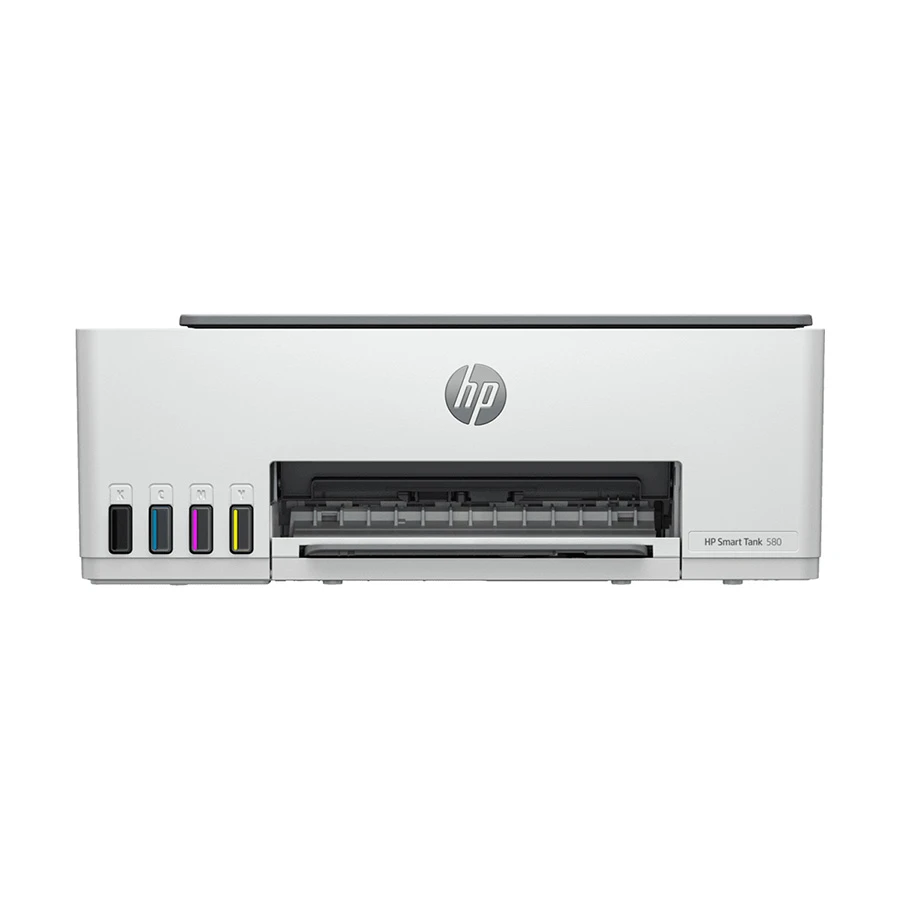
Our Recommendation: HP Smart Tank 580.
HP Smart Tank 580
- Functions: Print, Scan, Copy
- Output Color: Color
- Print Paper Size: A4, B5, A6, DL Envelope, Legal, Letter
- Interface (Built-in): USB, WiFi
+ Why It's a Smart Pick
A practical all-in-one printer for home, study, and office use. It offers print, scan, and copy support, color output, built-in WiFi, and refillable ink tank convenience for lower running cost.
Tk 21,160
Tk 19,500
Special Price
Note: Price may vary over time, so please check the latest price before ordering.
Students and Study Use
Students usually print assignments, notes, and study sheets. A good student printer should be easy to use and affordable to run every day. Low running cost matters a lot here, and built-in print, scan, and copy functions are also useful for organizing study materials and handling forms or documents.
Our Recommendation: Canon Pixma G3010
Creative / Photo / Design Use
For photo, design, or creative work, color accuracy and sharp photo printing matter more. A capable creative printer should produce bright and accurate colors consistently. For regular photo printing, a printer with at least 4 ink colors is usually a better fit. A4 or A3 paper support will cover most design needs.
Our Recommendation: Epson EcoTank L8180
Small Office & SME Use
Small offices usually need printers that can handle a higher monthly print volume. A dedicated small office printer or office document printer can help reduce per-page running cost. Low running cost matters here because reports, invoices, and business documents may need to be printed every day. Network support is also important when more than 3 computers need to use one printer.
If the office only handles black-and-white document printing in larger volume, this is also where comparing with the Laser Printer category becomes useful.
Our Recommendation: Epson EcoTank L6370.
Home and Family Users
Home and family users usually need a color multifunction printer because it can handle different daily tasks. Whether it is for school forms, bills, family photos, or scanning documents and ID cards, a multifunction printer is usually the more practical option.
An ink tank model is often the more economical long-term choice for families that print regularly. However, if the family prints very rarely, an inkjet printer can also work well because it avoids the refill system and stays simple for light use.
WiFi also makes printing easier from different devices around the home. An inkjet printer can handle very light use. But if printing happens regularly, an ink tank printer is usually the better choice.
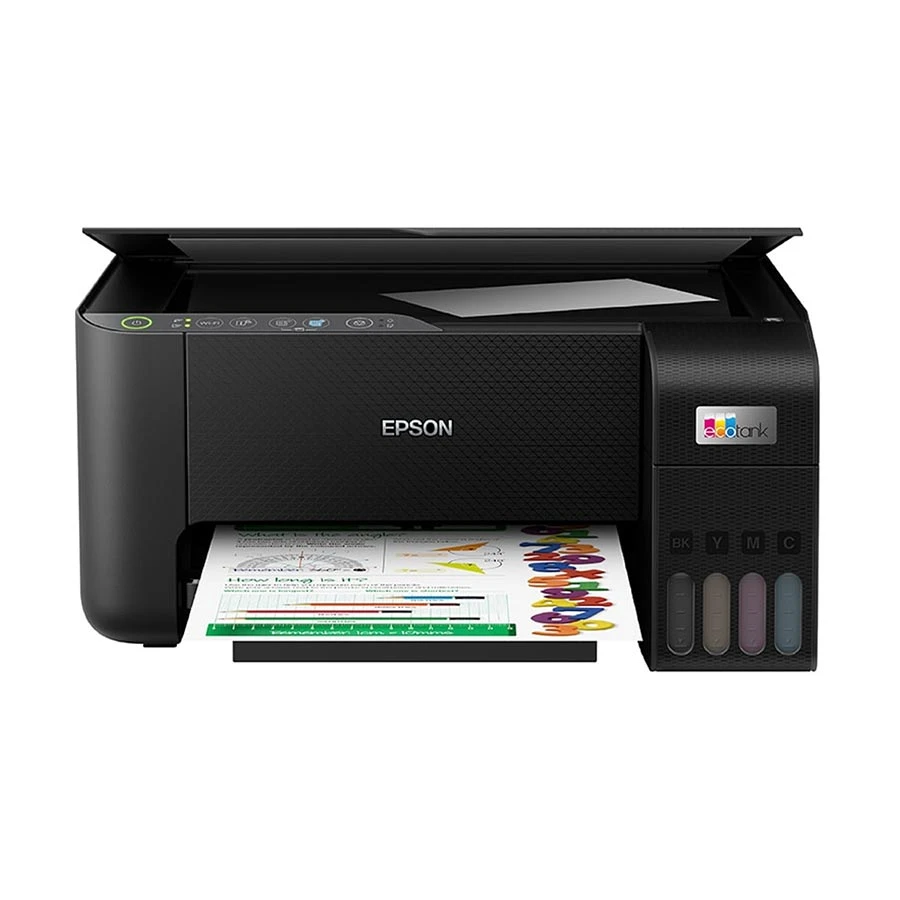
Our Recommendation: Epson EcoTank L3250.
Epson EcoTank L3250
- Functions: Print, Scan, Copy
- Output Color: Color
- Scan Paper Size: A4
- Print Paper Size: Legal (8.5 x 14.0 Inch), Indian-Legal, Letter, A4, 16K (195 x 270 mm), B5, A5, B6, A6, Hagaki (100 x 148 mm), Envelopes: 10, DL, C6
- Interface (Built-in): USB, WiFi
+ Why It's a Smart Pick
A practical color all-in-one printer for everyday print, scan, and copy needs. It supports A4 scanning, multiple paper sizes, and built-in USB plus WiFi connectivity for easier home, office, and study use.
Tk 21,270
Tk 19,800
Special Price
Note: Price may vary over time, so please check the latest price before ordering.
Teachers, Coaching Centers & Institutions
Teachers and coaching centers often need to print many copies of question papers, handouts, and notices.
A3 support can also be useful for larger question papers, charts, and notices.
Our Recommendation: Brother MFC-T4500DW
What Affects Ink Printer Price in Bangladesh
Ink printer prices in Bangladesh vary based on printer type, function, print quality, build quality, duty cycle, support, and long-term value. Understanding these factors makes it easier to choose the right printer for your use.
There are several things you should check before buying, because each one affects how useful the printer will be over time.
Running Cost & Refill Convenience
When checking printer cost, look beyond the machine price and check the cost per print. Ink tank printers usually cost around BDT 0.50 - BDT 1.50 per page, while cartridge-based printers usually cost around BDT 3 - BDT 8 per page. These are approximate ranges, but the difference in long-term cost is important.
Also check whether the printer ink is easy to find in Bangladesh. Monthly print volume should guide the final choice.
Multifunction Need
Decide whether you only need printing or also need print, scan, and copy. Basic models handle simple document printing. More advanced models add scanning and copying, which are useful for daily home, school, and office use.
Color Requirement
Black-and-white printing is cheaper, but a color printer is a better option if you print photos, graphics, or color documents. For mostly text documents, a black-and-white laser printer may also be worth comparing through the Laser Printer category.
Paper Size & Duplex Need
For most students and home users, A4 paper support is enough. A general A4 printer can handle most regular documents. A Legal-size printer is useful for larger documents and certificates. Most users will be fine with a standard A4 printer, while those who print certificates and legal forms may need Legal-size support.
An A3 printer is useful for larger layouts. Duplex printing helps print on both sides of the paper, which saves paper and long-term cost.
Ink Printer Price in Bangladesh
Brand, function, printer type, print quality, and running cost all affect inkjet and ink tank printer prices in Bangladesh. Here is an estimated price range. For those searching for ink printer price in BD, inkjet printer price in BD, or the best ink tank printer price in BD, the list below gives a practical range by type and function. Prices change over time, so these are approximate.
| Point to Check |
Inkjet Printer |
Ink Tank Printer |
| Ink system |
Uses ink cartridges |
Uses refillable ink tanks or ink bottles |
| First-time price |
Lower starting price |
Higher starting price |
| Cost per page |
Higher for regular printing |
Much lower for regular printing |
| Best use |
Occasional home printing |
Home, student, office, and higher-volume printing |
| Refill style |
Replace the cartridge |
Refill the tank with ink bottles |
| Best fit |
Very light monthly printing |
Regular printing with lower long-term cost |
View the complete price list for inkjet and ink tank printers at Ryans Computers. If needed, users can also compare across the broader Printer category to see how ink, ink tank, and laser models differ by use case.
Popular Inkjet and Ink Tank Printer Options
A quick side-by-side look at entry-level inkjet and ink tank printer options with features, price range, and buyer fit.
| Product |
Type |
Key Features |
Price Range |
Buying Trigger |
| Canon Pixma MG2570 |
Inkjet |
Print, scan, copy; USB |
BDT 6,000 - 8,000 |
Low-budget all-in-one for very light home printing |
| Canon Pixma TS207 |
Inkjet |
Print only; USB |
BDT 7,000 - 9,000 |
Simple color printing when scan or copy is not needed |
| HP DeskJet Ink Advantage 2336 |
Inkjet |
Print, scan, copy; USB |
BDT 9,000 - 11,000 |
Budget HP option for home documents and school work |
| HP Smart Tank 520 |
Ink Tank |
Print, scan, copy; USB |
BDT 17,000 - 20,000 |
Refillable HP tank for regular home printing |
| Canon Pixma G3010 |
Ink Tank |
Print, scan, copy; WiFi |
BDT 18,000 - 22,000 |
Wireless Canon tank for students and families |
| Brother DCP-T430W |
Ink Tank |
Print, scan, copy; WiFi |
BDT 18,000 - 22,000 |
Fast document-focused printing for home and small office |
| Epson EcoTank L3250 |
Ink Tank |
Print, scan, copy; WiFi |
BDT 19,000 - 24,000 |
Popular EcoTank choice with low running cost |
| Canon Pixma G2410 |
Ink Tank |
Print, scan, copy; USB |
BDT 19,000 - 22,000 |
Good Canon color output without paying extra for WiFi |
| Brother DCP-T530DW |
Ink Tank |
Print, scan, copy; WiFi |
BDT 22,000 - 25,000 |
Stronger speed and reliable daily printing |
| Brother DCP-T830DW |
Ink Tank |
Print, scan, copy; WiFi + LAN |
BDT 32,000 - 36,000 |
Office-friendly networking and better shared use |
Popular Ink Printer Brands in Bangladesh
Epson, Canon, HP, and Brother are the 4 main brands in the Bangladesh inkjet and ink tank printer market.
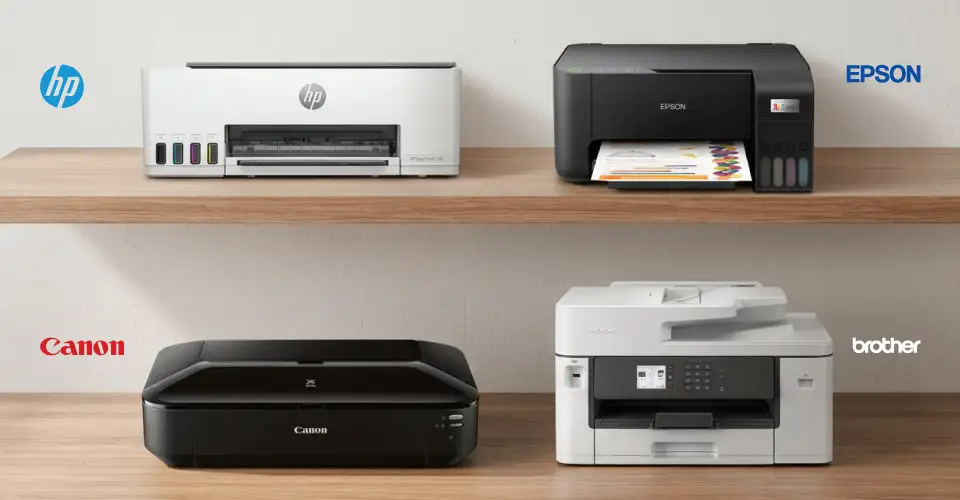
Epson Printer
Epson is one of the most widely used ink tank printer brands in Bangladesh. The EcoTank series offers low running cost, high page yield, and strong color print quality.
- Known for: Ultra-low cost per page with the EcoTank system, high page yield from each ink bottle, spill-free refill design, and wide ink availability across Bangladesh.
- Ink bottle: Easy to find across Bangladesh. Refills last a long time, and cost per page stays low.
- Top models at Ryans: Epson EcoTank L3250 (WiFi, A4, multifunction), Epson EcoTank L6370 (WiFi+LAN, 35ppm, duplex), Epson EcoTank L8180 (A3 photo), Epson L130 (single function, USB, cartridge-based).
Canon Printer
Canon offers strong color output in home-friendly ink tank printers. The Pixma G series uses the MegaTank system for cost-effective everyday printing.
- Known for: Vibrant color output, sharp photo quality, and a broad lineup across both inkjet and ink tank printing.
- Top models at Ryans: Canon Pixma G2010, Canon Pixma G3010, Canon Pixma G4010, Canon Pixma MG2570S, Canon Pixma TS207.
HP Printer
HP offers both multifunction and Smart Tank printers for everyday use. Wireless connectivity and mobile printing are two of the main reasons many users choose HP.
- Known for: Easy setup, user-friendly installation, mobile printing support, and a practical mix of Smart Tank and DeskJet models.
- Top models at Ryans: HP Smart Tank 520 (multifunction, color), HP DeskJet Ink Advantage 2336 (multifunction, USB).
For users who need essential printing, scanning, and copying on a lower budget, HP DeskJet models can be a practical alternative to ink tank printers.
Brother Printer
Brother ink tank printers work well for home and small office use. They are strong for document printing, regular use, A3 paper support, and shared office printing.
- Known for: Sharp document printing, A3 support, duplex printing, and network-ready models with WiFi and LAN.
- Strengths: Multifunction support and dependable document printing performance.
- Top models at Ryans: Brother DCP-T220 (USB, multifunction), Brother MFC-T4500DW (A3, WiFi), Brother MFC-J3540DW (multifunction, WiFi, cartridge-based).
Find the Right Ink Printer for Your Work
The best choice usually depends on how your printing happens in real life. Some users only need a simple machine for forms, school pages, or occasional home documents. Others need something more dependable for daily tasks, regular color output, or shared use across family members, students, or office staff.
That is why it helps to compare not just price, but also ease of use, support, refill system, paper handling, and the type of work the printer will manage over time. A model that looks affordable at first may not always feel practical later, while a slightly better option can offer smoother everyday use and fewer limits.
At Ryans, users can explore different inkjet and ink tank printer options in one place and compare models by brand, feature, paper size, and connection type. If your work is more focused on document-heavy office printing, the Laser Printer category may also be worth checking. For a broader view, the main Printer category can help compare ink, ink tank, and laser options side by side.















Leave a comment