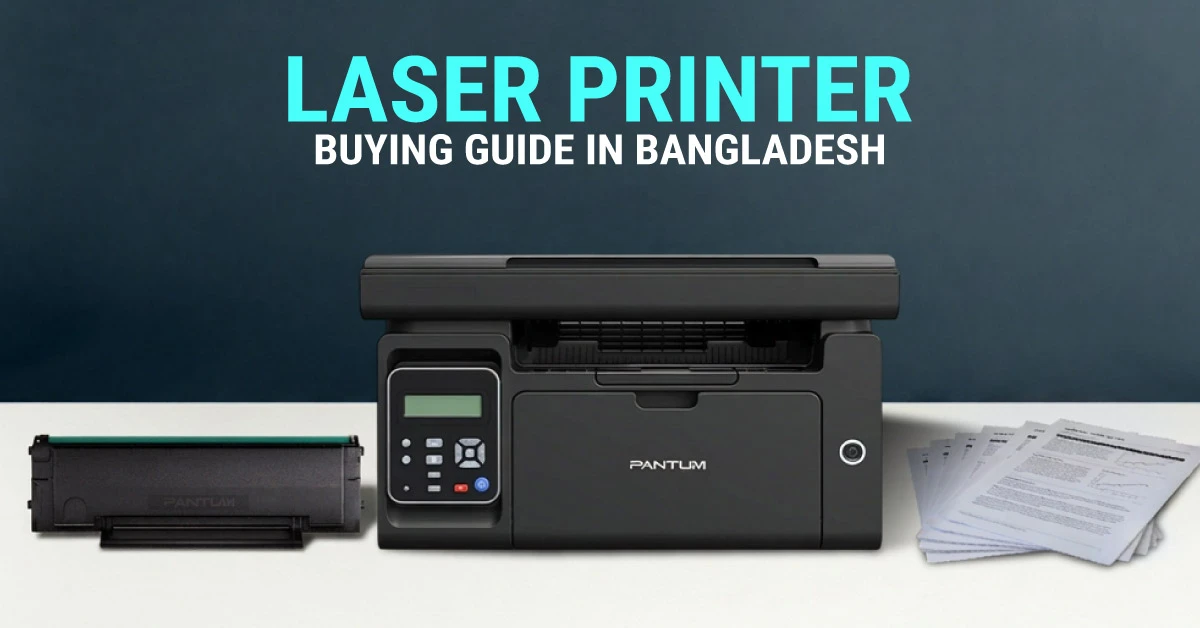
Not all laser printers are made the same. In Bangladesh, choosing the wrong one can cost more than just money. It can slow down office work, increase toner cost, and leave users waiting on regular print jobs. The right laser printer helps save time, control long-term cost, and fit more smoothly into daily workflow. Whether the goal is to compare the best laser printer price in BD or choose a reliable document printer for regular work, this guide covers the main things that matter.
How to Choose the Right Laser Printer: At a Glance
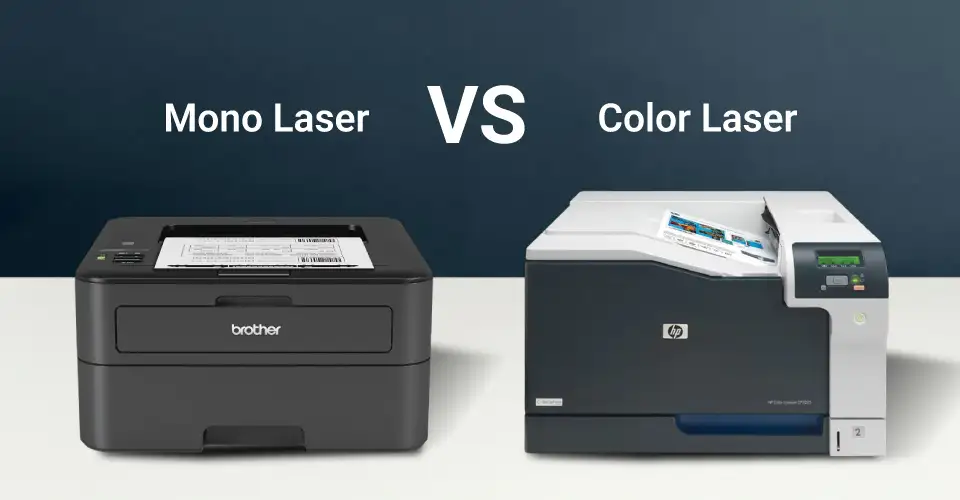
Printer Type: Choose a mono laser printer for regular office documents, bills, reports, and forms. Choose a color laser printer only when the work includes proposals, charts, branded documents, or presentations.
Function Need: Pick print-only for simple desk use. Choose multifunction if print, scan, copy, or fax is needed in one device. Connectivity: USB is enough for one user. LAN or WiFi is better for shared office, school, or team use.
Monthly Print Volume: Estimate how many pages are printed each month and match that with the printer’s duty cycle before buying.
Toner Cost: Check toner price, page yield, and local availability because long-term printing cost matters more than the printer’s starting price.
Duplex Printing: Choose auto duplex if the office prints regularly, as it helps reduce paper use and ongoing cost.
Office Size: Home users usually need compact USB or WiFi models, SMEs usually need duplex with LAN or WiFi, and corporate teams usually need high-speed multifunction printers.
Price Planning: Basic mono laser printers are budget-friendly, while multifunction, duplex, LAN/WiFi, and color models cost more.
Choose a Laser Printer Based on Your Need
Not all laser printers are designed for every office. The right choice depends on printing needs, number of users, and how often the printer will be used. Long-term cost also depends on toner price, page yield, and office workload over time.
Black & White Laser vs Color Laser
Mono laser printers print only in black and white. Their purchase price and running cost are usually lower, which is why many offices in Bangladesh prefer them for bills, forms, reports, notices, and other regular document work. Color laser printers cost more to buy and also cost more when toner needs replacement. They are more suitable when color output is important for proposals, charts, branded documents, and presentations. Simple rule: choose mono for daily document printing, and choose color only when office work truly needs client-facing color output. If color matters more than document speed and toner efficiency, the Ink Printer category can also be worth comparing.
Print-Only vs Multifunction Laser Printer
Print-only laser printers only print. This works well for a desk with simple, light work. Multifunction laser printers can print, scan, copy, and some models also fax. For most offices, this is the more practical option because it combines several daily tasks in one machine, saves space, and offers better overall value.
USB vs LAN vs WiFi Connectivity
USB printers are for direct, single-user use. They are easy to set up and are usually the lower-cost option. LAN printers connect to the office network and allow access to more users. This is more suitable for shared office environments. WiFi printers allow printing from multiple devices without cable connection. They are useful for home offices, schools, and collaborative work environments. Simple rule: USB is for one computer, LAN is for a shared office network, and WiFi is for cable-free shared printing.
Monthly Duty Cycle & Office Workload
Every laser printer has a monthly duty cycle. This means the maximum number of pages it is designed to handle in a month. Printing far beyond that limit again and again puts unnecessary strain on the machine and can shorten its lifespan.
Light use (occasional office use, 1-2 users): 500-1500 pages per month
Moderate use (small office, SME): 2000-5000 pages per month
Heavy use (corporate or institutional use): 5000-20000+ pages per month
It is usually better to choose a printer with a duty cycle higher than the real monthly workload, especially if the printer will be shared by several users.
Paper Size & Duplex Printing
A4 printing is the standard in Bangladesh and is generally enough for most office documents. Some printers also support Legal size printing for contracts and legal forms that need larger paper. Larger offices may also need an A3 printer for wider layouts such as charts, drawings, or presentation material. In that case, comparing beyond laser models through the broader Printer category can help. Auto duplex printing lets users print on both sides of the paper. It helps reduce paper use and cost, so it is especially useful for offices with moderate or heavy printing.
Printer Memory & Shared Office Performance
More printer memory generally helps the printer process jobs faster, while lower memory can slow performance during heavier shared use. Basic memory is enough for a printer used by one person. For a printer used by several users, a model with more memory usually handles the print queue better and keeps workflow more stable.
Choose a Laser Printer Based on Your Use
Use this table first if the goal is to match the printer with actual daily work before comparing more models.
Best Laser Printer by User Type
A practical guide to match different user types with the right laser printer category, key features, and recommended model.
User Type
Typical Use
Best Printer Type
Must-Have Features
Recommended Model
Home / Remote Work
Bills, forms, assignments, and occasional office documents
Laser printer price in Bangladesh changes mostly based on output color, function type, speed, connectivity, and workload fit. For office use, the difference is not only about brand. It is also about how the printer is built and what kind of daily work it is meant to handle.
Color of the Output
Mono laser printers are usually more affordable when comparing starting price. Color laser printers cost more because they use multiple toners such as black, cyan, magenta, and yellow.
Function Type
Print-only laser printers usually cost less than multifunction models. The price goes up when scan, copy, and fax functions are added.
Print Speed
Higher print speed usually means a higher price. Models in the 30-40 ppm range are often more suitable for shared office use and heavier daily printing.
Connectivity
USB models are usually more affordable. LAN and WiFi models generally cost more because they are built for easier sharing across users and devices.
Printer Memory
Larger printer memory helps improve performance during office printing. This can affect price, especially in printers built for multiple users and heavier print queues.
Monthly Duty Cycle
A higher monthly duty cycle usually means stronger internal components and better long-term fit for high-volume printing. That is one reason office-ready models cost more.
What to Check Before Buying a Laser Printer
Go through these points carefully before buying.
Toner Cost & Availability
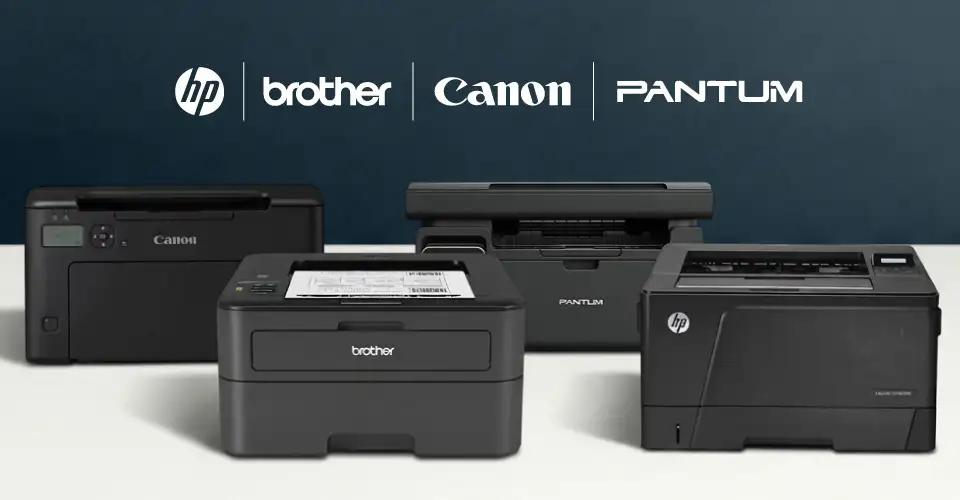
The printer price is only the starting cost. Toner cartridge and, in some models, the drum unit are the main ongoing consumable costs. It is important to check whether toner is easy to find in Bangladesh, especially for regular office use. At Ryans, toner support is easier to compare across major laser printer brands such as HP, Brother, Canon, and Pantum. That matters because a good printer becomes less practical if the toner is difficult to manage later.
How to Estimate Toner Cost Per Page
Toner price alone does not show the real printing cost. A toner that looks expensive at first can still be the better option if it prints many more pages. Use this simple formula:Toner cost per page = toner cartridge price ÷ page yield Page yield means how many pages the toner can print before replacement. A quick calculation like this makes printer comparison easier, especially when two models look similar on price.
Example 1: If a toner costs 3,000TK and prints 1,500 pages, the toner cost is about 2TK per page.
Example 2: If a toner costs 5,000TK and prints 5,000 pages, the toner cost is about 1TK per page.
This is why a printer with a slightly higher toner price can still be the better long-term option for office work. For color laser printers, check black, cyan, magenta, and yellow toner prices separately. Color pages usually cost more because one page can use more than one toner. Also check whether the printer has a separate drum unit. If it does, include drum replacement cost when estimating long-term office printing cost.
Print Volume Requirement
Estimate how many pages are printed each month, then compare that with the printer’s duty cycle and recommended monthly workload.
Low volume: Basic mono laser printer
Medium volume: Mid-range multifunction mono laser printer
High volume: High-duty mono laser printer with stronger speed and paper handling
Office Placement & Number of Users
A single-user desk usually needs a compact, simple printer. A shared office printer usually needs LAN or WiFi, a larger paper tray, and a stronger duty cycle. Placement and number of users should be checked before making a final choice.
When Another Printer Type Makes More Sense
If the work is not mostly document-heavy and color matters more than toner efficiency, the Ink Printer category may also be worth comparing. For broader comparison across laser, ink, and ink tank models, the Printer category can help narrow down the right type.
Laser Printer Price in Bangladesh
Laser printer price in Bangladesh mainly depends on output color, function type, speed, connectivity, and duty cycle. That is why entry-level mono models, multifunction office models, and color laser printers all sit in very different price brackets.
Top 5 Laser Printer Price in Bangladesh
A quick comparison of five laser printer options with direct product links, short highlights, and current price points.
High-end mono laser printer with A3 support, automatic duplex, and 40ppm A4 speed for heavier professional workloads.
A3 mono laser for heavy-duty work.
Tk 230,000
Note: Price may vary over time, so please check the latest laser printer price before ordering.
For the latest laser printer price in BD, compare current category listings first. This quick range helps narrow down what usually fits each office type.
Popular Laser Printer Brands in Bangladesh
In Bangladesh, users commonly compare these 4 laser printer brands. Each one has a clear strength suited to different office needs.
HP Laser Printer
HP is popular in Bangladesh for office and professional document printing. It includes options from entry-level mono models to higher-speed multifunction and color laser printers.
Diverse lineup for different office sizes and budgets
Strong toner availability in Bangladesh
Reliable document printing with practical speed options
Models with WiFi, LAN, and duplex support
Users can compare current HP laser printers at Ryans by function, connectivity, and office workload.
HP Laser MFP 136w Multifunction Mono Laser Printer
A good fit for home and small office use, the HP Laser MFP 136w combines print, scan, and copy functions with black and white output, supports multiple paper sizes, and offers USB plus WiFi connectivity for convenient daily printing.
Tk 24,410
Tk 23,000
Special Price
Price May Vary
BUY IT NOW
Canon Laser Printer
Canon laser printers are suitable for balanced office use with sharp, reliable text output and practical everyday performance.
Consistent standard office printing
Clear and dependable text output
Good value across different office segments
Useful variety of print-only and multifunction options
Pantum Laser Printer
Pantum laser printers are a budget-friendly option in Bangladesh and are often chosen for small offices, desk use, and practical document printing.
Affordable entry point into laser printing
Compact models for small spaces
Mono and color laser options
Useful for home office and first-time laser printer users
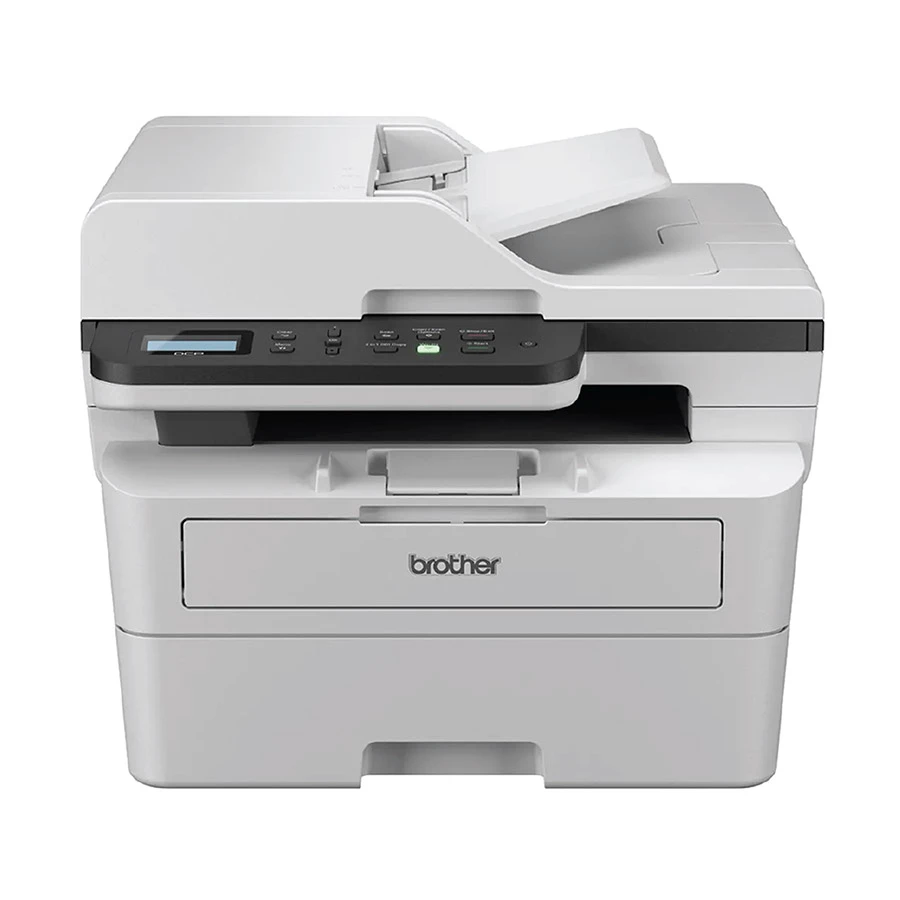
A practical office-ready choice for regular document work, the Brother DCP-B7640DW offers print, scan, and copy functions with black and white output, supports A4, Letter, and Legal scanning, and includes USB, LAN, and WiFi connectivity for flexible everyday use.
Tk 32,550
Tk 30,000
Special Price
Price May Vary
BUY IT NOW
Final Thoughts
The right laser printer is usually not the cheapest one. It is the one that matches print volume, number of users, toner cost, connectivity, and the type of work handled each day. If the main job is regular office documents, forms, reports, notices, and shared printing, a laser printer is usually the more practical fit. If the work includes more color printing, mixed home use, or occasional use only, the Ink Printer category may also be worth checking. For a broader comparison across printer types, the Printer category can help compare laser, ink, and ink tank options in one place.
















Leave a comment