Buying a MacBook in Bangladesh is no longer simply a choice between an Air and a Pro. The current lineup also includes the MacBook Neo, while the MacBook Air and MacBook Pro come with different chips, memory, storage, and screen sizes.
The right choice depends on what you actually do. A student using documents, browsers, and online classes does not need the same configuration as a developer, video editor, or business user handling large files.
This MacBook buying guide explains how to choose between MacBook Neo, MacBook Air, and MacBook Pro, then how to select the right Apple silicon chip, unified memory, SSD storage, screen size, ports, and features without spending more than your workload requires.
MacBook Neo vs MacBook Air vs MacBook Pro: Which One Fits You?
The MacBook Neo uses an Apple A18 Pro chip with 8GB unified memory and 256GB or 512GB SSD options. In contrast, the current MacBook Air uses the M5 chip and comes in 13.6-inch and 15.3-inch versions, while the MacBook Pro is available with M5, M5 Pro, and M5 Max options.
In simple terms, think of Neo as the entry point, Air as the mainstream portable option, and Pro as the professional option. The most expensive MacBook is not automatically the right one.
Choose Your MacBook Based on What You Actually Do
Best MacBook for Students
If your work is mainly browsing, documents, presentations, research, online classes, and light applications, the MacBook Neo can cover the basics. Its 13-inch size also makes it easy to carry.
But if you want more room for multitasking, programming, design, or future workloads, a MacBook Air with 16GB memory and 512GB SSD is a more flexible direction.
APPLE 
Apple MacBook Neo (Early 2026) Apple A18 Pro Laptop
- Apple A18 Pro Chip
- 8GB Unified Memory
- 256GB SSD Storage
- 13-inch Liquid Retina Display
Compact and lightweight MacBook for students who mainly work with browsing, documents, presentations, research, online classes and everyday applications.
Best MacBook for Office Work
For office and business work, the MacBook Air is suitable for spreadsheets, documents, browser tabs, presentations, meetings, and email. Choose the 13.6-inch model if you travel frequently. The 15.3-inch version gives you more workspace for spreadsheets and multitasking.
A MacBook Pro becomes more relevant when your office work also includes sustained data processing, professional creative applications, several external displays, or other demanding workloads.
APPLE 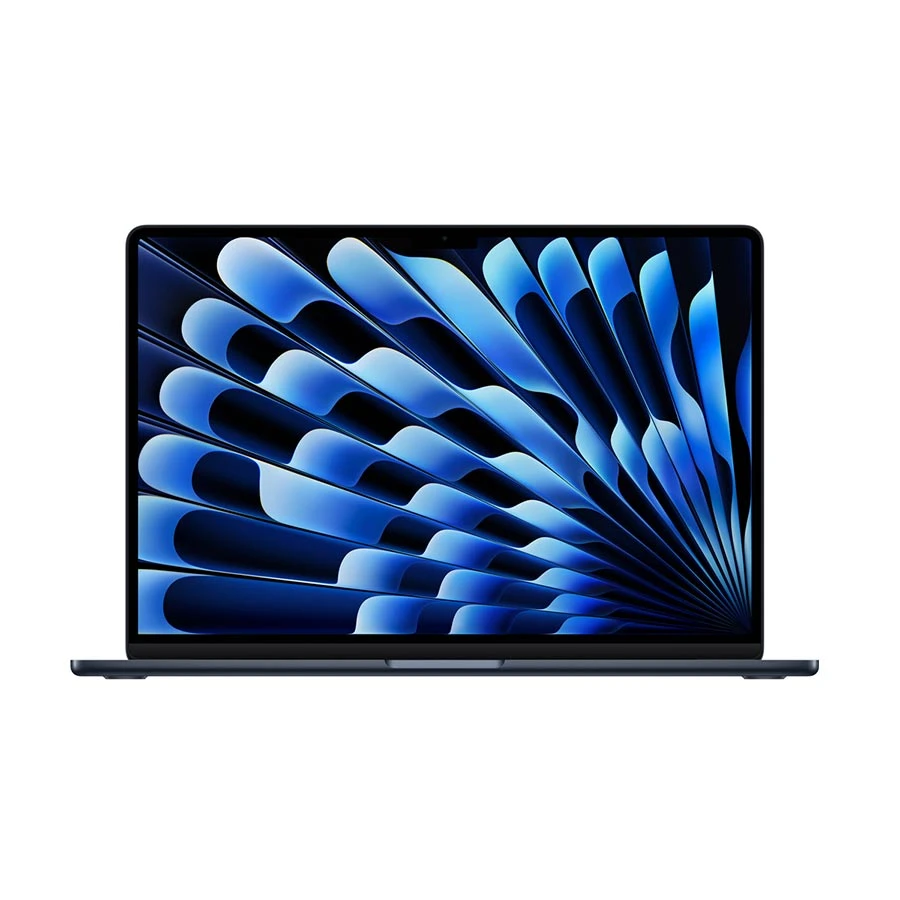
Apple MacBook Air (Early 2026) M5 16GB 512GB 13.6-inch Midnight Laptop
- Apple M5 Chip
- 16GB Unified Memory
- 512GB SSD Storage
- 13.6-inch Liquid Retina Display
A portable MacBook Air for study, office work, programming, multitasking and creative tasks, with 16GB memory and 512GB storage providing more flexibility for longer-term use.
Best MacBook for Programming
A MacBook Air can handle web development, IDEs, terminals, databases, and many programming workflows. Current Xcode versions support Apple silicon Macs, making the platform suitable for Apple development as well.
For large projects, containers, virtual machines, multiple development services, or long compilation sessions, consider more unified memory and a MacBook Pro with a higher performance chip.
Before buying, check your development stack. Specific drivers, plugins, enterprise tools, virtualization software, or other components may have different MacBook software compatibility requirements.
APPLE 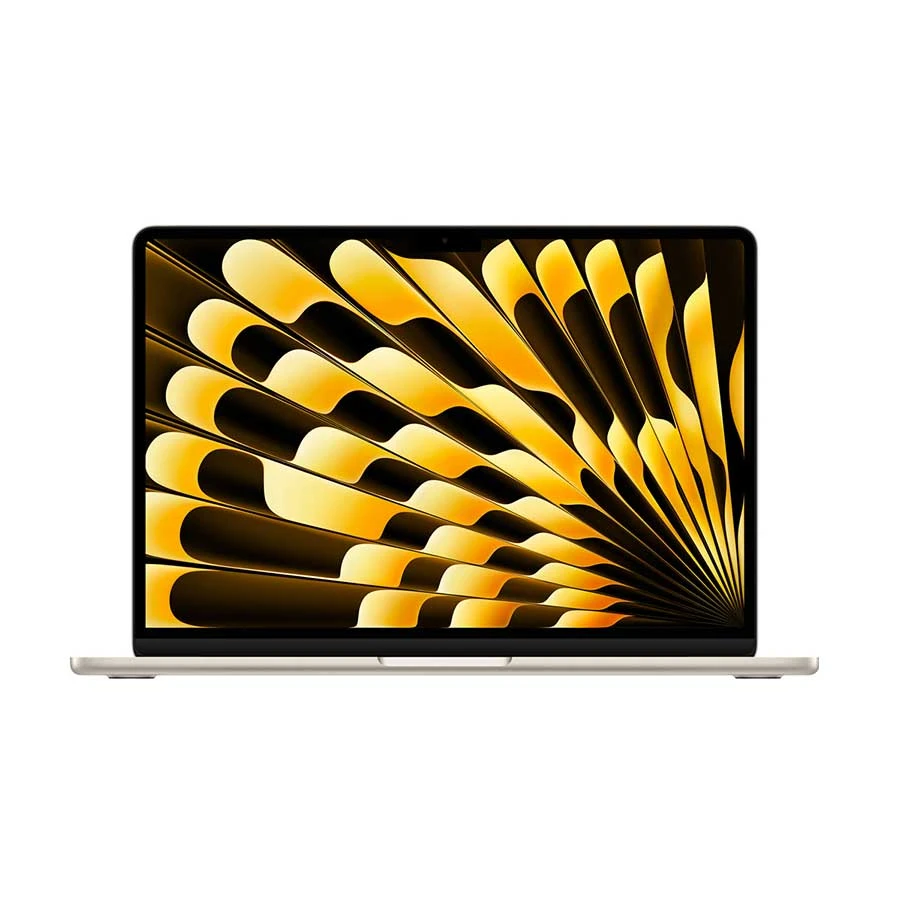
Apple MacBook Air (Early 2026) M5 16GB 512GB 13.6-inch Laptop
- Apple M5 10-Core Chip
- 16GB Unified Memory
- 512GB NVMe SSD
- 13.6-inch Liquid Retina Display
A strong choice for students who need more room for multitasking, programming, design work, presentations and long-term everyday use without moving up to the heavier MacBook Pro line.
Best MacBook for Video Editing
For light editing and occasional projects, the MacBook Air can be enough. Its M5 chip includes hardware media engines for H.264, HEVC, ProRes, ProRes RAW, and other supported formats.
On the contrary, a MacBook Pro is more suitable for frequent 4K editing, complex timelines, effects, colour work, or long export sessions. Its higher-tier chips and active cooling are better suited to sustained professional workloads.
APPLE 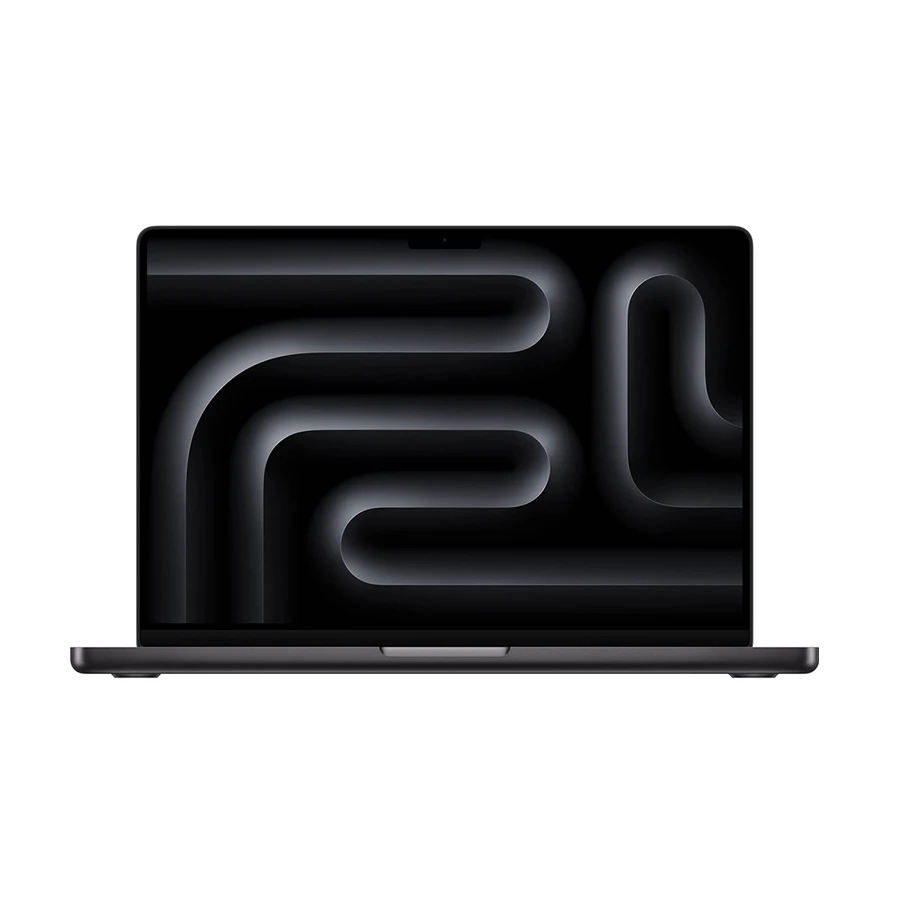
Apple MacBook Pro (Early 2026) M5 Pro 24GB 1TB 14.2-inch Laptop
- Apple M5 Pro 15-Core Chip
- 24GB Unified Memory
- 1TB SSD Storage
- 14.2-inch Liquid Retina XDR Display
A professional MacBook for heavier development, video editing, graphics work and demanding multitasking where stronger processing, graphics performance and a high-end display matter.
MacBook for Graphic Design
For Photoshop, illustration, UI design, and moderate photo work, a MacBook Air can provide a good balance between performance and portability. A 15.3-inch display can also give you more canvas space.
For large files, complex effects, demanding GPU work, or professional multi-display setups, look at the MacBook Pro and its higher memory and GPU configurations.
MacBook Neo, Air or Pro: Where Is Spending More Actually Worth It?
Moving from Neo to Air or Pro can give you more than a faster processor. Depending on the configuration, you may gain:
- More unified memory
- Higher SSD capacity
- Stronger sustained performance
- More GPU capability
- Larger or higher-end displays
- More ports
- Better support for demanding professional workflows
The key is whether your work uses those upgrades. For browsing, documents, online classes, and basic office work, paying heavily for a MacBook Pro may provide little practical benefit. For professional video editing, software development, 3D work, or other sustained workloads, the extra performance can be much more useful.
The Air sits between these needs. Its current M5 platform provides mainstream performance in a thin, fanless design. Apple rates the current MacBook Air for up to 18 hours of video streaming under its test conditions.
How to Choose the Best Variant of the Same MacBook
After choosing Neo, Air, or Pro, compare the exact configuration in this order:
Generation → chip → CPU/GPU configuration → unified memory → SSD → screen size → ports/features → warranty → price difference
Two MacBooks from the same family can have very different practical values.
Compare the Chip and Performance Tier First
A MacBook Pro with M5 is not the same performance tier as one with M5 Pro or M5 Max. Apple offers different CPU and GPU configurations within the Pro range, with higher tiers designed for heavier workloads.
For study and office work, the base performance tier can be enough. Developers, editors, designers, and other professionals should compare the exact chip instead of choosing only because the product name says Pro.
Decide How Much Unified Memory You Actually Need
Apple silicon uses unified memory, which is shared between the CPU and GPU. Because it is part of the Mac configuration rather than a normal user-upgradeable RAM module, choose carefully when buying.
The 8GB vs 16GB vs 24GB MacBook decision can be simplified like this:
8GB: Basic browsing, documents, media, and light everyday work.
16GB: A stronger general-purpose level for study, office work, programming, and multitasking.
24GB: Useful for heavier multitasking, creative work, and larger development workloads.
The current MacBook Neo has 8GB unified memory. MacBook Air configurations start at 16GB and can go to 24GB or 32GB, while MacBook Pro configurations go considerably higher.
Choose SSD Capacity Based on Your Files and Workflow
For the 256GB vs 512GB vs 1TB MacBook decision, consider how much you keep locally.
256GB: Suitable when you mainly use cloud storage and keep few large files locally.
512GB: A practical level for study, office work, programming, and general use.
1TB: Better for photographers, video editors, developers with large local environments, and users who store many files on the Mac.
An external SSD can be a cheaper way to add storage. However, active projects and frequently used applications are more convenient on internal storage.
Do Not Ignore Screen Size
A larger screen is not automatically better. A smaller MacBook is easier to carry, while a larger model gives you more working space.
For coding, spreadsheets, video timelines, graphic design, and multitasking, a larger display can reduce the need to switch between windows. For frequent travel, a smaller model may be more practical.
How Much Memory and Storage Should You Buy?
Use your workload as the starting point:
These are practical buying directions, not fixed requirements. A web developer with lightweight projects may need less than someone running several virtual machines.
If your budget allows only one major upgrade, choose the one that removes a real limitation. More memory matters when you regularly multitask or handle large projects. More storage matters when you frequently run out of local space.
Which MacBook Screen Size Should You Choose?
The current lineup gives you several screen sizes. The MacBook Neo has a 13-inch Liquid Retina display. The Air comes in 13.6-inch and 15.3-inch versions, while Pro models are available in 14.2-inch and 16.2-inch sizes with Liquid Retina XDR displays.
Choose a smaller screen if portability is important every day. It is easier to carry and takes less desk space.
Choose a larger screen if you spend long hours coding, working with spreadsheets, editing video, or using design software. The extra workspace can be more useful than the small weight difference for desk-based users.
Newest MacBook or Older Generation: Which Is Better Value?
An older M-series MacBook can still make sense when it is meaningfully cheaper and its configuration matches your workload.
Compare the chip, memory, SSD, screen size, ports, software support, remaining usefulness, warranty, and price difference. Do not choose a newer model simply because it has a newer generation number.
For example, an older MacBook with 16GB memory and 512GB SSD may be more suitable for your work than a newer entry-level model with less memory or storage.
For Bangladesh buyers, also check the seller's invoice, warranty terms, and after-sales support before choosing an older model.
MacBook Software Compatibility: Check Before You Buy
macOS supports a broad range of productivity, development, and creative software. However, compatibility should still be checked if your work depends on specific applications, plugins, drivers, or Windows-only programs.
Apple says Rosetta can run Intel-based Mac apps on Apple silicon, but recommends updated Universal or Apple silicon versions for better performance and future compatibility. Apple has also stated that macOS 27 is Apple-silicon-only.
Before buying, check:
- Your main professional applications
- Adobe Photoshop and Premiere Pro requirements
- Final Cut Pro requirements
- Xcode and developer tools
- Plugins and extensions
- Printer and scanner drivers
- Virtual machines
- Windows-only business software
If one essential program requires Windows, confirm its current Mac support before choosing a MacBook.
MacBook External Monitor Support and Ports
Ports matter more if you use a desktop setup. The MacBook Neo supports one external display up to 4K at 60Hz. The current MacBook Air can support up to two external displays while keeping the built-in display active.
MacBook Pro models with M5 Pro support up to three external displays, while M5 Max can support up to four under Apple's specified configurations.
The Air has MagSafe 3, two Thunderbolt 4 USB-C ports, and a headphone jack. Pro models add HDMI and an SD card slot, along with three Thunderbolt 5 ports.
If you regularly connect monitors, cameras, SD cards, storage drives, and other accessories, the Pro's built-in connectivity can reduce your dependence on hubs and adapters.
Common MacBook Buying Mistakes
Choosing Only by Air or Pro Name
The exact chip and configuration matter more than the family name.
Buying Too Little Memory
A low-memory configuration may become limiting as your workload grows. Consider how you will use the MacBook several years from now.
Buying Too Much Storage
If you use cloud storage and an external SSD, paying a large premium for internal storage may not be necessary.
Ignoring Software Compatibility
Check applications, plugins, drivers, and Windows-only tools before buying.
Choosing the Wrong Screen Size
A large screen is useful for desk work, but a smaller one is easier to carry. Match the size to your routine.
Buying an Older Mac Without a Meaningful Discount
An older generation should provide a clear price advantage or a configuration that better fits your needs.
Which MacBook Should You Buy? Final Decision Guide
Use your workload to narrow the choice:
Student: MacBook Neo for basic study; Air with 16GB/512GB for broader use and longer-term flexibility.
Office professional: MacBook Air with 16GB/512GB; choose 15.3-inch when workspace matters more than portability.
Programmer: MacBook Air with 16GB or 24GB for many workloads; move to Pro for heavier development, virtual machines, containers, or sustained builds.
Graphic designer: Air for moderate Photoshop and design work; Pro for heavier files, GPU-intensive work, or advanced display needs.
Video editor: Air for lighter editing; Pro with more memory and a stronger chip for regular high-resolution editing.
Heavy professional: MacBook Pro with M5 Pro or M5 Max, with memory and storage matched to the software.
Frequent traveler: MacBook Neo or 13.6-inch Air when portability is the main priority.
Before checking the final price, make sure the selected configuration solves your actual workload. Paying more only makes sense when you will use the additional performance, memory, storage, display, or connectivity.
Frequently Asked Questions
Does screen size affect MacBook performance or only portability?
Screen size mainly affects workspace, portability, and weight. It does not automatically make a MacBook faster. However, different screen sizes can come with different configurations, so compare the complete model.
Should I buy the latest MacBook or an older M-series model?
Compare the actual price gap, chip, memory, storage, screen, software support, and warranty. An older M-series Mac can provide good value when it is significantly cheaper and still meets your workload.
MacBook Neo, Air, or Pro: which one should I buy?
Choose Neo for basic everyday work, Air for study, office work, programming, and moderate creative tasks, and Pro when your workload needs sustained professional performance, higher memory, stronger GPU options, a higher-end display, or more ports.
















Leave a comment