Choosing a processor is one of the most important decisions when building or upgrading a PC. The wrong CPU can limit your gaming, productivity, multitasking, or content creation, while an unnecessarily expensive one can increase the cost of the entire build.
The challenge is that processor names alone do not tell you enough. You need to consider the cores, threads, clock speed, cache, processor generation, integrated graphics, motherboard, RAM, cooling, and power requirements together.
This processor buying guide explains what these specifications mean in real use and how to choose a CPU based on your work and budget. Whether you are a student, office user, gamer, programmer, content creator, or first-time PC builder, let's buy the best one for you.
What Does a Processor (CPU) Do?
The CPU, or central processing unit, handles instructions from your operating system and applications. It is responsible for tasks such as opening programs, processing documents, running calculations, handling game logic, and managing background tasks.
In fact, it's the main processing part of your PC. The GPU handles graphics-related workloads, while RAM provides temporary working space for active programs and data.
However, a faster CPU is not automatically better for every user. A student doing web browsing and documents does not need the same processor as someone rendering 4K video or running large software projects. That is why choosing a processor should start with your workload, not the highest model number you can afford.
Key Factors to Consider When Buying a Processor
When comparing CPUs, look at these factors in order:
What to Check Before Buying a Processor
✓ Processor series and generation
✓ Cores and threads
✓ Clock speed
✓ Cache
✓ Integrated graphics
✓ Socket and motherboard compatibility
✓ RAM compatibility
✓ TDP and cooling
✓ Upgrade path
✓ Price compared with the rest of your PC
You should also consider how the CPU will work with your GPU. A balanced system usually gives you more practical value than spending too much on one component.
Cores and Threads
A core is a physical processing unit inside the CPU. And threads allow the processor to handle multiple instruction streams more efficiently.
More cores can help with workloads that can use many processing tasks at the same time. This includes video rendering, compiling large software projects, 3D work, streaming, and heavy multitasking.
For everyday office work, browsing, and study, you do not need a very high core count. A modern mid-range CPU can already handle these tasks comfortably.
For gaming, the relationship is different. Once you have enough CPU performance for the games you play, adding more cores may produce little benefit compared with spending that money on the GPU. So, do not choose a CPU simply because it has the highest number of cores and threads.
Clock Speed (GHz)
Clock speed, measured in GHz, indicates how quickly the CPU can operate its processing cycles. You will usually see both a base clock and a boost or turbo clock.
A higher boost clock can help with workloads that depend heavily on fast individual CPU cores. This can matter in some games and everyday applications.
However, you should not compare two processors using GHz alone. Different CPU architectures can perform differently at the same clock speed.
For example, a newer processor running at a similar frequency to an older CPU may deliver different performance because of improvements in its architecture.
Processor Generation
The processor generation tells you which platform or product generation a CPU belongs to. Newer generations often bring improvements in performance, efficiency, features, connectivity, or platform support.
But newer does not automatically mean better value. An older CPU can still make sense if it is significantly cheaper and provides enough performance for your workload. The important point is to compare the complete platform, including the motherboard, RAM, cooling, and upgrade options.
Ryans currently lists processors across several Intel generations and AMD Ryzen series. So, buyers should check the exact generation rather than relying only on a Core i5 or Ryzen 5 label.
CPU Clock Speed and Cache
Cache is high-speed memory built into the processor. It stores frequently needed data so the CPU can access it quickly.
You may see L1, L2, and L3 cache specifications. For normal buying decisions, you do not need to understand every cache level. Instead, use cache as one part of the overall processor comparison.
A CPU with a higher clock speed or larger cache is not automatically the better choice. Architecture, core count, workload, and power limits also affect real-world performance.
Intel vs AMD
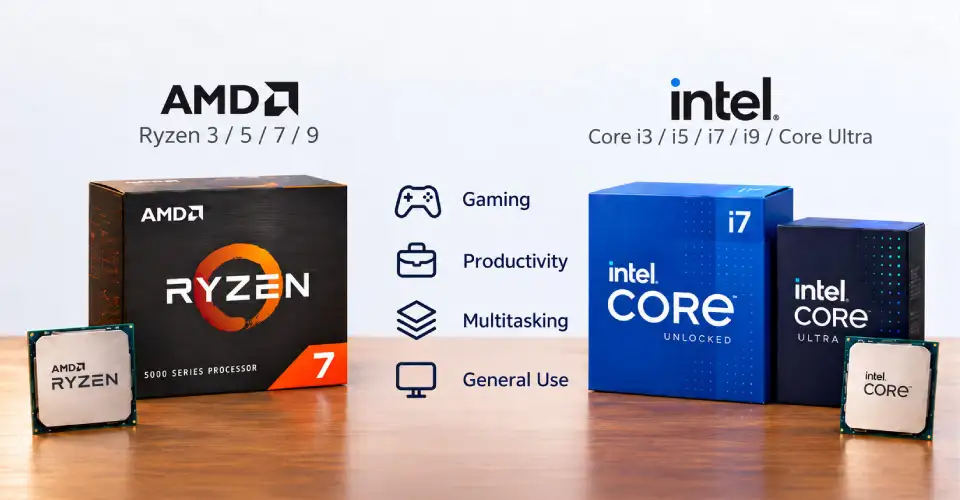
The Intel vs AMD processor comparison is no longer about one brand being suitable for everyone.
Intel currently offers Intel Core and Core Ultra desktop processors across different performance levels. AMD's main consumer desktop range includes AMD Ryzen 3, Ryzen 5, Ryzen 7, and Ryzen 9, with higher-end Threadripper options for workstation workloads.
For a general buyer, compare the actual CPU and complete platform rather than choosing a brand first.
For example:
Core i3 / Ryzen 3
Basic study, browsing, and office workloads
Core i5 / Ryzen 5
Gaming, productivity, programming, and general PC use
Core i7 / Ryzen 7
Heavier multitasking, gaming, editing, and demanding work
Core i9 / Ryzen 9 / Higher Core Ultra
Professional workloads and high-end builds
These are broad categories, not strict performance rules. A newer CPU can outperform an older processor from a higher series.
Socket and Motherboard Compatibility
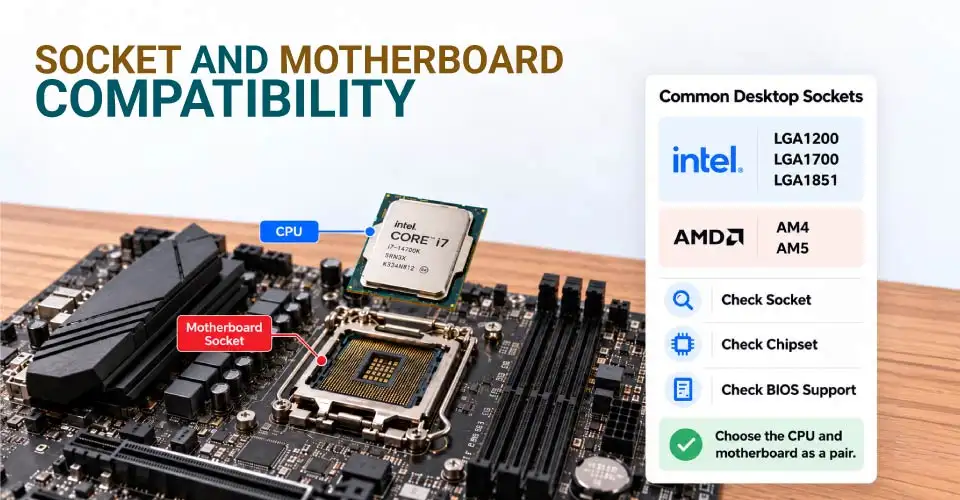
The socket is the physical interface that connects the CPU to the motherboard. You cannot simply buy any processor and install it on any motherboard. The CPU must match the motherboard's socket and supported chipset, and the board may also need an appropriate BIOS version.
For example, current Intel desktop platforms use different sockets across generations. Ryans offers Intel 10th–11th Gen processors for LGA1200, 12th–14th Gen processors for LGA1700, and Core Ultra Series 2 processors on LGA1851.
AMD also has CPUs across AM4 and AM5 platforms. Current Ryzen 7000 and 9000 desktop processors use AM5, while many older Ryzen processors use AM4.
Note: Choose the CPU and motherboard as a pair. Check the manufacturer's compatibility list before ordering.
Integrated vs Dedicated Graphics
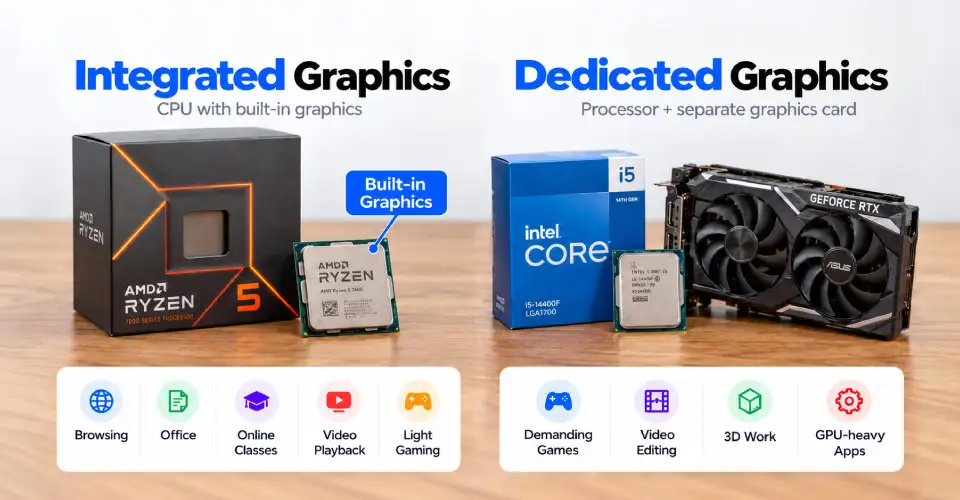
Some CPUs include integrated graphics, also called an iGPU. Others require a separate GPU.
Integrated graphics can be enough for:
✓ Web browsing
✓ Office applications
✓ Online classes
✓ Documents and spreadsheets
✓ Video playback
✓ Basic photo work
✓ Light gaming
If you plan to play demanding games, edit high-resolution video, use 3D applications, or work with GPU-heavy software, a dedicated graphics card is usually more appropriate.
For example, AMD Ryzen 5 7600 currently listed by Ryans includes built-in graphics, while some CPUs with an F designation do not include processor graphics. Intel also documents that its desktop processors ending in F do not have Intel Processor Graphics.
This matters when building a PC without a dedicated GPU. Make sure your chosen CPU actually provides the display output capability you need.
TDP and Cooling Needs
TDP is a useful indicator of a processor's thermal and power requirements. But it should not be treated as the exact electricity consumption of the entire PC.
A CPU with higher performance and higher power requirements may need stronger cooling. Depending on the model, you may need a stock cooler, tower air cooler, or liquid cooling.
Also check whether a cooler is included. Some current Ryans CPU listings are sold without a CPU cooler. For example, the Ryzen 7 9700X is listed without a cooler, while the Ryzen 5 7600 has versions with and without a cooler.
Good cooling helps the processor maintain its intended performance and can also keep noise under control.
Best Processors by Use Case
There is no single best CPU for everyone. The right choice depends on what you actually do with the PC.
Best CPU for Gaming
For gaming, start with your GPU and target resolution, then choose a CPU that can keep up with it.
A current mid-range processor such as the AMD Ryzen 5 7600 is a practical example of the performance class suitable for a gaming-focused build. It has 6 cores and 12 threads, uses the AM5 socket, and has a 65W TDP.
If you are building a higher-end gaming PC and want stronger CPU performance, a higher-tier Ryzen 7 or Intel Core Ultra 7-class processor can make sense.
Do not spend heavily on the CPU while pairing it with a GPU that cannot use the extra CPU performance.
AMD 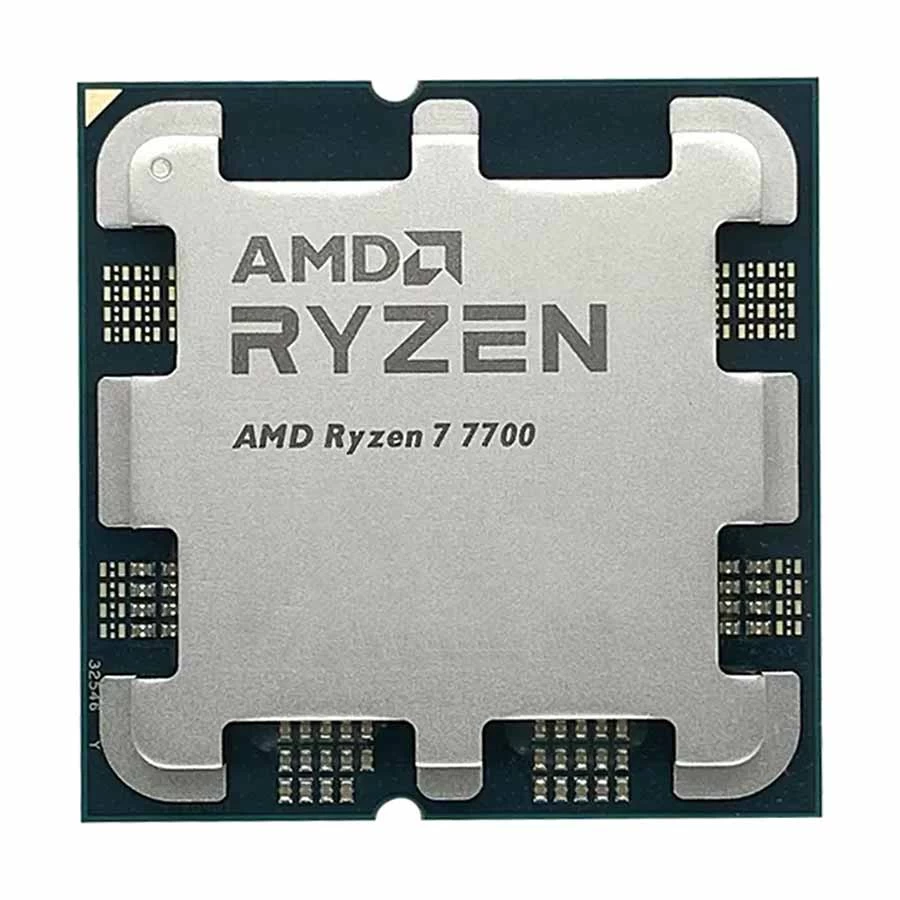
- 8 Cores, 16 Threads
- 3.8GHz-5.3GHz Clock Speed
- 40MB CPU Cache
- AM5 Socket
AMD Ryzen 7 7700 is an 8-core, 16-thread Zen 4 desktop processor with up to 5.3GHz boost speed, 40MB total cache, DDR5 memory support, PCIe 5.0 support, and built-in AMD Radeon Graphics. Its 65W TDP makes it suitable for powerful gaming, multitasking, and content creation PCs.
Tk 21,900 Tk 23,760 Price may change
View Product
Best CPU for Content Creation and Video Editing
Video editing, rendering, encoding, and other creator workloads can use more CPU cores and threads than basic office work. A processor such as the AMD Ryzen 7 9700X offers 8 cores and 16 threads, 40MB cache, AM5 support, and a 65W TDP.
For heavier professional workloads, Ryzen 9 or higher-end Intel Core Ultra processors can provide more processing capacity.
However, video editing is not CPU-only. Your GPU, RAM, SSD, and software also affect the overall workflow. If your software relies heavily on GPU acceleration, spending the entire budget on the CPU may not be the best use of money.
AMD 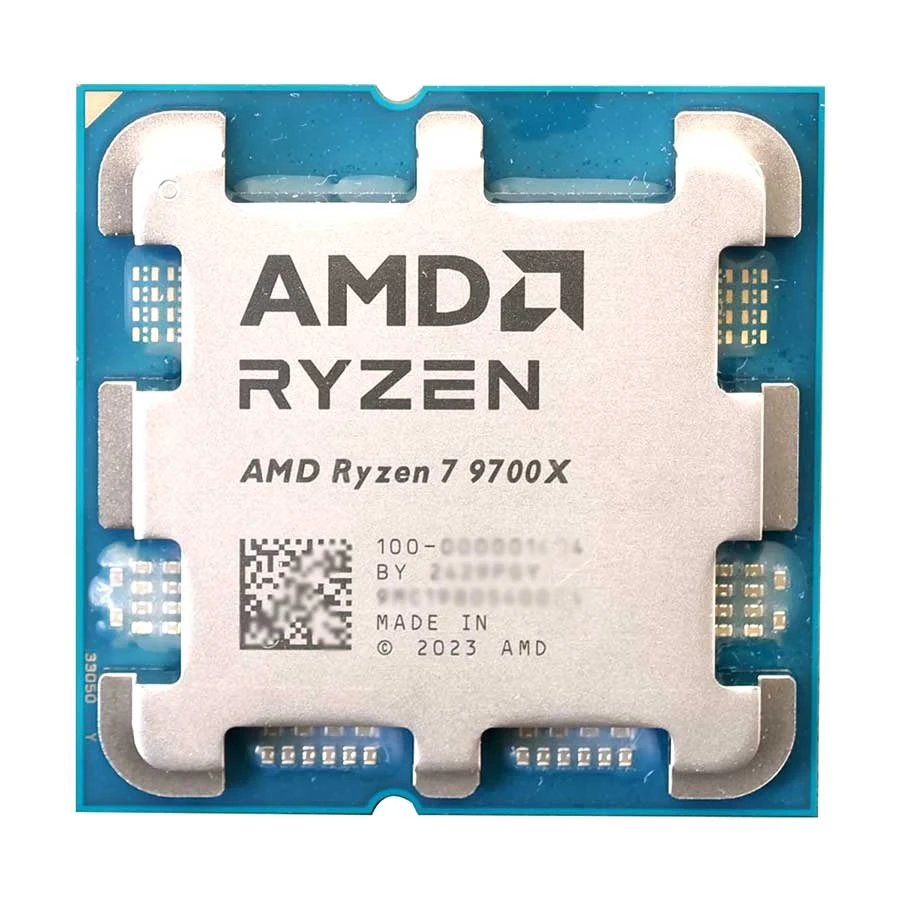
- 8 Cores, 16 Threads
- 3.8GHz-5.5GHz Clock Speed
- 40MB CPU Cache
- AM5 Socket
AMD Ryzen 7 9700X is an 8-core, 16-thread Zen 5 desktop processor with up to 5.5GHz boost speed, 40MB total cache, DDR5 memory support, PCIe 5.0 support, and built-in AMD Radeon Graphics. Its 65W TDP makes it suitable for high-performance gaming, content creation, and demanding multitasking.
Tk 28,500 Tk 30,920 Price may change
View Product
Best Budget CPU
For a basic PC, you can look at the Core i3 or Ryzen 3 class. These are suitable for students, browsing, documents, video calls, and basic office tasks when the exact model provides the required features.
If you also want gaming or heavier multitasking, moving to Core i5 or Ryzen 5 can provide more headroom.
Current Ryans listings show CPUs ranging from older budget models to newer mid-range processors, so compare generation and platform before selecting a low-priced option.
AMD 
- 6 Cores, 12 Threads
- 3.5GHz-5.0GHz Clock Speed
- 22MB CPU Cache
- Radeon 740M Graphics
AMD Ryzen 5 8500G is a 6-core, 12-thread AM5 desktop processor with up to 5.0GHz boost speed, 22MB total cache, DDR5 memory support, and integrated Radeon 740M graphics. It is a practical choice for everyday PCs, productivity, light content creation, and gaming builds that can run without a dedicated graphics card.
Tk 16,500 Tk 17,900 Price may change
View Product
Best CPU for Office and Everyday Use
Office users normally do not need a high-end CPU. A modern Core i3/Ryzen 3 can be enough for documents, spreadsheets, browsing, email, meetings, and streaming. A Core i5/Ryzen 5 becomes more useful if you regularly keep many browser tabs and applications open or want more long-term performance headroom.
If you do not use demanding applications, spending extra on a high-end CPU is unlikely to provide a meaningful everyday improvement.
INTEL 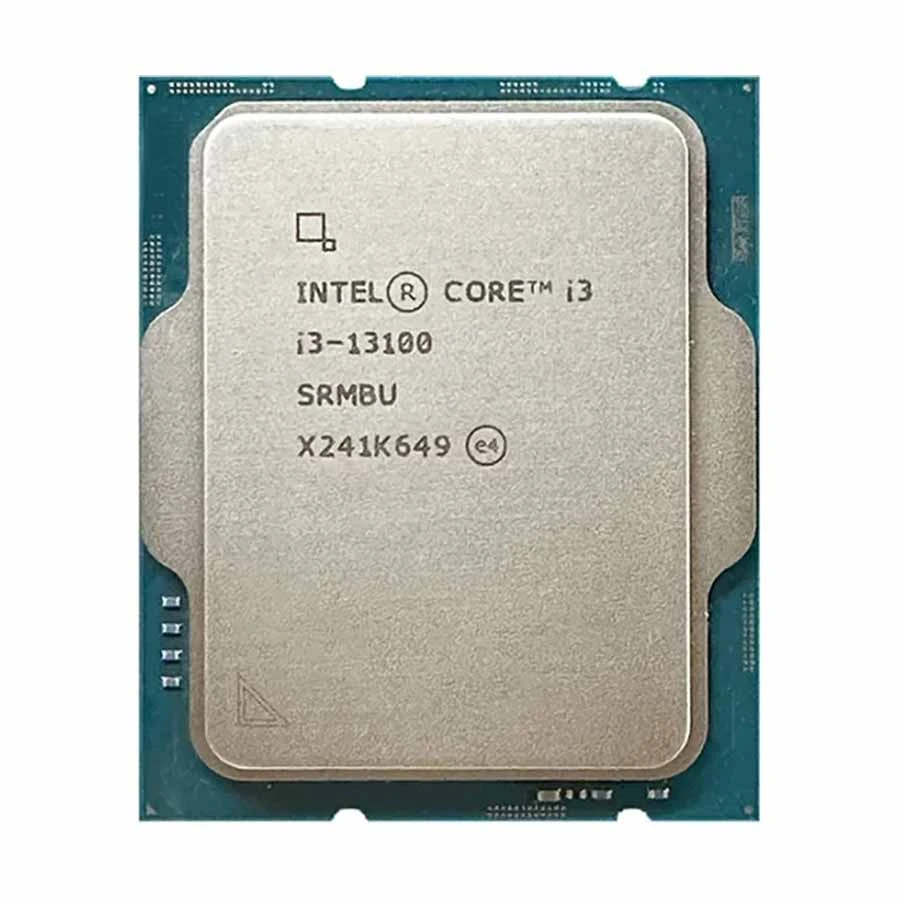
- 4 Cores, 8 Threads
- 3.40GHz-4.50GHz Clock Speed
- 12MB CPU Cache
- Intel UHD Graphics 730
Intel Core i3 13100 is a 13th Gen Raptor Lake desktop processor with 4 cores, 8 threads, up to 4.50GHz turbo frequency, 12MB cache, and built-in Intel UHD Graphics 730. It supports both DDR4 and DDR5 memory and uses the LGA1700 socket, making it suitable for everyday computing, office work, study, and entry-level PC builds.
Tk 15,500 Tk 16,820 Price may change
View Product
CPU Buying Tips
Common Mistakes to Avoid When Buying a CPU
Avoid these common mistakes before choosing a processor for your next PC build or upgrade.
!
Choosing by Core Count Alone
More cores do not automatically mean better performance for your workload. Check benchmarks for the software you actually use.
!
Ignoring Motherboard Compatibility
A CPU that does not match your socket or chipset cannot simply be installed. Always verify compatibility first.
!
Comparing Only GHz
Clock speed is useful, but architecture and CPU design also determine performance.
!
Buying Too Much CPU
If you mainly browse, study, and use Office applications, a high-end processor can consume a budget that may be more useful elsewhere.
!
Ignoring Cooling
Check whether the processor includes a cooler and whether that cooler is suitable for your workload.
!
Forgetting Integrated Graphics
If you do not plan to buy a dedicated GPU, make sure the CPU has the required integrated graphics.
!
Ignoring RAM Compatibility
Modern platforms can have different RAM requirements. Check whether the motherboard and CPU support the memory type and speed you plan to use.
!
Building an Unbalanced PC
A high-end CPU with an entry-level GPU may not be the best gaming budget allocation. Consider the complete CPU and GPU balance.
!
Ignoring the Upgrade Path
An inexpensive CPU can become less attractive if its motherboard platform leaves you with few practical upgrade options.
!
Buying an Older CPU Only Because It Is Cheaper
Older hardware can offer good value, but compare its performance, warranty, platform, power requirements, and total build cost with newer alternatives.
Frequently Asked Questions
Is a higher core count always better?
No. More cores help applications that can use them, such as rendering and heavy multitasking. Many everyday tasks and some games benefit more from strong single-core performance and overall CPU architecture.
What is more important, clock speed or cores?
Neither is universally more important. For gaming and many everyday applications, per-core performance and clock behaviour matter. For rendering and heavy multitasking, additional cores and threads can be more useful.
Do I need integrated graphics?
You need integrated graphics if you want to use the PC without a dedicated GPU and the processor does not have another graphics solution. If you already have a dedicated graphics card, an iGPU may be less important.
Should I choose Intel or AMD?
Compare the specific CPUs, price, motherboard cost, RAM platform, performance in your applications, power requirements, and upgrade path. Both Intel and AMD offer processors across budget, gaming, productivity, and professional segments.
Conclusion
The best way to choose a processor is to work backward from your actual PC use.
For basic study and office work, a budget CPU can be enough. For gaming, balance the CPU with the GPU. For programming and multitasking, a capable mid-range processor with sufficient RAM is often a practical starting point. For video editing, rendering, and professional workloads, more cores and stronger overall platform performance become more valuable.
You can compare the current processor price in Bangladesh and available Intel and AMD models at Ryans. Current listings span entry-level CPUs through high-end Ryzen, Core Ultra, and workstation-class options, so compare the complete platform before deciding.















Leave a comment