Label Printer for Online Business: Courier Labels, Barcode, Price Tags and Packaging
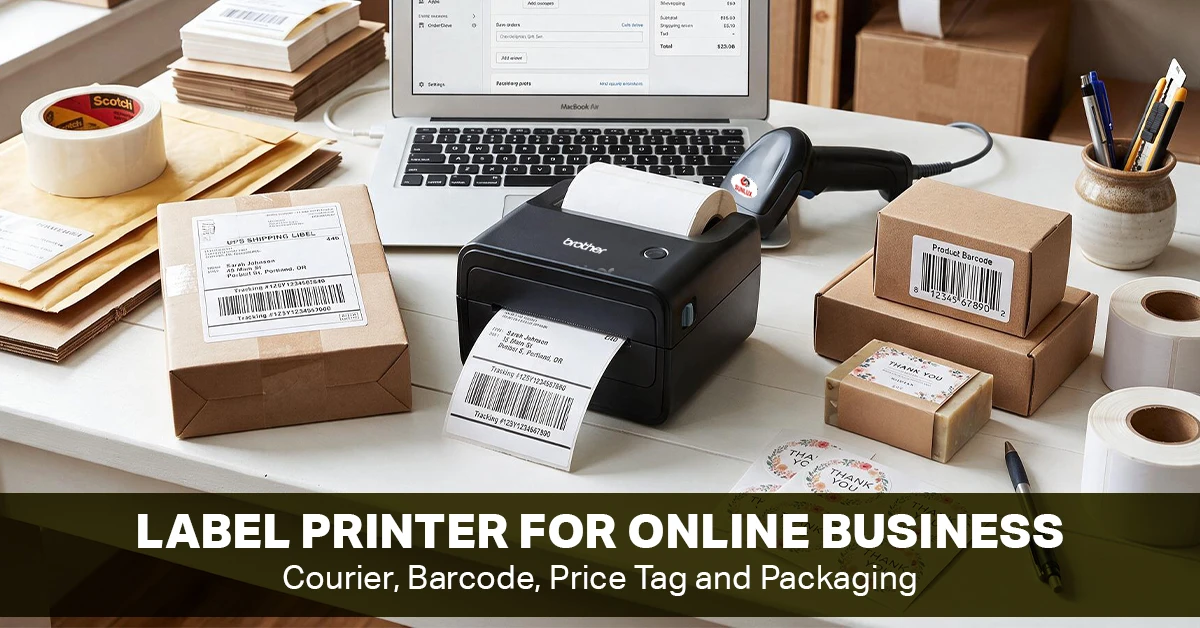
Running an online business means dealing with labels regularly. From shipping labels to product barcodes, price tags, and packaging information, proper labeling is crucial to keep orders organized.
The right label printer can make this process faster and easier, especially when order volume starts to grow. However, one printer may not be ideal for every job. The right choice depends on the labels you print, their size, how often you print them, and whether you need short-term or more durable labels.
This guide explains what to look for when choosing a label printer for business and which features matter most for online shops, retail stores, and warehouse operations in Bangladesh.
Quick Answer: Which Label Printer Fits Your Online Business?
Courier and Shipping Labels
A direct thermal label printer is often more practical for this purpose as it prints without ink and toner. Therefore, it works well for short-term shipping labels. However, you must check the printer’s supported label width, print speed, connectivity, and compatibility with your courier or shipping software. For a small online business, a compact 4-inch label printer is typically enough for common shipping labels.
Barcode and Price Labels
If you sell products through an online store or physical shop, you may also need a barcode label printer for product IDs, SKUs, inventory labels, and price tags. Barcode clarity is particularly important. A poorly printed barcode can cause scanning problems and slow down checkout or inventory management. Before buying, check:
Supported label sizes
Print resolution
Barcode compatibility
Software support
Connection options
Cost of replacement labels
Packaging and Product Labels
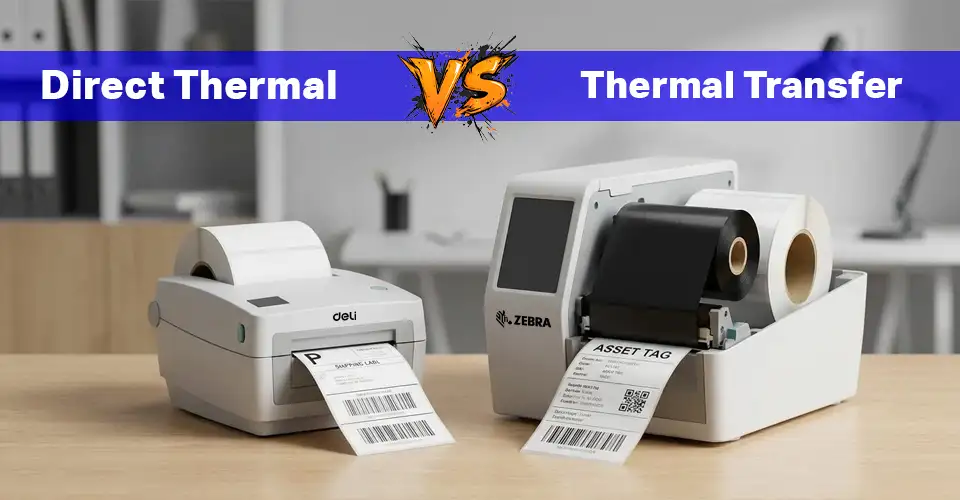
Packaging labels can be damaged if these labels are exposed to moisture, heat, sunlight, or frequent handling. Direct thermal labels are convenient for short-term use, but they can be more sensitive to heat and sunlight.
For labels that need to remain readable for longer, thermal transfer printing with suitable ribbon and media can be a better option. The important point is to match the label material and printing method with the environment in which the label will be used.
How Label Printing Fits Into an Online Order Workflow
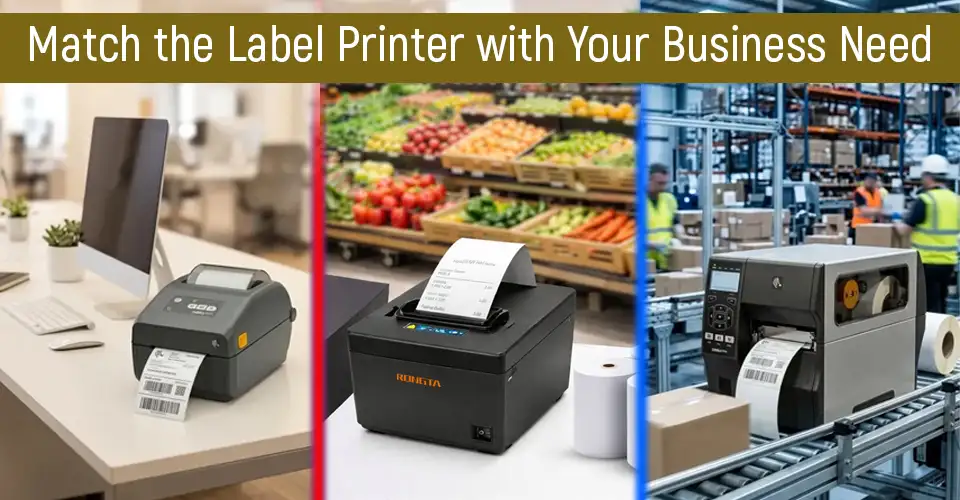
Your printing method should match the type of labels you create, how often you print, and how you handle orders. For example, a small home-based business may mainly need courier labels, while a growing online store may also need product barcodes, SKU labels, and packaging identification.
Type of Label Printing
Best Printing Method
Important Size or Feature
What to Check
Courier and shipping labels
Direct thermal
Usually 4-inch class
Courier format, label width, software compatibility
Barcode labels
Direct thermal or thermal transfer
Small labels with clear text
DPI, barcode clarity, software support
Product identification
Thermal transfer
Depends on the product
Label material, durability, ribbon compatibility
Packaging labels
Direct thermal or thermal transfer
Medium to large
Adhesive, size, print quality
Inventory labels
Direct thermal or thermal transfer
Small to medium
Barcode readability, software, connectivity
Price tags
Direct thermal or thermal transfer
Small or medium
Text clarity, label size, cost per label.
Choose the Right Printing Method and Label Media
The two common thermal printing methods are direct thermal and thermal transfer. However, the better choice depends on how long the label needs to remain readable and what conditions it will face.
Small Online Shops
If you run a home-based or small online shop, you may mainly need courier labels, product stickers, and basic SKU labels. A compact direct thermal printer can be practical when you have limited desk space and a moderate number of daily orders. Look for easy connectivity, support for your preferred label size, and affordable replacement labels.
As order volume increases, printing speed and reliability become more important. A growing online store may need to print shipping labels, product barcodes, inventory labels, and packaging information every day. In this situation, choose a printer that can handle your expected workload without frequent interruptions. It is also worth checking whether the printer works with your order management, inventory, or shipping software.
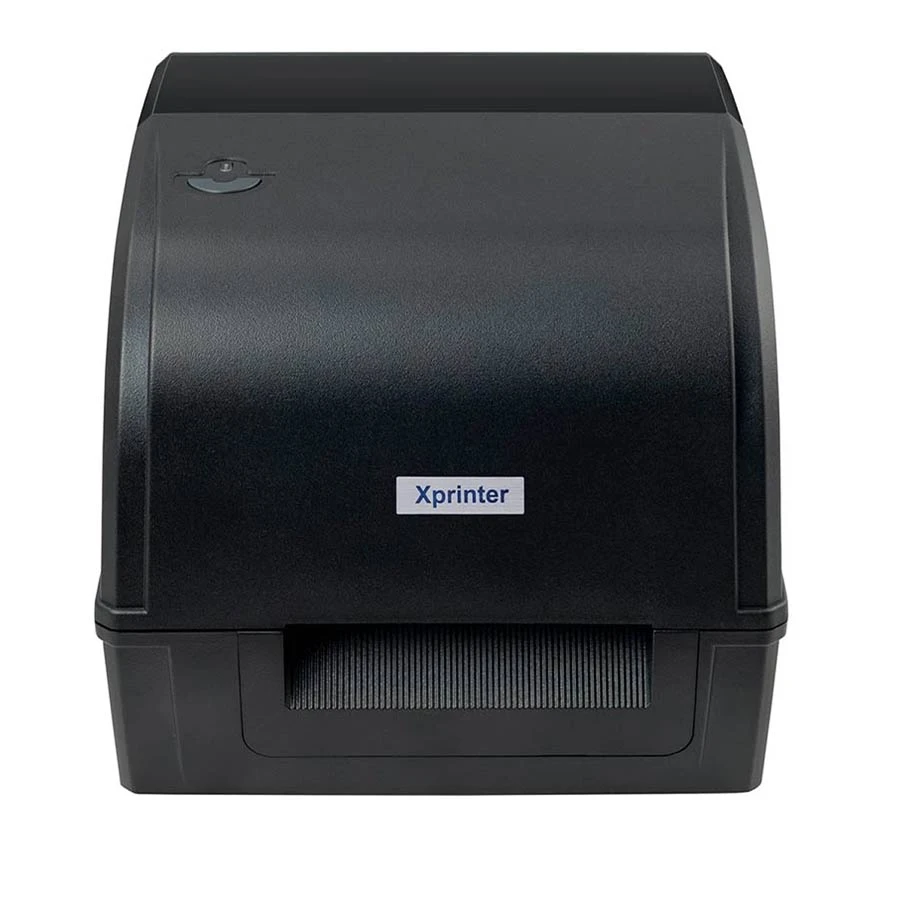
Top Pick: Xprinter XP-TT426B Thermal Transfer Black Barcode Label Printer
A retail store usually needs several types of labels including price tags, product barcodes, shelf labels, and inventory stickers. So, a printer that supports different label sizes and common barcode formats can make daily stock and pricing tasks easier. It is also worth checking whether the printer works with the existing inventory or POS system before purchasing.
For warehouses, printing volume is usually the biggest consideration. If hundreds of labels are printed every day, focus on print speed, reliability, media capacity, connectivity, and the manufacturer's recommended duty cycle. Barcode support is also important when labels are used for stock tracking, picking, packing, or inventory management.
Top Pick: TSC MH361T Industrial Barcode Label Printer
There are several specifications to check before buying a label printer from thermal transfer to direct thermal. They can affect how well a label printer fits your business. Therefore, different label printer brands including Brother, Zebra, Rongta, TSC, and Xprinter offer different combinations of print speed, connectivity, supported media, and durability, so compare the specifications before purchasing.
Label Size and Daily Volume
First, decide what type of labels will be printed. A 4-inch label printer can be useful for many common shipping labels, while smaller labels may be more suitable for product prices, barcodes, or inventory information. Daily printing volume is also important. A printer intended for occasional home use may not be suitable for a business that prints hundreds of labels every day.
Print Speed and Quality
Print speed matters when several orders need to be packed at once. However, a higher advertised speed does not automatically make a printer better for your business. Print resolution is especially important for small text and barcodes. For many standard labels, 203 DPI is sufficient, while 300 DPI can be useful for smaller or more detailed prints.
Connectivity
Check how the printer connects to the devices used in the business. Common options include:
USB
Bluetooth
Wi-Fi
LAN
A label printer with Bluetooth can be useful when labels need to be printed from compatible mobile devices. Therefore, a label printer with Wi-Fi and LAN can be more convenient when several computers or devices need to access the same printer.
Barcode and Inventory Support
If the business uses barcodes, check whether the printer supports the required barcode types. Clear barcode labels can make scanning easier and help with stock management. A printer that works with the existing inventory or POS software can also make the complete workflow more convenient.
Printer Size and Durability
A compact printer can be a good fit for a home office or small workspace. However, businesses with high printing volumes may need a more durable model designed for regular use. Also check the manufacturer's recommended duty cycle, warranty, supported media, and replacement supplies. These details can affect the long-term cost of running the printer.
Build the Complete Label Workflow
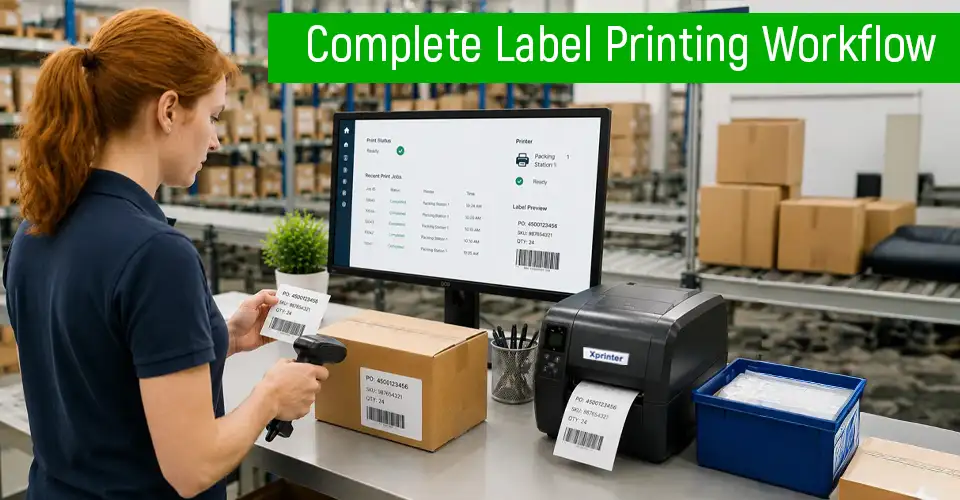
A label printer works best when it fits into your complete order and inventory process. Before printing, make sure you have the right label media, a suitable printer setup, and a clear process for creating and applying labels.
Label Rolls and Ribbons
Before buying replacementprinting supplies, check the printer's supported label width, roll size, core size, material, and adhesive type. If you use a thermal transfer printer, make sure the ribbon is compatible with both the printer and label material. For products exposed to moisture or frequent handling, choose label stock and adhesive designed for those conditions rather than relying only on the printer's specifications.
Barcode Scanner and Inventory Setup
If your business uses barcodes for products or inventory, make sure the label printer, barcode software, and barcode scanner work together. Print a test barcode and scan it before producing a large batch of labels. Also, check that the barcode is clear, correctly sized, and linked to the right product or SKU in your inventory system.
Common Label Printing Mistakes
Some common problems come from choosing the wrong label size, using incompatible media, incorrect print settings, or poor barcode placement. Before printing a large batch, check:
Label size and orientation
Print margins
DPI settings
Media type
Barcode size and clarity
Software compatibility
Also, don't choose a printer only because it has a high print speed. Make sure it actually supports the labels and workflow your business uses.
Final Advice: Match the Printer With the Label Job
There is no single best label printer for business because different businesses have different labeling needs. For an online shop that mainly prints courier labels, a direct thermal printer can be a simple and practical option. If you need durable product or inventory labels, thermal transfer may be a better choice. Before buying, focus on the things that will affect your daily workflow: label size, printing volume, print quality, connectivity, software compatibility, and the cost of replacement supplies.
For businesses in Bangladesh, it can also be useful to compare label printers with compatible barcode scanners, label rolls, POS systems, and other printing supplies before making a final decision.
Frequently Asked Questions (FAQs)
Can one label printer print courier labels, barcodes, and price tags?
Yes, definitely. There are many label printers that can print courier labels, barcodes, and price tags if they support the required label sizes and media.
Can a POS receipt printer print adhesive courier labels?
Usually, no. POS receipt printers are designed mainly for printing receipts on continuous paper, while courier labels require adhesive label media and a suitable label size.
















Leave a comment