Where Can I Buy Affordable WiFi 6 Routers Online in Bangladesh?
If you are looking for an affordable WiFi 6 router online in Bangladesh, Ryans is a practical place to start because you can compare entry-level AX1500 models and stronger AX3000 options in the same store. At the time of checking, the WiFi 6 router range starts from around Tk 2,900, while several AX3000 choices sit close to Tk 4,000 to Tk 5,000.
The important question is not simply which router is cheapest. A small home with browsing, online classes, video calls and normal streaming may be well served by AX1500. A busier household with gaming, 4K streaming, smart TVs, laptops and many phones can get more value from AX3000. This guide focuses on the price difference, the features that are worth paying for and ten current router options that fit different budgets.
How Much Does an Affordable WiFi 6 Router Cost in Bangladesh?
Around Tk 3,000 to Tk 3,500
This is the practical entry point for WiFi 6. Most models in this range are AX1500 and include dual-band wireless with Gigabit Ethernet. They suit students, small families and homes where the main jobs are browsing, streaming, video calls, online classes and regular smart-device use. If you want to compare more products in this speed class, the 1500 Mbps router category is a useful next step.
Around Tk 3,500 to Tk 4,000
This range gives you more choice in brand, management software and mesh support, but many products are still AX1500. The extra money is worth paying when a model gives you a better expansion path, easier control or a port layout that suits your setup. If none of those differences matter, a cheaper AX1500 router may still be the smarter buy.
Around Tk 4,000 to Tk 5,000
This is currently the strongest value zone because AX3000 starts only a little above the better AX1500 models. Tenda TX12 Pro v2.0, Tenda TX3000 Pro, MERCUSYS MR80X and Cudy WR3000 are examples. Buyers with many active devices, faster broadband or a plan to keep the router for several years should compare the 3000 Mbps router range before settling for AX1500.
Is a Tk 4,000 AX3000 Router Better Value Than a Tk 3,000 AX1500 Router?
The better value depends on how heavily your home network is used, not only on the AX number.
Buying Situation
AX1500
AX3000
Basic browsing, study and office work
Usually enough for a small household.
Extra wireless capacity may not change everyday use.
Several phones, TVs and laptops active together
Works, but has less wireless headroom.
Better fit when many devices are busy at once.
Gaming and 4K streaming at the same time
Good when device count is low and signal is strong.
More comfortable for simultaneous high-bandwidth use.
Keeping the router for several years
Best when lowest purchase cost matters most.
Often easier to justify as device count and broadband speed grow.
Remember: AX1500 and AX3000 are wireless speed classes. They do not mean your ISP connection will automatically run at 1500 Mbps or 3000 Mbps. Your internet package, client devices, signal quality, walls, interference and wired port speed still affect real performance.
Top 10 Affordable WiFi 6 Routers to Buy from Ryans
The table gives a quick view of the ten selected routers without using price as the deciding factor. The individual product cards below show current pricing, key specifications, strengths, limitations and the type of buyer each model suits.
Top 10 WiFi 6 Router Comparison
Compare wireless class, main value and buyer fit before opening the detailed product cards.
Router
WiFi Class
Key Value
Best Fit
Tenda TX2L Pro
AX1500
Lowest-cost Gigabit WiFi 6
Students and small homes
Cudy WR1500 1.0
AX1500
Mesh and flexible modes
Value-focused home setup
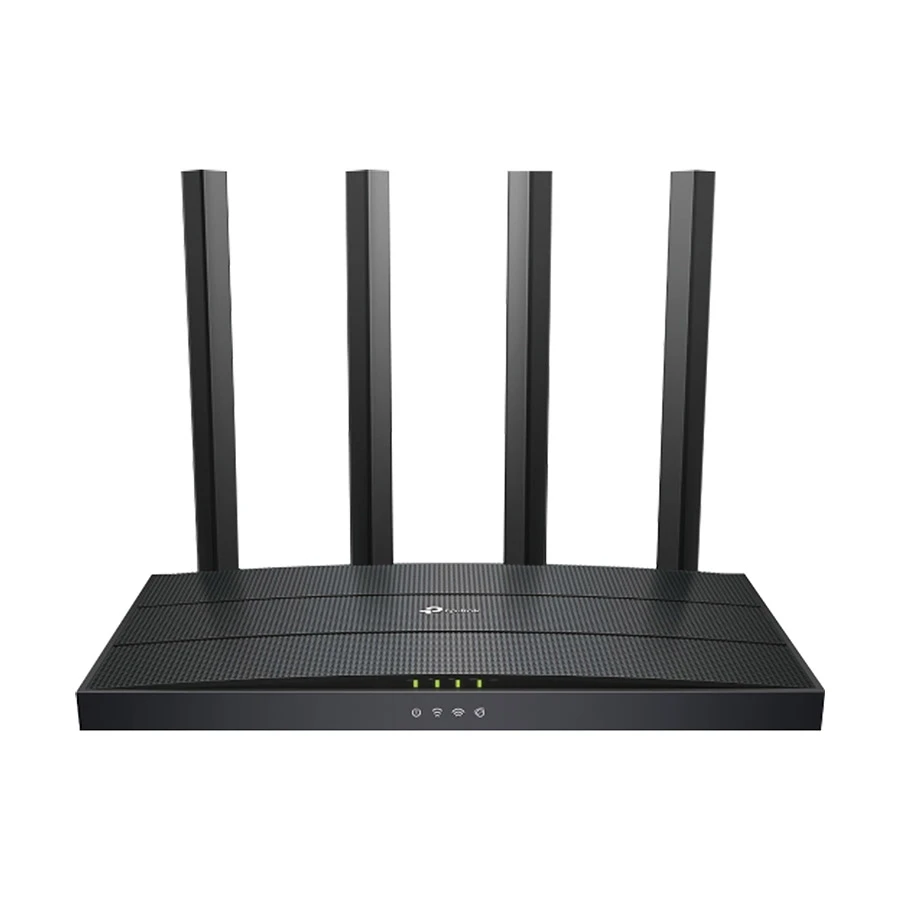
TP-Link Archer AX12
AX1500
EasyMesh and simple management
Mainstream TP-Link buyers
Netis NX10
AX1500
1GHz CPU and EasyMesh
Alternative AX1500 choice
Tenda TX12 Pro v2.0
AX3000
Low-cost AX3000 with 160MHz
Budget AX3000 upgrade
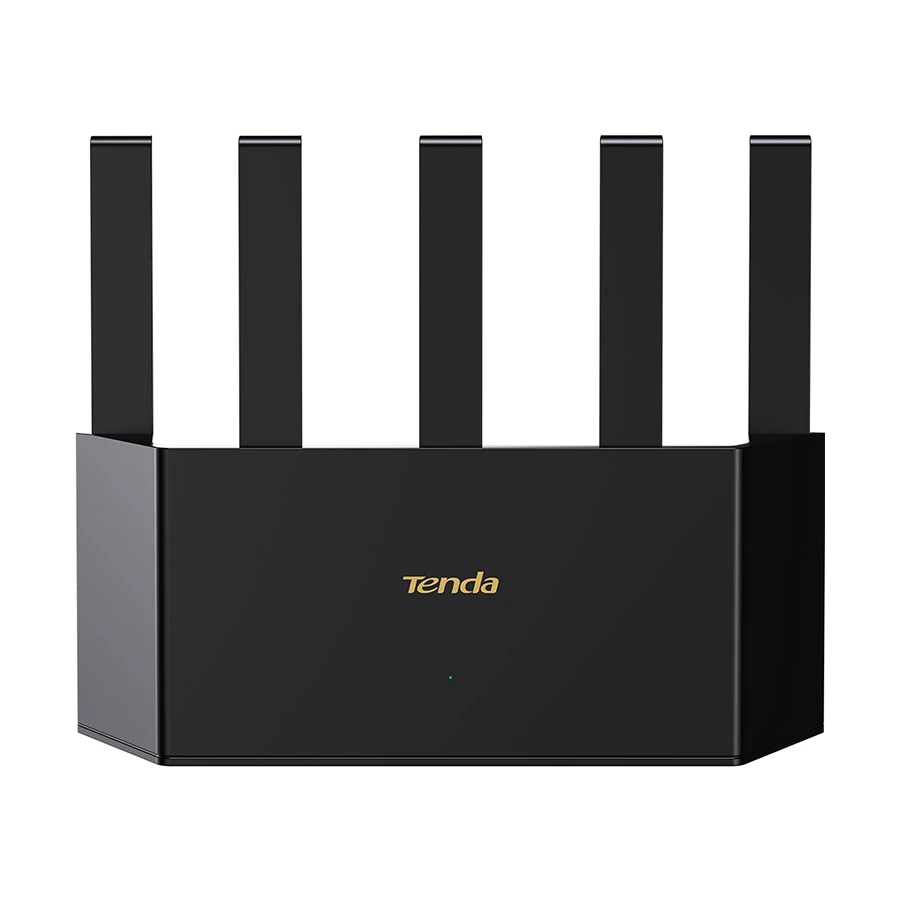
Tenda TX3000 Pro
AX3000
Stronger hardware and coverage focus
Busy family home
MERCUSYS MR80X V2.20
AX3000
Strong AX3000 price-to-performance
Families, gaming and streaming
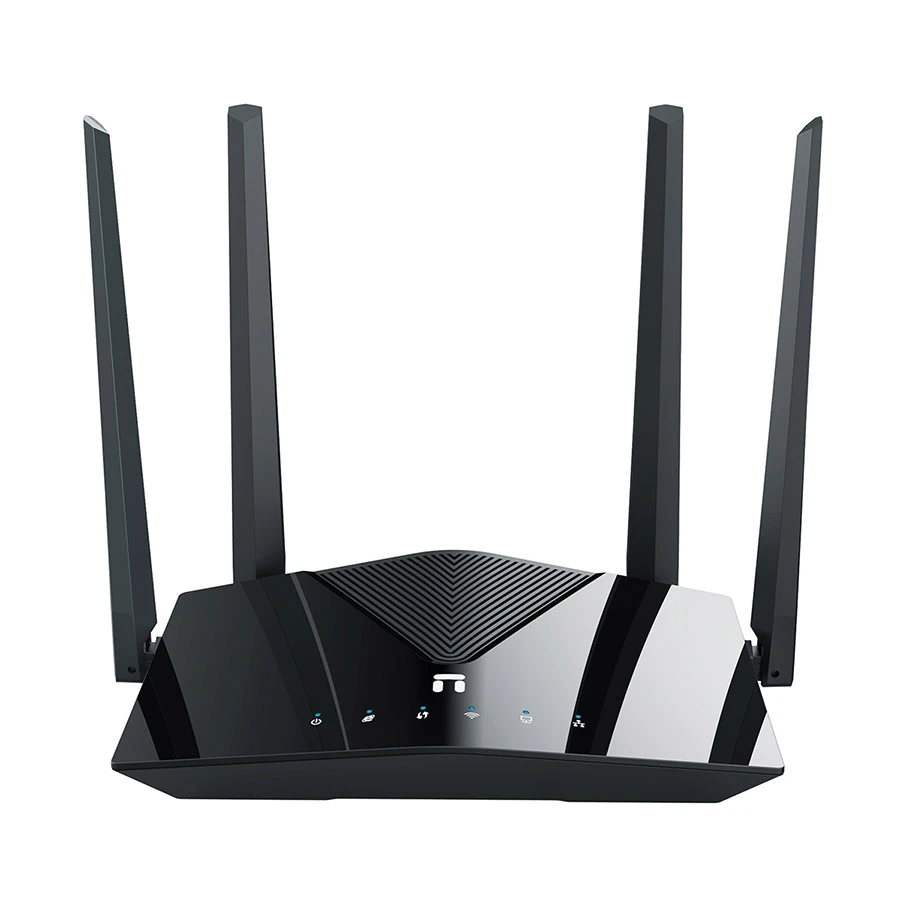
Cudy WR3000
AX3000
Advanced VPN and flexible modes
Power users and home office
ASUS RT-AX52
AX1800
ASUS software and 2-year warranty
ASUS ecosystem buyers
TP-Link Archer AX53 V1
AX3000
Four LAN ports and TP-Link ecosystem
Long-term home upgrade
✓Best lowest-cost WiFi 6 pick for a normal home
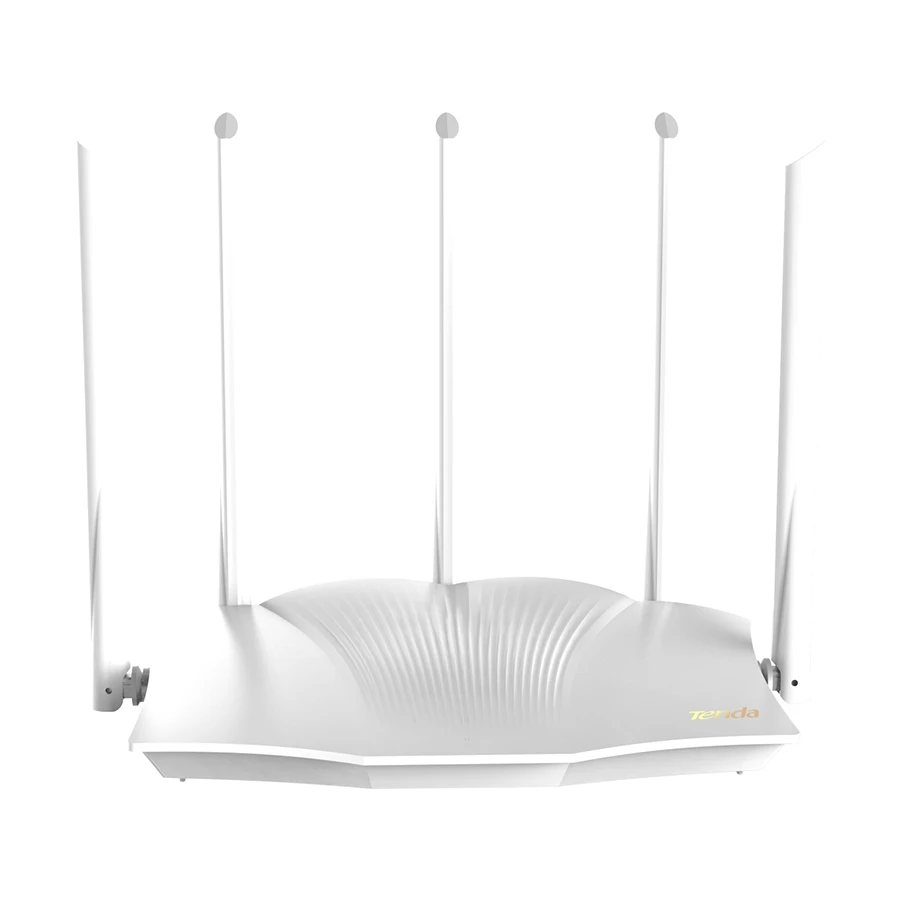
Tenda TX2L Pro AX1500 Mbps Gigabit Dual-Band Wi-Fi 6 Router
Special Price
Tk 2,900
Regular Price
Tk 3,150
Save Tk 250
✓Pros
Low entry price for a Gigabit WiFi 6 router
Up to 1500 Mbps dual-band wireless class
Five external antennas and Beamforming
Mesh support for compatible Tenda expansion
×Cons
Only three Gigabit LAN ports
No USB interface
Up to 30 concurrent connections in the listed specification
AX1500 offers less headroom than AX3000 for a very busy network
Who Should Buy: Students, small families, renters and work-from-home users who want to replace an older basic router without moving far above a Tk 3,000 budget. It is most attractive when your internet use is browsing, video calls, streaming and normal smart-device traffic rather than a heavily loaded multi-user network.
What to Check Before Buying: The listed coverage figure is approximate and real range will change with walls, floors and placement. If several people regularly game, stream and transfer files at the same time, compare an AX3000 option before choosing the lowest price.
Specs and Configurations
Important product details are shown below for a quick buying check.
Router, Access Point, Range Extender, WISP and Client modes
128MB RAM and support for many connected clients in the listed specification
×Cons
Still an AX1500-class router
No USB interface
Listed approximate coverage is lower than some competing models
Advanced modes add value only if you plan to use them
Who Should Buy: Homes that want an affordable WiFi 6 router but also care about mesh expansion, multiple operating modes or several wired devices. It is a stronger fit than a very basic AX1500 model when you expect your network setup to change later.
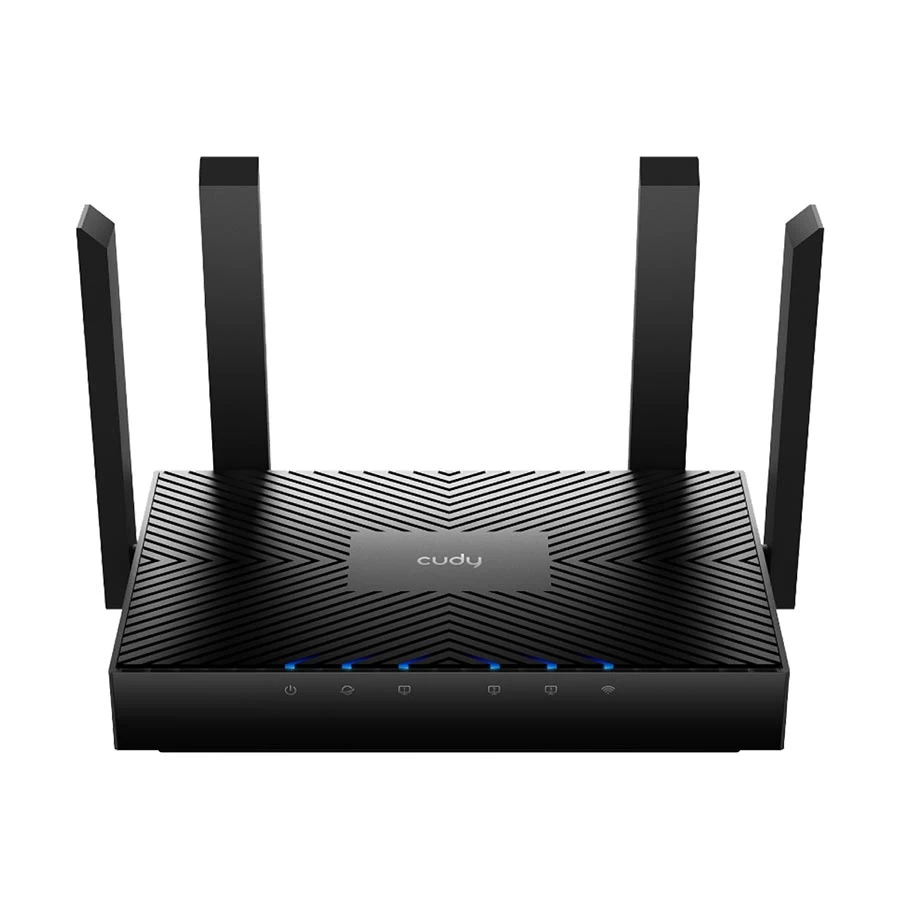
What to Check Before Buying: Confirm whether you need Cudy Mesh specifically and count how many wired devices you plan to connect. If your main goal is maximum wireless capacity for many active users, the small extra cost of an AX3000 router may be more useful than the extra modes.
Specs and Configurations
Important product details are shown below for a quick buying check.
AX1500 class is less attractive for a very busy home
Listed concurrent-user figure is lower than some alternatives
Who Should Buy: Buyers who prefer TP-Link, want an easy setup experience and need a balanced router for a small or medium home. It is especially practical if you value TP-Link management and may add EasyMesh-compatible coverage later.
What to Check Before Buying: Do not choose it only for the TP-Link name if raw value is your main goal. At roughly Tk 4,000, AX3000 models start to appear, so compare the price gap if you have many active devices or faster broadband.
Specs and Configurations
Important product details are shown below for a quick buying check.
Coverage figure is not stated on the current listing
No VPN support listed
Only three LAN ports
Similar money can reach entry AX3000 models
Who Should Buy: Buyers who want a capable AX1500 router but do not specifically need TP-Link, Tenda or Cudy. It offers useful hardware for normal home networking and gives another EasyMesh option in the sub-Tk 4,000 range.
What to Check Before Buying: Because the current product listing does not give a simple approximate coverage figure, do not buy it based on an assumed range. Compare your room layout and consider AX3000 if you are already close to a Tk 4,000 budget.
Specs and Configurations
Important product details are shown below for a quick buying check.
✓Best low-cost AX3000 upgrade for a busy household
Tenda TX12 Pro v2.0 AX3000 Mbps Gigabit Dual-Band Wi-Fi 6 White Router
Special Price
Tk 4,099
Regular Price
Tk 4,390
Save Tk 291
✓Pros
AX3000 speed class at a price close to many AX1500 routers
160MHz channel-width support for compatible devices
Five external antennas with Beamforming
WiFi+ mesh and multiple operating modes
×Cons
Only three Gigabit LAN ports
No USB interface
Real 160MHz benefit depends on client and local wireless conditions
Approximate coverage still depends heavily on walls and placement
Who Should Buy: Users who want the strongest specification jump without leaving the lower-budget range. It makes sense for families with several active devices, faster internet packages and buyers who want more wireless headroom than AX1500 offers.
What to Check Before Buying: Your phone or laptop must support the relevant WiFi features to benefit fully from the wider channel. If you need more wired ports or a richer management platform, compare the higher-priced options instead of choosing by AX3000 alone.
Specs and Configurations
Important product details are shown below for a quick buying check.
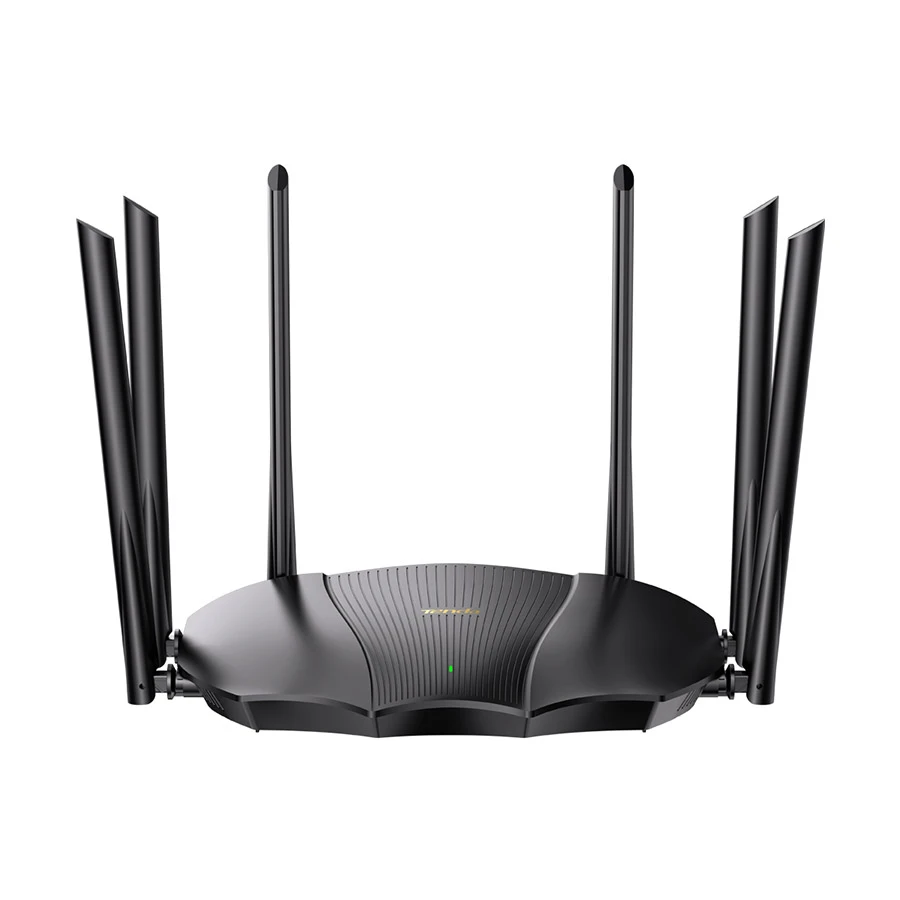
Tenda TX3000 Pro AX3000 Mbps Gigabit Dual-Band Wi-Fi 6 Router
Special Price
Tk 4,300
Regular Price
Tk 4,670
Save Tk 370
✓Pros
1.3GHz dual-core CPU for a busier network
Six 6dBi external antennas
160MHz, OFDMA and MU-MIMO support
WiFi+ mesh for compatible Tenda expansion
×Cons
Only three Gigabit LAN ports
No USB interface
Listed user count is not especially high compared with some rivals
Large-home coverage claims still depend on the building layout
Who Should Buy: Medium or larger homes where several people stream, browse, work and game at the same time. The combination of AX3000, stronger CPU hardware and six antennas makes it more appealing than basic AX1500 when network load is the real problem.
What to Check Before Buying: Do not treat the listed coverage figure as a guarantee through multiple concrete walls or floors. If your main issue is dead zones instead of network capacity, a mesh system may solve the problem better than one stronger router.
Specs and Configurations
Important product details are shown below for a quick buying check.
VPN server/client options and QoS priority controls
×Cons
Only Gigabit Ethernet, not multi-gig
No USB interface
Range-extender mode is not listed as a dedicated operating mode
Cross-brand mesh behavior should be checked before mixing hardware
Who Should Buy: Families, gamers, remote workers and streamers who want AX3000 capacity without moving into a much higher price tier. It is especially strong for buyers who value EasyMesh, VPN options and device-priority controls at a value-focused price.
What to Check Before Buying: The listed capacity is a maximum connection figure, not a promise that hundreds of active devices will all receive full performance. Match it to your actual workload and verify mesh compatibility if you plan to mix brands.
Specs and Configurations
Important product details are shown below for a quick buying check.
WireGuard, OpenVPN, L2TP and PPTP server/client support
×Cons
Costs more than several other AX3000 value models
Only Gigabit Ethernet on this model
No USB interface
Advanced VPN and multi-mode features may be unnecessary for simple home use
Who Should Buy: Power users, home-office users and buyers who want more network control, VPN choices and flexible operating modes. It is a better value when you will actually use those tools, not when you only want a basic router for browsing and streaming.
What to Check Before Buying: If your needs are simple, a cheaper AX3000 model can deliver similar wireless class for less money. Choose WR3000 when its stronger internal hardware and network features are part of your real plan.
Specs and Configurations
Important product details are shown below for a quick buying check.
✓Best ASUS WiFi 6 choice for buyers who value software and support
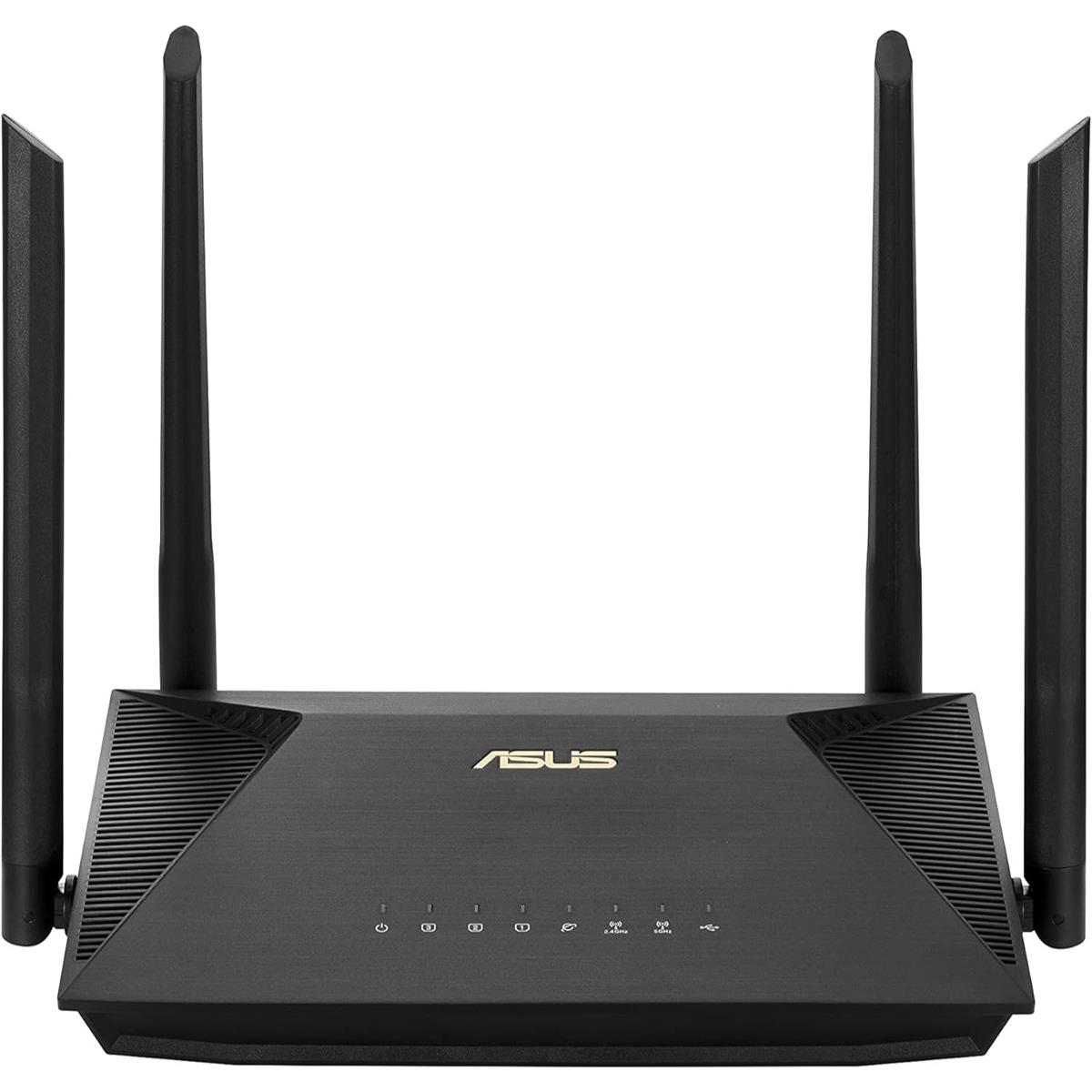
ASUS RT-AX52 AX1800 Mbps Gigabit Dual-Band Wi-Fi 6 Router
Special Price
Tk 6,000
Regular Price
Tk 6,510
Save Tk 510
✓Pros
ASUS router-management ecosystem
AiMesh support for compatible ASUS expansion
WPA3 and VPN support
Two-year router warranty listed without adapter
×Cons
Higher price than several AX3000 models
AX1800 offers lower headline wireless capacity than AX3000
No USB interface listed
Best value depends on whether you actually prefer ASUS software and ecosystem
Who Should Buy: ASUS users and buyers who care more about management experience, compatible AiMesh expansion and warranty length than getting the highest AX number for each taka. It is a platform choice as much as a speed choice.
What to Check Before Buying: If your only goal is maximum wireless class for the money, cheaper AX3000 routers are more aggressive. Pay the ASUS premium when its software, security controls, ecosystem and longer listed warranty are meaningful to you.
Specs and Configurations
Important product details are shown below for a quick buying check.
Still limited to Gigabit Ethernet rather than multi-gig
Cheaper AX3000 routers offer stronger raw price-to-speed value
Who Should Buy: Families, home-office users and TP-Link buyers who want a fuller long-term setup with four wired LAN ports, EasyMesh and familiar management. It is easier to justify when you expect to keep the router for years rather than simply buying the cheapest AX3000 option.
What to Check Before Buying: Confirm that the V1 hardware version matches the features you expect. If you do not need four LAN ports, HomeShield or the TP-Link ecosystem, several lower-priced AX3000 models may be better value.
Specs and Configurations
Important product details are shown below for a quick buying check.
Price note: Router prices, offers and branch availability can change. Use the View Product button in each card to check the latest Ryans listing before ordering.
Best Affordable WiFi 6 Routers by Budget
Best Around Tk 3,000: Tenda TX2L Pro
The TX2L Pro makes sense when the goal is to get WiFi 6 and Gigabit Ethernet at the lowest practical cost. It is a strong fit for a small home where the network is not heavily loaded and you do not need advanced controls.
Best Around Tk 3,500: TP-Link Archer AX12
Archer AX12 suits buyers who prefer TP-Link management and EasyMesh. The reason to spend more than the cheapest AX1500 model is the ecosystem and easier expansion path, not a dramatic jump in raw wireless class.
Best Around Tk 4,000: Tenda TX12 Pro v2.0
This is where the value changes because AX3000 becomes available close to AX1500 pricing. It is a sensible upgrade for a busier household, faster broadband and compatible devices that can use the extra 5GHz capacity.
Best Around Tk 4,500: MERCUSYS MR80X V2.20
MR80X combines AX3000, 160MHz, EasyMesh, VPN options and useful management tools at a controlled price. It is a stronger fit for families, gamers and remote workers than for a simple one-person network.
Best Around Tk 5,000: Cudy WR3000
WR3000 earns its higher price through stronger internal hardware, multiple modes and broad VPN support. Choose it when those controls are part of your real network plan. If you only need normal WiFi, a cheaper AX3000 router can be better value.
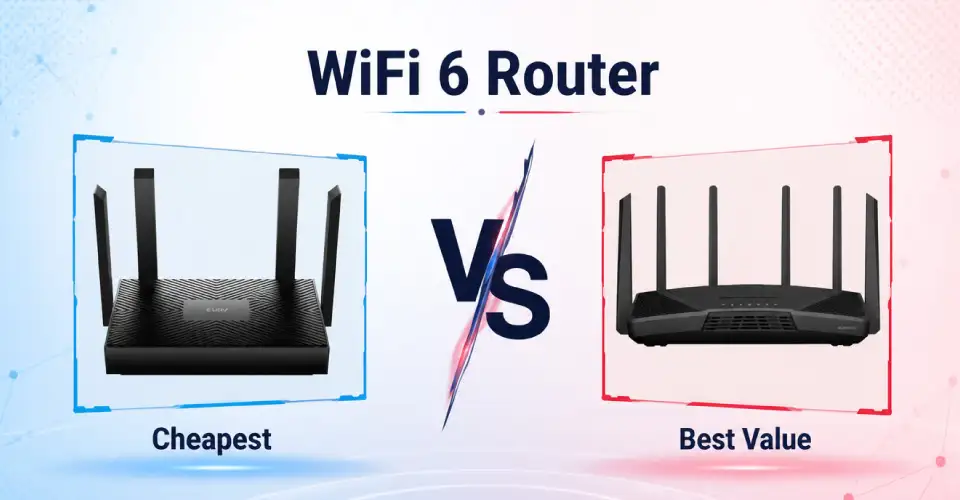
Cheapest vs Best Value vs Long-Term Buy
Cheapest: Tenda TX2L Pro
Choose the cheapest option when your home is small, your internet package is moderate and only a few devices are heavily active at the same time. In that situation, paying extra for AX3000 may not noticeably improve normal browsing or streaming.
Best Value: AX3000 Around Tk 4,000 to Tk 4,500
The strongest value appears when a relatively small price increase moves you from AX1500 to AX3000. This matters most when several people share the network, faster 5GHz performance is useful and you want more capacity without moving into premium router pricing.
Long-Term Buy: TP-Link Archer AX53 V1
Archer AX53 costs more, but its four Gigabit LAN ports, EasyMesh, AX3000 wireless class and TP-Link management make it easier to keep in a more complete home setup. The extra cost is easier to justify when wired devices and future expansion matter.
Which WiFi 6 Router Fits Your Internet Package?
Match the router to total household activity, not only to the number written on your ISP package.
Internet Package
Router Direction
Buying Logic
Up to 30 Mbps
Budget AX1500
Prioritize stable coverage and Gigabit ports instead of paying for unused AX3000 capacity.
30 to 100 Mbps
AX1500 or value AX3000
AX1500 is enough for light use; AX3000 helps when several devices are active together.
100 to 300 Mbps
Gigabit AX1500 or AX3000
AX3000 becomes easier to justify for gaming, 4K streaming and multi-user traffic.
300 Mbps and above
Prefer AX3000 in this price range
Use Gigabit WAN/LAN and capable 5GHz devices so the router does not become the weak point.
A stronger router cannot increase the internet package supplied by your ISP. A 50 Mbps connection remains a 50 Mbps connection. What a better router can improve is how efficiently that bandwidth is shared, how well local WiFi performs between compatible devices and how stable the network feels when several people are active.
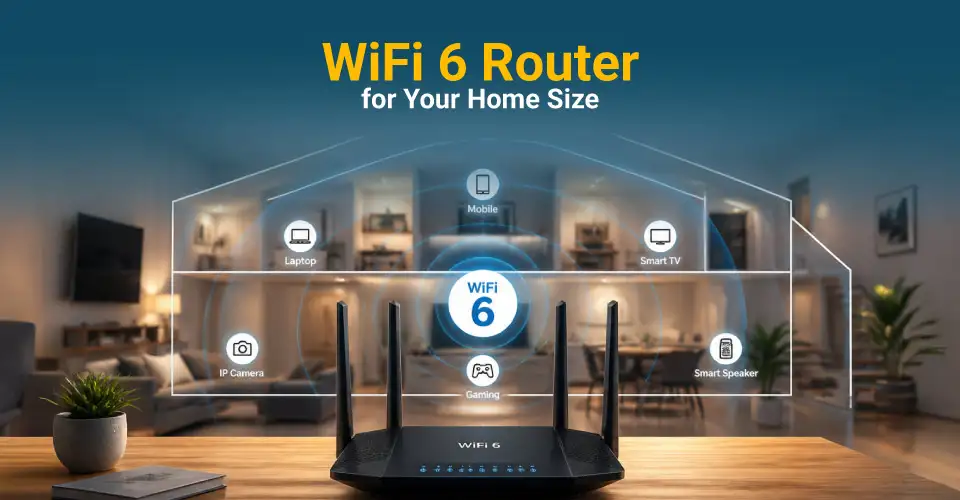
Choose a WiFi 6 Router by Home Size and Layout
Small Apartment or 1 to 2 Rooms
A centrally placed AX1500 router is usually enough for a simple home network. Spend more only when you have many simultaneous users, a faster package, several wired devices or a specific need for mesh and advanced network controls.
Medium Home
AX3000 gives more wireless headroom for families using smart TVs, phones, laptops and gaming devices together. Placement still matters. A well-positioned router in an open central area can perform better than a more expensive model hidden in a corner or cabinet.
Large or Multi-Floor Home
Do not assume one powerful router will cover every room through concrete walls and floor slabs. If your main problem is dead zones, a mesh router system can be a better investment than simply buying the single router with the biggest coverage claim.
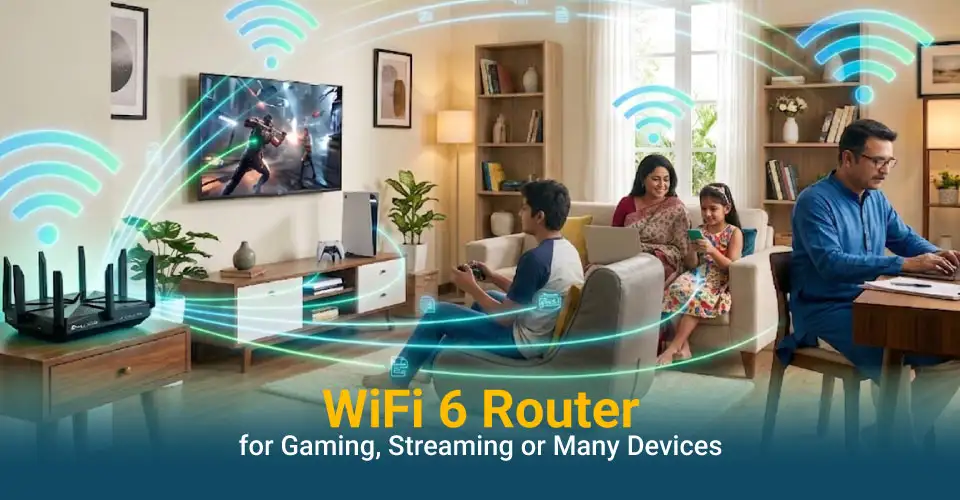
WiFi 6 Router for Gaming, Streaming and Multiple Devices
For Gaming
Prioritize stable 5GHz performance, Gigabit LAN and sensible traffic management. If your gaming PC or console is close to the router, a wired Gigabit connection remains a strong choice because it avoids wireless interference and signal changes.
For 4K Streaming
A single 4K stream does not require an expensive router, but several TVs, phones and laptops using the network together can. AX3000 becomes more useful when high-bandwidth streaming happens while other people are gaming, downloading or joining video calls.
For Many Connected Devices
Look beyond the maximum device number printed in a specification. A router may accept many connected clients, but active streaming and downloads create far more load than idle smart plugs. For a busy family, stronger processing, OFDMA, MU-MIMO and more wireless headroom are more useful than a large theoretical client count alone.
What Extra Features Are Worth Paying For?
Paying more makes sense when the extra feature solves a real limitation in your home. It does not make sense to buy a more expensive router simply because the product page contains more technical terms.
Gigabit WAN and LAN Ports
Gigabit Ethernet is one of the most useful things to pay for because it affects both internet upgrades and wired devices. If you use a desktop PC, smart TV, console, NAS or another access point, Gigabit ports help prevent the wired side of the network from becoming the bottleneck.
160MHz Channel Width
160MHz can improve 5GHz throughput when the router, client device and local wireless environment support it. It is worth paying for if you own newer laptops or phones and move large files or use high-speed local connections. It is less important when your devices only support narrower channels.
Mesh Expansion
Mesh support is valuable when you may need another node later. It gives you a cleaner expansion path for dead zones and larger homes. Check the exact mesh system before buying because EasyMesh, AiMesh, Cudy Mesh and Tenda WiFi+ are not the same ecosystem.
Stronger Processor and More Memory
Better internal hardware matters when the router has to manage many active devices, VPN traffic, QoS rules and several services at once. It is less visible than antenna count, but it can be a more meaningful reason to choose one AX3000 router over another.
VPN and Advanced Operating Modes
VPN server or client support, access-point mode, repeater mode and WISP are worth paying for only if they match your setup. A remote worker or advanced home-office user may use these features every day, while a normal household may never open the settings.
QoS, Parental Controls and Security Tools
These features are useful when you want to prioritize a work PC or console, manage children's internet time, create guest access or use WPA3. Check what the specific router provides and whether any advanced service requires a subscription before you pay a premium for the feature name.
When Should You Not Buy the Cheapest WiFi 6 Router?
A low-cost AX1500 router can be excellent value for a simple network. It becomes the wrong purchase when the money you save today creates a clear limitation that forces another upgrade soon.
Your Household Has Heavy Simultaneous Traffic
If several people regularly stream, game, join video calls and download files at the same time, the cheapest router may have less wireless and processing headroom than your household needs. In this situation, a value AX3000 model can be a smarter purchase even when your internet package itself is not extremely fast.
You Are Already Using Fast Broadband or Planning an Upgrade
If you have a 100 Mbps or faster connection and expect to move higher, buying only for today's minimum requirement can shorten the useful life of the router. Gigabit WAN/LAN and stronger 5GHz capacity make more sense when you know the broadband plan will grow.
You Need More Wired Devices Than the Cheapest Router Supports
Desktop PCs, consoles, smart TVs, NAS devices and access points can quickly use the available LAN ports. A cheap router with three LAN ports may look fine until the fourth wired device arrives. Paying slightly more for a suitable port layout can be simpler than immediately adding more hardware.
Your Main Problem Is Dead Zones or Multiple Floors
Choosing the cheapest single router is risky when the home already has weak rooms, thick concrete walls or more than one floor. In that case, the right spending decision may be a mesh-ready router or a complete mesh system. More advertised speed does not automatically solve difficult coverage.
You Need VPN, QoS or Specific Network Modes
Basic routers can be perfectly stable while still lacking a feature you actually need for remote work, gaming priority, parental management, WISP or access-point use. Check the required function before purchase. Replacing a router because one software feature is missing is usually more expensive than choosing correctly the first time.
You Want the Router to Last Through Several Device Upgrades
If you expect to add a new smart TV, gaming console, WiFi 6 laptop, cameras or more family devices, a small step up in wireless class, CPU, memory and mesh support can provide better long-term value. The cheapest router is best only when its limits still match your expected network two or three years from now.
The simple rule is to spend extra on the limitation you can already predict. Do not pay more for every specification, but do not save Tk 500 to Tk 1,500 if it means giving up the ports, capacity, mesh path or management feature your setup genuinely needs.
Before You Order a WiFi 6 Router Online
Check these points on the product page before paying. A short comparison can prevent most common router-buying mistakes.
Check the WAN port: choose Gigabit WAN if your broadband is fast now or you plan to upgrade later.
Count your wired devices: make sure there are enough LAN ports for your PC, smart TV, console, NAS or access point.
Match the WiFi class to your real workload: AX1500 suits lighter networks, while AX3000 gives more headroom for busy households.
Plan the router position: a central, open location is usually better than a corner, closed cabinet or floor-level position.
Verify the mesh system: check the exact compatible ecosystem if you plan to add another router or mesh node later.
Check the hardware version: different revisions can use different firmware or feature sets, so match the listing to the unit you receive.
Use a suitable Ethernet cable: for new wired links, choose a proper network cable for the speed and distance you need.
Check power requirements: if you plan to use a mini UPS, match its voltage, current and connector polarity to the router adapter.
Confirm warranty and current availability: check the live product page before traveling to a branch or placing the order.
Compare total value: a small price step is worthwhile only when it adds a feature, port or performance level you will actually use.
Why Buy a WiFi 6 Router from Ryans?
Ryans lets you compare multiple WiFi 6 brands, prices and networking products in one place. Individual product pages show specifications, warranty information and availability tools, which makes it easier to compare more than the headline speed.
Choose from TP-Link, Tenda, Cudy, MERCUSYS, ASUS, Netis and other networking brands.
Compare entry-level and higher-performance routers without leaving the same store.
Check listed warranty information and product specifications before ordering.
Eligible products may have EMI or other payment options depending on the current offer.
Online ordering and delivery options help buyers outside the nearest branch area, subject to current terms.
For other connection types and router classes, browse the wider network router collection.
Frequently Asked Questions
Can my WiFi 5 phone or laptop connect to a WiFi 6 router?
Yes. WiFi 6 routers are backward compatible with older WiFi standards. A WiFi 5 device can connect normally, but it will use the wireless features supported by that device.
Can I use a WiFi 6 router with my existing fiber ONU?
Usually yes if the ONU provides an Ethernet connection to the router. You may need your ISP's PPPoE username, password or VLAN information during setup, depending on the service.
Do all WiFi 6 routers support WPA3?
No. WiFi 6 and WPA3 are separate features. Many current WiFi 6 routers support WPA3, but you should check the security specification of the exact model before buying.
Can I add more LAN ports to a WiFi 6 router later?
Yes. You can connect a compatible network switch to a LAN port when you need more wired connections. Choose a Gigabit switch if you want Gigabit wired performance.
Can I set up a WiFi 6 router from a phone without a computer?
Many current routers can be configured through a mobile app or mobile browser. The exact setup method depends on the brand and model, so check the product manual or official app support.
Can I keep separate names for 2.4GHz and 5GHz WiFi?
Many dual-band routers allow separate network names, while some also offer Smart Connect or band-steering options. Check the model's wireless settings if separate SSIDs are important to you.
Will a WiFi 6 router work with any Bangladesh ISP?
It will work with many ISPs when the internet connection uses a compatible Ethernet WAN setup. Confirm the ISP's connection type, PPPoE details and any VLAN requirement before replacing your current router.
Does Ryans show router warranty before I order?
Yes, Ryans product pages generally list warranty details for the specific router. Read the exact warranty field because the period and adapter coverage can differ between models.
Can business or office buyers request networking products from Ryans?
Yes. Ryans supports office, corporate and institutional purchases. For a larger router, switch, cable or network order, contact Ryans with the required quantity and setup needs for current availability and quotation support.

















Leave a comment