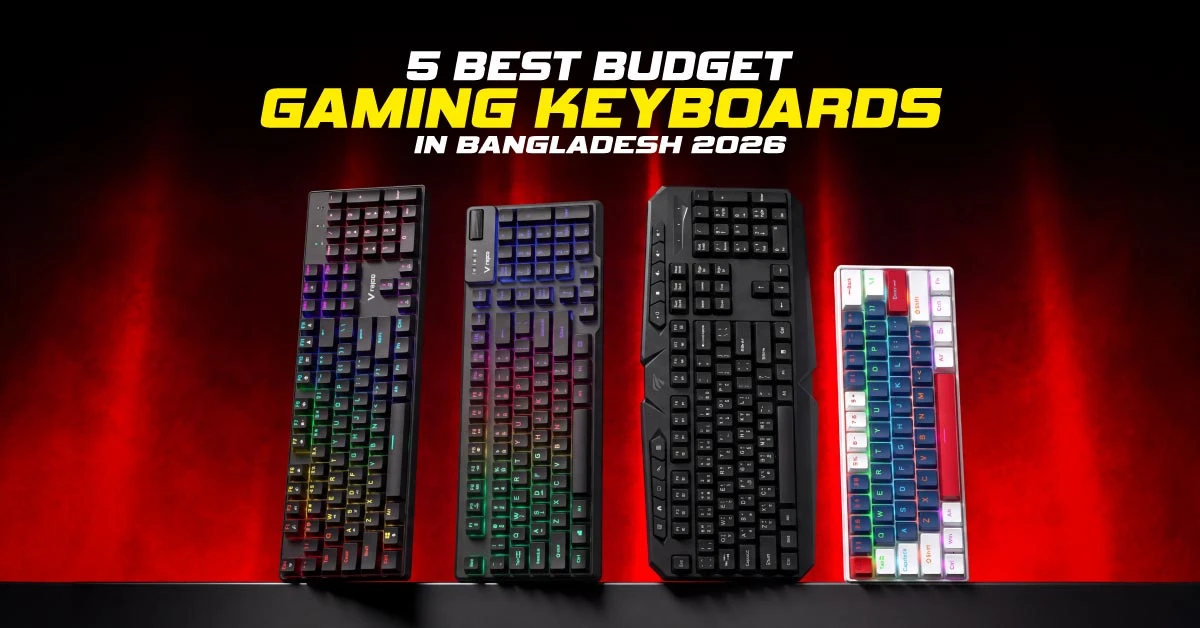
You don't need to spend a lot to get a good gaming keyboard. In Bangladesh, you can find budget gaming keyboards ranging from Tk 750 to Tk 2,050, with options for casual gaming, competitive play, and everyday typing. But choosing the right one isn't just about price or RGB lighting. Switch type, keyboard size, noise, and typing comfort also matter.
To make your choice easier, we've compared five budget gaming keyboards from T-WOLF, Havit, and Rapoo. You'll find their key features, prices, strengths, and drawbacks, along with practical advice on which keyboard suits your gaming needs.
5 Best Budget Gaming Keyboards: Quick Comparison
These five keyboards were shortlisted from Ryans' budget range based on switch type, layout, gaming features, warranty, and price. The comparison uses published product specifications rather than hands-on performance testing.
| Feature | T-WOLF T20 RGB Wired | Havit KB419L with Bangla | Rapoo V50S-98 Wired | T-WOLF T60 RGB Wired | Rapoo GK500 Blue Switch |
|---|---|---|---|---|---|
| Current Price | Tk 750 (regular Tk 810) | Tk 1,000 (regular Tk 1,090) | Tk 1,550 (regular Tk 1,680) | Tk 1,900 (regular Tk 2,060) | Tk 2,050 (regular Tk 2,120) |
| Type & Switch | Membrane | Membrane | Membrane | Mechanical (Blue switch, clicky) | Mechanical (Blue switch, clicky) |
| Layout | Full-size, 104 keys, English | Full-size, 114 keys, English + Bangla legends | 95% layout, 98 keys | 60% compact, 63 keys | Full-size, 104 keys |
| Anti-Ghosting | Multi-key anti-ghosting | 19 anti-ghosting keys | 19-key conflict-free | Multi-key anti-ghosting | 26-key conflict-free |
| Connection / Lighting | Wired USB, RGB backlight | Wired USB, multi-color LED backlight | Wired USB, adjustable LED backlight | Wired USB, RGB backlight | Wired USB, multi-color backlight |
| Warranty | 1 year | 1 year | 2-year replacement | 1 year | 2-year replacement |
| Best For | Cheapest entry point; full-size typing plus casual gaming | Bangla typists; 12 multimedia hotkeys on a tight budget | Mixed gaming and study/work; volume wheel and Windows lock | Cheapest true mechanical; FPS players who want more desk and mouse space | Numpad users who want a full mechanical feel and long key life |
| Main Trade-Off | Soft membrane feel, no Bangla legends, few extras | Membrane feel, wide footprint, not mechanical | Membrane, not mechanical; no Bangla legends | No numpad, dedicated arrow keys, or function row; loud typing | Loud switches, largest desk footprint, top of the budget |
1. T-WOLF T20 RGB Wired: Best Entry-Level Budget Pick
If your budget is tight, the T-WOLF T20 RGB Wired full-size gaming keyboard is worth considering. You get 104 keys in a standard English layout, and the anti-ghosting covers the common key combos. Since it's a membrane keyboard, your presses will feel softer.
Through its wired USB connection, you can plug it in and start playing. There’s no need to charge it. The T20 also has RGB backlighting, although it offers no performance advantage.
Buy it if the budget is your main concern. Skip it if you want the mechanical feel.
2. Havit KB419L Backlit with Bangla: Best Bangla-Friendly Budget Pick
The Havit KB419L is a full-size 114-key membrane keyboard with English and Bangla printed right on the keycaps. Anti-ghosting covers 19 keys most games require. You also get 12 multimedia hotkeys plus 10 standard multimedia keys. With this keyboard, music and common Windows actions are one press away while you stay in the game.
You can use it with Windows, Mac, and Linux. It comes with a one-year warranty. The multi-color LED backlight looks pretty, and the key life is 10 million presses with a membrane feel. But anyone chasing a true switch feel would want to consider other options.
3. Rapoo V50S-98 Wired: Best 95% Gaming Keyboard for Mixed Use
If you play games and study on the same desk, the Rapoo V50S-98 Wired gaming keyboard is what you need. Its 95% layout retains the full-size feel while dropping a few keys you rarely use. It also frees up room for your mouse so you can feel comfy while playing FPS games.
Its dedicated volume wheel and Windows key lock provide proper control in the middle of a match. Besides, 98 keys, an aluminum alloy base, a wired USB connection, and anti-ghosting technology are available for you. It easily works with Windows, Mac, Chrome OS, Android, and iOS. You also get a 2-year replacement warranty.
Just keep in mind that it’s a membrane keyboard at 1550 BDT, and the mechanical T-WOLF T60 costs just 350 Taka more.
4. T-WOLF T60 RGB Wired: Best Budget Mechanical Keyboard
The T-WOLF T60 RGB Wired is the first mechanical option on this list, and you get a 60% compact board with 63 keys in this. Its design remains simple as there’s no numpad, arrow keys, or function row. The Blue switches are clicky and loud, just as listed.
Anti-ghosting works across multiple keys, though there is no formal key rollover or NKRO rating. It connects by wired USB, so you plug it in and go. The RGB backlight has customizable effects.
The keyboard also comes with ABS keycaps, shortcut keys, a 1.5-meter cable, and a 1-year warranty. Paying a little more gets you that satisfying click, the mechanical switches, and sturdier build quality.
5. Rapoo GK500 Blue Switch: Best Full-Size Mechanical Pick
With a full key set and a mechanical feel, the Rapoo GK500 Blue Switch sits at the top of this budget ladder. It has a full-size layout with 104 keys, including a numpad, so it handles gaming, writing, and number entry with ease. The Blue switch gives you a clicky response.
You’ll also get 26-key, conflict-free, anti-ghosting technology, a wired USB connection, a multi-color LED backlight, and a 2-year replacement warranty. Twelve multimedia hotkeys put quick audio control right at your fingertips.
This keyboard is the most space-hungry mechanical option here. Its Blue switches share the loudest character in the lineup. It can feel like too much for casual gaming if you don't use a numpad.
Which Budget Gaming Keyboard Should You Choose by Game Type?
Choose your keyboard based on the games you play, desk space, and noise tolerance. For FPS games, prioritize anti-ghosting, reliable wired USB, and enough mouse space.
A smaller layout can give you more room for faster mouse movements. The V50S-98 keeps most keys in a slightly smaller layout, while the T60 removes more keys to leave extra room for your mouse.
Gaming, studying, and everyday typing feel even more convenient on the V50S-98. T-WOLF T60 also takes less space and adds mechanical switches, though its smaller layout needs some adjustment.
Sharing a room or gaming at night can make keyboard noise a concern. The clicky Blue switches on the GK500 and T60 can be loud. Yet, the membrane T20, Havit KB419L, and V50S-98 are much quieter. A full-size GK500 makes sense if you need a numpad, while the V50S-98 or T60 works better when desk space is tight.
Complete the rest of your setup with a gaming mouse, gaming keyboard and mouse combo, or gaming monitor.
Mechanical vs Membrane: Is Mechanical Worth Paying More For?
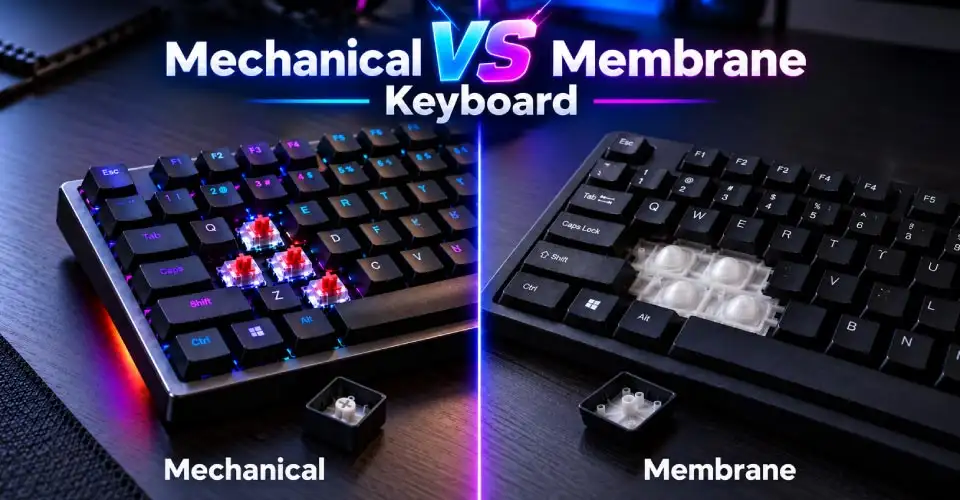
Mechanical doesn't automatically mean better. You must compare feel, noise, key rollover, and price before purchasing. A membrane keyboard has a rubber dome under each key. A mechanical gaming keyboard gives every key its own switch. Brown switches sit in a quieter middle ground, while Blue switches click loudly.
Check how many keys a board can register at once, since going mechanical alone won't guarantee better anti-ghosting. Polling rate tells you how often the keyboard reports your keystrokes, but no figure is listed for these models.
So, pay more only if you care about switch feel, repair options, and longer lifespan. If these don't matter to you, the membrane T-WOLF T20 (Tk 750) or the Rapoo V50S-98 (Tk 1,550) will play just fine.
But if you’re determined to have mechanical keyboards, visit the best mechanical keyboard under 3000 Taka and the 10 best mechanical keyboards in Bangladesh now.
Note: Switch swapping depends on the model, so check the specifications to see whether the switches can be replaced.
Full-Size vs 95% vs 60%: Which Layout Fits Your Desk?
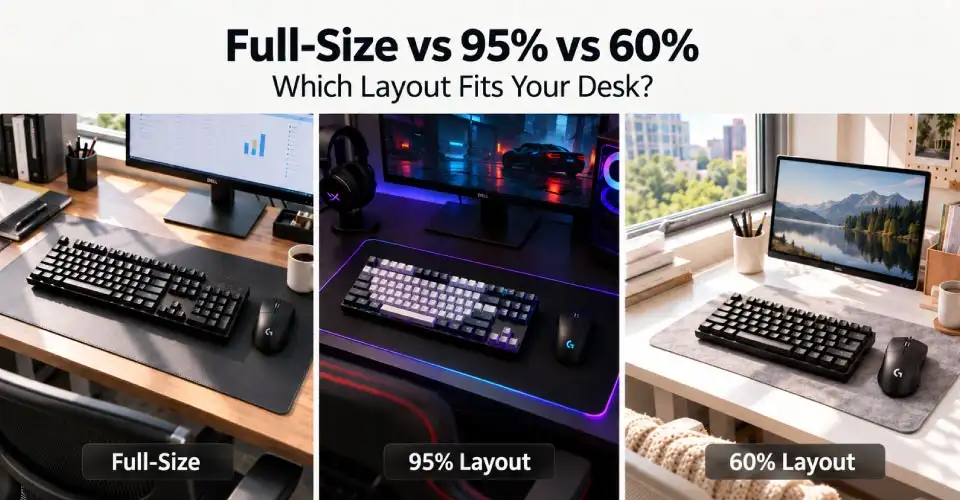
A full-size keyboard comes with a numpad and takes up the most desk space. A 95% layout is slightly smaller than a full-size keyboard but keeps most of the usual keys. A 60% keyboard is much more compact as it removes the numpad, arrow keys and function row. You have to learn shortcuts to use those functions.
The T-WOLF T20, Havit KB419L, and Rapoo GK500 are full-size boards. The Rapoo V50S-98 is a 95% layout, and the T-WOLF T60 is a 60%. If you want a gaming keyboard for FPS games, the T60 frees up extra room for your mouse. The V50S-98 handles work and play equally well. Full-size boards suit people who type a lot or punch in plenty of numbers.
Prefer full-size if you need a numpad. Take a 95% board if you work alongside playing games. Choose a 60% keyboard if you want the most mouse room and don't mind learning a few shortcuts.
Anti-Ghosting and Key Rollover: What Budget Gamers Actually Need
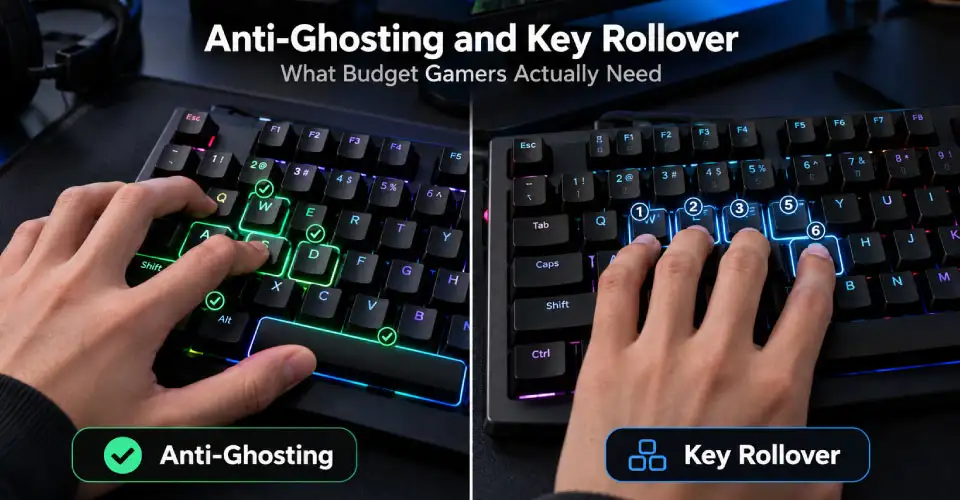
Anti-ghosting lets the keyboard register several keys at once, so your key combinations work properly during games. Check how many keys each keyboard can handle instead of relying on general claims.
Most budget gamers do not need full NKRO. Key rollover simply means how many keys the keyboard can recognize at the same time.
A higher polling rate means more frequent updates, but budget keyboards are usually fine for casual gaming. Choose the key coverage you actually need and do not worry too much about maximum NKRO claims.
Wired vs Wireless Gaming Keyboard on a Budget
Between 750 and 2,050 BDT, a stable wired USB keyboard is your best bet. It needs no batteries or pairing, and it works the moment you plug it into a laptop or desktop.
Wireless models require battery upkeep, and cheaper ones can have pairing hiccups or laggy responses. Think of wireless as a nice upgrade for later. Go with wired for now, and consider wireless only if you move around enough to make the extra cost worthwhile.
RGB, Bangla Legends and Media Keys: Useful Features vs Extras
RGB lighting is all about looks. A customizable backlight changes how a keyboard looks, but won't make it faster. RGB gaming keyboards are only for styling.
The Havit KB419L has Bangla legends on its keys, so typing in both languages feels natural. Media keys are a handy bonus too. Havit includes multimedia hotkeys, and the Rapoo V50S-98 adds a volume wheel for rapid volume adjustments. It also has a Windows key lock to save you from popping open the Start menu in the middle of a game.
Spend your money on Bangla legends and controls you will actually use. If you want RGB, get it because you love the glow.
How Much Should You Spend on a Budget Gaming Keyboard in Bangladesh?
If you play casually, a gaming keyboard around 1000 BDT will do the job just fine. The best gaming keyboard around 2000 BDT comes down to what you value most. Prices and stock at Ryans change from time to time. So, treat the figures here as a current reference and not as a promise.
Pay extra only when you want a better switch feel, Bangla legends, a specific layout, or wider key coverage. A fancy brand name alone is not worth the money.
Common Budget Gaming Keyboard Buying Mistakes
Avoid the RGB alone, because it only adds looks and does nothing for performance. Plenty of gaming boards also turn out to be less mechanical.
Layout deserves a look too. A cramped design or a missing numpad can leave you annoyed after a week. Loud Blue switches can bother roommates at night, so think about who shares your space.
Warranty and after-sales support matter as well. Avoid inflated marketplace listings and go with a genuine local seller who backs the product with a warranty. A cheap gaming keyboard in Bangladesh works perfectly well when its features fit your needs.
Before you buy, run through these quick checks.
- Confirm the switch type and layout.
- Check the noise level and key rollover.
- Verify the official warranty and the seller.
- Compare current prices and stock.
Why Buy a Gaming Keyboard from Ryans?
Ryans sells genuine products with an official warranty, nationwide delivery, and after-sales support. You can check product details locally, arrange delivery, and get help if something goes wrong.
Please ensure each model's warranty before you order. Take a look at the five picks on the main gaming keyboard category page to see which one suits your needs and budget.
Before you buy, confirm the current price and stock so there are no surprises at checkout.
Final Recommendation
The best budget gaming keyboard in Bangladesh depends on your needs.
Choose the T-WOLF T20 (Tk 750) for the lowest price, the Havit KB419L (Tk 1,000) for Bangla keys, the Rapoo V50S-98 (Tk 1,550) for mixed use, the T-WOLF T60 (Tk 1,900) for the cheapest mechanical board, or the Rapoo GK500 (Tk 2,050) for a full-size mechanical feel.
Confirm the current price, stock, and warranty before you order.
Frequently Asked Questions
Which Budget Gaming Keyboard Is Best in Bangladesh in 2026?
It depends on your budget and the layout you like. The T-WOLF T20 is the entry-level membrane pick, and the Havit KB419L adds Bangla legends. The Rapoo V50S-98 gives you a 95% layout. If you want a mechanical keyboard, look at the T-WOLF T60 and the Rapoo GK500.
Can I Get A Good Gaming Keyboard Under Tk 1,000?
Yes, you can. The T-WOLF T20 sits at about Tk 750 and comes with membrane switches, a wired USB connection, and backlighting. The Havit KB419L is also a wired, backlit membrane board, though at 1,000 BDT, it just touches your limit.
Is A Mechanical Keyboard Better Than A Membrane Keyboard for Gaming?
Not automatically. Mechanical switches feel more distinct, but they cost more and sound louder. Membrane boards run quieter and handle casual play easily. Compare feel, noise, key rollover, and price, and don’t assume a mechanical board will make you a better player.
What Is the Best Budget Mechanical Gaming Keyboard in Bangladesh?
The T-WOLF T60 is the cheapest budget mechanical option here at around 1,900 BDT. The Rapoo GK500 costs about 2,050 BDT and gives you full-size keys with Blue switches. These are our reference prices, so confirm current availability first.
Is A 60% Keyboard Good for FPS Games?
Yes, it can be. The T-WOLF T60 has a compact 60% footprint, freeing up extra room for your mouse. It has no numpad and no dedicated arrow keys, so a 95% or full-size board suits mixed use better.
Do I Need Anti-Ghosting for Gaming?
Yes, it helps as it ensures your combos register when you press several keys at once. Look at the exact coverage on the box. The Rapoo V50S-98 lists 19 key conflict-free, and the Rapoo GK500 lists 26 key conflict-free. Full NKRO is not important for most budget buyers.
Is A Wired Gaming Keyboard Better Than Wireless On A Budget?
Usually it is. A wired USB connection skips battery worries and pairing hassles. It also keeps latency predictable and works with both laptops and desktops.
Does RGB Make A Gaming Keyboard Faster?
No, it doesn’t. RGB is a customizable backlight. It just changes how your keyboard looks. Choose it only if you like the glow. For real gaming performance, focus on switch type, layout, rollover, and warranty.
Should I Choose A Gaming Keyboard With Bangla Key Legends?
Yes, if you type in Bangla or want bilingual legends. A gaming keyboard with Bangla support, such as the Havit KB419L, makes key identification easier. Legends add convenience but do nothing for performance.















Leave a comment